Software as a Service (SaaS) has completely changed how individuals and businesses use software. Instead of purchasing expensive programs and installing them on a single computer, users can now access powerful applications through a web browser from almost anywhere. If you’re searching for the best saas examples, understanding how these cloud-based platforms work can help you choose the right tools for productivity, communication, marketing, finance, and business growth.
Today, millions of companies rely on SaaS products to reduce costs, improve collaboration, and simplify everyday operations. Whether you’re a student, freelancer, startup founder, or enterprise manager, there are countless saas examples that solve real-world problems without requiring complex installations or expensive hardware.
In this guide, you’ll discover more than 20 popular saas examples, learn how SaaS differs from other cloud computing models, understand its key advantages, and find practical tips for selecting the right platform in 2026.
Table of Contents
- What Is SaaS?
- How SaaS Works
- Benefits of SaaS
- 20+ Best SaaS Examples
- SaaS vs PaaS vs IaaS
- How to Choose the Right SaaS Platform
- Pros and Cons
- Final Verdict
- FAQs
What Is SaaS?
Software as a Service (SaaS) is a cloud computing model in which software is hosted by a provider and delivered over the internet. Instead of downloading or maintaining programs locally, users simply sign in through a browser or mobile app.
One reason people search for saas examples is to understand how this model appears in everyday life. In reality, many of the tools you already use are SaaS applications, including email services, video conferencing platforms, project management software, and online document editors.
Most SaaS providers handle:
- Software updates
- Security patches
- Data backups
- Cloud hosting
- Performance optimization
- Infrastructure maintenance
This allows users to focus on their work rather than managing software installations.
How SaaS Works
Unlike traditional desktop software, SaaS applications run on cloud servers maintained by the service provider.
A typical workflow looks like this:
- Create an account.
- Sign in through a web browser or app.
- Access your data securely online.
- Work from any supported device.
- Changes are automatically saved and synchronized.
Since everything is hosted in the cloud, users can collaborate in real time without installing software on every computer.
Benefits of SaaS
The growing popularity of saas examples is driven by the many advantages these platforms provide.
Lower Costs
Most SaaS products use monthly or yearly subscriptions instead of expensive one-time software purchases.
Easy Access
Users can access their applications from desktops, laptops, tablets, and smartphones with an internet connection.
Automatic Updates
The provider installs updates automatically, ensuring users always have the latest features and security improvements.
Better Collaboration
Cloud-based platforms make it easy for teams to work together, share files, and communicate in real time.
Scalability
Businesses can upgrade or downgrade plans as their needs change without replacing software or hardware.
Improved Security
Leading SaaS providers invest heavily in encryption, monitoring, backups, and compliance to protect customer data.
https://www.salesforce.com/
20+ Best SaaS Examples
Below are some of the most widely used SaaS platforms across different industries.
1. Google Workspace
Google Workspace includes Gmail, Google Docs, Sheets, Slides, Drive, and Meet, making it one of the most recognized saas examples for productivity and collaboration.
2. Microsoft 365
Microsoft 365 delivers cloud-based versions of Word, Excel, PowerPoint, Outlook, Teams, and OneDrive, enabling users to work from virtually anywhere.
3. Slack
Slack is a team communication platform that organizes conversations into channels, supports file sharing, and integrates with hundreds of business applications.
4. Zoom
Zoom provides video conferencing, webinars, screen sharing, and online meetings for businesses, schools, and remote teams around the world.
5. Dropbox
Dropbox is a cloud storage solution that lets users securely store, synchronize, and share files across multiple devices.
6. Canva
Canva enables users to create professional graphics, presentations, social media posts, and marketing materials directly from a web browser without advanced design skills.
7. Salesforce
Salesforce is one of the world’s leading customer relationship management (CRM) platforms. Businesses use it to manage sales pipelines, customer interactions, marketing campaigns, and support services.
8. Shopify
Shopify allows businesses to create and manage online stores without needing advanced programming knowledge. It includes payment processing, inventory management, and marketing tools.
9. HubSpot
HubSpot combines CRM, email marketing, sales automation, customer service, and content management into a single cloud platform.
10. Trello
Trello uses boards, lists, and cards to organize projects and tasks. Its simple interface makes it popular among small businesses and remote teams.
11. Asana
Asana helps organizations manage projects, assign tasks, monitor deadlines, and improve team collaboration.
12. Notion
Notion combines note-taking, document management, project planning, databases, and team collaboration in one workspace.
13. Adobe Creative Cloud
Adobe Creative Cloud provides online access to applications such as Photoshop, Illustrator, Premiere Pro, and Acrobat through subscription plans.
14. Grammarly
Grammarly assists users by checking grammar, spelling, punctuation, tone, and writing clarity across emails, documents, and websites.
15. DocuSign
DocuSign enables businesses and individuals to securely sign, send, and manage electronic documents online.
16. Mailchimp
Mailchimp helps businesses create email campaigns, automate marketing workflows, and analyze campaign performance.
17. QuickBooks Online
QuickBooks Online simplifies accounting by managing invoices, expenses, payroll, financial reports, and tax preparation.
18. Zendesk
Zendesk provides customer support software with ticket management, live chat, help centers, and AI-powered assistance.
19. Monday.com
Monday.com is a cloud-based work management platform designed for planning projects, tracking progress, and improving collaboration.
20. Bitrix24
Bitrix24 combines CRM, communication tools, document management, project management, and HR features in one platform.
21. ClickUp
ClickUp offers task management, document collaboration, dashboards, goals, automation, and reporting for teams of all sizes.
22. Airtable
Airtable combines spreadsheets with database functionality, making it easier to organize projects, workflows, and business data.
SaaS vs PaaS vs IaaS
Cloud computing consists of three major service models. Understanding their differences helps businesses choose the right solution.
| Feature | SaaS | PaaS | IaaS |
|---|---|---|---|
| Ready-to-use Software | ✅ | ❌ | ❌ |
| Application Development | ❌ | ✅ | Limited |
| Infrastructure Control | None | Partial | Full |
| Maintenance | Provider | Provider | Customer |
| Best For | End Users | Developers | IT Teams |
Most individuals searching for saas examples are looking for ready-to-use applications, while developers often choose PaaS and infrastructure teams work with IaaS services.
How to Choose the Right SaaS Platform
Not every SaaS application fits every business. Before subscribing, consider these factors.
Understand Your Needs
Identify the problems you want the software to solve before comparing products.
Check Security Features
Look for encryption, multi-factor authentication, regular backups, and compliance certifications.
Compare Pricing
Review monthly and annual subscription plans, including upgrade options as your business grows.
Evaluate Integrations
The best SaaS platforms integrate with the tools you already use, reducing manual work and improving productivity.
Test Before Buying
Many providers offer free trials or limited free plans. Testing the software helps determine whether it meets your requirements.
https://www.microsoft.com/microsoft-365
Common Mistakes to Avoid
Avoid these common errors when selecting cloud software:
- Choosing based only on price.
- Ignoring security and privacy policies.
- Overlooking customer support quality.
- Paying for features you don’t need.
- Failing to compare multiple providers.
- Not checking integration compatibility with existing workflows.
Choosing the right platform from the beginning can save both time and money.
Pros and Cons
Pros
- Cloud-based access from anywhere with an internet connection.
- Lower upfront costs than traditional software.
- Automatic updates and maintenance handled by the provider.
- Easy collaboration for remote teams.
- Scalable plans for businesses of all sizes.
- Fast deployment without complex installation.
- Works across multiple devices and operating systems.
- Strong integration with many third-party applications.
- Flexible subscription pricing.
- Reliable backups and security from leading providers.
Cons
- Requires a stable internet connection.
- Monthly or annual subscription costs can add up.
- Limited offline functionality in some platforms.
- Data is stored on third-party servers.
- Vendor lock-in can make migration difficult.
- Feature limitations on lower-tier plans.
Final Verdict
The growing popularity of saas examples shows how cloud computing has transformed the way individuals and businesses use software. From productivity and communication to marketing, finance, project management, and customer support, SaaS platforms make powerful tools accessible without expensive hardware or complicated installations.
Whether you’re a freelancer, student, startup founder, or enterprise organization, there are saas examples available for almost every workflow. Solutions like Google Workspace, Microsoft 365, Salesforce, Shopify, Slack, and Canva demonstrate how cloud software can improve efficiency, collaboration, and scalability.
Before selecting a platform, compare pricing, security features, integrations, and customer support. Testing free trials is also a smart way to determine whether a solution fits your needs.
Overall, the wide variety of saas examples available today proves that Software as a Service will continue to play a major role in modern business and personal productivity throughout 2026 and beyond.
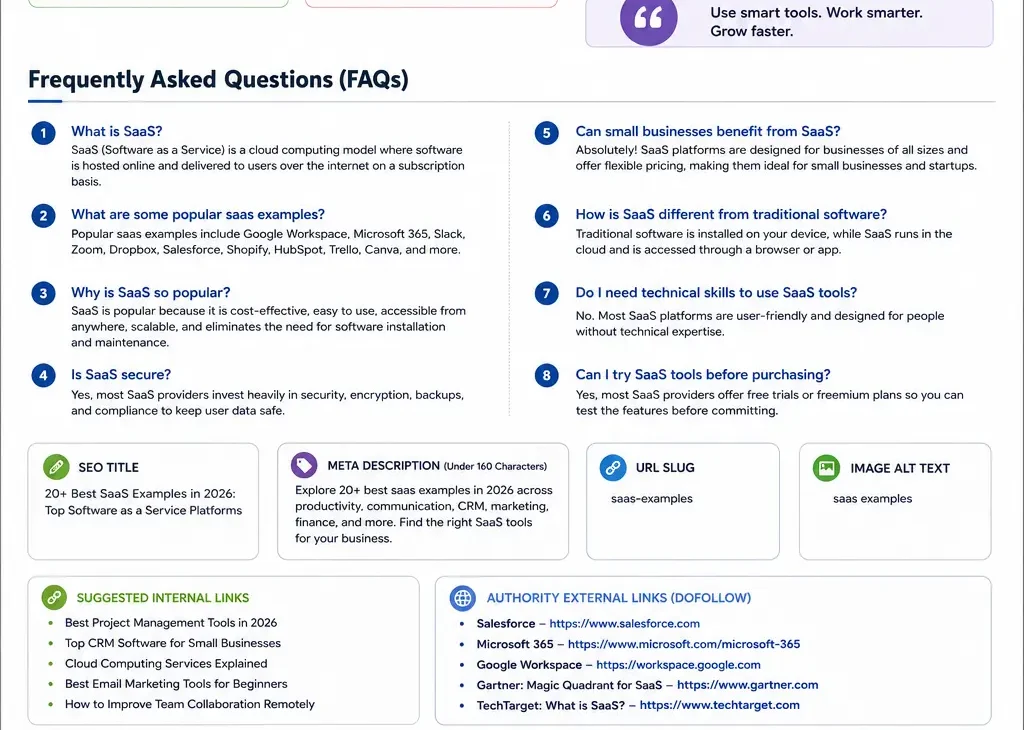
Frequently Asked Questions (FAQs)
1. What is SaaS?
SaaS (Software as a Service) is software hosted in the cloud and delivered over the internet through a subscription model.
2. What are some popular saas examples?
Popular saas examples include Google Workspace, Microsoft 365, Slack, Zoom, Dropbox, Salesforce, Shopify, HubSpot, Canva, and Notion.
3. Why are SaaS platforms so popular?
They reduce costs, eliminate software installation, provide automatic updates, and make collaboration easier.
4. Are SaaS applications secure?
Yes. Most leading providers invest heavily in encryption, backups, compliance, and security monitoring.
5. Can small businesses benefit from saas examples?
Absolutely. Many saas examples offer affordable pricing, flexible plans, and tools that help small businesses grow without major IT investments.