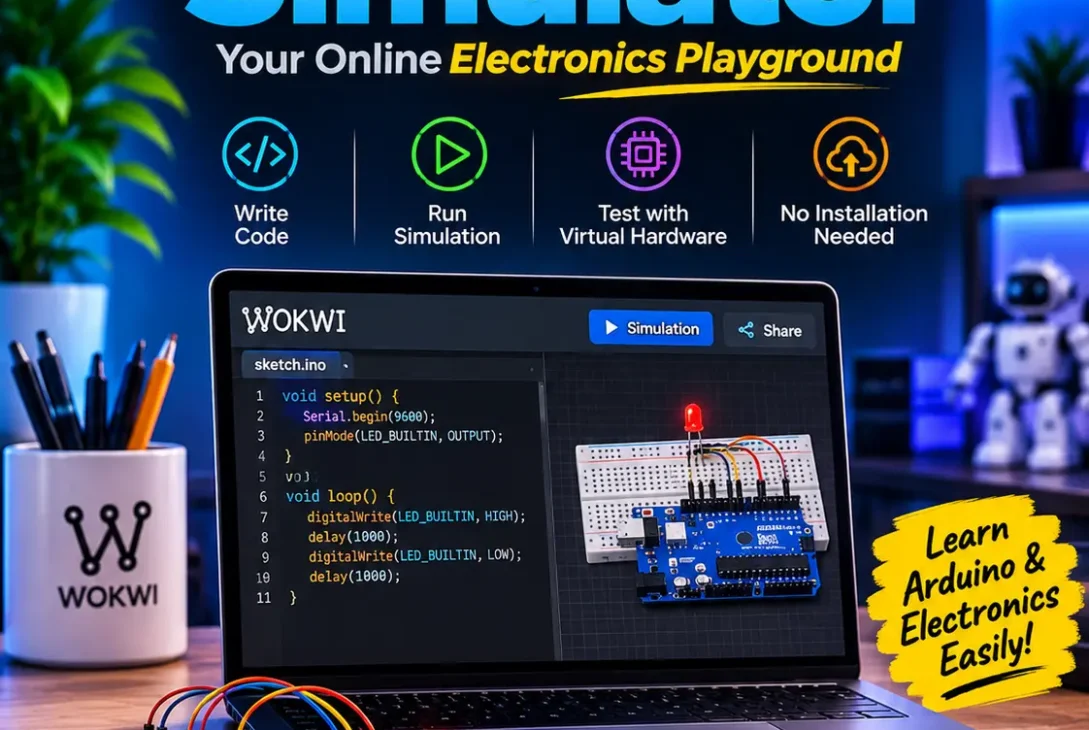
The Wokwi simulator is an online electronics development environment that lets students, hobbyists, and engineers build and test microcontroller projects in a web browser. Instead of purchasing a development board, sensors, displays, wires, and other components before writing code, users can assemble a virtual circuit, program it, and watch the result run on screen. This makes electronics experimentation more accessible, especially for people who are just beginning to learn embedded systems.
The platform supports popular development boards such as Arduino, ESP32, and Raspberry Pi Pico, along with a collection of virtual electronic components. Users can connect LEDs, buttons, displays, sensors, and other supported parts, then write firmware and run the project. The Wokwi simulator also includes tools for inspecting serial output, examining digital signals, and testing selected network-based projects.
It is useful for learning programming fundamentals, exploring Internet of Things (IoT) concepts, and checking firmware logic before moving to physical hardware. However, simulation has limits: it cannot reproduce every electrical characteristic, environmental condition, or hardware fault that may occur in a real device.
This guide explains what the platform does, how it works, which boards and components it supports, and how to build your first projects. It also covers debugging, Wi-Fi experiments, advantages, limitations, and how it compares with other electronics tools.
Table of Contents
- What Is Wokwi Simulator?
- How Does Wokwi Work?
- Supported Boards and Components
- Main Features
- How to Get Started
- Beginner Projects to Try
- Using Wokwi for Arduino and ESP32
- Wi-Fi and IoT Simulation
- Debugging and Testing
- Benefits for Students and Developers
- Limitations to Understand
- Wokwi vs. Other Electronics Tools
- Frequently Asked Questions
- Final Verdict
What Is Wokwi Simulator?
The Wokwi simulator is particularly helpful when a learner wants to understand the relationship between source code and visible circuit behavior.
Wokwi is a browser-based electronics simulator designed for microcontroller development. It provides a virtual workspace where users can place supported boards and components, connect them with wires, write code, and run a simulation. The goal is to make it easier to experiment with electronics without requiring a physical workbench for every early-stage test.
For example, a beginner can select an Arduino Uno, add an LED and resistor, connect the parts to the appropriate pins, and write a short program that makes the LED blink. The simulation shows the virtual LED changing state as the program runs. A more advanced user can create an ESP32 project, connect supported sensors and displays, and experiment with selected networking features.
The Wokwi simulator combines a circuit editor with a programming environment. This is useful because users can inspect the wiring and the code in one project rather than switching between separate tools. When something does not work, they can change a connection, edit the program, restart the simulation, and observe the result.
The platform is intended for learning, prototyping, and development workflows. It is not a substitute for every type of circuit-analysis or PCB-design software, and it does not claim that a virtual prototype will behave exactly like a manufactured device.
How Does Wokwi Work?
For a first electronics lesson, the Wokwi simulator provides a convenient space to experiment without handling physical wires.
A typical project begins with a supported microcontroller board. The user adds components to the workspace and connects them to the board’s pins. They then write or upload firmware using the available project workflow. When the simulation starts, the platform executes the program in its simulated hardware environment.
Consider a simple push-button project. The button is connected to a digital input, while an LED is connected to an output. The program reads the button state and turns the LED on when the button is pressed. The virtual circuit provides a visual way to see how input and output pins interact.
More advanced projects can combine several components. A temperature sensor might provide readings to a microcontroller, which then displays the values on an LCD. An ESP32 project might use supported Wi-Fi features to exchange data with a test service.
The Wokwi simulator is more than an animated circuit drawing: supported projects run firmware for the selected microcontroller model. Nevertheless, the simulation only represents the hardware and peripherals that the platform implements. Timing, electrical behavior, and peripheral support can differ from real components.
A good workflow is to use simulation to catch basic wiring and programming mistakes, then test the completed design with the actual board and components. This avoids treating a successful virtual run as proof that a product is ready for deployment.
Supported Boards and Components
Hardware compatibility is an important consideration when choosing an electronics simulator. Wokwi supports several popular microcontroller families and a selection of virtual components. The exact list can change, so check the official supported-hardware documentation before designing a project around a particular part.
Arduino Boards
Arduino is widely used in introductory electronics because its development boards and programming environment are approachable. Supported Arduino options include boards such as the Uno, Nano, and Mega, as well as selected smaller microcontrollers.
These boards are suitable for learning digital inputs and outputs, controlling LEDs, reading buttons, using supported sensors, and displaying information. The Arduino Uno is a common starting point because many beginner tutorials use it.
ESP32 Boards
The ESP32 family is popular for connected devices because many variants include wireless capabilities. The platform supports a range of ESP32 boards and chips, but the exact feature set can vary between models.
The Wokwi simulator can be used to explore ESP32 firmware, test supported peripherals, and build IoT demonstrations. Depending on the selected board and project configuration, developers may use Arduino-style code, ESP-IDF, or supported MicroPython workflows.
Raspberry Pi Pico
Raspberry Pi Pico boards are based on microcontrollers designed for embedded projects and education. Supported Pico-family options allow users to explore GPIO, PWM, serial communication, and programming workflows such as MicroPython or C/C++ where available.
As with other boards, not every hardware function is necessarily simulated. Check the relevant board documentation when your project depends on a specific peripheral.
Sensors, Displays, and Other Parts
The component library includes common electronics parts such as LEDs, push buttons, resistors, displays, and selected sensors and modules. These parts let users build circuits for learning and prototyping.
Before starting a complex design, confirm that the exact component is available and that its required functions are supported. A similar-looking component may not reproduce every feature of the physical product.
Main Features of Wokwi Simulator
Teachers can use the Wokwi simulator to prepare demonstrations that students can open and explore themselves.
The platform offers several tools that help users create, run, inspect, and share embedded projects. Their availability can depend on the board, project type, and account or plan.
Browser-Based Development
Before buying a development kit, users can explore a basic idea in the Wokwi simulator and decide which components they actually need.
The Wokwi simulator helps beginners practise wiring concepts repeatedly without replacing or damaging physical components.
One of the most convenient features is that users can begin projects in a web browser. They can select a board, add components, edit code, and start the simulation without first assembling a physical circuit.
This is useful in classrooms and workshops, where learners may be using different computers. It also makes it easier to share a project with someone who needs to review the circuit or help troubleshoot the code.
Virtual Circuit Editor
The Wokwi simulator also helps learners repeat the same experiment after changing one variable at a time.
Developers can use the Wokwi simulator to check supported firmware logic before spending time assembling a prototype.
The circuit editor provides a visual workspace for arranging supported parts and connecting pins. Users can see how components are wired and make changes without physically moving jumper wires.
For beginners, this can make concepts such as ground, power, input pins, and output pins easier to understand. It also helps developers spot obvious connection mistakes before trying a real board.
Code Editor and Project Files
The Wokwi simulator makes basic Arduino exercises easier to share during remote lessons and workshops.
Projects include code and circuit configuration. Users can work with supported programming environments and edit firmware alongside the virtual circuit.
This combined workflow is convenient for small experiments. For larger projects, developers may prefer an editor such as Visual Studio Code and use the available Wokwi integration where supported.
Serial Monitor
For ESP32 learning, the Wokwi simulator offers a practical introduction to selected connected-device workflows.
Microcontroller programs often print messages to help developers understand what is happening. A serial monitor displays output such as sensor readings, status messages, and debugging information.
The Wokwi simulator includes serial-monitor functionality for supported projects. It can help identify incorrect values, unexpected program flow, and communication problems.
Logic Analyzer
The Wokwi simulator can help users understand how a microcontroller communicates with supported virtual sensors and displays.
Digital communication protocols rely on signal timing and transitions. A logic analyzer helps developers inspect digital signals rather than relying only on printed messages.
For supported projects, this can be useful when examining interfaces such as UART, I2C, and SPI. It helps users understand whether signals are being produced and whether their timing appears consistent with the intended protocol.
Debugging Support
Using the Wokwi simulator alongside official board documentation helps avoid assumptions about unsupported features.
Debugging tools can make firmware development more efficient. Supported workflows include GDB-based debugging for selected boards and project types. Developers can use features such as breakpoints and program inspection to investigate problems.
Debugging support is not identical across every board or programming environment. Check the documentation for your specific setup before depending on a particular debugging feature.
Network and Wi-Fi Experiments
The Wokwi simulator is most effective when projects are kept small enough to test and troubleshoot in stages.
Connected-device development often requires testing how firmware communicates with other systems. The platform documents network-related workflows for supported projects, including examples involving Wi-Fi and protocols such as HTTP, MQTT, and NTP.
This allows developers to explore basic IoT communication patterns without immediately setting up a physical wireless device. It is especially useful for learning how a microcontroller sends readings or receives commands.
How to Get Started
An early test in the Wokwi simulator can reveal a wrong pin assignment before the same mistake reaches a physical circuit.
Getting started is straightforward if you begin with a small project and a familiar board.
Step 1: Open the Website
Visit the official Wokwi website and explore the available examples or project templates. You can create a project for a supported board and begin with a simple circuit.
Step 2: Choose a Board
Select a board that matches your learning objective. Arduino Uno is a practical option for basic programming and circuit exercises. Choose an ESP32 when you want to explore supported wireless and IoT functions.
Step 3: Add Components
Place the components you need in the workspace. For a first experiment, use an LED and a resistor. Later, add a button, display, or supported sensor.
Step 4: Connect the Circuit
Connect each component to the correct board pins. Pay attention to power, ground, signal pins, and component polarity. Use the board pinout and component documentation rather than guessing.
Step 5: Write the Program
Enter a small program that controls the circuit. A blinking LED is a useful first exercise because it introduces pin configuration, output control, and timing.
Step 6: Start the Simulation
Run the project and observe the behavior. If the result is unexpected, inspect the code and wiring. Use serial output or other debugging tools when they are available for the selected project.
Step 7: Save and Share
Save your project so you can return to it later. Sharing a project link can also make it easier to ask a teacher, colleague, or online community for feedback.
This process gives beginners a structured way to learn. Once the first circuit works, they can gradually add more components and introduce more complex programming concepts.
Beginner Projects to Try
The Wokwi simulator is a learning and prototyping aid, not a certification that a finished electronic product is safe.
Building small projects is one of the best ways to understand microcontrollers. These examples introduce different concepts and can be adapted to the components supported by the platform.
1. LED Blinking Project
A blinking LED is a classic first exercise. The microcontroller switches a digital output on and off at a chosen interval.
Start with one LED, then change the delay or add multiple LEDs. You can create a sequence in which each LED turns on in order, helping you practise timing and program flow.
2. Traffic Light Controller
A traffic light project uses red, yellow, and green LEDs to represent a simple signal sequence. The program changes the outputs in a defined order.
You can extend the project with a pedestrian button or a countdown display. This introduces conditional logic, state changes, and coordination between multiple outputs.
3. Temperature Display
A temperature project reads values from a supported sensor and displays them in the serial monitor or on a screen. It introduces input reading, data handling, and basic presentation.
Remember that simulated readings are not a substitute for checking the accuracy of a physical sensor under real environmental conditions.
4. Distance Measurement
A supported ultrasonic sensor can be used to create a distance-measurement demonstration. The microcontroller measures the time associated with a pulse and uses it to estimate distance.
This exercise introduces timing and sensor interpretation. It can be extended into a parking-assistance concept or an obstacle-warning demonstration.
5. Button-Controlled Output
Connect a virtual button to a digital input and use it to control an LED or another supported output. This teaches input reading and the difference between a pressed and released state.
You can expand the program by adding multiple buttons or changing the output behavior based on how long a button is held.
6. ESP32 IoT Demonstration
An ESP32 project can combine a simulated sensor, a microcontroller, and supported network functionality. For example, the firmware can send a reading to a test service using a documented communication method.
This is a useful introduction to IoT architecture, although real wireless range, interference, and network reliability still need physical testing.
Using Wokwi for Arduino and ESP32
Teams can use the Wokwi simulator to exchange reproducible examples when discussing firmware bugs.
Arduino and ESP32 are common choices for learning embedded programming, but they are used for somewhat different project goals.
Arduino boards are popular for basic electronics and control projects. Learners can practise functions for configuring pins, reading digital inputs, controlling outputs, and printing serial messages. They can also connect supported displays and sensors to build small interactive systems.
ESP32 boards are especially useful when a project needs wireless communication. Developers can explore connected-device concepts, send data to services, and experiment with supported networking features.
The Wokwi simulator makes it possible to explore both platforms in a single browser-based environment. This can be helpful for comparing boards and understanding how different microcontrollers approach similar tasks.
However, code is not always interchangeable. Different boards may use different pin assignments, libraries, processor features, and configuration settings. When moving a project from Arduino to ESP32, review the hardware connections and software dependencies instead of assuming the same code will work unchanged.
Wi-Fi and IoT Simulation
The Wokwi simulator can shorten early experimentation, especially when a project uses common supported components.
The Internet of Things connects devices such as sensors, controllers, appliances, and monitoring systems to networks. Developers need to understand how these devices exchange data and respond to remote commands.
Wokwi documents network simulation features for supported projects. For example, an ESP32 program may connect to a simulated network environment and communicate through an available service or protocol.
MQTT is commonly used in IoT systems because it provides a lightweight publish-and-subscribe messaging model. A microcontroller can publish sensor readings, while another application subscribes to those messages. HTTP can be used when a device needs to send a request to a web service. NTP can help a connected device obtain time information.
These exercises help developers understand the software side of connected devices. They can test message formats, basic request logic, and how firmware responds to network events.
However, simulated networking does not reproduce every real-world condition. Physical devices may experience weak signals, interference, router restrictions, packet loss, or service outages. A project intended for deployment must be tested on actual hardware and a real network.
Debugging and Testing
After a virtual test succeeds, developers should move beyond the Wokwi simulator and validate the design on real hardware.
Debugging is an essential part of microcontroller development. A project may fail because of incorrect wiring, an incorrect pin number, a software error, or a peripheral that is not supported in the selected environment.
Start by checking the simplest possibilities. Confirm that the board is correct, the component is connected to the intended pin, and the program uses the same pin number. Check power and ground connections in the circuit layout.
Next, use serial messages to inspect program behavior. Print important values and status information so you can see whether the code reaches the expected sections. For digital communication, use a logic analyzer when the selected board and interface are supported.
The Wokwi simulator can help narrow down problems before a physical prototype is assembled. It is particularly useful for checking basic logic, pin assignments, and supported component interactions.
Still, successful simulation is only one stage of testing. Real hardware validation is necessary for power consumption, signal quality, component tolerances, heat, radio performance, and long-term reliability.
Benefits for Students and Developers
There are several reasons this platform is useful for education and early development.
Lower starting cost: Learners can practise with virtual boards and components before buying a hardware kit.
Faster experiments: Changing a connection or editing code is often quicker than rebuilding a physical circuit.
Visual learning: A virtual circuit makes it easier to see how a board, sensor, and output are connected.
Convenient collaboration: A shareable project can help instructors review work and developers request troubleshooting assistance.
Multiple board options: Users can explore supported microcontrollers without purchasing every board they want to learn.
Early firmware testing: Developers can check supported logic and peripheral interactions before moving to a physical prototype.
These advantages make the Wokwi simulator a useful addition to an electronics learning or development workflow. It can help people build confidence before they begin working with real components.
Limitations to Understand
Simulation has important boundaries, and users should understand them before relying on results.
First, only supported boards, components, and features can be simulated. A specialized sensor or peripheral may not be available, or it may have limited behavior.
Second, virtual electrical behavior is not identical to a physical circuit. Real components have tolerances, power requirements, heat characteristics, and electrical noise that a simulator may not fully reproduce.
Third, network behavior can differ from a real installation. A simulated connection cannot guarantee reliable performance through a home router, industrial network, or mobile connection.
Fourth, hardware-specific issues such as poor solder joints, damaged cables, unstable power supplies, and electromagnetic interference require physical troubleshooting.
Finally, platform features can change. Developers should check official documentation for current board support, component availability, and tool limitations.
The best approach is to use simulation for learning and early validation, then test the design with real hardware before relying on it in a product or safety-critical application.
Wokwi vs. Other Electronics Tools
Several tools help people learn electronics or develop embedded systems, but they do not all serve the same purpose.
| Tool | Main purpose | Typical use |
|---|---|---|
| Wokwi | Microcontroller and firmware simulation | Arduino, ESP32, and embedded learning |
| Tinkercad Circuits | Beginner-friendly circuit simulation | Introductory electronics lessons |
| Proteus | Circuit and microcontroller design simulation | More detailed engineering workflows |
| LTspice | Analog circuit simulation | Electronic circuit analysis |
| KiCad | Schematic and PCB design | Designing physical circuit boards |
Wokwi is focused on interactive microcontroller projects. Tinkercad Circuits is also approachable for beginners, while Proteus supports different engineering workflows. LTspice is designed for circuit analysis, and KiCad is primarily used for schematic capture and PCB design.
These tools are not direct substitutes. A developer may use a microcontroller simulator to test firmware, a circuit-analysis tool to examine electrical behavior, and a PCB application to prepare a board for manufacturing.
Choose based on the task you need to complete rather than assuming one application can handle every stage of electronics development.
Frequently Asked Questions
Is Wokwi simulator free?
Wokwi offers free use for personal projects, while commercial use and certain professional workflows may be subject to paid plans or licensing terms. Check the official pricing information for the latest conditions.
Can I use Wokwi without downloading software?
Yes. The main experience runs in a web browser, so users can create and run supported projects online. Developers who prefer a local editor can also explore the available VS Code integration.
Does it support ESP32?
Yes. Multiple ESP32-family boards and variants are supported. The exact capabilities vary, so check the board documentation before choosing a chip for a project.
Can I simulate Arduino projects?
Yes. The platform supports several Arduino boards and lets users write firmware, connect virtual parts, and run supported simulations.
Can I test Wi-Fi projects?
Supported projects can use documented Wi-Fi and networking features. Examples include experiments involving MQTT, HTTP, and NTP. The exact behavior depends on the selected board and simulation setup.
Is it suitable for beginners?
Yes. Its visual circuit editor and browser-based workflow make it approachable for people learning microcontroller programming and basic electronics.
Can I use it offline?
The browser-based experience is designed for online use. An offline workflow is available through supported VS Code integration features, but setup requirements and limitations should be checked in the official documentation.
Does it replace physical Arduino hardware?
No. It is useful for learning and early testing, but it cannot reproduce every electrical or environmental condition. Projects intended for real use still need physical hardware testing.
Can I share a project?
Yes. Users can share project links so others can view the circuit, inspect the code, or help troubleshoot the design.
What is the difference between Wokwi and Tinkercad?
Both provide browser-based electronics learning, but they differ in supported boards, components, development workflows, and advanced features. Compare their current capabilities against the requirements of your project.
Final Verdict
Used carefully, the Wokwi simulator can make embedded development easier to understand without hiding the need for real-world testing.
The Wokwi simulator is a practical platform for learning electronics, experimenting with microcontrollers, and testing supported firmware projects without immediately assembling a physical circuit. Its browser-based editor, board support, virtual components, serial monitor, logic analyzer, and selected networking features make it useful for both beginners and experienced developers.
Its biggest strengths are accessibility and fast experimentation. Students can practise circuit fundamentals, while developers can check parts of an embedded or IoT application before moving to a physical prototype.
It is important to understand that simulation cannot guarantee real-world performance. Unsupported peripherals, electrical behavior, wireless conditions, and physical component issues still require testing outside the virtual environment.
Overall, the Wokwi simulator is a strong learning and prototyping tool for Arduino, ESP32, and other supported microcontroller projects. If you want to understand embedded programming or experiment with an IoT idea before purchasing hardware, it is a useful place to start.