Introduction
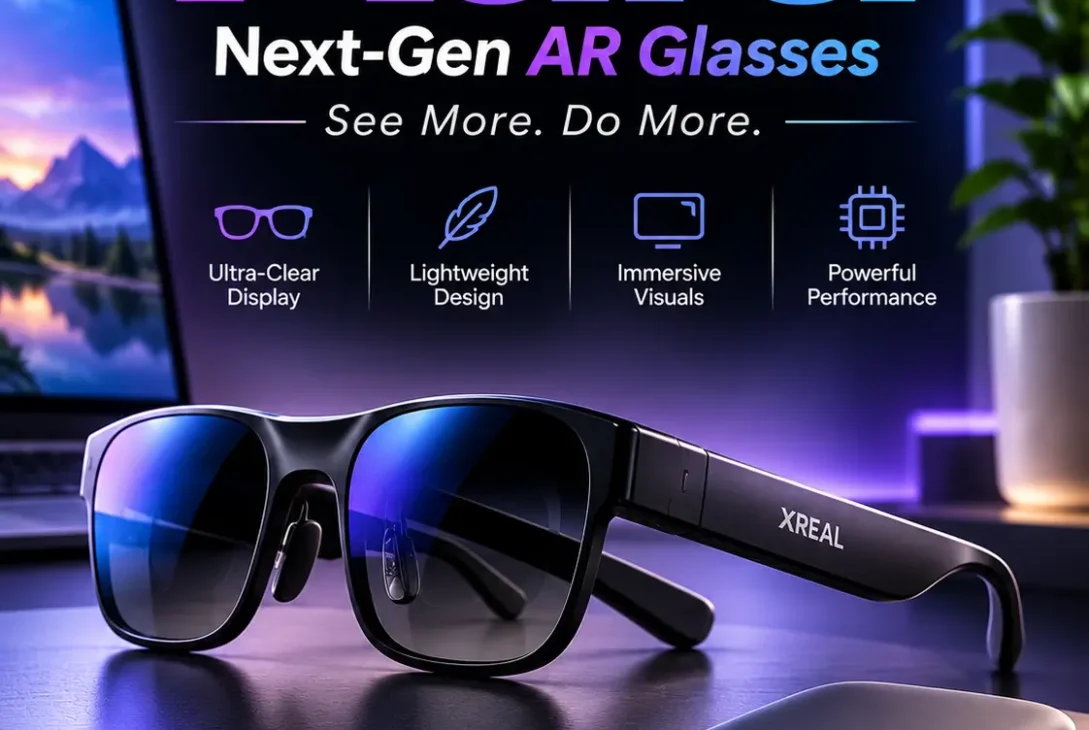
The next generation of wearable technology is moving beyond smart glasses that simply display notifications or capture photos. Companies are developing devices that combine augmented reality, artificial intelligence, and spatial computing to create more interactive digital experiences. One of the latest products entering this space is XREAL AURA.
Officially launched in October 2026, XREAL AURA is a pair of wired extended reality (XR) glasses powered by Google’s Android XR platform. Developed through collaboration between XREAL, Google, and Qualcomm, the device combines transparent optical displays, Gemini AI, spatial tracking, and a dedicated computing puck.
Unlike a traditional VR headset that covers your eyes with screens, XREAL AURA uses optical see-through lenses. This allows you to see your actual surroundings while digital content appears within your field of view. You can use it to watch videos, play games, open multiple virtual screens, work with a laptop, and interact with AI assistance.
The product also introduces a different hardware approach. Instead of placing all the processing components inside the glasses, XREAL moves the main computing hardware and battery into a separate portable puck connected by a cable.
But what makes XREAL AURA different from existing smart glasses? Is it suitable for everyday use, and is its premium price justified?
This guide explores its specifications, major features, Android XR experience, Gemini integration, practical applications, advantages, limitations, and everything potential buyers should understand before considering it.
Table of Contents
- What Is XREAL AURA?
- How Does XREAL AURA Work?
- XREAL AURA Specifications
- 11 Important XREAL AURA Features
- What Can You Do With XREAL AURA?
- XREAL AURA Price and Availability
- XREAL AURA vs Traditional AR and VR Headsets
- Advantages and Disadvantages
- Who Should Consider XREAL AURA?
- Things to Know Before Buying
- Frequently Asked Questions
- Final Verdict
What Is XREAL AURA?
XREAL AURA is a spatial computing device designed in the form of lightweight glasses. It combines optical see-through displays with Android XR software, Google Gemini AI, and Qualcomm processing technology.
The device is designed to bring digital applications and virtual screens into your physical environment without completely blocking your view of the real world.
For example, you could open a browser window while sitting at a desk, watch a video while travelling, or arrange several application windows around your field of vision. You can also use supported XR applications that interact with your surroundings through spatial tracking and hand gestures.
One important difference is that XREAL AURA is not simply a wearable monitor. It runs Android XR and provides access to compatible applications through Google Play. This gives it a broader software environment than glasses that only mirror a connected phone or computer.
The device has two main hardware components:
- XR glasses: The wearable display, cameras, sensors, audio hardware, and spatial coprocessor.
- Computing puck: A separate portable unit containing the primary processor, memory, storage, battery, and physical controls.
Together, these components create a portable spatial computing system.
How Does XREAL AURA Work?
XREAL AURA uses a split-compute architecture. This means the glasses handle display-related and spatial tasks, while the computing puck performs the main processing work.
The glasses connect to the puck through a cable. The puck runs Android XR and provides the processing power needed for applications, AI features, and other computing tasks.
The optical see-through display projects digital content into your field of vision while allowing you to look directly at the physical environment.
Its cameras and sensors support features such as hand tracking, spatial positioning, and AI-assisted perception. Users can interact with compatible applications using their hands, voice, and supported Bluetooth accessories.
A typical experience works like this:
- Put on the glasses and connect the computing puck.
- Turn on the system and unlock it.
- Navigate the Android XR interface using supported controls.
- Open applications from Google Play.
- Position compatible digital windows in your surroundings.
- Use voice commands, hand gestures, or connected accessories to interact.
The computing puck can also function as a navigation touchpad, making it easier to control the interface without relying entirely on hand gestures.
XREAL AURA Specifications
XREAL AURA combines a lightweight glasses design with a separate computing unit. Its specifications are designed around spatial computing, multitasking, entertainment, and AI-powered applications.
| Specification | Details |
|---|---|
| Product type | Wired XR spatial computing glasses |
| Operating system | Android XR |
| Display technology | Sony Micro-OLED |
| Resolution | 1920 × 1200 pixels per eye |
| Refresh rate | Up to 120Hz |
| Field of view | 70 degrees |
| Glasses weight | Approximately 95g |
| Glasses processor | XREAL X1S Spatial Coprocessor |
| Main processor | Snapdragon Reality Elite platform |
| Memory options | 12GB or 16GB |
| Storage options | 256GB or 512GB |
| Battery | 4,455mAh computing puck |
| Wireless connectivity | Wi-Fi 6/6E and Bluetooth 5.3 |
| Audio | Sound tuned by Bose |
| Tracking | 6DoF and hand tracking |
| Dimming | Electrochromic dimming |
| Main interaction | Hands, voice, touchpad, and Bluetooth accessories |
The specifications show that XREAL AURA is designed to provide more than a simple external display. Its processor, tracking hardware, and operating system are intended to support applications that interact with digital content in three-dimensional space.
11 Important XREAL AURA Features
1. Android XR Operating System
One of the most important features of XREAL AURA is its use of Android XR.
Android XR is Google’s platform for extended reality devices. It provides an environment where developers can create applications for immersive displays, spatial interfaces, and AI-assisted experiences.
Rather than depending entirely on a connected smartphone or computer, XREAL AURA runs applications directly through its computing puck.
Users can access familiar Google services and compatible applications, including Chrome, YouTube, Google Maps, Google Photos, and Gemini.
The platform also supports applications specifically designed for XR. This creates opportunities for developers to build interactive experiences that go beyond traditional mobile applications.
Google’s Android XR ecosystem is a major part of the product’s appeal because software availability will help determine how useful the device becomes over time.
2. Google Gemini AI Integration
Artificial intelligence is another major part of XREAL AURA.
The device integrates Google Gemini into the Android XR experience. Instead of interacting with an AI assistant only through a phone or computer screen, users can talk to Gemini while using compatible applications and viewing their surroundings.
For example, you might ask Gemini to explain something you are looking at, help you understand information on a screen, or provide additional context while exploring a location.
Gemini can also assist with content and application workflows. This could make it easier to move between information, entertainment, and productivity tasks without constantly switching devices.
AI perception features depend on the relevant permissions and software capabilities. Users should understand what the device can see and when its cameras or sensors are active.
3. 70-Degree Field of View
The field of view is an important specification for any XR display because it affects how much digital content users can see at once.
XREAL AURA features a 70-degree field of view. This provides a wider spatial viewing area than many conventional wearable display glasses.
A larger field of view can make virtual windows and immersive content feel more natural. It is especially useful when arranging several application windows around your workspace.
However, field of view is only one part of display quality. Resolution, brightness, optical clarity, positioning, and individual comfort also affect the experience.
4. Sony Micro-OLED Displays
XREAL AURA uses Sony Micro-OLED display technology with a resolution of 1920 × 1200 pixels per eye.
Micro-OLED displays are designed to deliver detailed images in compact display systems. They are useful for wearable devices because they can provide high-resolution visuals without requiring traditional large display panels.
The glasses also support refresh rates of up to 120Hz, which can help create smoother motion in compatible applications.
For users watching videos, playing games, or working with virtual screens, these specifications are important parts of the viewing experience.
Actual image quality will also depend on the content, application, brightness, and fit of the glasses.
5. Optical See-Through Design
Traditional VR headsets generally use cameras and internal screens to show a digital representation of the outside environment.
XREAL AURA takes a different approach with optical see-through technology. Its transparent lenses allow users to look directly at the physical world while digital information is displayed in their field of vision.
This can make the device more suitable for situations where maintaining awareness of your surroundings is important.
For example, users can work with digital windows while still seeing their desk, keyboard, or other people nearby.
The experience is different from a fully immersive VR headset because the physical environment remains visible through the lenses.
6. Split-Compute Architecture
The computing hardware is not entirely built into the glasses.
XREAL AURA uses a separate computing puck that houses the Snapdragon Reality Elite platform, battery, memory, and storage. The glasses contain the XREAL X1S Spatial Coprocessor for display and spatial processing tasks.
This split design helps keep the wearable portion relatively lightweight while providing more processing power through the external unit.
The puck also includes physical controls and can be carried using supported accessories.
However, the cable connecting the glasses and computing unit is an important part of the experience. Users who prefer completely wireless smart glasses may find this design less convenient.
7. Multiple Virtual Screens
One of the most interesting productivity features is the ability to create a workspace using multiple virtual windows.
XREAL AURA supports opening and arranging up to five virtual screens. Users can resize and reposition compatible application windows to create a layout that suits their work.
For example, you could place a browser on one side, a document in front of you, and a communication application in another position.
This could be useful for people who work while travelling or do not have access to a conventional multi-monitor setup.
It is important to understand that virtual screens do not automatically replace physical monitors for every workflow. Some professional tasks still benefit from traditional displays, and comfort during extended sessions will vary between users.
8. Wired Laptop and Gaming Device Mirroring
XREAL AURA supports wired display mirroring for compatible laptops and other devices.
A user can connect a supported computer through USB-C with DisplayPort video output and view its screen within the XR environment.
This can turn the glasses into a private virtual display for working with documents, browsing the web, or using desktop applications.
Compatible handheld gaming devices can also benefit from a larger private viewing experience.
The connection is not universal, however. The source device must support the required video output, and the appropriate cable and configuration are necessary.
9. Electrochromic Dimming
XREAL AURA includes electrochromic dimming, which allows users to adjust how much external light passes through the lenses.
This is useful because different environments require different viewing conditions.
For example, users may prefer a more transparent view when interacting with people or moving around, while a darker setting can make video content feel more immersive.
The system supports automatic and manual controls, with multiple transparency levels.
This feature gives users greater control over the balance between seeing the physical world and focusing on digital content.
10. Hand Tracking and Spatial Awareness
Spatial computing becomes more useful when users can interact with digital objects naturally.
XREAL AURA includes world-facing sensors that support 6DoF tracking and hand tracking. Six degrees of freedom allow a device to understand movement across three-dimensional space, including position and orientation.
This makes it possible to anchor compatible digital content within the environment and interact with supported XR applications using hand movements.
The system also includes a high-resolution camera with a privacy indicator for supported AI perception features.
The actual experience depends on the application, lighting, tracking conditions, and software implementation.
11. Sound by Bose and Spatial Audio
Audio is another important part of wearable computing.
XREAL AURA features audio tuned by Bose, along with a four-microphone array and spatial audio capabilities powered by Android XR.
This combination is designed to support entertainment, voice interaction, calls, and AI assistance.
For example, users can watch videos, listen to compatible content, or speak to Gemini without constantly reaching for a separate headset.
Audio performance will depend on the environment and personal preferences. In public spaces, users should also consider privacy and whether they want other people to hear sound from the glasses.
What Can You Do With XREAL AURA?
The device is designed around three major areas: productivity, entertainment, and exploration.
Productivity and Virtual Workspaces
One of the main use cases is creating a portable digital workspace.
Instead of carrying a physical monitor, users can open virtual screens and arrange applications around their field of vision.
A Bluetooth keyboard and mouse can make text entry and navigation more practical. Laptop mirroring also provides a way to work with existing desktop applications.
This may be useful for frequent travellers, remote workers, students, and people who need a private display in different locations.
Entertainment and Video Streaming
XREAL AURA can provide a private viewing experience for video content.
Users can open supported streaming applications, watch YouTube, and position a large virtual screen in front of them.
The electrochromic dimming feature allows users to adjust the amount of outside light entering the lenses.
The device also supports immersive content, including compatible 180-degree and 360-degree videos.
For people who regularly travel, a wearable display can offer a more personal entertainment experience than watching content on a small phone screen.
Gaming
Gaming is another area where spatial computing glasses could become interesting.
Users can play compatible Android games through Google Play or connect supported handheld devices for a larger viewing experience.
Android XR also supports games developed specifically for immersive environments.
Some applications can use hand tracking, while compatible games may support Bluetooth controllers.
The experience will vary depending on the game, input method, and hardware connection.
Learning and Exploration
XREAL AURA can also be used for educational and information-based experiences.
Users can explore supported spatial applications, view digital information, and ask Gemini questions about what they are seeing.
For example, a user exploring a location could use Google Maps alongside AI assistance to understand places and find relevant information.
This type of interaction could become more useful as developers create additional Android XR applications.
XREAL AURA Price and Availability
XREAL AURA officially launched on October 28, 2026. The initial launch markets include the United States, Canada, Japan, and South Korea.
The announced standard configurations are:
| Configuration | US Price |
|---|---|
| 12GB RAM + 256GB storage | $1,279 |
| 16GB RAM + 512GB storage | $1,499 |
XREAL also announced a limited-time promotional offer through December 2026, reducing the prices to $1,099 and $1,299 respectively for eligible standalone purchases.
The company expects shipments to begin in mid-November 2026.
Availability and pricing can vary by country. Buyers in the UK and other markets should check the official regional product page for updated launch information rather than assuming that US pricing or delivery dates apply.
The latest product information is available on the official XREAL AURA website.
XREAL AURA vs Traditional AR and VR Headsets
Although XREAL AURA belongs to the XR category, it has a different design philosophy from traditional VR headsets and simpler AR display glasses.
| Feature | XREAL AURA | Traditional VR Headset | Basic AR Display Glasses |
|---|---|---|---|
| Main purpose | Spatial computing | Immersive virtual experiences | Personal virtual display |
| Physical-world visibility | Optical see-through | Usually camera passthrough | Often transparent |
| Operating system | Android XR | Varies by device | Often limited or external |
| AI integration | Gemini | Depends on platform | Depends on product |
| Spatial interaction | Supported | Common on advanced models | Varies |
| Virtual applications | Android XR apps | Platform-specific apps | Often limited |
| Main hardware | Glasses and computing puck | Headset | Glasses, sometimes external device |
XREAL AURA sits between traditional AR glasses and fully immersive VR headsets.
Its transparent optics are designed to keep users connected to the physical environment, while Android XR provides a more complete application platform than a simple external display.
It is not necessarily a replacement for every VR headset. Users who want fully enclosed virtual environments, extensive VR gaming libraries, or dedicated immersive experiences may prefer a traditional headset.
Advantages and Disadvantages
Advantages
Lightweight glasses design: The wearable component weighs approximately 95 grams, helping keep the main glasses lighter than a conventional full-size VR headset.
Android XR platform: Access to Google Play and compatible XR applications gives the product a broad software foundation.
Gemini integration: AI assistance can help users understand information and interact with compatible applications.
Optical see-through display: Users can see their physical surroundings without relying entirely on camera passthrough.
Multiple virtual screens: The ability to arrange up to five virtual windows offers interesting productivity possibilities.
High-resolution display: Sony Micro-OLED panels and support for up to 120Hz provide a strong technical foundation.
Flexible interaction: Hand tracking, voice, touchpad controls, and Bluetooth accessories offer several ways to interact.
Disadvantages
Premium price: Starting at $1,279, XREAL AURA is an expensive device compared with basic smart glasses and external display glasses.
Wired connection: The glasses require a connection to the computing puck, which may be less convenient for people who want a completely wireless design.
Separate computing puck: Users must carry another device rather than having all components inside the glasses.
Software ecosystem still developing: Android XR has significant potential, but the long-term quality and availability of applications will influence the product’s usefulness.
Comfort varies: A lightweight design does not guarantee that every user will find the glasses comfortable during long sessions.
Regional availability: Initial launch markets are limited, so customers in other countries may need to wait for local availability.
Who Should Consider XREAL AURA?
XREAL AURA is aimed at people interested in spatial computing rather than users who simply want basic notifications or a camera built into their glasses.
It may be worth considering for:
- Remote workers: People who want virtual screens and a portable workspace.
- Frequent travellers: Users who want a private display for entertainment and productivity.
- Technology enthusiasts: People interested in Android XR, spatial applications, and emerging wearable hardware.
- Gamers: Users who want to explore Android XR games or play compatible games on a large virtual screen.
- Developers: People interested in creating applications for the Android XR ecosystem.
- AI enthusiasts: Users who want to experiment with Gemini assistance in a wearable environment.
It may be less suitable for people who only need basic notifications, fitness tracking, or simple audio features. More affordable smart glasses may provide better value for those requirements.
Things to Know Before Buying
Before purchasing XREAL AURA, consider the following points.
Check Regional Availability
The initial launch markets are limited. Check whether the product is officially available in your country and whether local warranty and support are provided.
Understand the Computing Puck
The puck contains the main processing hardware and battery. You will need to carry it and connect it to the glasses during use.
Check the Fit
XREAL AURA offers different fit options. The manufacturer lists medium and large sizing based on interpupillary distance. Check the fitting guidance before ordering.
Consider Your Applications
The number of available applications does not automatically determine whether the device suits your needs. Check whether the applications you depend on work properly in Android XR.
Understand the Price
The purchase price is only one part of the decision. Consider accessories, prescription inserts if required, regional taxes, and warranty arrangements.
Review Privacy Settings
Because the device includes cameras, microphones, and AI perception features, users should understand when sensors are active and how permissions are managed.
Frequently Asked Questions
1. What is XREAL AURA?
XREAL AURA is a pair of wired XR spatial computing glasses powered by Android XR. It combines optical see-through displays, Gemini AI, spatial tracking, and a separate computing puck.
2. When did XREAL AURA launch?
XREAL officially launched AURA on October 28, 2026. Orders opened in initial markets including the United States, Canada, Japan, and South Korea.
3. How much does XREAL AURA cost?
The standard US prices are $1,279 for the 12GB RAM and 256GB storage configuration and $1,499 for the 16GB RAM and 512GB configuration. A limited-time launch promotion was also announced through December 2026.
4. Does XREAL AURA use Android XR?
Yes. Android XR is the operating system powering the device. It provides access to compatible Google Play applications and experiences designed specifically for extended reality.
5. Does XREAL AURA support Gemini?
Yes. Google Gemini is integrated into the Android XR experience, allowing users to interact with AI assistance through voice and supported contextual features.
6. Can XREAL AURA replace a computer monitor?
It can provide a virtual display and supports multiple virtual screens, as well as wired mirroring from compatible computers. However, it may not replace a physical monitor for every professional workflow or user.
7. Is XREAL AURA wireless?
No. The glasses connect to a separate computing puck through a cable. The puck provides the main processing power and battery.
8. Does XREAL AURA support gaming?
Yes. It supports compatible Android games and can work with supported gaming devices through wired mirroring. XR-specific games can also use spatial interaction features.
9. Can I use XREAL AURA with a laptop?
Yes. Compatible laptops with USB-C DisplayPort video output can connect through wired mirroring. The exact connection requirements depend on the laptop and cable.
10. Is XREAL AURA a VR headset?
Not in the traditional sense. It uses optical see-through glasses rather than fully enclosing the user’s vision. It is designed for spatial computing while keeping the physical environment visible.
Final Verdict
XREAL AURA represents an important development in wearable spatial computing. By combining Android XR, Gemini AI, Qualcomm processing technology, and optical see-through displays, XREAL is attempting to bring more advanced computing experiences into a glasses-style device.
Its most interesting features include multiple virtual screens, laptop mirroring, hand tracking, electrochromic dimming, and access to Android XR applications. The separate computing puck also allows the glasses to remain relatively lightweight while providing dedicated processing power.
However, the product is not inexpensive. Its wired design, separate computing unit, limited initial availability, and developing application ecosystem are important considerations.
For people interested in spatial computing, AI-assisted experiences, portable productivity, and immersive entertainment, XREAL AURA is a product worth watching. For everyone else, it may be sensible to wait for more independent reviews and real-world testing before making a purchase decision.