
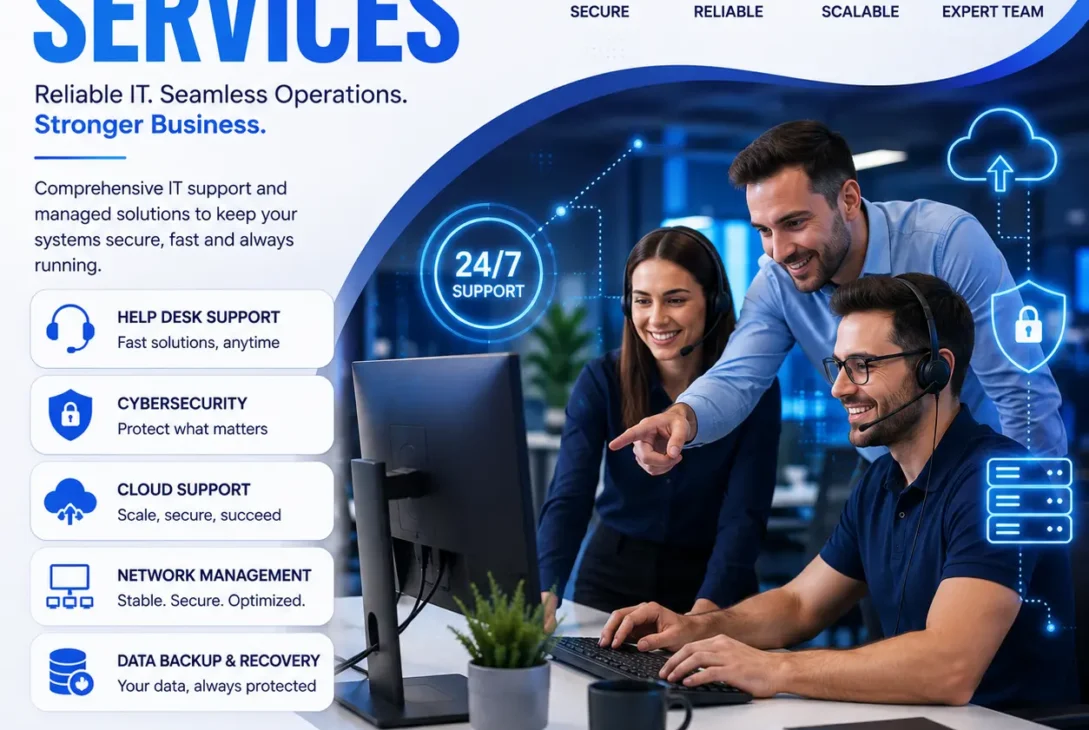
Modern businesses depend heavily on technology to communicate with customers, manage operations, store sensitive information, and maintain productivity. Even a short period of downtime caused by hardware failure, cybersecurity threats, or software issues can lead to lost revenue and damaged customer trust. This is why investing in professional IT support services has become essential for businesses of every size.
Whether you run a startup, a growing small business, or a large enterprise, reliable IT support services help keep your systems secure, your employees productive, and your technology running efficiently. Instead of reacting to problems after they occur, today’s IT providers focus on proactive monitoring, preventive maintenance, cybersecurity, cloud management, and strategic IT planning.
As businesses continue adopting cloud computing, remote work, artificial intelligence, and digital transformation, the demand for dependable IT support has never been greater. Choosing the right provider can reduce downtime, strengthen security, improve operational efficiency, and lower long-term technology costs.
In this complete guide, you’ll learn what IT support services include, why they matter, the different types available, pricing models, business benefits, and how to choose the right IT partner in 2026.
Table of Contents
- What Are IT Support Services?
- Why Businesses Need IT Support Services
- Types of IT Support Services
- Benefits of Managed IT Support
- In-House IT vs Outsourced IT Support
- Industries That Benefit
- Pricing Models
- How to Choose an IT Support Provider
- Common Mistakes to Avoid
- Future Trends
- Pros & Cons
- Final Verdict
- Frequently Asked Questions
What Are IT Support Services?
IT support services refer to professional technology solutions that help businesses maintain, monitor, troubleshoot, secure, and optimize their IT infrastructure. These services ensure that computers, servers, networks, cloud platforms, software, and business applications operate efficiently with minimal disruption.
Rather than fixing issues only after they occur, modern IT providers focus on proactive management to prevent downtime before it impacts business operations.
Typical responsibilities include:
- Help desk support
- Network monitoring
- Hardware maintenance
- Software troubleshooting
- Cloud management
- Cybersecurity protection
- Data backup and disaster recovery
- Server administration
- Microsoft 365 and Google Workspace support
- IT consulting and strategic planning
A trusted IT provider acts as an extension of your business, helping you maintain secure, reliable, and scalable technology systems.
Why Businesses Need IT Support Services
Technology issues can happen at any time. A server outage, ransomware attack, internet failure, or software problem can bring daily operations to a standstill. Professional IT support services help businesses reduce these risks while improving overall productivity.
Organizations invest in IT support because they want to:
- Minimize downtime.
- Improve cybersecurity.
- Protect business data.
- Increase employee productivity.
- Maintain reliable networks.
- Support remote and hybrid work.
- Reduce IT costs.
- Receive expert technical assistance.
- Scale technology as the business grows.
- Stay compliant with industry regulations.
Instead of constantly solving technical problems internally, businesses can focus on growth while IT professionals handle infrastructure management.
Types of IT Support Services
Not every company requires the same level of technical assistance. Most providers offer flexible solutions based on business size, industry, and technology requirements.
Help Desk Support
Help desk support provides employees with immediate technical assistance for everyday IT problems.
Common issues include:
- Password resets
- Printer problems
- Email issues
- Software errors
- Login failures
- Hardware troubleshooting
Fast response times reduce employee downtime and improve workplace productivity.
Network Management
Reliable network infrastructure is essential for modern businesses.
Network support typically includes:
- Router configuration
- Switch management
- Firewall administration
- Wi-Fi optimization
- Network monitoring
- Performance optimization
- VPN configuration
Continuous monitoring helps identify potential issues before they disrupt operations.
Cybersecurity Services
Cyber threats continue to evolve every year, making cybersecurity one of the most valuable IT support services available today.
Security solutions often include:
- Endpoint protection
- Firewall management
- Antivirus deployment
- Multi-factor authentication (MFA)
- Security monitoring
- Threat detection
- Vulnerability assessments
- Employee security awareness training
Strong cybersecurity reduces the risk of ransomware, phishing attacks, and data breaches.
Cloud Support
Businesses increasingly rely on cloud platforms to improve flexibility and collaboration.
Cloud support services may include:
- Microsoft 365 management
- Google Workspace administration
- Cloud migration
- User account management
- Cloud storage optimization
- Backup configuration
- Access management
- Cloud security monitoring
Proper cloud management ensures secure access while maximizing system performance.
Benefits of IT Support Services
Investing in professional IT support services is more than simply fixing computer problems. A reliable IT partner helps businesses improve security, reduce downtime, increase productivity, and prepare for future growth. As technology becomes more critical to daily operations, proactive IT support provides a strong competitive advantage.
https://learn.microsoft.com/
Reduced Downtime
System outages can interrupt business operations, delay projects, and reduce customer satisfaction.
Professional IT support services minimize downtime through:
- 24/7 system monitoring
- Preventive maintenance
- Rapid issue resolution
- Network optimization
- Hardware health checks
By identifying problems before they become serious, businesses maintain continuous operations with fewer unexpected interruptions.
Stronger Cybersecurity
Cyberattacks are becoming increasingly sophisticated, targeting businesses of all sizes.
A trusted IT provider strengthens security by implementing:
- Endpoint protection
- Multi-factor authentication (MFA)
- Firewall management
- Email security
- Patch management
- Vulnerability scanning
- Security awareness training
These security measures help protect sensitive customer and business data from evolving threats.
Improved Productivity
Employees perform better when technology works reliably.
Professional IT teams ensure that:
- Computers operate efficiently.
- Software remains updated.
- Network performance stays stable.
- Collaboration tools function properly.
- Technical problems are resolved quickly.
Instead of waiting hours for technical assistance, employees receive timely support that keeps them productive.
Predictable IT Costs
Unexpected hardware failures and emergency repairs often create unpredictable expenses.
Managed IT support services usually operate on fixed monthly pricing, allowing businesses to:
- Budget more accurately
- Reduce surprise repair costs
- Plan technology investments
- Lower long-term operational expenses
Predictable pricing helps organizations manage IT spending more effectively.
Business Continuity
Unexpected events such as ransomware attacks, hardware failures, or natural disasters can interrupt operations.
Reliable IT providers implement:
- Automated backups
- Disaster recovery planning
- Data replication
- Cloud recovery solutions
- Business continuity strategies
These safeguards help businesses recover quickly while minimizing financial losses.
In-House IT vs Outsourced IT Support Service
Many organizations debate whether they should hire internal IT staff or outsource their technology needs.
The comparison below highlights the differences.
| Feature | In-House IT Team | Outsourced IT Support Services |
|---|---|---|
| Initial Cost | High | Lower |
| Staffing | Limited expertise | Multiple specialists |
| Availability | Business hours | Often 24/7 |
| Scalability | Limited | Highly flexible |
| Technology Tools | Separate investment | Usually included |
| Security Expertise | Depends on staff | Specialized professionals |
| Best For | Large enterprises | Small & medium businesses |
For many startups and growing companies, outsourcing IT support services provides greater flexibility, lower costs, and access to broader technical expertise.
Industries That Benefit from IT Support Services
Nearly every industry depends on technology, making professional IT support valuable across many sectors.
Healthcare
Healthcare providers require secure and reliable systems to manage patient information and medical applications.
Common support includes:
- Electronic medical records (EMR)
- Secure networking
- HIPAA compliance support
- Backup systems
- Device management
Financial Services
Banks, accounting firms, and financial institutions rely on IT support to protect confidential information and maintain secure operations.
Services often include:
- Network security
- Data encryption
- Compliance assistance
- Secure remote access
- Continuous monitoring
Retail and E-commerce
Retail businesses depend on technology for inventory management, payment processing, customer support, and online sales.
IT providers assist with:
- Point-of-sale systems
- Website uptime
- Payment security
- Cloud infrastructure
- Inventory systems
Manufacturing
Manufacturers use IT systems for production planning, supply chain management, automation, and equipment monitoring.
Reliable IT support improves operational efficiency while reducing production downtime.
Education
Schools, colleges, and universities use technology for online learning, student records, communication platforms, and administrative operations.
Professional IT support helps maintain reliable digital learning environments.
Professional Services
Law firms, engineering companies, architects, marketing agencies, and consulting firms depend on secure networks, cloud collaboration, and reliable business software to serve clients efficiently.
Pricing Models
Different providers offer different pricing structures depending on the size and complexity of your business.
Monthly Managed Services
Businesses pay a fixed monthly fee covering ongoing monitoring, maintenance, security, and technical support.
Best for:
- Small businesses
- Growing companies
- Organizations needing continuous support
Hourly Support
Businesses pay only when technical assistance is required.
Suitable for:
- Very small businesses
- Occasional IT issues
- One-time technical projects
Project-Based Pricing
Common for:
- Office relocations
- Cloud migrations
- Server installations
- Network upgrades
- Cybersecurity implementations
Co-Managed IT
Some organizations combine internal IT staff with external IT support services, allowing both teams to work together on specialized projects and ongoing infrastructure management.
How to Choose the Right IT Support Services Provider
Choosing the right IT support services provider is one of the most important technology decisions a business can make. The right partner doesn’t simply fix technical issues—they help improve security, increase productivity, reduce downtime, and support long-term business growth.
Before signing a contract, evaluate the following factors carefully.
Understand Your Business Needs
Start by identifying exactly what your business requires.
Ask yourself:
- Do you need 24/7 support?
- Will employees work remotely?
- Do you require cloud management?
- Are cybersecurity services a priority?
- How many devices need support?
- Do you have compliance requirements?
Knowing your requirements helps you choose a provider that offers the right level of service instead of paying for features you don’t need.
Evaluate Technical Expertise
A reliable IT support services provider should have experience managing a wide range of technologies.
Look for expertise in:
- Windows and macOS
- Microsoft 365
- Google Workspace
- AWS, Microsoft Azure, and Google Cloud
- Virtualization
- Networking
- Cybersecurity
- Server management
- Backup solutions
- Disaster recovery
The broader their technical expertise, the better they can support your business as technology evolves.
Review Certifications
Professional certifications demonstrate technical knowledge and industry standards.
Common certifications include:
- Microsoft Certified
- Cisco Certified
- CompTIA
- AWS Certified
- Microsoft Azure Certified
- Google Cloud Certified
- ITIL Certification
Certified engineers are generally better prepared to manage complex IT environments.
Check Response Times
Fast technical support minimizes downtime.
Before hiring a provider, ask:
- How quickly do they respond?
- Is emergency support available?
- Do they provide 24/7 monitoring?
- Is remote support included?
- How are urgent issues prioritized?
Reliable response times directly impact business productivity.
Read Client Reviews
Customer reviews provide valuable insight into service quality.
Look for feedback about:
- Reliability
- Communication
- Technical expertise
- Problem resolution
- Long-term customer satisfaction
Case studies and testimonials often reveal how effectively an IT provider solves real business challenges.
Common Mistakes to Avoid
Many businesses make costly mistakes when selecting IT support services. Avoiding these common errors can save both time and money.
Choosing the Cheapest Provider
Low-cost IT providers may not deliver the level of expertise your business requires.
Cheap services often result in:
- Slow response times
- Limited monitoring
- Poor security
- Outdated technology
- Hidden costs
Instead of focusing only on price, evaluate overall value and service quality.
Ignoring Cybersecurity
Many businesses assume antivirus software alone is sufficient.
Modern cybersecurity requires:
- Endpoint protection
- Firewalls
- Multi-factor authentication
- Security monitoring
- Employee awareness training
- Backup solutions
A strong security strategy significantly reduces business risk.
No Service Level Agreement (SLA)
Always review the Service Level Agreement before signing.
A quality SLA should define:
- Response times
- Resolution targets
- Support availability
- Escalation procedures
- Responsibilities
- Performance guarantees
Clear expectations help prevent misunderstandings.
Delaying System Updates
Ignoring software updates creates unnecessary security risks.
Professional providers perform:
- Operating system updates
- Security patches
- Firmware updates
- Software maintenance
Regular updates improve stability while protecting against newly discovered vulnerabilities.
Future Trends in IT Support Services
Technology continues evolving rapidly, and modern IT support services are adapting to support new business requirements.
Artificial Intelligence
AI-powered monitoring tools can detect system issues before users even notice a problem.
Benefits include:
- Predictive maintenance
- Automated troubleshooting
- Faster incident response
- Improved help desk efficiency
AI is becoming an essential part of modern IT operations.
Zero Trust Security
Traditional network security is being replaced by Zero Trust architecture.
Instead of automatically trusting users inside a network, every device and user must continuously verify their identity.
This approach significantly improves cybersecurity.
Remote IT Support
Cloud technologies allow technicians to resolve many problems remotely without visiting business locations.
Remote support provides:
- Faster response
- Lower costs
- Reduced downtime
- Better support for hybrid workplaces
Automation
Routine maintenance tasks are increasingly being automated.
Examples include:
- Software updates
- Patch deployment
- Backup verification
- System monitoring
- Performance reporting
Automation allows IT professionals to focus on more strategic initiatives.
Cloud-First Infrastructure
Businesses continue moving workloads to cloud platforms for better scalability, flexibility, and disaster recovery.
Modern IT support services increasingly specialize in managing cloud environments rather than traditional on-premises infrastructure.
Pros and Cons
Pros
- Reduces business downtime through proactive monitoring.
- Improves cybersecurity with modern protection measures.
- Provides access to certified IT professionals.
- Predictable monthly IT costs with managed plans.
- Supports remote and hybrid work environments.
- Scales easily as your business grows.
- Offers 24/7 monitoring and technical support.
- Improves employee productivity by resolving issues quickly.
- Helps meet industry compliance requirements.
- Allows businesses to focus on core operations instead of technical problems.
Cons
- Monthly managed plans may not suit every small business.
- Service quality varies between providers.
- Some legacy systems require costly upgrades.
- Response times depend on the provider’s Service Level Agreement (SLA).
- Businesses must choose a provider with strong security expertise.
Final Verdict
Technology is the backbone of modern businesses, making reliable IT support services essential for maintaining productivity, protecting sensitive information, and ensuring long-term growth. Whether your organization needs help desk support, cybersecurity, cloud management, network monitoring, or disaster recovery, a trusted IT partner can significantly reduce downtime while improving operational efficiency.
Rather than waiting for problems to occur, professional IT support services focus on proactive monitoring, preventive maintenance, and continuous optimization. This approach helps businesses lower technology costs, strengthen security, and keep employees productive.
When choosing an IT support provider, prioritize technical expertise, transparent communication, proven experience, and strong security practices instead of selecting the lowest-priced option. A dependable IT partner becomes an extension of your business, helping you adapt to new technologies and remain competitive in an increasingly digital world.
Frequently Asked Questions (FAQs)
1. What are IT support services?
IT support services help businesses manage, maintain, secure, and optimize computers, networks, servers, cloud platforms, and business software through proactive monitoring and technical assistance.
2. What’s the difference between managed IT services and traditional IT support?
Traditional IT support usually fixes problems after they occur, while managed IT support services continuously monitor systems, prevent issues, improve security, and maintain business operations.
3. How much do IT support services cost?
Pricing depends on company size, number of users, devices, infrastructure complexity, required security services, and whether support is hourly, project-based, or managed monthly.
4. Can small businesses benefit from IT support services?
Yes. Small businesses often benefit the most because outsourcing IT provides access to experienced professionals without the expense of hiring a full in-house IT department.
5. Do IT support services include cybersecurity?
Most modern providers include cybersecurity services such as firewall management, endpoint protection, antivirus deployment, backup solutions, security monitoring, and multi-factor authentication.
6. How do I choose the best IT support provider?
Choose a provider with certified engineers, positive client reviews, transparent pricing, strong cybersecurity expertise, clear Service Level Agreements (SLAs), and experience supporting businesses similar to yours.


