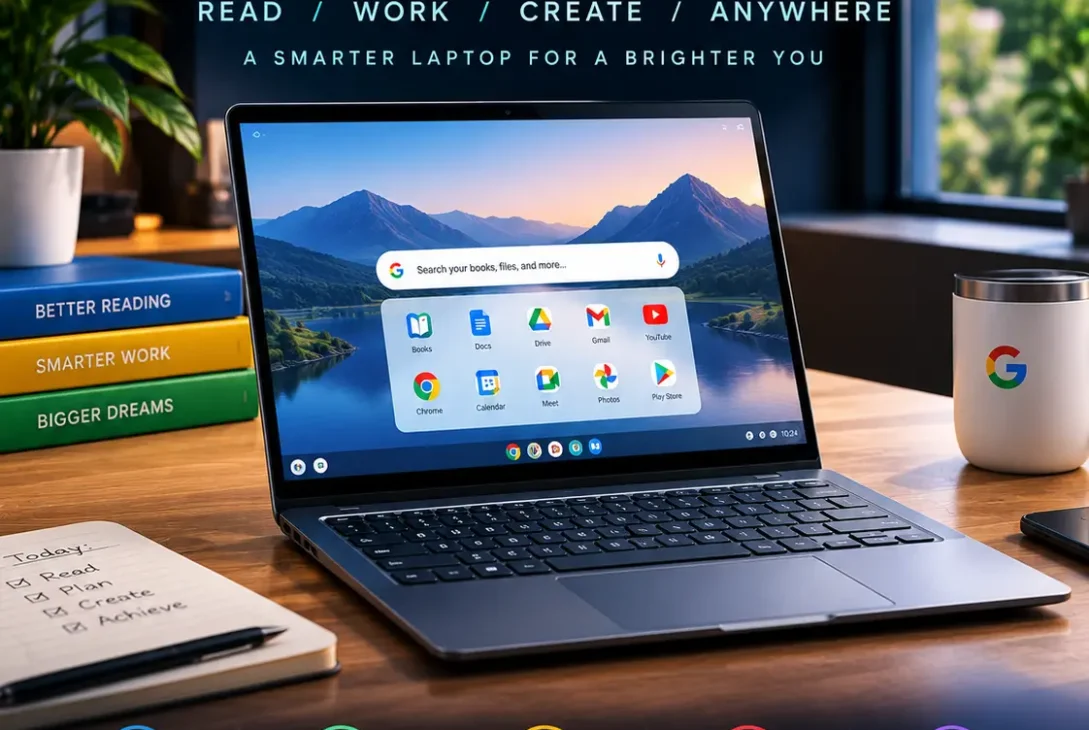
The googlebook laptop is Google’s newest attempt to redefine what a premium laptop can be for Android users. Unlike the older Pixelbook generation, the new Googlebook is designed around a combination of Android, ChromeOS technology, premium laptop hardware, and Google’s Gemini intelligence.
Google introduced the new laptop category in 2026 after several years without a first-party Google-branded laptop. The company says Googlebook is designed to combine the strengths of Android and ChromeOS while creating a deeper connection between smartphones and computers.
The googlebook laptop is therefore more than another Chromebook. Google is positioning it as a premium computing platform for people who already use Android phones and want a laptop that can work closely with their mobile devices.
With preorders opening in September 2026 and initial products expected in October, Googlebook is now moving from an announcement into the consumer market.
Table of Contents
- What Is the Googlebook Laptop?
- Googlebook Laptop Release Date
- Googlebook Laptop Price
- Googlebook Laptop Specifications
- Googlebook OS Explained
- Googlebook and Android Integration
- Gemini Features
- Googlebook Laptop Display and Design
- Performance and Processors
- Battery Life
- Googlebook vs Chromebook
- Googlebook vs MacBook Air
- Googlebook vs Windows Laptops
- Who Is the Googlebook Laptop For?
- Is Googlebook a Pixelbook Replacement?
- Software and App Support
- Security and Updates
- What About iPhone Users?
- Should You Buy a Googlebook Laptop?
- Final Thoughts
- External Sources
What Is the Googlebook Laptop?
The googlebook laptop is a new category of premium laptops introduced by Google in 2026.
Google describes the platform as a combination of Android’s application ecosystem and ChromeOS’s desktop-oriented experience. Rather than simply creating another Chromebook, Google is attempting to build a laptop platform that works more naturally with Android phones.
The idea is similar to the ecosystem approach used by Apple, where an iPhone and Mac can share files, messages, applications, passwords, and other information.
Googlebook takes a similar concept and applies it to Android devices.
The first generation is being produced by hardware partners rather than as a single Google-made laptop. Acer, ASUS, Dell, HP, and Lenovo are among the manufacturers participating in the launch.
This means the googlebook laptop experience can appear in different hardware designs while following Google’s platform requirements.
Googlebook Laptop Release Date
The googlebook laptop release timeline is now much clearer than it was earlier in 2026.
Google opened preorders for the first devices on September 21, 2026. Retail availability is expected to begin in early October, with October 4 and October 5 being reported for initial markets depending on the region.
The first launch markets include the United States and several other major markets, while availability can vary by country.
Google initially introduced the Googlebook platform in May 2026 and said that premium devices would arrive later in the year.
The move from announcement to preorder means the googlebook laptop is no longer simply a rumored Google computer. It is an actual product category entering the market.
However, individual models can have different release schedules depending on the manufacturer and market.
Googlebook Laptop Price
The starting price for the googlebook laptop is around $899, putting Google’s new platform firmly above the traditional budget Chromebook market.
Higher-end configurations can reach approximately $1,299 depending on the manufacturer and hardware configuration.
That pricing is important because Google is not trying to position Googlebook as an inexpensive school computer.
Instead, the company is targeting users who want a premium laptop with better displays, stronger processors, more memory, and deeper smartphone integration.
Some launch configurations also include promotional services and subscriptions, which can add additional value depending on the buyer.
The price also places the googlebook laptop directly into competition with premium Windows laptops and Apple’s MacBook lineup.
Googlebook Laptop Specifications
Specifications vary between manufacturers, but Google’s platform requirements are designed around premium hardware.
The first generation includes configurations using Intel and Qualcomm processors.
Googlebook devices are also expected to start with at least 16GB of RAM, while higher-end configurations can offer up to 32GB.
Displays can include high-quality touchscreen panels, including OLED options on some models.
Battery life is another major focus, with Google and launch partners targeting long-lasting mobile computing. Some configurations are advertised with battery life reaching around 14 hours under specified conditions.
Because several companies are producing the devices, there is not one universal googlebook laptop specification.
Instead, consumers will need to compare the individual models from Acer, ASUS, Dell, HP, and Lenovo.
Googlebook OS Explained
One of the biggest differences between Googlebook and older Chromebooks is the operating-system strategy.
Googlebook is built around a combination of Android technologies and desktop computing capabilities that grew out of ChromeOS.
The goal is to provide a more flexible environment for Android applications while maintaining the desktop experience users expect from a traditional computer.
The platform supports desktop Chrome browsing and Android applications while also providing features designed specifically for larger screens.
This makes the googlebook laptop different from simply installing Android on a traditional notebook.
Google is effectively trying to bring its mobile and desktop ecosystems closer together.
The new platform also supports features such as customizable widgets, deeper Android integration, and Linux application support for users who need more advanced software.
Googlebook and Android Integration
Android integration is arguably the biggest reason to consider a googlebook laptop.
Google wants the computer to recognize the Android phone as part of the same ecosystem rather than treating it as a completely separate device.
During setup, supported information from an Android phone can be transferred or connected to the laptop.
Users can access phone files and photos, continue certain activities, and interact with Android applications from the larger computer environment.
Phone applications can also be streamed into laptop windows in supported scenarios.
This could be particularly useful when you regularly move between your phone and computer.
For Android users, the googlebook laptop is therefore designed around continuity rather than simply application compatibility.
Gemini Features
Google has also made Gemini a major part of the new platform.
The googlebook laptop includes AI-powered features intended to help users interact with their computer using natural language.
One of the notable features is Magic Pointer, which can provide contextual actions and suggestions based on what is displayed on the screen.
Google has also demonstrated tools for creating customized widgets through natural-language instructions.
Gemini can help with tasks such as finding information, organizing content, drafting text, and interacting with information on the computer.
These features are designed to make the operating system more conversational.
However, users should remember that the availability of specific Gemini features can vary by device, account, region, and subscription.
Googlebook Laptop Display and Design
The googlebook laptop is positioned as a premium thin-and-light computer rather than a basic Chromebook.
Launch models are designed around modern laptop features such as touchscreen displays, premium materials, and high-quality panels.
Some models include OLED screens, which can provide deeper blacks and strong contrast compared with traditional LCD panels.
Another recognizable design element is Google’s Glowbar concept, an illuminated indicator integrated into the laptop design.
The exact physical design varies between manufacturers.
This approach gives consumers more choice than a single Google-built laptop while still maintaining a recognizable Googlebook platform.
Performance and Processors
The first generation of googlebook laptop devices uses processors from Intel and Qualcomm.
This gives manufacturers flexibility to create different models for different workloads.
Intel-based configurations are likely to appeal to users who want a more traditional desktop computing architecture, while Qualcomm-powered models can focus heavily on efficiency and battery life.
Performance will ultimately depend on the exact processor, memory configuration, cooling system, storage, and software optimization.
Therefore, buyers should not judge every Googlebook model based on the performance of one device.
For demanding users, checking the exact processor model and benchmark results will be more useful than simply looking at the Googlebook branding.
Battery Life
Battery life is an important part of Google’s premium laptop strategy.
Some launch configurations are advertised with up to around 14 hours of battery life, although real-world results depend heavily on brightness, applications, processor configuration, wireless connectivity, and workload.
ARM-based Qualcomm configurations can be particularly interesting for users who prioritize battery efficiency.
However, battery claims should always be treated as manufacturer estimates under specific testing conditions.
The actual battery life of a googlebook laptop can therefore differ significantly between models.
For users who frequently travel, attend meetings, or work away from a power outlet, battery efficiency could be one of the most important specifications to compare.
Googlebook vs Chromebook
The easiest way to understand Googlebook is to compare it with traditional Chromebooks.
Chromebooks remain focused on simple, secure, cloud-connected computing. They are widely used in education, businesses, and everyday computing.
Googlebook is positioned higher in the market.
It focuses on premium hardware, deeper Android integration, more powerful processors, larger memory configurations, and additional productivity features.
Google is not eliminating the Chromebook category.
Instead, the googlebook laptop represents a different direction for users who want a more premium experience.
This distinction is important because buyers looking for an inexpensive computer may still find traditional Chromebooks more suitable.
Googlebook vs MacBook Air
The googlebook laptop is clearly entering a market where Apple’s MacBook Air is an important competitor.
The biggest difference is ecosystem.
MacBook Air is designed around macOS and Apple’s hardware ecosystem, while Googlebook is designed around Android and Google’s software services.
An Android user who frequently uses Google services may find Googlebook’s integration more convenient.
A person heavily invested in Apple’s ecosystem may prefer macOS and the existing continuity between Apple devices.
Hardware quality, application availability, performance, battery life, and price will also vary across individual models.
Rather than choosing based solely on specifications, buyers should consider which ecosystem they already use.
Googlebook vs Windows Laptops
Windows laptops continue to offer a very broad software ecosystem.
They can run traditional desktop applications, professional software, games, development tools, and enterprise applications.
The googlebook laptop takes a different approach by combining desktop browsing with Android applications and Google’s services.
This can make Googlebook particularly attractive for users whose daily activities revolve around web applications, Android apps, Google Workspace, and cloud services.
However, people who rely on specialized Windows-only software should verify application compatibility before switching.
Who Is the Googlebook Laptop For?
The googlebook laptop is primarily aimed at users who want a premium computer tightly connected to Android.
It could be particularly interesting for:
- Android smartphone users
- Google Workspace users
- Students
- Remote workers
- Professionals who use web applications
- Users who prioritize battery life
- People who want Android apps on a larger screen
- Users interested in Google’s latest computing platform
It may be less suitable for people who require specialized Windows software or professional applications that are unavailable on the platform.
https://blog.google/products-and-platforms/platforms/android/meet-googlebook
Is Googlebook a Pixelbook Replacement?
The googlebook laptop represents a new direction rather than a simple Pixelbook sequel.
Google previously released the Pixelbook in 2017 and Pixelbook Go in 2019. The Pixelbook line was subsequently discontinued, leaving Google without a first-party premium laptop for several years.
The original Pixelbook was notable for combining premium hardware, ChromeOS, touchscreen functionality, and a convertible design. Google officially introduced it in October 2017.
The new Googlebook platform carries some of the same premium ambitions but takes a fundamentally different software approach.
There is also an important distinction: Googlebook hardware is being produced by partner manufacturers rather than a single Google-branded laptop.
As a result, the googlebook laptop should be viewed as the successor to Google’s broader premium laptop strategy rather than simply a Pixelbook 2.
Software and App Support
Application support will be critical to the success of Googlebook.
The platform is designed to make Android applications work more naturally on laptop-sized screens.
Google is also working on adaptive Android applications that can take better advantage of desktop displays and hardware.
Traditional web applications remain important because Chrome provides access to a huge range of web-based services.
Linux support can also provide additional flexibility for technical users and developers.
The combination of web, Android, and Linux software gives the googlebook laptop a broader application strategy than the older Chromebook experience.
Still, individual applications may behave differently depending on how well developers have optimized them for larger screens.
Security and Updates
Security has historically been one of the major strengths of Google’s ChromeOS ecosystem.
The new platform continues Google’s focus on secure software updates and integrated system management.
For buyers, however, the support period of a specific device is important.
Google provides Auto Update Expiration information for ChromeOS devices, and buyers should check the support policy associated with any laptop they purchase.
The same principle should apply when evaluating a googlebook laptop: don’t look only at the processor or display. Software support can have a major impact on the useful life of a computer.
Long-term updates are especially important for users who plan to keep a laptop for several years.
What About iPhone Users?
The googlebook laptop is primarily designed around Android integration, so Android users receive the deepest ecosystem experience.
Google has also discussed support for iPhone connectivity through a Link to iOS application, but the experience is not expected to match the depth of Android integration.
This is an important consideration for people who use an iPhone as their primary smartphone.
If your phone is an iPhone, compare the available connectivity features before buying.
For Android users, however, the integration is one of the platform’s main selling points.
Should You Buy a Googlebook Laptop?
Whether a googlebook laptop makes sense depends on what you expect from a computer.
If you use an Android phone, Google services, browser-based applications, and Android apps extensively, Googlebook offers a compelling ecosystem concept.
Its premium hardware requirements also make it significantly different from entry-level Chromebooks.
However, buyers who need Windows-only software, extensive gaming support, or highly specialized professional applications should carefully check compatibility.
It is also worth comparing the specific model rather than purchasing simply because it carries the Googlebook name.
Different manufacturers can offer different processors, screens, storage options, battery capacity, ports, and prices.
Final Thoughts
The googlebook laptop marks Google’s return to the premium laptop market after several years away from first-party laptop hardware.
Rather than simply releasing another Chromebook, Google is building a platform designed to combine Android, desktop computing, web applications, and Gemini-powered features.
The first devices start around $899, with higher-end configurations reaching approximately $1,299. Several major manufacturers are participating, giving consumers multiple hardware options.
For Android users, the biggest attraction may be the ability to connect their phone and computer more closely, while premium hardware and longer battery life target users who want more than a basic Chromebook.
The platform is still new, so real-world reviews, application compatibility, performance testing, and long-term software support will be important factors as the first devices reach consumers.
For anyone considering a googlebook laptop, the most important step is to compare the exact model, processor, display, memory, storage, battery claims, software support, and compatibility with the applications you use every day.
Googlebook is not simply a replacement for every Chromebook or Windows laptop. It is Google’s attempt to create a new premium category built around Android and its broader software ecosystem.