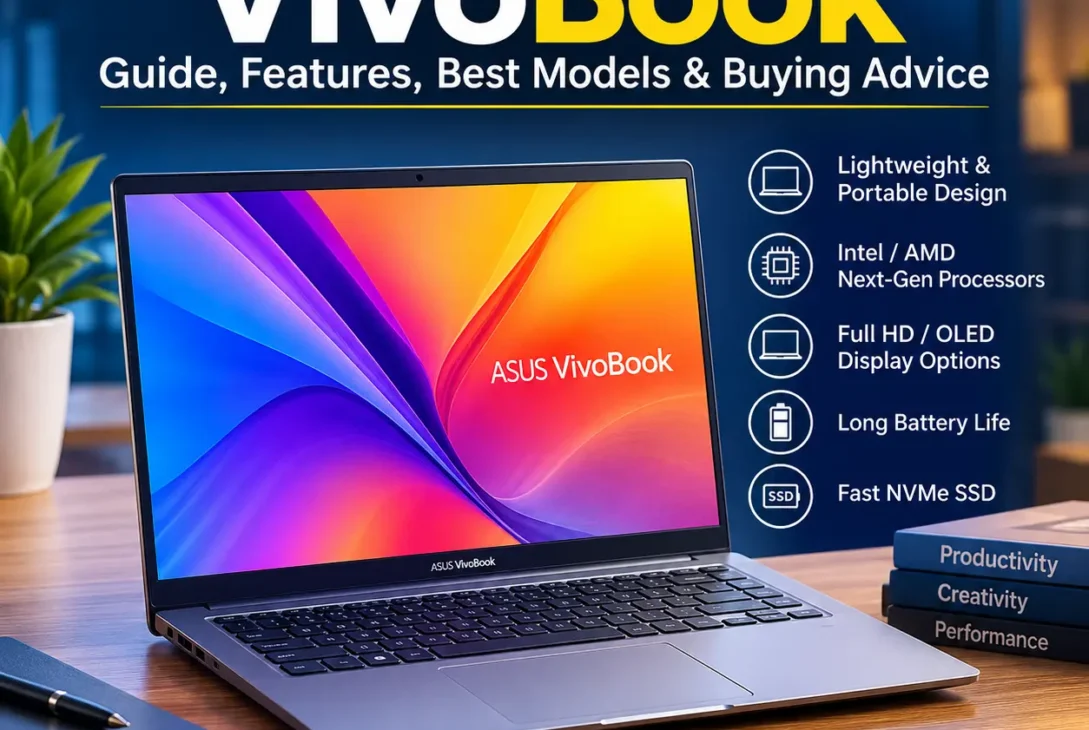
Choosing the right laptop has become more challenging as manufacturers release new models with different processors, displays, and features every year. Among the most popular options for students, professionals, and everyday users is the ASUS VivoBook series. Known for offering an excellent balance of performance, portability, and affordability, these laptops have become a preferred choice for people who want reliable computing without paying premium flagship prices.
Whether you’re working remotely, attending online classes, editing photos, programming, or simply browsing the web, an ASUS VivoBook provides enough power for most daily tasks. The lineup includes multiple screen sizes, Intel and AMD processor options, OLED displays on selected models, and lightweight designs that are easy to carry.
One of the biggest advantages of this laptop family is its versatility. Some models focus on productivity, while others offer stronger hardware for creators and multitaskers. With so many configurations available, understanding the differences can help you choose a device that matches your needs and budget.
In this guide, you’ll learn everything about the ASUS VivoBook, including its features, specifications, performance, display quality, battery life, comparisons with competing laptops, and tips for selecting the best model in 2026.
Table of Contents
- ASUS VivoBook Overview
- Key Features
- Design and Build Quality
- Display Options
- Performance
- Battery Life
- Best ASUS VivoBook Models
- ASUS VivoBook vs Competitors
- Who Should Buy It?
- Pros and Cons
- Final Verdict
- FAQs
ASUS VivoBook Overview
The ASUS VivoBook lineup is designed for users who need dependable performance at an affordable price. It covers a wide range of models, from entry-level laptops for students to higher-end configurations suitable for content creators and professionals.
Unlike premium ultrabooks that often come with significantly higher price tags, the VivoBook series focuses on delivering practical features while maintaining excellent value for money.
Popular configurations include:
- Intel Core i5 and Core i7 processors
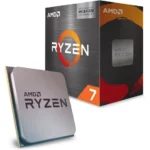
- AMD Ryzen 5 and Ryzen 7 processors
- Full HD IPS displays
- OLED display options on selected models
- DDR4 or DDR5 memory
- Fast PCIe NVMe SSD storage
- Windows 11 support
Key Features
The laptop series includes several features that make it suitable for both work and entertainment.
Lightweight Design
Most models are slim and lightweight, making them easy to carry between home, school, and the office.
Modern Processors
Depending on the configuration, buyers can choose between Intel Core and AMD Ryzen processors that handle multitasking, office applications, and creative workloads efficiently.
Fast SSD Storage
Solid-state drives provide quicker boot times, faster application launches, and improved overall responsiveness compared to traditional hard drives.
Comfortable Keyboard
Many models include an ergonomic keyboard with well-spaced keys, making long typing sessions more comfortable for students and professionals.
Fingerprint Reader
Selected configurations feature a built-in fingerprint sensor for quick and secure Windows login.
Design and Build Quality
One of the reasons many buyers choose this laptop series is its modern appearance. The slim profile, clean finish, and compact design make it suitable for classrooms, offices, and travel.
Common design features include:
- Thin bezels around the display
- Durable chassis
- Precision touchpad
- Multiple USB ports
- HDMI output
- USB-C connectivity
- Audio combo jack
Although most models use high-quality plastic construction instead of aluminum, the overall build quality is solid for the price range.
Display Options
Display quality varies depending on the model.
Available options include:
- 14-inch Full HD
- 15.6-inch Full HD
- OLED displays on premium variants
- Anti-glare panels
- IPS technology for wider viewing angles
OLED versions deliver richer colors, deeper blacks, and higher contrast, making them an excellent choice for photo editing, video streaming, and creative work.
Performance
The ASUS VivoBook performs well across a variety of everyday computing tasks.
Typical workloads include:
- Web browsing
- Microsoft Office
- Video conferencing
- Programming
- Graphic design
- Photo editing
- Streaming
- Multitasking
Higher-end configurations equipped with Ryzen 7 or Intel Core i7 processors can comfortably manage heavier workloads while maintaining smooth performance.
Battery Life
Battery performance depends on the processor, display type, and workload, but most models in the VivoBook lineup are designed to comfortably handle a full day of light to moderate use.
Typical usage includes:
- Web browsing
- Office applications
- Online meetings
- Video streaming
- Email management
- Document editing
On average, users can expect 6–10 hours of battery life during everyday tasks. OLED variants may consume more power at higher brightness levels, while IPS models often provide slightly longer runtime.
Many newer models also support fast charging, allowing the battery to recover a significant percentage in under an hour.
Best ASUS VivoBook Models in 2026
The lineup includes several configurations designed for different users and budgets.
ASUS VivoBook 14
Ideal for:
- Students
- Office users
- Everyday computing
- Frequent travelers
Highlights:
ASUS VivoBook 15
Best suited for:
- Home users
- Business professionals
- Multitasking
- Entertainment
Highlights:
- Larger Full HD display
- Comfortable keyboard
- Multiple processor options
- Excellent value
ASUS VivoBook S 15 OLED
Designed for:
- Content creators
- Designers
- Video editors
- Creative professionals
Highlights:
- OLED display
- Premium design
- Powerful processors
- Excellent color accuracy
ASUS VivoBook Go Series
Perfect for users with smaller budgets.
Recommended for:
- Students
- Online learning
- Basic office work
- Internet browsing
Highlights:
- Budget-friendly
- Lightweight
- Reliable daily performance
ASUS VivoBook vs Competitors
Many buyers compare this laptop family with similar models from other manufacturers.
| Feature | ASUS VivoBook | Acer Aspire | Lenovo IdeaPad | HP Pavilion |
|---|---|---|---|---|
| Price | Excellent Value | Affordable | Competitive | Mid-range |
| Performance | Excellent | Very Good | Very Good | Good |
| Display Options | IPS & OLED | IPS | IPS | IPS |
| Battery Life | Good | Good | Very Good | Good |
| Build Quality | Very Good | Good | Very Good | Good |
| Best For | Students & Professionals | Everyday Use | Productivity | Home Users |
Each option has its strengths, but the VivoBook series stands out for offering premium features—such as OLED displays on selected models—at competitive prices.
Who Should Buy This Laptop?
This laptop series is an excellent choice for:
- College and university students.
- Office professionals.
- Remote workers.
- Freelancers.
- Programmers.
- Graphic designers.
- Content creators.
- Home users looking for a dependable everyday laptop.
However, users focused on high-end gaming or advanced 3D rendering may benefit more from laptops with dedicated graphics cards.
Buying Guide
Before purchasing, consider these factors:
Processor
Choose based on your workload:
- Intel Core i5 / Ryzen 5 — Everyday use
- Intel Core i7 / Ryzen 7 — Heavy multitasking and creative work
https://www.asus.com/
RAM
Storage
A 512 GB NVMe SSD provides a good balance of speed and storage capacity, while 1 TB SSD models are better suited for users working with large files.
Display
If your budget allows, an OLED display offers superior colors, deeper blacks, and an improved viewing experience for media consumption and creative tasks.
Common Mistakes to Avoid
Many buyers overlook important details before making a purchase.
Avoid these common mistakes:
- Buying based only on price.
- Choosing 8 GB RAM if you plan heavy multitasking for several years.
- Ignoring display quality.
- Purchasing more storage than you actually need.
- Not checking upgrade options for RAM and SSD.
- Selecting integrated graphics for demanding gaming workloads.
Making the right configuration choice from the beginning helps maximize long-term value and performance.
Pros and Cons
Pros
- Lightweight and portable design.
- Excellent value for money.
- Available with both Intel Core and AMD Ryzen processors.
- Fast NVMe SSD storage improves overall responsiveness.
- OLED display options provide vibrant colors and deep contrast.
- Comfortable keyboard for long typing sessions.
- Good battery life for daily productivity.
- Multiple screen sizes to suit different needs.
- Suitable for students, professionals, and remote workers.
- Wide range of models across different budgets.
Cons
- Most models rely on integrated graphics.
- Plastic chassis on many variants.
- Battery life varies depending on the display and processor.
- Not designed for high-end gaming.
- Upgrade options differ between models, so specifications should be checked before purchasing.
Final Verdict
The ASUS VivoBook series continues to be one of the best choices for users seeking a reliable laptop without spending flagship-level prices. Its combination of modern processors, fast SSD storage, lightweight design, and optional OLED displays makes it suitable for a wide range of everyday tasks.
Students benefit from its portability and long battery life, professionals appreciate its productivity features, and home users enjoy smooth performance for browsing, streaming, and office work. Higher-end configurations equipped with Intel Core i7 or AMD Ryzen 7 processors also handle photo editing, programming, and moderate creative workloads comfortably.
While it isn’t intended for intensive gaming or professional 3D rendering, it delivers excellent overall value for everyday computing. If you want a dependable Windows laptop with multiple configuration options and competitive pricing, the ASUS VivoBook lineup remains a smart choice in 2026.
Frequently Asked Questions (FAQs)
1. Is ASUS VivoBook good for students?
Yes. It offers a balance of performance, portability, and affordability, making it an excellent option for school, college, and university students.
2. Can ASUS VivoBook handle programming and office work?
Absolutely. Models equipped with Intel Core i5/i7 or AMD Ryzen 5/7 processors provide enough power for coding, productivity software, web development, and multitasking.
3. Is ASUS VivoBook suitable for gaming?
It can handle casual and light gaming, but users interested in modern AAA titles at high settings should consider laptops with dedicated graphics cards.
4. Which ASUS VivoBook model is best?
The ideal model depends on your budget and needs. The VivoBook 14 is great for portability, the VivoBook 15 offers a larger display for everyday use, and the VivoBook S OLED series is better suited for creative professionals.
5. Is ASUS VivoBook worth buying in 2026?
Yes. The series continues to provide strong value through modern hardware, fast storage, good displays, and dependable performance for daily computing.