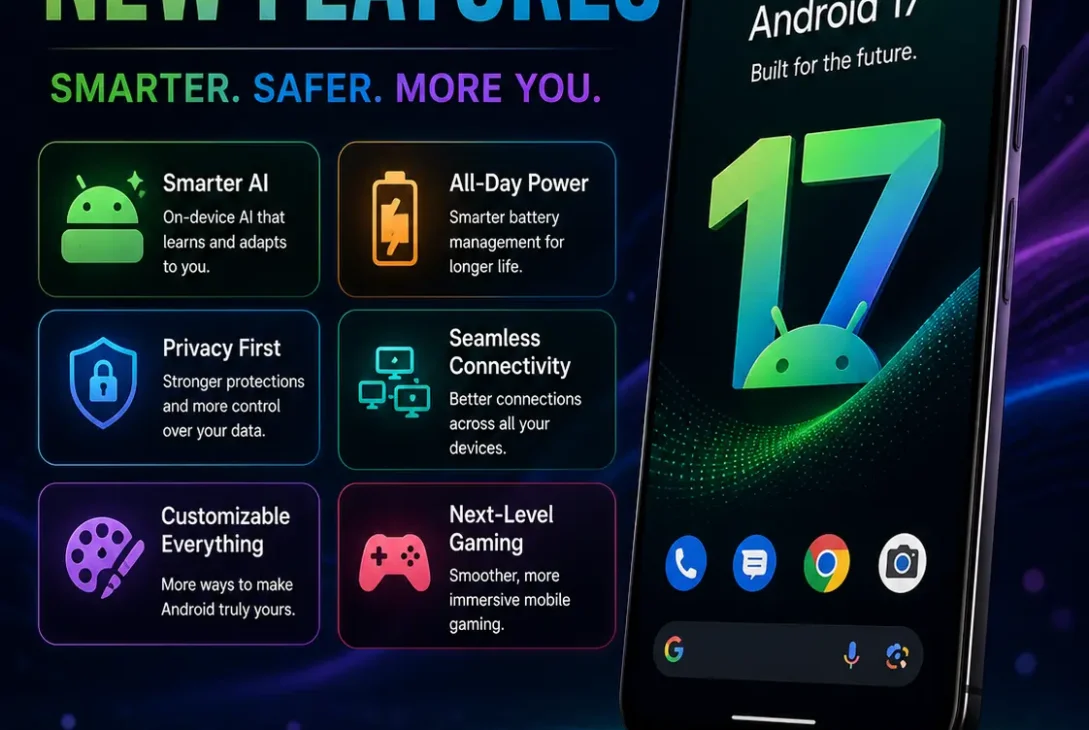
Google’s latest mobile operating system brings a substantial collection of improvements, and the Android 17 new features focus heavily on security, multitasking, privacy, gaming, media, connectivity, and larger-screen devices. Android 17 is now rolling out to supported Pixel devices, with other eligible Android phones expected to receive the update according to their manufacturers’ schedules.
If you’re searching for Android 17 new features because you’re deciding whether to update your phone, this guide covers the changes that matter most to everyday users. We’ll also explain which improvements are part of Android itself and which may depend on your phone, region, or Google’s services.
Table of Contents
- What’s New in Android 17?
- Android 17 New Features at a Glance
- Floating Bubbles for Faster Multitasking
- Screen Reactions for Better Screen Recording
- Foldable Gaming Mode
- Stronger Security With Advanced Protection
- Better Privacy Controls
- New Local Network Permission
- Improved Bluetooth Re-Pairing
- Better Support for Large Screens
- New AI and Creator Features
- Camera and Media Improvements
- Better Audio Controls
- App Performance and Memory Improvements
- Android 17 for Developers
- Which Phones Get Android 17?
- Should You Update to Android 17?
- Frequently Asked Questions
- Final Verdict
- SEO Details
What’s New in Android 17?
The biggest Android 17 new features are designed around a simple idea: Android needs to work better across modern phones, foldables, tablets, and other large-screen devices while becoming safer and easier to use.
Google’s official Android 17 information highlights improvements in areas including:
- Multitasking
- Screen recording
- Gaming
- Privacy
- Security
- Bluetooth
- Large-screen experiences
- Media
- Accessibility
- App performance
Some of these changes are immediately visible, while others work in the background to improve security or application behavior.
Android 17 New Features at a Glance
Here are the most important Android 17 new features worth checking after your phone receives the update:
| Feature | Main Benefit |
|---|---|
| Bubbles | Faster multitasking |
| Screen Reactions | Record your screen and selfie camera together |
| Foldable Gaming Mode | Better gaming layouts |
| Advanced Protection Mode | Stronger device security |
| Local network permission | Better control over LAN access |
| Bluetooth re-pairing | Easier accessory recovery |
| Large-screen changes | Better tablet and foldable experiences |
| Creator tools | Easier content creation |
| App memory limits | More predictable app behavior |
| Assistant volume | Separate assistant audio control |
The exact availability of individual features can vary by device and manufacturer.
Floating Bubbles for Faster Multitasking
One of the most practical Android 17 new features is the improved Bubbles experience.
Bubbles allow users to turn an app into a compact floating window. Instead of leaving the application you’re currently using, you can keep another app easily accessible on top of it.
For example, imagine you’re planning a trip.
You could keep a map or notes app available while browsing another application. On larger-screen devices, Google says Bubbles can appear in a dedicated bubble bar, allowing users to switch between apps quickly.
This can be especially useful for:
- Messaging
- Maps
- Notes
- Tutorials
- Work applications
- Reference material
For people who regularly switch between several apps, this is one of the more useful everyday changes.
Screen Reactions for Better Screen Recording
Another interesting addition among the Android 17 new features is Screen Reactions.
Traditional screen recording captures whatever is happening on the phone display. Screen Reactions adds another layer by allowing users to record themselves through the selfie camera while recording the screen.
This can be useful for creating:
- Tutorials
- Reaction videos
- App demonstrations
- Gaming clips
- Troubleshooting guides
- Social-media content
The feature can save creators from using separate applications to combine a screen recording with a camera recording.
Google has also updated the screen-recording experience with a new toolbar and improved controls.
Foldable Gaming Mode
Gaming is another area receiving attention in Android 17.
Google has introduced a foldable gaming mode designed to make better use of the available display on supported foldable devices. The layout can place the game view on one part of the display and a dynamic gamepad area on another.
This approach can provide a more console-like experience on compatible foldables.
Android 17 also supports native controller remapping for supported setups, giving gamers additional flexibility when using external controllers.
The feature won’t matter as much to someone using a traditional smartphone, but it demonstrates Google’s growing focus on making Android work properly across different form factors.
Stronger Security With Advanced Protection
Security is arguably one of the most important parts of the Android 17 update.
Android 17 introduces Android Advanced Protection Mode, an opt-in security configuration designed for users who want stronger protection against sophisticated attacks.
According to Google’s documentation, the mode can include protections such as:
- Blocking app installations from unknown sources
- Restricting USB data signaling
- Requiring Google Play Protect scanning
These measures are designed to reduce the attack surface of a device.
For the average user, Advanced Protection Mode may not be necessary. However, people who handle sensitive information or face higher security risks may find it valuable.
Better Privacy Controls
Privacy is another major focus of the Android 17 new features.
Android 17 introduces additional protections around how applications access sensitive information and devices on the same local network.
One important example is the new local network permission.
Apps targeting Android 17 may need permission to discover and communicate with devices on your local network. This can apply to things such as smart-home devices and casting receivers.
The goal is to give users greater control over which applications can interact with devices around them.
New Local Network Permission
The new ACCESS_LOCAL_NETWORK permission is one of the less visible but technically important Android 17 new features.
Previously, applications could have broader access to devices on a local network in certain situations. Android 17 introduces a runtime permission for apps targeting API level 37 or higher.
This matters for apps that communicate with:
- Smart TVs
- Printers
- Smart-home devices
- Casting receivers
- Other devices on your home network
For normal users, the practical benefit is greater transparency about which applications can communicate with devices on the local network.
Improved Bluetooth Re-Pairing
Bluetooth accessories can occasionally lose their pairing relationship, forcing users to manually remove and reconnect the device.
Android 17 introduces autonomous Bluetooth re-pairing to make this process easier. The system can attempt to restore a lost Bluetooth bond without requiring users to manually navigate through the settings every time.
This could make everyday accessories more convenient, especially:
- Wireless earbuds
- Headphones
- Speakers
- Keyboards
- Controllers
- Car systems
The system still uses notifications and user confirmation where appropriate, so the process isn’t simply hidden from the user.
Better Support for Large Screens
A major direction of Android development is making applications work properly across different screen sizes.
Android 17 continues that approach with changes affecting tablets, foldables, and other displays with larger dimensions.
For apps targeting Android 17, restrictions around orientation, aspect ratio, and resizability are no longer treated in the same way on large displays. Google’s goal is to encourage developers to build applications that adapt to different screen configurations instead of locking them to a traditional phone layout.
This could make future Android applications feel more natural on:
- Foldables
- Tablets
- Desktop-style Android environments
- Connected displays
New AI and Creator Features
AI continues to play a major role in Google’s Android strategy.
Some of the newer creator-focused Android 17 new features include improved tools for recording, editing, and sharing content. Google has also highlighted AI-powered experiences for supported devices and services.
Google’s creator updates include improvements involving:
- Screen Reactions
- Instagram uploads
- Photo enhancement
- Audio tools
- Video creation
- Editing workflows
However, this is an important distinction: not every AI feature is a universal Android 17 feature.
Some capabilities depend on Pixel hardware, Gemini, Google applications, or other supported services.
Camera and Media Improvements
Android 17 also brings changes that developers can use to improve camera and media applications.
The platform provides new APIs and behavior changes covering camera sessions, audio, and media playback.
For users, this means camera and media improvements may become more noticeable as applications are updated.
Android 17 also introduces stronger rules around background audio. Applications have additional restrictions when attempting to control audio while running in the background, particularly when targeting the new Android version.
This is intended to make background audio behavior more intentional and predictable.
Better Audio Controls
Another useful change is the dedicated Assistant volume stream.
Android 17 separates Assistant audio from the normal media volume stream, allowing users to control the two independently.
For example, you could potentially reduce or mute media playback while keeping Assistant responses audible.
This is a relatively small change, but it can improve the experience for people who frequently use voice assistants while listening to music or watching videos.
App Performance and Memory Improvements
Not all Android 17 new features are things you’ll see in the Settings app.
Google has also introduced changes to how Android manages application memory.
Android 17 introduces app memory limits based on the total RAM available on a device. Google says the goal is to create a more stable and predictable environment and reduce problems associated with excessive memory usage.
Better memory management can potentially reduce situations where:
- Apps become unresponsive
- Background applications consume excessive resources
- The interface stutters
- Apps are unexpectedly killed
The actual experience will depend on the phone’s hardware and how individual applications behave.
Android 17 for Developers
Developers are getting a large number of changes alongside consumers.
Android 17 is API level 37, and applications targeting this version need to account for several behavior changes.
These include changes involving:
- Local network access
- Security
- Background activity launches
- Media behavior
- Bluetooth
- Large-screen layouts
- Memory management
- Privacy
Google recommends developers test their applications against Android 17 and update them where necessary.
This is important because an operating-system update can sometimes change how older applications behave, even when the user doesn’t notice anything immediately.
https://blog.google/products-and-platforms/platforms/android/android-17-features/
Which Phones Get Android 17?
Android 17 is rolling out first to supported Google Pixel devices, with eligible devices from other manufacturers expected to follow their own update schedules.
Google’s current Android 17 documentation lists supported Pixel devices for the available update, including several Pixel generations, Pixel Tablet, and Pixel Fold.
For Samsung, OnePlus, Xiaomi, Motorola, and other manufacturers, availability depends on their individual software policies.
Before updating, check your manufacturer’s official support page or the software-update section on your phone.
Should You Update to Android 17?
For compatible devices, Android 17 is a worthwhile upgrade.
The most useful changes aren’t limited to cosmetic improvements. Google has focused on security, privacy, multitasking, connectivity, gaming, large-screen support, and application stability.
Pixel users may get additional Google-specific experiences, while owners of other Android phones may receive a different collection of features.
If your device officially supports Android 17, keeping it updated is generally a good idea, especially because security improvements are an important part of the release.
Frequently Asked Questions
What are the best Android 17 new features?
The standout Android 17 new features include Bubbles multitasking, Screen Reactions, foldable gaming improvements, Advanced Protection Mode, improved Bluetooth re-pairing, stronger local-network privacy, and better large-screen support.
Is Android 17 available now?
Yes. Google says Android 17 is rolling out to supported Pixel devices, while other eligible Android phones will receive it according to their manufacturers’ update schedules.
What is the biggest Android 17 feature?
There isn’t one universal winner. For everyday users, improved multitasking and security are among the most meaningful changes, while foldable owners may get more value from the new gaming and large-screen improvements.
Does Android 17 improve security?
Yes. Advanced Protection Mode and several platform-level privacy and security changes make security one of the major themes of the release.
Does Android 17 have better Bluetooth?
Yes. Android 17 adds autonomous Bluetooth re-pairing to help recover lost Bluetooth bonds more conveniently.
Is Android 17 better for foldable phones?
Yes. Google is continuing to make Android more adaptive across foldables and large displays. Android 17 also introduces a foldable gaming mode designed specifically for compatible foldable devices.
Does Android 17 have new screen-recording features?
Yes. Screen Reactions lets supported users capture their screen and selfie-camera reaction together, making it easier to create tutorials and reaction content.
Does Android 17 improve privacy?
Yes. Android 17 adds additional controls around local-network access and other sensitive information. Apps targeting Android 17 can be required to request local-network permission.
Will every Android phone receive every Android 17 feature?
No. Feature availability depends on the manufacturer, phone hardware, region, Google services, and individual applications.
Is Android 17 free?
Android operating-system updates are provided as software updates for supported devices. You don’t normally purchase Android itself separately, although device and carrier policies can affect when an update becomes available.
Should I update my phone to Android 17?
If your device officially supports the update, Android 17 is generally worth installing because it includes important security, privacy, performance, and usability improvements.
Final Verdict
The Android 17 new features make this a significant upgrade for supported devices.
Google has concentrated on the areas users increasingly care about: security, privacy, multitasking, gaming, Bluetooth, AI, content creation, and large-screen experiences. The changes also show that Google is preparing Android for a wider range of devices rather than designing everything around traditional smartphones.
For everyday users, Bubbles, Screen Reactions, improved Bluetooth recovery, stronger privacy controls, and Advanced Protection Mode are among the most useful additions. Foldable users also have more reasons to pay attention to the update.
Overall, Android 17 is a strong upgrade, particularly for users with supported Pixel devices and newer hardware. Just remember that your exact feature set can vary depending on the manufacturer and device.