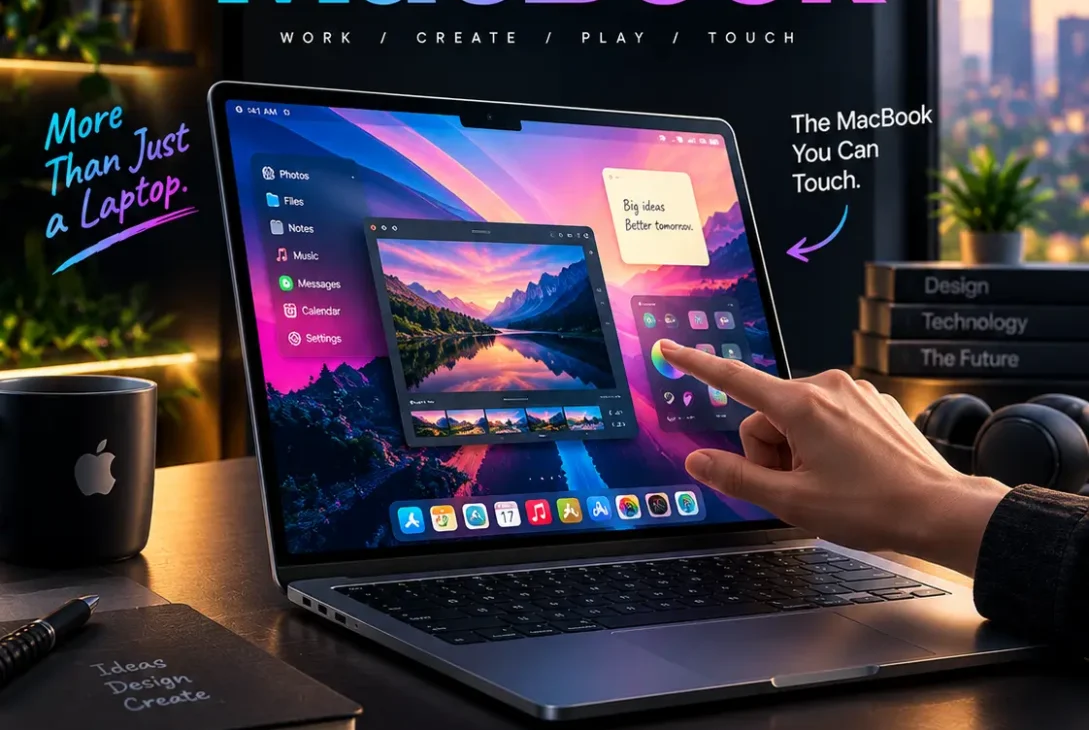
The touchscreen MacBook is finally becoming one of Apple’s most anticipated upcoming Mac products. After years of Apple keeping touch input exclusive to the iPhone and iPad, the company is now widely expected to introduce its first Mac laptop with a touchscreen display.
Recent reports indicate that Apple is preparing a redesigned high-end MacBook Pro with an OLED display and touchscreen functionality. Apple has also announced a Mac-focused product presentation for October 28, 2026, making the timing especially important for anyone waiting for a new Mac.
The rumored touchscreen MacBook is expected to be significantly different from Apple’s current MacBook Pro models. Reports point toward an OLED display, a thinner design, a more touch-friendly version of macOS, and potentially an iPhone-style Dynamic Island replacing the current display notch.
However, there is an important distinction between what Apple has officially announced and what comes from reliable reporting.
Apple has confirmed its October 28 Mac event, but the company has not yet published the complete specifications of the rumored touchscreen model. Therefore, features such as the exact chip configuration, final pricing, and launch date should still be treated as reported expectations rather than official specifications.
So, what can we realistically expect from Apple’s first touchscreen laptop?
This guide covers the expected display, design, touch controls, performance, software, release date, pricing, compatibility, advantages, disadvantages, and whether waiting for the touchscreen MacBook makes sense.
Table of Contents
- What Is the Touchscreen MacBook?
- Why Is Apple Finally Adding Touch?
- Touchscreen MacBook Release Date
- OLED Display
- Touchscreen Features
- macOS and Touch Controls
- Design and Dynamic Island
- Performance and Apple Silicon
- Battery Life
- Touchscreen MacBook vs iPad Pro
- Touchscreen MacBook vs Current MacBook Pro
- Expected Price
- Who Should Buy It?
- Advantages
- Disadvantages
- Frequently Asked Questions
- Final Verdict
- SEO Details
What Is the Touchscreen MacBook?
The touchscreen MacBook is expected to be Apple’s first Mac laptop with direct touch input on the display.
For years, Apple has kept the Mac focused on indirect input through a trackpad and mouse. The iPad, meanwhile, was designed around direct interaction with the screen.
That distinction may finally change.
Current reporting suggests that Apple is developing a high-end MacBook Pro with an OLED touchscreen, while keeping the keyboard and trackpad as important parts of the traditional Mac experience. In other words, Apple does not appear to be turning the MacBook into a giant iPad.
The expected approach is closer to a conventional laptop with an additional input method.
Users could continue using:
- Keyboard
- Trackpad
- Mouse
- External displays
- Touchscreen gestures
That could make the laptop more flexible without forcing users to abandon the traditional Mac interface.
Why Is Apple Finally Adding Touch?
Apple has historically resisted putting touchscreens on Macs.
One reason is that Apple has viewed macOS as an operating system designed around a mouse and trackpad rather than direct touch.
The company has also positioned the iPad as the device for touch-first computing.
That strategy has remained consistent for many years.
However, the market has changed.
Windows laptops with touchscreens are common, while devices such as Microsoft’s Surface line have demonstrated that traditional laptop hardware can coexist with touch input.
The popularity of the iPad Pro also means Apple already has extensive experience building high-quality touch hardware.
The rumored touchscreen MacBook could therefore represent a change in Apple’s philosophy rather than simply a new display feature.
Reports suggest Apple is taking a conservative approach, with touch being an additional input method rather than the primary way users interact with macOS.
Touchscreen MacBook Release Date
The expected launch timing is one of the most interesting parts of the story.
Apple has officially announced a product presentation for October 28, 2026, with new Macs expected to be the main focus.
Multiple recent reports have connected the event with Apple’s redesigned high-end MacBook Pro.
MacRumors reports that Apple is expected to introduce OLED touchscreen MacBook Pro models around October 27 or 28, with a potential retail launch around November 6.
That means the touchscreen MacBook could arrive very soon.
However, the exact retail launch date remains something buyers should confirm through Apple’s official announcement.
There have also been earlier reports suggesting that supply constraints could push Apple’s touchscreen MacBook plans toward early 2027. Those earlier expectations have become less likely as Apple’s October event has been officially announced, but final availability is still not confirmed until Apple provides the details.
OLED Display
The display could be one of the biggest upgrades.
Current MacBook Pro models use mini-LED technology, which already provides excellent brightness, HDR performance, and contrast.
The new touchscreen MacBook is widely expected to move to OLED.
OLED works differently from mini-LED.
Instead of using a backlight with zones, individual OLED pixels can turn themselves off completely.
This allows OLED displays to produce:
- True blacks
- Extremely high contrast
- Rich colors
- Excellent HDR performance
- Reduced blooming around bright objects
- Potentially better power efficiency in some situations
Apple already uses advanced OLED displays in products such as the iPhone and iPad Pro, so bringing the technology to MacBook would create a more consistent display experience across the company’s premium devices.
Reports indicate Apple is expected to use an advanced tandem OLED structure similar in concept to the technology used in the iPad Pro.
That could make the display particularly attractive to photographers, video editors, designers, and other creative professionals.
Touchscreen Features
The actual touchscreen experience may be more important than simply having touch hardware.
The touchscreen MacBook is reportedly being designed so users can move between touch and traditional pointer-based controls.
Expected touch interactions could include:
- Tapping buttons
- Scrolling
- Pinch-to-zoom
- Touch-based navigation
- Selecting interface elements
- Pull-to-refresh gestures
- Direct interaction with supported applications
Reports suggest Apple is modifying macOS to make certain interface elements more touch-friendly. Some controls may become larger or easier to interact with when using a finger.
This is important because simply putting a touchscreen on existing macOS would not automatically create a good touch experience.
Windows has spent years adapting its interface for touch.
Apple appears to be taking a similar approach by making parts of macOS more comfortable for finger input while maintaining the desktop experience.
macOS and Touch Controls
Software will determine whether the touchscreen MacBook is genuinely useful.
A touchscreen laptop needs an operating system that understands the difference between a mouse click and a finger tap.
Reports suggest Apple’s upcoming macOS generation is being adjusted to support touch more naturally.
Potential improvements include:
- Larger touch-friendly controls
- Better scrolling
- Pinch gestures
- Touch-aware menus
- More direct interaction with applications
- Improved compatibility between pointer and touch input
Some touch-related behavior has reportedly appeared in macOS beta software, including gestures and animations that resemble interactions already familiar from iPhone and iPad.
The goal does not appear to be turning macOS into iPadOS.
Instead, Apple seems to be trying to create a Mac interface that works naturally with both traditional and direct input.
Design and Dynamic Island
The new touchscreen MacBook could also receive a noticeable external redesign.
Reports suggest the upcoming high-end model may be thinner and lighter than the current MacBook Pro.
However, the exact thickness and weight remain unconfirmed.
Another major rumored change is the replacement of the current display notch.
Apple could introduce an iPhone-style Dynamic Island around the camera area.
A Dynamic Island on a Mac could potentially display:
- FaceTime information
- System alerts
- Background activities
- Media controls
- Siri interactions
- Other temporary notifications
The change could also reduce the amount of screen space occupied by the current notch.
The keyboard and trackpad are expected to remain because Apple does not appear to be abandoning the traditional laptop design.
Performance and Apple Silicon
Performance will remain a major reason to buy a MacBook Pro.
The exact processor configuration for the first touchscreen model has changed across different reports.
Earlier reporting suggested M6 Pro and M6 Max chips, but more recent reports indicate Apple may use the existing M5 Pro and M5 Max chips in the first OLED touchscreen models, while the next generation could move to M7 Pro and M7 Max.
This is why buyers should be careful with early rumor-based specifications.
The touchscreen MacBook is expected to remain a high-performance professional laptop regardless of the exact chip name.
For demanding users, Apple Silicon already provides strong performance for:
- Video editing
- Photo editing
- 3D applications
- Software development
- Music production
- AI workloads
- Large creative projects
The combination of a powerful Apple Silicon processor and an OLED touchscreen could make the device particularly attractive to professionals.
Battery Life
Battery life is another major consideration.
OLED can potentially improve power efficiency in some situations because pixels can turn off completely when displaying black content.
However, touchscreen hardware can also consume additional power.
The final battery performance will depend on:
- Display brightness
- OLED panel efficiency
- Processor
- Battery capacity
- Software optimization
- Touch controller
- Workload
Therefore, it would be premature to promise a specific number of hours before Apple publishes official specifications.
The best expectation is that Apple will try to maintain the long battery life that MacBook users already expect while adding the new display technology.
Touchscreen MacBook vs iPad Pro
The touchscreen MacBook will inevitably be compared with the iPad Pro.
Both devices can potentially feature:
- OLED displays
- Apple Silicon
- Touch input
- High-end performance
- Premium designs
But their purposes remain different.
The iPad Pro is designed around touch and portability.
The MacBook is designed around desktop productivity.
A MacBook provides:
- Full macOS
- Traditional desktop applications
- Keyboard
- Trackpad
- Larger file-management capabilities
- More conventional multitasking
- Broader professional software support
The iPad Pro offers:
- Touch-first interaction
- Apple Pencil support
- Tablet portability
- A lighter form factor
- Strong tablet applications
For someone who wants the flexibility of both touch and traditional desktop computing, the new MacBook could become an interesting middle ground.
Touchscreen MacBook vs Current MacBook Pro
The biggest difference between the upcoming model and the current MacBook Pro should be the display and input system.
| Feature | Current MacBook Pro | Expected New Model |
|---|---|---|
| Display | Mini-LED | OLED |
| Touch | No | Expected |
| Keyboard | Yes | Expected |
| Trackpad | Yes | Expected |
| macOS | Yes | Yes |
| Dynamic Island | No | Expected |
| Design | Current chassis | Expected redesign |
| Touch gestures | No | Expected |
| Positioning | Premium | Likely higher-end |
The important point is that the new model may not immediately replace every MacBook Pro.
Reports indicate Apple could position the OLED touchscreen version as a more expensive high-end option alongside other MacBook Pro models.
That would allow Apple to keep selling conventional MacBooks for users who do not care about touch.
https://www.apple.com/mac/
Expected Price
Price could become one of the biggest disadvantages.
The touchscreen MacBook is expected to be positioned above Apple’s standard MacBook Pro models.
Apple already increased Mac pricing in June 2026, and current high-end MacBook Pro configurations are expensive. MacRumors reports that the 14-inch M5 Pro MacBook Pro starts at $2,499 after the price increase, while the 16-inch M5 Pro model starts at $2,999.
A new OLED touchscreen model could therefore cost substantially more.
The final price will depend on:
- Screen size
- Processor
- RAM
- Storage
- Display technology
- Apple’s positioning
Rumors have even suggested “MacBook Ultra” branding and an ultra-premium price, although more recent reporting has leaned toward keeping the devices within the MacBook Pro family.
Until Apple announces the product, buyers should treat all rumored prices as estimates.
Who Should Buy It?
The touchscreen MacBook could be particularly useful for certain groups.
Designers
Touch interaction could be useful for manipulating visual content directly on screen.
Video Editors
A touchscreen could provide another way to navigate timelines and controls.
Students
Touch could make reading, scrolling, presentations, and casual interaction more convenient.
Developers
Most developers will probably continue using the keyboard and trackpad, but touch could still be useful for testing applications and navigating interfaces.
Creative Professionals
Artists and designers may appreciate the ability to interact directly with certain tools.
Existing MacBook Users
People who have wanted touch functionality for years may finally have a reason to upgrade.
Advantages
The expected touchscreen MacBook could offer several advantages.
Direct Touch Input
Users can interact directly with the screen when convenient.
OLED Quality
OLED should provide deeper blacks and excellent contrast.
Traditional Mac Experience
The keyboard and trackpad are expected to remain.
Powerful Apple Silicon
Professional users should continue getting strong performance.
Better Flexibility
Touch becomes another input method rather than replacing the trackpad.
Improved Visual Design
A thinner chassis and redesigned display could modernize the MacBook Pro.
Better Integration
Apple can optimize hardware and macOS together.
Disadvantages
There are also reasons to be cautious.
High Price
The first-generation OLED touchscreen model could be expensive.
Touch May Not Be Essential
Many Mac users already work efficiently with a trackpad.
Ergonomics
Touching a vertical laptop screen repeatedly can be less comfortable than using a trackpad.
First-Generation Hardware
Early products can have issues that Apple improves in later generations.
Limited Touch Optimization
Not every Mac application will necessarily become ideal for touch.
Possible Weight and Battery Tradeoffs
Additional display hardware can affect engineering and power consumption.
Frequently Asked Questions
Is Apple making a touchscreen MacBook?
Yes, Apple is widely reported to be preparing its first MacBook with a touchscreen OLED display. The product has not yet been fully detailed by Apple, so specific specifications should be treated as reported until officially announced.
When will the touchscreen MacBook be released?
Apple has announced a Mac product presentation for October 28, 2026, and current reports expect the OLED touchscreen MacBook Pro to be introduced around that time. A possible retail launch has been reported for November 6, but Apple has not officially confirmed that date.
Will the touchscreen MacBook have an OLED display?
Yes. Multiple reports indicate that Apple’s first touchscreen MacBook Pro will use an OLED display.
Will the touchscreen MacBook support Apple Pencil?
There is currently no reliable confirmation that the upcoming MacBook will support Apple Pencil. Buyers should not assume Pencil compatibility unless Apple officially announces it.
Will the touchscreen MacBook replace the iPad?
Probably not. The MacBook and iPad are designed around different operating systems and interaction models. The MacBook is expected to remain a traditional laptop with touch as an additional input method.
Will the touchscreen MacBook be thinner?
Reports suggest Apple is working on a thinner and lighter design, although the exact dimensions are not confirmed.
Will the MacBook have a Dynamic Island?
Reports indicate that Apple may replace the current MacBook Pro notch with an iPhone-style Dynamic Island. This has not yet been officially confirmed.
Will the touchscreen MacBook be more expensive?
It is expected to be a premium model positioned above standard MacBook Pro configurations, so a higher price is likely.
Will current MacBook Pro models still be available?
Reports suggest Apple may sell the touchscreen OLED model alongside other MacBook Pro models rather than immediately replacing every existing configuration.
Is a touchscreen useful on a MacBook?
It depends on the user. Designers, creative professionals, and people who frequently interact with visual content may find touch useful, while developers and writers may continue using the keyboard and trackpad most of the time.
Should I wait for the touchscreen MacBook?
If you specifically want OLED and touchscreen functionality, waiting makes sense because Apple’s October 28 Mac announcement is very close. If you need a MacBook immediately, current models remain capable alternatives.
Final Verdict
The touchscreen MacBook could become one of Apple’s most significant Mac changes in years.
Apple has spent more than a decade keeping touch input primarily on iPhone and iPad, so bringing direct touch interaction to a Mac would represent a major shift.
The rumored combination is particularly interesting: OLED display, touchscreen controls, Apple Silicon performance, a thinner design, and potentially a Dynamic Island.
However, buyers should separate confirmed information from rumors.
Apple has officially announced its October 28 Mac presentation, but the company has not yet provided the complete specification sheet for the rumored touchscreen model. Current reports point toward a 14-inch and 16-inch high-end MacBook Pro with OLED and touch support.
The biggest question is not whether Apple can make a touchscreen laptop.
It clearly can.
The real question is whether touch makes the Mac experience meaningfully better.
For designers and creative professionals, the answer could be yes.
For developers, writers, and business users, the trackpad may remain the preferred input method for most tasks.
That is why Apple’s reported approach of making macOS touch-friendly rather than touch-first could be the smartest solution. Users can touch the screen when it is convenient without losing the traditional Mac workflow.
If the OLED display quality is excellent and Apple maintains strong battery life and performance, the new machine could become one of the most interesting MacBook upgrades in years.
For anyone planning to buy a premium MacBook right now, the upcoming Apple announcement is worth waiting for before making a final decision.