Online security has become more important than ever as cyberattacks, phishing scams, and account takeovers continue to rise. Passwords alone are no longer enough to protect sensitive information, which is why many individuals and businesses are turning to YubiKey for stronger authentication. This small hardware security key provides an additional layer of protection that is significantly more secure than traditional passwords or SMS verification codes.
Unlike software-based authentication methods, YubiKey stores your authentication credentials on a physical device that must be present during login. This greatly reduces the risk of phishing attacks, credential theft, and unauthorized account access. Whether you manage personal accounts or secure business systems, using a hardware security key is one of the most effective ways to improve online security.
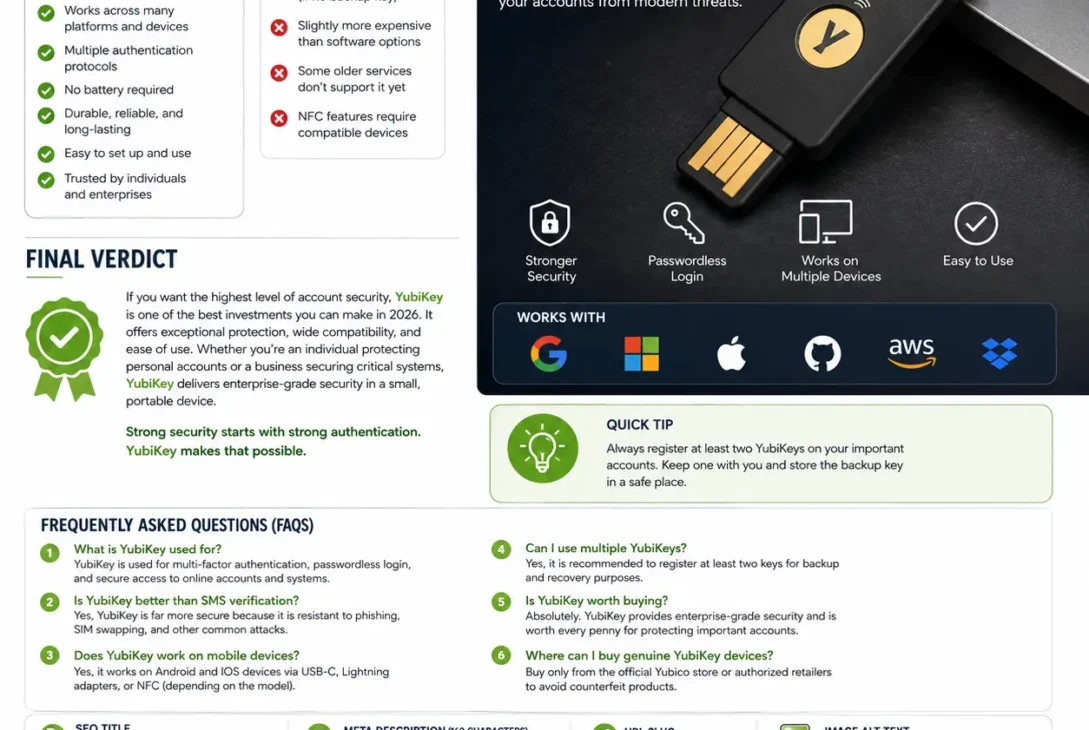
Supported by major platforms such as Google, Microsoft, Apple, GitHub, and hundreds of other services, YubiKey works with modern authentication standards including FIDO2, WebAuthn, U2F, smart cards, and one-time passwords. It is compatible with Windows, macOS, Linux, Android, and iOS, making it a flexible solution for almost any device.
In this guide, you’ll learn everything about YubiKey, including how it works, its security features, supported devices, setup instructions, comparisons with other authentication methods, and whether it’s worth buying in 2026.
Table of Contents
- What Is YubiKey?
- How YubiKey Works
- Key Features
- Security Benefits
- Supported Devices and Browsers
- Types of YubiKey
- How to Set Up YubiKey
- YubiKey vs Google Authenticator
- YubiKey vs Passkeys
- Pros and Cons
- Final Verdict
- FAQs
What Is YubiKey?
YubiKey is a hardware authentication device developed by Yubico that helps protect online accounts using multi-factor authentication (MFA). Instead of relying only on passwords, users authenticate by inserting or tapping the physical security key during login.
The device stores cryptographic credentials securely and performs authentication without exposing sensitive information to websites or attackers. Because authentication happens on the hardware itself, it offers significantly stronger protection than text-message verification or many software authenticators.
Businesses, developers, IT administrators, and security-conscious individuals widely use YubiKey to secure accounts that contain valuable personal or professional information.
How YubiKey Works
The authentication process is simple while providing enterprise-grade security.
A typical login process works like this:
- Enter your username and password.
- Insert or tap your YubiKey.
- Touch the gold contact or NFC area when prompted.
- Authentication is completed securely.
- Access is granted only if the physical key is present.
Because the authentication request is cryptographically verified, phishing websites cannot successfully steal your login credentials.
Key Features
Hardware-Based Authentication
Unlike mobile apps that generate verification codes, YubiKey performs authentication directly from dedicated hardware, making it much more resistant to malware and phishing attacks.
Passwordless Login
Modern authentication standards allow users to sign in without entering traditional passwords on supported services.
Multi-Protocol Support
The security key supports several authentication technologies, including:
- FIDO2
- WebAuthn
- FIDO U2F
- One-Time Password (OTP)
- Smart Card (PIV)
- OpenPGP
- Challenge-Response Authentication
This broad compatibility allows a single security key to work across many platforms and services.
No Battery Required
The device operates without an internal battery, making it highly reliable and maintenance-free.
Compact and Durable
Designed for everyday use, the key is small enough to attach to a keychain and built to withstand regular wear, helping ensure long-term reliability.
Security Benefits
Using YubiKey offers several important advantages over password-only authentication.
Some of the biggest benefits include:
- Protection against phishing attacks.
- Strong multi-factor authentication.
- Secure passwordless sign-in.
- Hardware-based credential protection.
- Support for enterprise security policies.
- Reduced risk of account takeover.
- Compatibility with thousands of online services.
- Simple and fast authentication.
These features make it one of the most trusted hardware security solutions available today.
Supported Devices and Browsers
One of the biggest advantages of YubiKey is its broad compatibility across operating systems, web browsers, and online services. Whether you’re using a desktop computer, laptop, smartphone, or tablet, the security key can integrate with many popular platforms.
Operating Systems
YubiKey supports:
- Windows
- macOS
- Linux
- Android
- iOS
- ChromeOS
This cross-platform support makes it an excellent choice for users who work across multiple devices.
Supported Browsers
The security key works with most modern browsers, including:
- Google Chrome
- Microsoft Edge
- Mozilla Firefox
- Apple Safari
These browsers support modern authentication standards such as WebAuthn and FIDO2, allowing secure passwordless sign-ins on compatible websites.
Popular Services That Support YubiKey
Thousands of websites and enterprise platforms allow hardware security keys for authentication.
Some of the most widely used include:
- Google Accounts
- Microsoft Accounts
- Apple ID
- GitHub
- GitLab
- Dropbox
- X (formerly Twitter)
- 1Password
- Bitwarden
- AWS
- Cloudflare
Support continues to grow as more companies adopt passwordless authentication.
https://www.yubico.com/
Types of YubiKey
Yubico offers several models designed for different devices and connection types.
YubiKey 5 Series
The most popular lineup supports:
- FIDO2
- WebAuthn
- U2F
- Smart Card (PIV)
- OpenPGP
- OTP
It is recommended for both individuals and businesses that need maximum compatibility.
Security Key Series
This version focuses on FIDO2 and U2F authentication, making it a more affordable option for users who only need modern web authentication.
Bio Series
The Bio Series adds fingerprint authentication while maintaining hardware-based security.
This model is ideal for users who want biometric verification in addition to a physical security key.
How to Set Up YubiKey
Setting up YubiKey usually takes only a few minutes.
Step 1
Sign in to the account you want to protect.
Step 2
Open the account’s Security Settings.
Step 3
Locate the Two-Factor Authentication or Passkeys section.
Step 4
Choose Add Security Key.
Step 5
Insert or tap your YubiKey when prompted.
Step 6
Touch the gold contact (or use NFC if supported).
Step 7
Give the key a recognizable name and save the settings.
For important accounts, registering a second backup security key is highly recommended in case the primary device is lost.
YubiKey vs Google Authenticator
Many users compare hardware security keys with authenticator apps.
| Feature | YubiKey | Google Authenticator |
|---|---|---|
| Hardware Security | ✅ | ❌ |
| Phishing Protection | Excellent | Limited |
| Passwordless Login | Yes | No |
| Requires Phone | No | Yes |
| Offline Authentication | Yes | Yes |
| Ease of Setup | Easy | Easy |
| Overall Security | Higher | Good |
While Google Authenticator remains a solid option for two-factor authentication, YubiKey provides stronger protection against phishing and account compromise.
YubiKey vs Passkeys
Passkeys are becoming increasingly popular, but many users wonder how they compare with dedicated hardware keys.
| Feature | YubiKey | Passkeys |
|---|---|---|
| Physical Device | Yes | Usually No |
| Phishing Resistance | Excellent | Excellent |
| Cross-Device Use | Excellent | Depends on ecosystem |
| Enterprise Support | Excellent | Growing |
| Backup Options | Multiple Keys | Cloud-dependent |
| Security Level | Very High | Very High |
Both technologies improve security significantly, but YubiKey offers additional flexibility for enterprise environments and users who prefer physical authentication devices.
Best Practices
To maximize security, follow these recommendations:
- Register at least two hardware keys.
- Store the backup key in a secure location.
- Enable hardware authentication for your most important accounts.
- Keep recovery codes in a safe place.
- Regularly review connected devices and account activity.
- Purchase security keys only from trusted retailers.
These practices help ensure continued access to your accounts while maintaining a high level of protection.
Pros and Cons
Pros
- Excellent protection against phishing attacks.
- Supports passwordless authentication.
- Compatible with Windows, macOS, Linux, Android, and iOS.
- Works with thousands of online services.
- Supports multiple authentication standards including FIDO2 and WebAuthn.
- Durable, compact, and easy to carry.
- No battery or internet connection required.
- Fast authentication with USB or NFC models.
- Trusted by individuals, businesses, and government organizations.
- Long lifespan with minimal maintenance.
Cons
- Higher upfront cost than authenticator apps.
- Physical key can be misplaced if no backup is available.
- Some older websites still don’t support hardware keys.
- NFC functionality depends on compatible devices.
- New users may need time to understand hardware authentication.
Is YubiKey Worth Buying?
If online security is one of your priorities, YubiKey is one of the best investments you can make. Unlike SMS codes or authentication apps that can be vulnerable to phishing or SIM-swapping attacks, a hardware security key keeps authentication tied to a physical device that attackers cannot easily replicate.
For individuals, it provides peace of mind when protecting email accounts, banking services, password managers, and cloud storage. For businesses, it helps strengthen employee security and reduce the risk of credential theft.
Although it costs more than free authenticator apps, the added security, durability, and ease of use make it a worthwhile investment for anyone who values account protection.
Final Verdict
The YubiKey remains one of the most trusted hardware security keys available in 2026. Its support for modern authentication standards, passwordless login, and phishing-resistant security makes it an excellent choice for both personal and professional use.
Whether you’re securing a single email account or managing access across an organization, YubiKey delivers enterprise-grade protection in a compact and reliable device. If you want stronger online security without relying solely on passwords, this hardware key is highly recommended.
Frequently Asked Questions (FAQs)
1. What is YubiKey used for?
YubiKey is used for multi-factor authentication, passwordless login, and protecting online accounts from phishing and unauthorized access.
2. Is YubiKey better than SMS verification?
Yes. YubiKey provides stronger protection because it isn’t vulnerable to SIM-swapping or most phishing attacks.
3. Can YubiKey work without an internet connection?
Yes. The hardware key itself does not require an internet connection. Authentication depends on the service you’re accessing.
4. Does YubiKey work with mobile phones?
Yes. Many YubiKey models support Android and iPhone devices through USB-C, Lightning (compatible models/adapters), or NFC.
5. Can I register multiple YubiKeys?
Yes. Registering at least two YubiKey devices is recommended so you have a backup if one is lost or damaged.