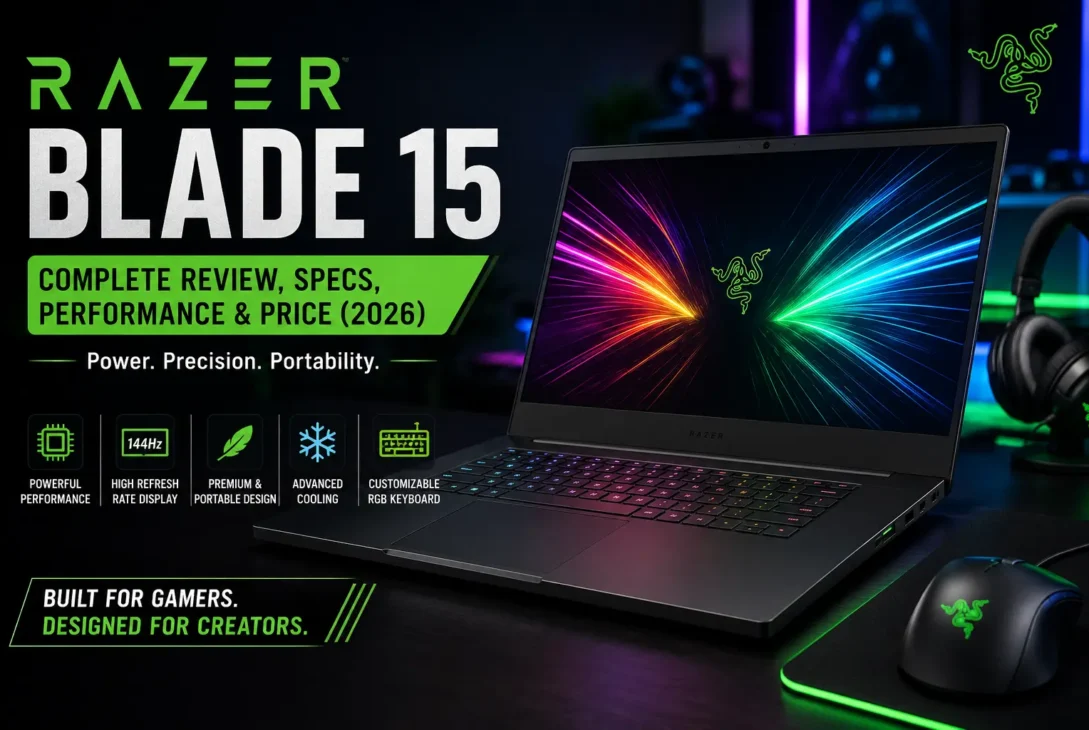
The Razer Blade 15 remains one of the most recognizable gaming laptops for users who want powerful hardware without the bulky appearance of a traditional gaming machine. Its slim design, premium aluminum construction, high-refresh-rate displays, and powerful processors have made the Blade series popular among gamers and creative professionals.
Although newer gaming laptops now offer more recent processors and graphics hardware, the Razer Blade 15 can still be an interesting option in 2026, especially when purchased at a good price. Its combination of performance, portability, and premium design makes it different from many larger gaming notebooks.
The laptop has been offered in several generations and configurations. Depending on the model, users can find different Intel processors, NVIDIA GeForce RTX graphics cards, display resolutions, refresh rates, RAM configurations, and storage options.
This guide covers the Razer Blade 15, including its design, display, performance, gaming capabilities, battery life, cooling system, ports, upgrade options, advantages, disadvantages, pricing considerations, and alternatives.
Table of Contents
- What Is the Razer Blade 15?
- Design and Build Quality
- Display Quality
- Performance
- Gaming Performance
- Graphics and GPU
- Keyboard and Trackpad
- Cooling System
- Battery Life
- Ports and Connectivity
- RAM and Storage
- Razer Blade 15 for Content Creation
- Razer Blade 15 for Gaming
- Price and Value
- Pros and Cons
- Alternatives
- Who Should Buy It?
- Final Verdict
- Frequently Asked Questions
What Is the Razer Blade 15?
The Razer Blade 15 is a premium gaming laptop designed by Razer. It combines high-performance computer hardware with a relatively thin and minimalist chassis.
Unlike many gaming laptops that use aggressive designs, large vents, and colorful exterior elements, the Blade 15 has a more understated appearance. Its black aluminum body and compact design allow it to work well in gaming environments as well as professional settings.
Different generations of the laptop have included hardware ranging from mid-range to high-end configurations. Depending on the specific model, users may find NVIDIA RTX graphics, Intel Core processors, fast SSD storage, and high-refresh-rate displays.
Because there are multiple versions, specifications can vary significantly between models. Anyone buying one should check the exact processor, GPU, display, RAM, storage, and year of the particular configuration.
https://www.razer.com/gaming-laptops/razer-blade-15
Design and Build Quality
One of the biggest strengths of the Razer Blade 15 is its build quality.
The laptop uses an aluminum chassis that gives it a premium appearance and a solid feel. The relatively simple exterior also makes the computer look more like a professional workstation than a conventional gaming laptop.
The compact design is particularly useful for people who travel frequently. It provides gaming-class hardware without requiring users to carry an extremely large machine.
However, the thin design also creates compromises.
High-performance components generate considerable heat under heavy workloads. A thinner chassis provides less physical space for cooling hardware, which means temperature and fan noise can become noticeable during demanding gaming or rendering sessions.
Display Quality
Display options depend on the generation and configuration of the Razer Blade 15.
Some versions have focused on high refresh rates for competitive gaming, while others have offered higher resolutions and stronger color performance for creative work.
Common display characteristics across different configurations include:
- Full HD resolutions
- QHD resolutions
- High refresh rates
- Fast response times
- High-quality color reproduction
- Thin bezels
A high-refresh-rate display can make games feel smoother, particularly in competitive titles where fast movement and quick reactions are important.
Higher-resolution configurations are more attractive to photographers, video editors, designers, and other creative professionals who value sharper images and greater workspace.
Before purchasing, buyers should carefully check the exact display specification because two Blade 15 models can have significantly different screens.
Performance
Performance is one of the main reasons people consider the Razer Blade 15.
Depending on the configuration, the laptop can handle demanding games, professional software, programming environments, video editing, 3D applications, and other resource-intensive workloads.
High-end configurations combine powerful Intel processors with NVIDIA GeForce RTX graphics. This combination provides enough performance for modern gaming and many professional workloads.
However, performance depends heavily on the exact configuration.
A Blade 15 with a mid-range GPU should not be compared directly with a model equipped with a significantly more powerful graphics card. Buyers should always evaluate the complete specification rather than relying only on the laptop’s name.
Gaming Performance
Gaming is the primary purpose of the Razer Blade 15, and its dedicated NVIDIA graphics options make it capable of running demanding PC games.
Performance will depend on factors such as:
- GPU model
- Processor
- RAM
- Game resolution
- Graphics settings
- Ray tracing
- DLSS support
- Cooling conditions
At 1080p, capable configurations can deliver high frame rates in many games. QHD models provide sharper visuals while requiring more GPU power.
Competitive games can benefit from high-refresh-rate displays, while single-player titles may benefit more from higher resolution and visual quality.
Graphics and GPU
The graphics card is one of the most important components when evaluating the Razer Blade 15.
Different generations have been sold with different NVIDIA GPUs. Some configurations target mainstream gaming, while higher-end models are designed for demanding games and professional workloads.
An RTX GPU can also provide features such as hardware-accelerated ray tracing and AI-assisted technologies supported by compatible games and applications.
For gaming buyers, the GPU should generally receive more attention than cosmetic features. A slightly older laptop with a powerful GPU can sometimes provide better gaming performance than a newer machine with a weaker graphics processor.
Keyboard and Trackpad
The keyboard is another important part of the Razer Blade 15 experience. Razer has generally focused on providing a compact keyboard with per-key RGB lighting on many configurations.
The RGB lighting allows users to customize the appearance of the keyboard and create different lighting effects. Gamers can also use lighting profiles to match their setup.
The trackpad is relatively large and positioned for comfortable everyday use. This is useful when the laptop is being used for browsing, office work, editing, or other tasks where a separate mouse is not always available.
For serious gaming, however, most users will still prefer an external gaming mouse.
Cooling System
Gaming laptops need effective cooling because their processors and graphics cards can generate significant heat. The Razer Blade 15 uses a dedicated cooling system designed to keep the internal components operating under demanding workloads.
During normal browsing and light productivity, the laptop can remain relatively comfortable. Heavy gaming, rendering, and other intensive workloads can increase fan noise and surface temperatures.
This is one of the compromises associated with thin gaming laptops. A compact chassis looks attractive and is easier to carry, but powerful hardware still needs sufficient cooling.
Keeping the laptop on a hard, flat surface can help maintain proper airflow. Regularly cleaning dust from the vents can also help maintain cooling performance over time.
Battery Life
Battery life is not usually the strongest reason to purchase a high-performance gaming laptop.
The Razer Blade 15 contains powerful processors and dedicated graphics hardware, which can consume considerable power when performing demanding tasks. Gaming while running on battery can reduce runtime significantly.
Battery performance can be better during lighter activities such as:
- Web browsing
- Document editing
- Video playback
- Light programming
- General productivity
For demanding gaming sessions, connecting the laptop to its charger is generally the better option because the system can access more power and maintain higher performance.
Actual battery life varies depending on the configuration, battery condition, display settings, brightness, background applications, and workload.
Ports and Connectivity
Connectivity is important for a gaming laptop because users may want to connect external displays, storage devices, gaming accessories, network equipment, and other peripherals.
Depending on the generation, the Razer Blade 15 can include a combination of:
- USB-A ports
- USB-C ports
- HDMI
- Thunderbolt
- Headphone connectivity
- Wireless networking
- Bluetooth
The exact port selection varies between models, so buyers should check the specifications of the specific version they are considering.
For users who work with multiple displays or external storage, the available ports can have a significant impact on everyday convenience.
RAM and Storage
Memory and storage are important when choosing a Razer Blade 15 configuration.
Higher RAM capacity is useful for demanding applications, multitasking, video editing, programming, and other workloads that require more system memory.
SSD storage provides fast boot times and quick application loading. It also improves the overall responsiveness of the operating system compared with older mechanical hard drives.
Some Blade 15 configurations provide upgradeable components, while others have more limited upgrade options. Buyers should check the exact model before purchasing if future RAM or storage upgrades are important.
For gaming in particular, larger SSD capacity can be useful because modern games can require substantial amounts of storage.
Razer Blade 15 for Content Creation
Although it is primarily marketed as a gaming laptop, the Razer Blade 15 can also work well for creative professionals.
A powerful processor and dedicated GPU can help with applications used for:
- Video editing
- Photo editing
- 3D modeling
- Animation
- Graphic design
- Motion graphics
- CAD
- Music production
Higher-resolution display configurations can be particularly useful for creative work because they provide sharper visuals and more workspace.
GPU acceleration can also improve performance in supported creative applications. However, professionals should consider display color accuracy, RAM capacity, storage, and thermal performance in addition to raw processing power.
Razer Blade 15 for Gaming
For gamers, the laptop’s main attraction is the combination of a relatively portable design and dedicated gaming hardware.
A suitable configuration can handle popular games at high settings, although the experience depends heavily on the GPU and display resolution.
For competitive gaming, a high-refresh-rate display can be a major advantage. For visually demanding single-player games, a higher-resolution panel and stronger GPU may be more desirable.
Users should also consider the laptop’s thermal behavior during extended gaming sessions. Performance can vary when components become significantly warmer over long periods.
Price and Value
The price of a Razer Blade 15 can vary significantly because there are multiple generations and configurations available.
Since newer gaming laptops continue to arrive, older Blade 15 models can sometimes become attractive in the used or refurbished market. However, buyers should compare them against newer machines before making a decision.
Important factors include:
- Processor generation
- GPU model
- RAM
- SSD capacity
- Display resolution
- Refresh rate
- Battery health
- Physical condition
- Warranty
- Asking price
A premium chassis does not automatically make an older configuration a good deal. The hardware inside should match the price.
When buying a used model, checking battery condition, display quality, keyboard functionality, ports, cooling performance, and GPU operation is particularly important.
Pros and Cons of the Razer Blade 15
Before buying the Razer Blade 15, it is worth considering both its strengths and weaknesses. The laptop offers a premium combination of performance and portability, but its design also comes with some compromises.
Pros
- Premium aluminum build quality
- Powerful dedicated NVIDIA graphics
- High-quality display options
- High refresh-rate panels on selected models
- Compact design for a gaming laptop
- Good performance for gaming and creative applications
- Large and responsive trackpad
- Customizable RGB keyboard
- Suitable for both gaming and professional work
Cons
- Can become hot during demanding workloads
- Fans can become loud under heavy loads
- Battery life is not its strongest feature
- Premium configurations can be expensive
- Older models may offer less value compared with newer laptops
- Specifications vary considerably between generations
Razer Blade 15 Alternatives
The Razer Blade 15 competes with several premium gaming laptops. Depending on your priorities, another model may provide better performance, battery life, cooling, or value.
ASUS ROG Zephyrus G15
The ASUS ROG Zephyrus G15 is a strong alternative for users who want a powerful gaming laptop with a relatively portable design.
It can offer strong gaming performance while maintaining a more understated appearance than many traditional gaming laptops.
Lenovo Legion Series
Lenovo’s Legion gaming laptops are another popular alternative. They generally focus heavily on performance and cooling.
Legion models can be attractive to buyers who prioritize gaming performance over having the thinnest possible chassis.
Alienware Gaming Laptops
Alienware laptops are designed for users who want powerful hardware and distinctive gaming aesthetics.
They can provide excellent performance, although some models are larger and heavier than the Blade series.
ASUS ROG Strix Series
The ROG Strix range focuses heavily on gaming performance and high-refresh-rate displays.
It can be a better choice for users who prioritize maximum gaming performance and cooling over portability.
Who Should Buy the Razer Blade 15?
The Razer Blade 15 can be a good choice for users who want a combination of gaming performance and premium design.
Gamers
Gamers who want a powerful machine that is easier to carry than many large gaming laptops may appreciate the Blade 15.
Content Creators
Video editors, designers, 3D artists, and other creative professionals can benefit from the combination of a powerful processor, dedicated GPU, and high-quality display options.
Students
Students studying subjects such as computer science, engineering, architecture, animation, or game development may find the hardware useful for demanding applications.
However, students should consider battery life and weight if they need to carry the laptop around campus every day.
Professionals
The minimalist appearance makes the laptop suitable for professional environments where an aggressively styled gaming machine may feel out of place.
Who Should Avoid It?
The Razer Blade 15 may not be the ideal choice for everyone.
You may want to consider another laptop if:
- Battery life is your highest priority.
- You want the coolest possible gaming laptop.
- You need the cheapest gaming performance.
- You prefer a very large display.
- You want the newest hardware generation.
- You rarely play games and don’t need a dedicated GPU.
For these users, a productivity laptop, newer gaming model, or more performance-focused machine may provide better value.
Is the Razer Blade 15 Still Worth Buying in 2026?
Whether the Razer Blade 15 is worth buying in 2026 depends largely on the specific configuration and price.
The laptop’s premium construction and compact design remain attractive, but newer gaming laptops have continued to improve processor performance, GPU efficiency, battery life, displays, and cooling.
A used or refurbished Blade 15 can make sense when it is significantly cheaper than a comparable newer machine.
However, paying a premium for an older configuration simply because it carries the Blade branding may not be the best decision.
Always compare the actual hardware and condition against current alternatives before purchasing.
Final Verdict
The Razer Blade 15 remains an appealing gaming laptop for people who want powerful hardware in a relatively slim and premium package.
Its biggest strengths are its design, build quality, display options, dedicated graphics, and versatility. It can handle gaming as well as demanding creative and professional applications.
Its biggest weaknesses are heat, fan noise, battery limitations, and the potentially high price of premium configurations.
In 2026, the best way to approach this laptop is to evaluate the exact model rather than the name alone. A well-priced configuration with a capable GPU, sufficient RAM, a good display, and a healthy battery can still be a worthwhile purchase.
If portability and premium design matter as much as gaming performance, the Blade 15 remains an interesting option. If maximum performance per dollar is the priority, newer gaming laptops may provide better value.
Frequently Asked Questions
1. Is the Razer Blade 15 still good in 2026?
Yes, certain configurations can still provide excellent gaming and productivity performance. The value depends heavily on the exact specifications and purchase price.
2. Is the Razer Blade 15 good for gaming?
Yes. Models equipped with dedicated NVIDIA graphics can provide strong gaming performance, especially when paired with a high-refresh-rate display.
3. Does the Razer Blade 15 get hot?
It can become hot during demanding gaming and professional workloads. This is partly related to the powerful hardware and relatively thin chassis.
4. How long does the Razer Blade 15 battery last?
Battery life varies by configuration, workload, display, battery health, and settings. Light tasks generally provide considerably better runtime than gaming.
5. Is the Razer Blade 15 good for video editing?
Yes. Models with powerful CPUs, dedicated GPUs, sufficient RAM, and suitable displays can handle video editing and other creative workloads effectively.
6. Should I buy a used Razer Blade 15?
A used model can be worthwhile if the price is attractive and the laptop is in good condition. Check the battery, display, keyboard, ports, cooling, SSD, and GPU before purchasing.