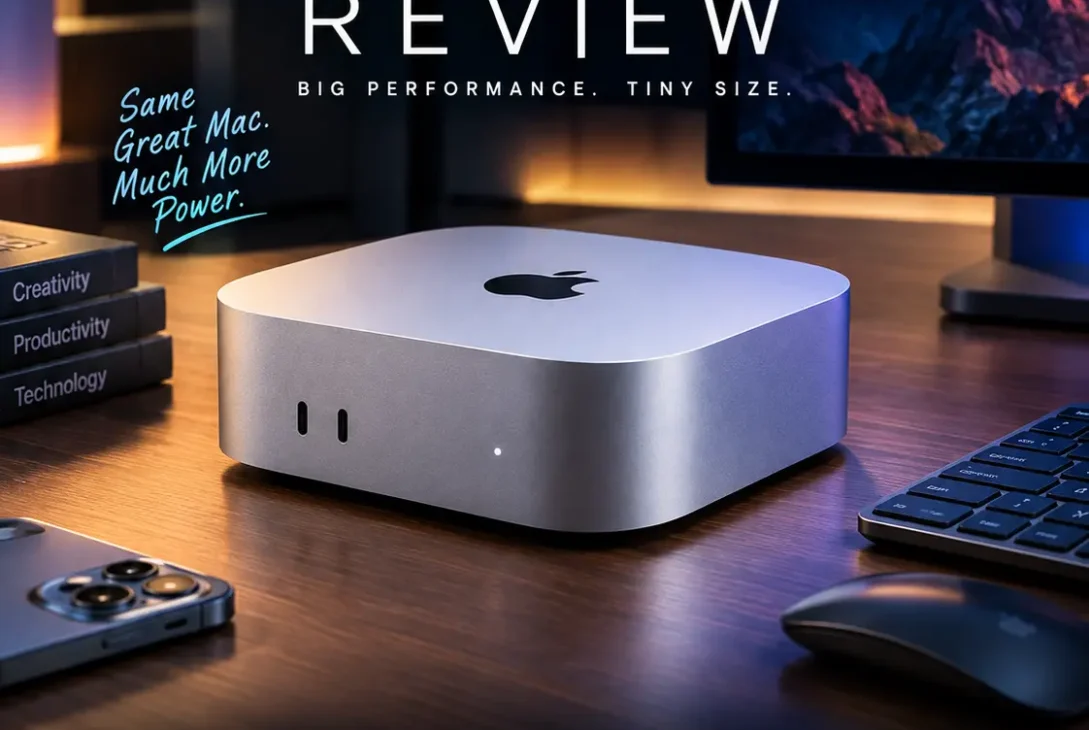
The Mac mini M4 is one of Apple’s most compact desktop computers, combining a small design with the performance of Apple silicon. It is designed for people who want a powerful Mac for everyday work, creative projects, coding, and multitasking without paying for an all-in-one desktop or a MacBook. You supply your own monitor, keyboard, and mouse, which gives you more freedom to build a setup that fits your desk and budget.
Apple introduced the redesigned model in 2024, shrinking the desktop to roughly five inches square and adding front-facing USB-C ports. Its M4 chip, 16GB starting memory configuration, and support for multiple displays make it a compelling option for students, professionals, and creators. But is the Mac mini M4 still a smart buy in 2026, and which configuration should you choose? Here is what you need to know before spending your money.
Table of Contents
- Mac mini M4: Quick Overview
- Design and Build Quality
- Performance and M4 Chip
- Memory and Storage Options
- Ports and Connectivity
- Display Support
- Work and Creativity
- Gaming and Everyday Use
- macOS and Apple Intelligence
- Pros and Cons
- Standard M4 vs M4 Pro
- Price and Value in 2026
- Who Should Buy It?
- Frequently Asked Questions
- Final Verdict
- SEO Details
Mac mini M4: Quick Overview
The Mac mini M4 is a compact desktop computer powered by Apple’s M4 chip. Unlike an iMac, it does not include a built-in screen. That is both a limitation and an advantage: you can reuse an existing monitor or choose a display that suits your workflow.
Apple’s standard M4 configuration includes a 10-core CPU and 10-core GPU, with 16GB of unified memory in the entry-level configuration. Storage options and available configurations can vary by market and over time. For the latest official technical details, check Apple’s Mac mini specifications.
| Feature | Standard model |
|---|---|
| Chip | Apple M4 |
| CPU | 10-core CPU |
| GPU | 10-core GPU |
| Starting memory | 16GB unified memory |
| Ports at the front | Two USB-C ports and a headphone jack |
| Rear connections | Three Thunderbolt 4 ports, HDMI, Ethernet |
| Wireless | Wi-Fi and Bluetooth |
| Display support | Up to three external displays in supported configurations |
| Screen, keyboard, mouse | Sold separately |
Exact specifications can differ between the standard M4 and M4 Pro versions, so confirm the configuration before ordering.
Design and Build Quality
One of the biggest attractions of the Mac mini M4 is its size. The redesigned enclosure measures about five inches by five inches, making it easy to place beside a monitor, under a display stand, or on a crowded desk. It is a practical choice for home offices, student desks, reception areas, and small creative studios.
The compact body looks simple and understated. It can fit into a professional setup without drawing attention away from the display or other equipment. Despite its small footprint, Apple designed the system with a thermal layout intended to move heat away from the internal components.
There is one design detail worth knowing: the power button is positioned on the underside of the computer. Most people will not need to press it frequently, but reaching it can feel awkward if the machine is placed tightly against a wall or under a stand.
Because the computer is sold without a display or input devices, factor those accessories into your total budget. If you already own a good monitor, keyboard, and mouse, the Mac mini M4 can be a particularly economical way to move to macOS.
Performance and M4 Chip
The M4 chip gives the Mac mini M4 enough performance for everyday computing and many demanding workflows. Browsing with numerous tabs, office applications, video calls, large spreadsheets, coding tools, and photo editing are all within its intended range.
Apple says the redesigned M4 model offers substantial performance improvements over the M1 Mac mini, especially in CPU and GPU tasks. Real-world results still depend on the application, memory configuration, and workload, so headline comparisons should not be treated as a guarantee that every task will run at the same speed.
For creative work, the system can handle many photo-editing tasks, design applications, music production, and moderate video editing. It is also suitable for developers who compile projects, run local development environments, or use several productivity apps at once. For especially heavy 3D scenes, complex effects, or demanding professional video workflows, a higher-memory configuration or M4 Pro model may be more appropriate.
The main advantage is the balance between performance and size. The Mac mini M4 does not need to be a large tower to deliver responsive desktop performance for many users.
Memory and Storage Options
Unified memory is shared by the CPU and GPU, so choosing the right amount at purchase is important. The standard configuration starts with 16GB, which is a useful baseline for general work, study, and a variety of creative applications.
Consider more memory if you regularly work with large Photoshop files, complex video timelines, virtual machines, large code projects, or many demanding applications simultaneously. More memory can help keep workloads responsive when several apps are open, although it does not replace a faster chip for every type of task.
Storage deserves equal attention. A 256GB drive can fill quickly once you install large applications, download media, and store creative projects. In 2026, Apple’s available configurations and pricing may differ from the original launch lineup, so check the current store listing rather than assuming an older base model is still offered.
If you use external SSDs for video footage, archives, or project files, you can expand your working storage without paying for the largest internal drive. However, internal storage is convenient for applications and frequently accessed files. For most buyers, the best choice is the configuration that balances memory, internal capacity, and the cost of external storage.
Ports and Connectivity
The Mac mini M4 has a useful mix of front and rear connections. Two USB-C ports and a headphone jack on the front make it easier to plug in accessories without reaching behind the computer.
At the rear, the standard M4 model includes three Thunderbolt 4 ports, HDMI, and Gigabit Ethernet. Thunderbolt supports fast data transfers and compatible display connections, while HDMI is convenient for connecting many monitors and televisions. The Ethernet port is useful if you prefer a wired network connection for large downloads, shared files, or stable office connectivity.
One important limitation is the absence of traditional USB-A ports. Older printers, wired keyboards, storage devices, and other accessories may require a USB-C adapter or hub. If you connect multiple legacy devices, include the price and desk space of a hub in your planning.
The M4 Pro version differs by offering Thunderbolt 5 instead of Thunderbolt 4, which can be valuable for users with compatible high-speed storage or demanding multi-display setups. Check Apple’s official technical specifications for port and display details for the exact model you plan to buy.
Display Support
A desktop computer’s display support matters if you want more than one screen. The standard Mac mini M4 supports multiple external displays, including high-resolution options, subject to the connection type and supported refresh rate. Apple lists support for up to two 6K displays and one 5K display on the standard M4 model under supported configurations.
That makes it suitable for workflows that benefit from extra screen space: one display for design work, another for reference material, and a third for communication or preview windows. Many users will not need three monitors, but the flexibility is valuable if your setup grows.
Before buying a dock or adapter, check the monitor’s resolution, refresh rate, available inputs, and whether the adapter supports the required mode. A cable that physically fits is not always capable of driving every resolution or refresh rate. For two-monitor setups, connect each display through a supported HDMI or Thunderbolt/USB-C connection and verify the adapter’s specifications.
Work and Creativity
For everyday productivity, the Mac mini M4 is a strong fit. It can handle documents, spreadsheets, email, web apps, remote meetings, research, and multitasking with ease. Students can use it for assignments, presentations, online learning, and creative side projects.
It is also capable of a range of creative work. Designers can use supported versions of Adobe Photoshop and Illustrator, while video editors can work with compatible editing software and footage appropriate to the system’s memory and storage. Musicians can run digital audio workstation software and plugins, and developers can use macOS tools to build and test applications.
The limits become more noticeable with sustained, high-end workloads. Large 3D projects, intensive visual effects, advanced color grading, or very large video projects may benefit from the extra graphics power and memory options of a Pro-class machine. If your income depends on these demanding tasks, compare performance requirements before buying the base model.
For many freelancers and small businesses, however, the standard Mac mini M4 offers a useful mix of speed, quiet operation, small size, and price.
Gaming and Everyday Use
The Mac mini M4 can run supported Mac games, and the M4 GPU is more capable than the graphics hardware found in many basic office desktops. Still, it is not a direct replacement for a dedicated gaming PC or console.
Game availability on macOS varies, and some popular Windows games do not have native Mac versions. Performance also depends on the game’s graphics settings, resolution, and optimization. If gaming is a priority, check compatibility for the specific titles you play instead of relying only on general performance claims.
For everyday use, the experience is more straightforward. The computer wakes quickly, runs common apps smoothly, and can remain on a desk without taking up much room. Its small size also makes it easy to move between workspaces, although it still needs a display and peripherals at each location.
macOS and Apple Intelligence
The Mac mini M4 runs macOS and supports Apple’s ecosystem features, including continuity options for people who also use an iPhone or iPad. Depending on your setup, features such as AirDrop, iCloud syncing, and shared clipboard functionality can make moving between devices easier.
Apple Intelligence features depend on supported hardware, software versions, language settings, and regional availability. Not every feature is available in every language or country, and Apple may change availability as macOS updates roll out. Check Apple’s current support pages before buying specifically for one AI feature.
Software compatibility is another consideration. Most mainstream productivity and creative apps offer Mac versions, but some specialist Windows-only programs may require an alternative workflow. If you rely on a particular business app, plugin, or peripheral, verify Mac compatibility before switching.
Pros and Cons
Pros
- Small footprint that fits almost any desk
- Strong performance for everyday work and many creative tasks
- 16GB starting unified memory
- Front USB-C ports for convenient access
- Multiple external display support
- Quiet, efficient desktop design
- Useful Thunderbolt and HDMI connectivity
Cons
- Monitor, keyboard, and mouse are not included
- No built-in USB-A ports
- Internal memory and storage should be selected carefully at purchase
- Power button placement can be awkward
- Not every Windows game or specialist app is available for macOS
- Upgrades can become expensive when choosing higher memory or storage
Standard M4 vs M4 Pro
Both versions use the same compact design, but they target different workloads. The standard M4 is aimed at everyday productivity, development, study, and many creative tasks. The M4 Pro adds more CPU and GPU capability, Thunderbolt 5 connectivity, and higher performance headroom for demanding projects.
Choose the standard M4 if your work mainly involves browsing, office apps, coding, design, photo editing, and moderate video work. It is likely to be the better value for most home and office users.
Choose the M4 Pro if you regularly edit complex video, work with large media libraries, use demanding 3D applications, or need faster connectivity for high-performance external storage and displays. The more expensive version is not automatically better value if your workload will never use the extra capability.
Before deciding, compare the total cost of the computer, display, adapters, storage, and any software subscriptions. The right configuration is the one that fits your actual workload rather than the one with the highest specification.
Price and Value in 2026
The original U.S. launch price for the Mac mini M4 was $599 for the 16GB/256GB configuration. Apple later removed the 256GB option from its lineup in 2026, and reporting indicated that the U.S. starting price increased to $799 for the 16GB/512GB model. Prices and available configurations can change, so verify the current price in your country before making a decision.
In Pakistan, retail prices can differ because of import costs, currency changes, warranty terms, and stock availability. Compare reputable sellers, confirm the exact memory and SSD configuration, and ask whether the unit is new, sealed, and covered by a local or international warranty. Avoid comparing prices without checking the model number and included warranty.
The value calculation should include accessories. If you already own a monitor and peripherals, the Mac mini M4 can be a cost-effective desktop. If you need to buy everything from scratch, compare the full setup cost with a MacBook or an all-in-one computer.
Who Should Buy It?
The Mac mini M4 is a sensible choice for students, remote workers, developers, office users, and creators who want a compact desktop with strong everyday performance. It is particularly appealing if you already have a monitor and want a Mac that stays in one place.
It may not be the best fit if you need a portable computer, rely on Windows-only software, or routinely run very demanding graphics workloads. In those cases, a MacBook, Windows workstation, gaming PC, or M4 Pro configuration may suit you better.
Think about your actual applications, the number of displays you need, and how much storage your projects use. Those factors are more useful than buying based on specifications alone.
Frequently Asked Questions
Is the Mac mini M4 worth buying in 2026?
Yes, it can still be a good choice for productivity, study, development, and many creative workflows. Compare current prices and configurations, because the lineup and starting price have changed since launch.
How much RAM does the standard model have?
The standard model launched with 16GB of unified memory, with higher-memory configurations available. Check the exact listing before purchasing.
Can it run Photoshop and Illustrator?
Yes, supported Mac versions of Photoshop and Illustrator can run on it. Performance depends on project size, memory, and the other apps running at the same time.
Can it support two monitors?
Yes. The standard M4 supports multiple external displays, including two 6K displays and one 5K display in supported configurations. Confirm the connection and refresh-rate requirements for your monitors.
Does it come with a monitor?
No. It is a desktop computer only. You need to supply a compatible monitor, keyboard, and mouse or trackpad.
Does it have USB-A ports?
No. It has USB-C ports and rear Thunderbolt ports, so you may need a hub or adapter for older USB-A accessories.
Is the Mac mini M4 good for video editing?
It is suitable for many editing workflows, especially moderate projects. Heavy effects, complex timelines, and professional 3D work may benefit from more memory or an M4 Pro model.
Can I upgrade RAM or internal storage later?
Memory and internal storage are not designed for user upgrades after purchase. Choose the configuration carefully and consider external SSD storage if you need additional capacity.
Is the Mac mini M4 good for gaming?
It can play supported Mac games, but game compatibility varies. If your priority is Windows-only games or maximum graphics performance, compare a dedicated gaming PC or console.
What is the difference between M4 and M4 Pro?
The M4 Pro offers more processing and graphics power and Thunderbolt 5 connectivity. The standard M4 is usually sufficient for everyday work and many creative tasks at a lower cost.
Final Verdict
The Mac mini M4 remains a compelling compact desktop for people who want strong performance without a large computer tower. Its small enclosure, 16GB starting memory, multiple display support, and useful port selection make it suitable for work, study, development, and many creative applications.
The main things to plan for are the cost of a monitor and peripherals, the lack of built-in USB-A ports, and choosing enough memory and storage at purchase. Buyers with demanding professional workloads should compare the M4 Pro before deciding, while everyday users can likely save money with the standard model.
Overall, the best configuration is not necessarily the most expensive one. Match the Mac mini to your software, display setup, storage needs, and budget, and check current pricing and specifications before ordering.