Managing employees becomes increasingly difficult as a business grows. Employee records, attendance, payroll, leave requests, recruitment, performance reviews, and other HR responsibilities can quickly become complicated when everything is handled manually.
This is where HRMS can make a significant difference.
HRMS stands for Human Resource Management System. It is software designed to help organizations manage employee information and automate many human-resource processes through a centralized system.
Instead of keeping employee information across spreadsheets, paper documents, emails, and separate applications, an HRMS can bring important HR activities together in one place.
What Is HRMS?
The basic HRMS meaning is Human Resource Management System.
An HRMS is a technology platform that helps businesses manage employee-related information and human-resource processes.
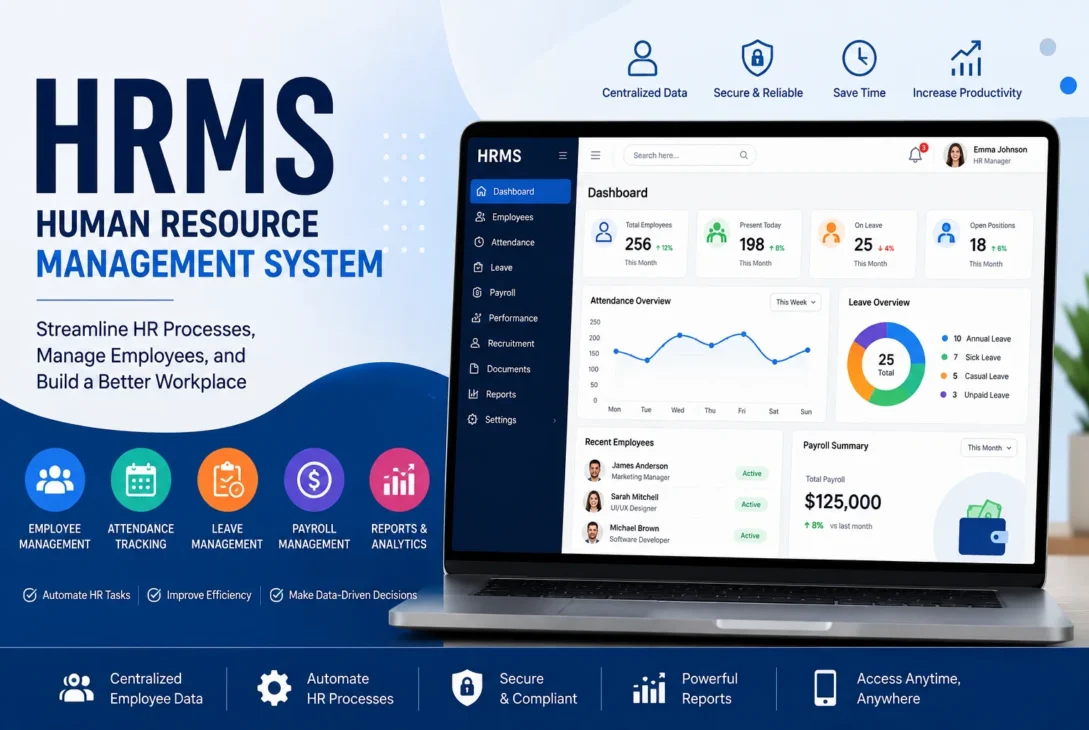
Depending on the software, an HRMS can include features for:
- Employee records
- Payroll
- Attendance
- Time tracking
- Leave management
- Recruitment
- Employee onboarding
- Performance management
- Benefits administration
- Reporting
- Employee self-service
The exact features vary between HRMS providers and plans.
A small business may only need employee records, attendance, and leave management, while a large organization may require payroll, recruitment, performance management, analytics, and integrations with other business systems.
How Does an HRMS Work?
An HRMS typically stores employee information in a centralized digital environment.
Authorized HR employees can access the information they need through an administrative dashboard, while employees may be given access to a separate self-service portal.
For example, an employee could submit a leave request through the system.
The manager could then review and approve the request.
Once approved, the employee’s leave balance can be updated automatically, depending on the system’s configuration.
This reduces the need for emails, paper forms, and manual spreadsheet updates.
The same principle can be applied to many other HR processes.
https://www.dol.gov
Why Do Businesses Use HRMS Software?
The main reason organizations adopt an HRMS is to make HR processes more organized and efficient.
Human resources teams often deal with large amounts of information.
Consider a company with hundreds of employees.
The HR department may need to maintain information about salaries, job titles, departments, attendance, leave balances, employment dates, documents, and other employee details.
Managing all of this manually can take considerable time and increase the possibility of errors.
An HRMS can centralize much of this information and automate repetitive processes.
1. Centralized Employee Information
One of the most useful features of an HRMS is centralized employee data.
Instead of searching through multiple spreadsheets or physical files, HR staff can access employee information through one system.
Depending on the platform, employee profiles may contain information such as:
- Name and contact details
- Job title
- Department
- Employment status
- Joining date
- Compensation information
- Documents
- Attendance records
- Leave history
- Performance information
Centralization can make information easier to find and maintain.
It can also help reduce duplicate records and inconsistent information across different HR documents.
Better Data Organization
A centralized system can make it easier for HR teams to update employee information.
For example, if an employee changes departments, authorized staff can update the employee’s profile instead of changing information in several separate spreadsheets.
This becomes particularly valuable as the organization grows.
2. Payroll Management
Payroll is one of the most important HR processes because employees need to be paid accurately and on time.
Many HRMS platforms include payroll functionality or integrate with dedicated payroll systems.
Depending on the software and local requirements, payroll features can help manage:
- Employee salaries
- Overtime
- Deductions
- Bonuses
- Taxes
- Pay schedules
- Payroll records
- Payslips
Automation can reduce repetitive calculations and make payroll processing more organized.
However, businesses should make sure the software supports the tax, payroll, and employment regulations applicable to their location.
An HRMS should support payroll processes rather than replace proper financial and legal oversight.
3. Attendance and Time Tracking
Tracking employee attendance manually can become difficult when a business has many employees.
An HRMS can provide digital tools for recording working hours, attendance, absences, and overtime.
Some systems can support different methods of time tracking, including web-based check-ins, mobile applications, biometric devices, or integrations with existing attendance systems.
The available options depend on the provider.
Why Time Tracking Matters
Accurate time records can help HR teams understand attendance patterns and calculate working hours.
For organizations that pay hourly employees, reliable time tracking can also be important for payroll calculations.
Automated attendance records can reduce the need for employees or managers to maintain separate spreadsheets.
4. Leave and Absence Management
Leave management is another area where automation can save time.
Employees may need vacation days, sick leave, personal leave, or other types of approved absence.
Without a centralized system, employees might request leave through email while HR maintains balances in a spreadsheet.
An HRMS can bring this process together.
Employees can submit requests through the system, managers can approve or reject them, and HR can monitor leave records.
Employee Leave Visibility
Self-service features can also allow employees to see their available leave balances.
This reduces unnecessary questions to HR and gives employees more visibility into their own information.
For managers, a calendar or reporting interface can make it easier to see when team members are unavailable.
5. Employee Self-Service
Employee self-service is an important part of many modern HRMS platforms.
Instead of requiring HR staff to handle every simple request, employees can access certain information and complete routine tasks themselves.
Depending on the system, employees may be able to:
- Update personal information
- View payslips
- Submit leave requests
- Check attendance
- Download documents
- Complete HR forms
- View company information
This can reduce administrative workload for HR teams.
It also gives employees more control over routine HR tasks.
6. Recruitment and Applicant Tracking
Some HRMS platforms include recruitment features or integrate with applicant-tracking systems.
Recruitment can involve many repetitive tasks.
HR teams may need to publish vacancies, collect applications, review candidates, schedule interviews, communicate with applicants, and maintain recruitment records.
Software can help organize this process.
An applicant-tracking component can keep candidate information in one place and help recruiters move candidates through different stages.
For example:
Application → Screening → Interview → Evaluation → Offer → Hiring
The exact workflow can be customized depending on the organization.
7. Employee Onboarding
Hiring someone is only the beginning of the employee lifecycle.
Once a candidate accepts an offer, the organization may need to collect documents, create accounts, provide policies, assign equipment, introduce the employee to the team, and complete other onboarding tasks.
An HRMS can help organize these activities.
Automated Onboarding Tasks
An organization can create predefined onboarding workflows.
For example, when a new employee joins, the system may automatically generate tasks for HR, IT, finance, and the employee.
This can reduce the chance of important steps being forgotten.
It also creates a more consistent onboarding experience.
HRMS and Performance Management
Employee performance management can also be integrated into an HRMS.
Organizations may use software to manage:
- Performance reviews
- Goals
- Feedback
- Evaluations
- Development plans
- Performance history
A centralized system can make performance information easier to track over time.
However, performance management is not simply a software problem.
Managers still need to provide meaningful feedback and communicate clearly with employees.
The software can organize the process, but people are responsible for making the process useful.
HRMS Reporting and Analytics
HR departments generate large amounts of information.
An HRMS can turn that information into reports and dashboards.
Depending on the platform, businesses may be able to analyze:
- Employee headcount
- Turnover
- Absence rates
- Attendance
- Payroll information
- Recruitment metrics
- Department statistics
- Workforce trends
This can help management make decisions based on data rather than assumptions.
For example, if employee turnover is significantly higher in one department, HR can investigate the underlying reasons.
Benefits of Moving Away From Spreadsheets
Spreadsheets can be useful for small teams, but they become increasingly difficult to manage as organizations grow.
Multiple spreadsheets can create problems such as:
- Duplicate information
- Manual calculations
- Version confusion
- Accidental changes
- Limited access control
- Difficult reporting
- Repetitive data entry
An HRMS can automate many of these processes.
This doesn’t mean spreadsheets have no value.
Businesses may still use them for analysis or specialized tasks, but a centralized HR platform can become the primary source for employee information and HR workflows.
HRMS vs HRIS
HRMS and HRIS are sometimes used interchangeably, although the exact distinction depends on the software provider.
HRIS generally refers to a Human Resources Information System and often focuses on storing and managing employee information.
HRMS can describe a broader system that includes HR information management along with additional functions such as payroll, workforce management, recruitment, performance, and other processes.
In practice, the terminology isn’t always consistent.
When comparing products, businesses should focus less on the label and more on the actual features included.
HRMS vs HCM
HCM stands for Human Capital Management.
HCM is often used as a broader term covering the complete employee lifecycle and strategic workforce management.
An HCM platform may include HR administration, talent management, recruitment, learning, workforce planning, analytics, payroll, and other functions.
The boundaries between HRMS, HRIS, and HCM can vary significantly between vendors.
Therefore, businesses should compare capabilities rather than selecting software based solely on terminology.
Who Should Use an HRMS?
An HRMS can be useful for organizations of many sizes.
Small businesses can use it to replace repetitive manual HR tasks.
Medium-sized companies can use it to centralize employee information and improve HR workflows.
Large organizations can use advanced HR platforms to manage complex workforces across departments, locations, and regions.
The key question isn’t simply how many employees a company has.
It is how complex its HR processes have become.
A company with 50 employees across several locations may have more complicated HR requirements than a company with 100 employees working from one office.
What to Look for in HRMS Software
Before choosing a platform, businesses should identify their actual requirements.
Important considerations can include:
Ease of Use
HR staff and employees need to be comfortable using the system.
Scalability
The software should be capable of supporting the organization as it grows.
Security
Employee data is sensitive, so access controls and security practices are extremely important.
Integrations
The system may need to connect with accounting, payroll, attendance, recruitment, communication, or other business applications.
Reporting
Useful reports and dashboards can help HR teams make better decisions.
Employee Self-Service
Self-service functionality can reduce administrative work and improve employee access to information.
Support
Reliable technical and customer support can be important when implementing a system across an organization.
Final Thoughts
An HRMS can transform HR administration by bringing employee information and important workforce processes into one centralized environment.
From payroll and attendance to recruitment, onboarding, leave management, performance tracking, and reporting, automation can reduce repetitive work and improve visibility.
The most important thing is to choose software based on the organization’s real requirements.
A small company may need only basic employee management and leave tracking, while a larger enterprise may require payroll, recruitment, analytics, integrations, and advanced workforce management.
The right HRMS should make HR processes simpler, more organized, and easier to manage without creating unnecessary complexity.
HRMS Implementation: What Businesses Should Know
Choosing an HR platform is only the first step. A successful implementation also requires planning.
Before moving employee information into a new system, businesses should decide which processes they want to automate first.
Starting with essential functions such as employee records, attendance, leave, and payroll can make the transition easier.
Clean Existing Data
Old employee records should be reviewed before importing them.
Duplicate profiles, outdated information, incorrect job titles, and missing details can create problems later.
Cleaning the data first gives the new system a more reliable foundation.
Train Employees
Employees should understand how to use the features that apply to them.
Training may cover tasks such as submitting leave requests, checking payslips, updating personal information, or recording attendance.
HR staff and administrators usually require more detailed training because they manage settings, workflows, reports, and employee records.
Set Access Permissions
Not every employee should have access to every HR record.
Administrators should define appropriate permissions based on job responsibilities.
For example, an employee may be allowed to view their own information while an HR administrator may need access to broader employee records.
Proper access controls are particularly important because HR systems can contain sensitive personal and financial information.
Data Security and Privacy
Employee information can include names, addresses, identification details, salaries, tax information, attendance records, performance information, and other sensitive data.
Organizations should therefore evaluate the security practices of any platform before adopting it.
Important areas to consider include:
- Authentication
- User permissions
- Data encryption
- Backups
- Audit logs
- Account security
- Data retention
- Privacy policies
- Regulatory requirements
Businesses should also understand where employee data is stored and how the software provider handles it.
Legal and regulatory requirements can vary depending on the country, industry, and type of employee information being processed.
Cloud-Based HRMS
Many modern HR platforms are cloud-based.
Instead of installing the software on an organization’s own servers, employees access the system through the internet.
Cloud deployment can offer several advantages.
Updates may be managed by the provider, employees can access the system remotely, and organizations may not need to maintain their own application servers.
However, businesses should still evaluate reliability, security, privacy, support, and data-management policies before choosing a provider.
Mobile Access
Mobile access can be useful for organizations with remote employees, field workers, or distributed teams.
Depending on the platform, employees may be able to use a mobile application to:
- Check attendance
- Request leave
- View notifications
- Access documents
- Review payslips
- Update personal information
Mobile functionality is particularly useful when employees are not regularly working from a desktop computer.
HRMS and Artificial Intelligence
Artificial intelligence is increasingly being incorporated into HR software.
AI-based features can assist with tasks such as recruitment, employee support, document processing, analytics, and answering common HR questions.
For example, an AI assistant could help employees find information about company policies or explain where to submit a particular request.
However, AI should be used carefully in HR because employee decisions can have significant consequences.
Organizations should consider accuracy, transparency, privacy, bias, human oversight, and applicable regulations before relying on AI for sensitive decisions.
Common HRMS Mistakes
Businesses can encounter problems if they focus only on software features.
One common mistake is choosing a platform with dozens of features that employees don’t actually need.
Complexity can make adoption harder.
Another mistake is failing to define HR workflows before implementation.
Software should support a clear process rather than being expected to solve an unclear one.
Poor data migration is another potential problem.
If old employee records are inaccurate, transferring them into a new system simply moves the existing problems into a new environment.
Finally, organizations sometimes overlook employee training.
Even excellent software provides limited value if employees don’t understand how to use it.
Is HRMS Worth It?
For organizations that regularly handle employee information and repetitive HR processes, an HRMS can provide significant value.
The benefits are generally strongest when HR teams spend substantial time on manual data entry, spreadsheets, email-based approvals, attendance records, or repetitive reporting.
Automation can reduce administrative workload and give employees faster access to information.
However, businesses should calculate the total cost of ownership before making a decision.
The cost may include subscriptions, implementation, data migration, training, integrations, support, and customization.
Frequently Asked Questions
What does HRMS stand for?
HRMS stands for Human Resource Management System. It is software used to manage employee information and automate various human-resource processes.
What is an HRMS used for?
An HRMS can be used for employee records, payroll, attendance, leave, recruitment, onboarding, performance management, reporting, and employee self-service, depending on the platform.
Is HRMS only for large companies?
No. Small and medium-sized businesses can also benefit from HR automation. The appropriate system depends on the organization’s requirements rather than its employee count alone.
Is HRMS the same as payroll software?
Not necessarily. Payroll software focuses primarily on employee compensation, while an HRMS can cover a much broader range of HR processes.
Can employees access an HRMS?
Yes. Many systems provide employee self-service portals or mobile applications that allow workers to access selected information and complete routine HR tasks.
Is HRMS secure?
Security depends on the specific provider, configuration, and organization. Businesses should evaluate authentication, permissions, encryption, backups, audit capabilities, privacy practices, and compliance requirements.
Can HRMS software automate attendance?
Many platforms can automate attendance and time tracking, although the available methods vary. Some systems can integrate with mobile applications, web check-ins, biometric devices, or other attendance technologies.
Can HRMS integrate with other software?
Many platforms provide integrations or APIs that can connect HR data with payroll, accounting, recruitment, attendance, communication, and other business systems.
Final Verdict
An HRMS is more than an employee database. It can serve as a central platform for managing important parts of the employee lifecycle.
From hiring and onboarding to attendance, leave, payroll, performance, reporting, and employee self-service, automation can make HR operations more consistent and easier to manage.
The best solution is not necessarily the platform with the largest feature list.
Businesses should choose software that matches their size, workflows, budget, security requirements, integrations, and future growth.
For organizations still relying heavily on spreadsheets and manual HR processes, moving to a well-designed HR platform can be a meaningful step toward faster administration, better data organization, and a more convenient employee experience.
Key Takeaways
- HRMS stands for Human Resource Management System.
- It centralizes employee information and HR processes.
- Common features include payroll, attendance, leave, recruitment, and onboarding.
- Employee self-service can reduce repetitive HR requests.
- Reporting can help organizations understand workforce trends.
- Security and access controls are essential.
- Cloud-based systems can support remote access.
- AI can add useful capabilities but requires careful oversight.
- Businesses should evaluate total implementation costs.
- The best system is the one that fits the organization’s actual HR requirements.