
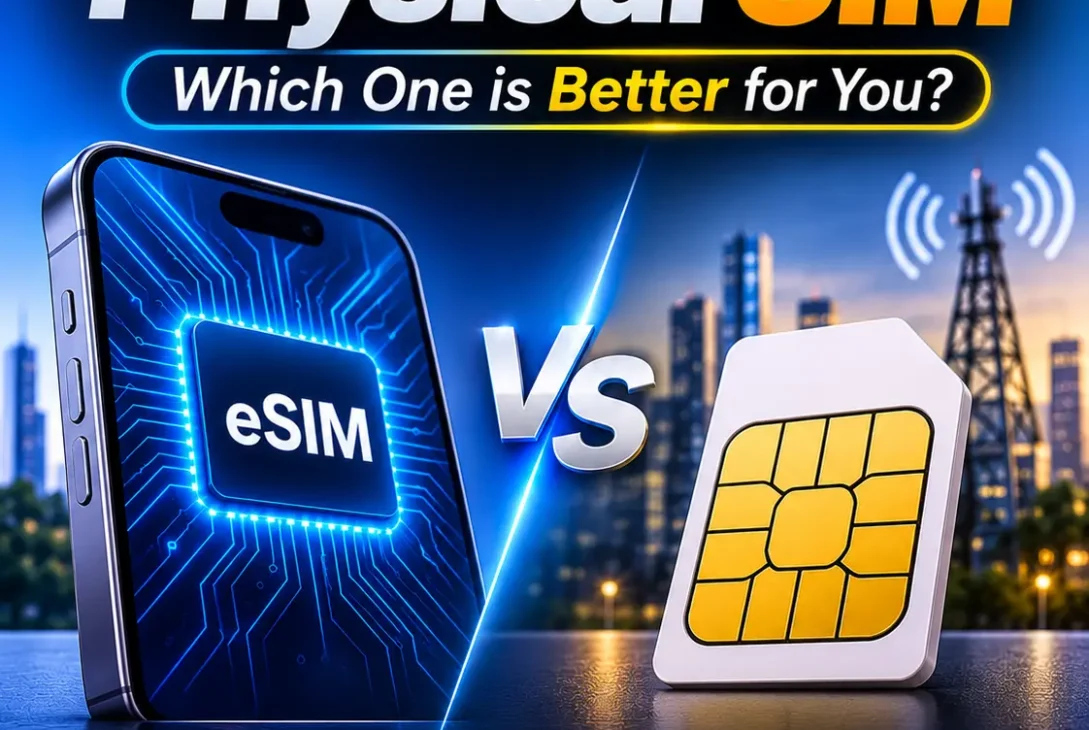
Introduction
Both eSIMs and physical SIM cards connect a phone to a mobile network, but they store and deliver subscriber information differently. A physical SIM is a removable card; an eSIM is a programmable component built into the device. Either can support calls, texts, and mobile data when the phone and carrier are compatible.
The right choice in the eSIM vs physical SIM debate depends on your phone, network provider, travel habits, and how often you change devices. This guide to eSIM vs physical SIM explains the practical differences, including activation, security, cost, compatibility, and everyday convenience.
Table of Contents
- What Is a Physical SIM?
- What Is an eSIM?
- eSIM vs Physical SIM: 9 Key Differences
- Which Option Is Better for Travel?
- Is an eSIM More Secure?
- Does Either SIM Offer Better Signal or Internet Speed?
- Device and Carrier Compatibility
- How to Switch Between SIM Types
- Which Option Should You Choose?
- Frequently Asked Questions
- Final Verdict
What Is a Physical SIM?
A physical SIM, or Subscriber Identity Module, is the removable card inserted into a phone’s SIM tray. It helps the carrier identify your subscription and authenticate the device on its network. The card does not create the signal; the phone’s radio hardware and the carrier’s network provide the connection.
In the eSIM vs physical SIM comparison, the removable option is still familiar to many users. Modern phones commonly use the small nano-SIM format. If another compatible phone accepts the same card size, you can usually move the SIM and keep using the same number and plan. This makes it useful for spare phones and quick device changes. That flexibility is a major reason some users still prefer the physical side of eSIM vs physical SIM. The drawbacks are that the card can be lost or damaged, and some newer phone models no longer include a physical SIM tray in certain markets.
What Is an eSIM?
An eSIM is an embedded SIM component built into a compatible phone, tablet, or smartwatch. Instead of inserting a plastic card, you download or activate a digital profile provided by a mobile operator. The profile contains the subscriber information needed to connect to the network.
For eSIM vs physical SIM setup, activation may use a QR code, carrier app, device-to-device transfer, or help from customer support. A device can often store multiple profiles, although the number that can be stored and active at once varies. Support also depends on the exact phone model, region, and carrier, so check compatibility before purchasing a plan.
eSIM vs Physical SIM: 9 Key Differences
1. Installation and Activation
A physical SIM is installed by placing the card in the phone’s SIM tray. The phone reads it when switched on, although the carrier may still need to activate the service. For many people, this simple process is a practical advantage in the eSIM vs physical SIM choice. The process is familiar and usually requires no internet connection.
An eSIM is activated digitally. Depending on the operator, you may scan a QR code, use its app, transfer a plan from another phone, or contact support. This avoids handling a tiny card, but activation may require Wi-Fi and a supported setup process. When comparing eSIM vs physical SIM, consider which activation method your carrier makes easiest.
2. Moving Between Phones
A removable card can usually be taken out and inserted into another compatible, unlocked phone. Your number and plan normally remain with the card, although carrier or device restrictions may apply.
An eSIM transfer is handled through the phone or carrier. Some devices offer a direct transfer, while others require a new QR code or customer-service approval. If you frequently change phones, check the provider’s transfer policy before choosing eSIM vs physical SIM. This transfer detail can outweigh the convenience of digital setup.
3. Using Two Numbers
Many current phones support two lines, such as a personal number and a work number. Depending on the model, the combination may be two physical cards, one card plus an eSIM, or two active eSIM profiles. Some phones can store several profiles but only activate a limited number at once.
In an eSIM vs physical SIM setup, dual-SIM features are useful for separating work and personal calls or keeping a home number while travelling. Check the exact model’s supported combinations rather than assuming every stored profile can be active simultaneously.
4. Physical Convenience
A physical card can be moved to a compatible spare phone without downloading a new profile. This is useful if your main phone breaks or you regularly switch devices. Its disadvantage is that the small card can be lost, damaged, or inserted incorrectly.
An eSIM cannot fall out of a tray and does not need a SIM ejector tool. However, it cannot be moved simply by removing it and placing it in an older handset. That trade-off is central to eSIM vs physical SIM: decide whether you value removable-card portability or digital convenience.
5. Security
A physical SIM can be removed from a stolen phone and inserted into another device. A SIM PIN can reduce the risk of unauthorized use, but it is important to secure the phone and carrier account too.
An eSIM is not removable in the same way, which makes simple SIM theft harder. It is not complete protection: someone with access to an unlocked phone or a compromised carrier account may still cause problems. When weighing eSIM vs physical SIM security, use a strong passcode, enable remote lock and erase features, secure your carrier login, and prefer passkeys or authenticator apps over SMS verification where possible.
6. International Travel
An eSIM can let you install a travel plan before departure and activate it when you arrive. You may be able to keep your regular number available while using a separate data plan. This can save time when local eSIM service is widely available.
A physical SIM can be a better option where local prepaid cards are cheaper or digital plans are limited. Before travelling, check that your phone is unlocked, the destination network supports it, and the package includes the data, calls, and validity you need. The eSIM vs physical SIM decision for a trip should be based on total cost and coverage, not format alone.
7. Reliability and Speed
After activation, both formats connect through the phone’s modem and the carrier’s network. Signal strength and data speed depend mainly on coverage, supported frequency bands, congestion, device hardware, and your plan—not on whether the SIM profile is removable or embedded.
A physical card can become worn or damaged after repeated handling. An eSIM avoids card-related wear, but a replacement or transfer may depend on the carrier’s digital support. In everyday eSIM vs physical SIM use, most people will not notice a performance difference after activation.
8. Device Availability
A physical SIM requires a tray, while an eSIM is built into the device. Many newer phones support eSIM, but support varies by model and market. Some versions of the same phone have different SIM configurations depending on the country where they are sold.
For eSIM vs physical SIM compatibility, check the precise model number and regional specifications before buying. Do not rely only on the phone family’s marketing name, because a similarly named device may not offer the same SIM features.
9. Replacement and Support
If a physical card is lost or damaged, the carrier can issue a replacement. This may involve a store visit, identity checks, delivery, or a fee.
If an eSIM profile is deleted or needs to move, the provider may issue a new profile or approve a transfer. Some carriers handle this in an app; others require support. Before deciding between eSIM vs physical SIM, check how your operator handles replacement, upgrades, and account recovery. Support quality is part of the overall experience. A smooth support process matters more than the format itself.
Which Option Is Better for Travel?
An eSIM can be convenient when travelling because you may be able to buy and install a data plan before departure, then activate it at your destination. Some phones let you keep your regular number available while using a separate travel plan.
A local physical SIM may cost less in destinations where prepaid cards are widely available. Before travelling, check that your phone is unlocked, the network supports it, and the plan includes enough data and the right validity period. Compare coverage and total cost rather than assuming one format is always cheaper. This is the practical way to approach eSIM vs physical SIM when planning a trip.
https://support.apple.com/en-us/118669
Is an eSIM More Secure?
An eSIM cannot be removed from a stolen phone and placed in another handset, which reduces one simple form of SIM theft. However, it does not protect an unlocked device or a compromised carrier account. A physical SIM can also be protected with a SIM PIN.
Use a strong phone passcode, enable remote-lock features, secure your carrier account, and contact your provider quickly if your phone is lost. Where possible, use passkeys or an authenticator app instead of relying only on SMS verification. Neither format replaces good account security.
Does Either SIM Offer Better Signal or Internet Speed?
Neither SIM format automatically delivers faster internet. The phone’s modem, supported frequency bands, carrier network, signal strength, network congestion, and subscription plan have a much greater influence on performance.
If two compatible phones use the same carrier, network technology, and plan under similar conditions, the SIM format alone should not create a meaningful speed advantage. A poor signal in a basement or rural area will not improve simply because you switch from a card to a digital profile.
If you are experiencing slow data, check coverage maps, network settings, data limits, and whether your phone supports the carrier’s bands. Restarting the device or resetting network settings may help in some cases, but contact the carrier if the problem continues.
Device and Carrier Compatibility
Compatibility is one of the most important parts of choosing between a physical card and an eSIM. First, confirm that your phone supports the format you want. Then confirm that your carrier supports that exact device and offers the relevant activation method.
A phone purchased in one country may have a different SIM configuration from a similar model sold elsewhere. Carrier support can also vary by plan type, prepaid or postpaid status, and account requirements. A device being technically capable of eSIM does not guarantee that every operator will activate it.
Before purchasing a new phone or switching plans, check the manufacturer’s specifications and your carrier’s support pages. If you are buying a used phone, make sure it is not network-locked and that its IMEI is not blocked. Ask the seller to demonstrate that the device can connect to a network.
How to Switch Between SIM Types
The process depends on your phone and carrier, but the general steps are straightforward.
Moving from a physical SIM to an eSIM
- Confirm that your phone supports eSIM and that your carrier offers conversion.
- Back up important information and connect the phone to Wi-Fi if the carrier’s instructions require it.
- Open the mobile or cellular settings and look for an option to add or convert a SIM, if available.
- Follow the carrier’s instructions. This may involve scanning a QR code, using an app, or confirming your account.
- Wait for activation, then test calls, messages, and mobile data.
- Do not discard the old card until the carrier confirms that the new profile is active and your number works.
Moving from an eSIM to a physical SIM
Contact your carrier or use its official app to request a physical replacement or conversion. The provider may deactivate the digital profile when the new card is activated. Once you receive the card, insert it into a compatible unlocked phone and complete any required activation steps.
Do not delete a working eSIM before confirming the carrier’s replacement process. If the profile is removed too early, you may need customer support to restore service.
Which Option Should You Choose?
Choose a physical SIM if you regularly move your number between older phones, use a backup device, or live in an area where carriers make physical cards easier to obtain. It is also a practical choice if your current phone does not support eSIM or if your preferred provider has limited digital activation support.
Choose an eSIM in the eSIM vs physical SIM decision if your phone and carrier support it, you prefer digital setup, or you travel and want to add a temporary data plan without swapping cards. It can also be useful for managing a work number and personal number on one compatible device.
For many users, the best solution is not an either-or decision. A phone that supports both formats gives you flexibility. You can keep your main number on one format and use the other for a second line, depending on the device’s supported combinations and your carrier’s policies.
When evaluating eSIM vs physical SIM, focus on your own needs rather than marketing claims. Check compatibility, transfer rules, travel costs, security settings, and customer support. These details define a useful eSIM vs physical SIM comparison. These practical details matter more than whether a SIM is digital or removable.
Frequently Asked Questions
Can I use an eSIM and a physical SIM at the same time?
Yes. Many compatible phones support one physical SIM and one eSIM together, allowing two numbers on one device. The available combinations depend on the model and carrier.
Does an eSIM need the internet to work?
An activated eSIM does not need a continuous internet connection to connect to the mobile network. Downloading or activating a profile may require Wi-Fi or another internet connection.
Can I transfer an eSIM to a new phone?
Often, yes. Some phones support direct transfer, while other carriers require a new QR code, an app, or customer-service assistance. Check the process before resetting your old phone.
Is a physical SIM better than an eSIM?
A physical card is convenient for moving a number between compatible devices. An eSIM avoids handling a card and can simplify adding a travel plan. Ultimately, eSIM vs physical SIM comes down to your needs and carrier support. The better option depends on your own circumstances.
Does an eSIM use more battery?
There is no general reason to expect an eSIM to use more battery. Signal strength, screen use, background apps, and network activity have a much greater effect.
Can I keep my number when switching SIM types?
Usually, yes. Your carrier can transfer your existing number to the new SIM format. Confirm that the new service works before removing or discarding the old SIM.
Are eSIM plans cheaper?
Not always. Prices depend on the carrier, destination, data allowance, validity, and included services. Compare the complete package before buying.
What happens if I reset my phone?
A factory reset may remove an eSIM profile, depending on the device and reset options. Read the prompts carefully and make sure you know how to reactivate the plan before proceeding.
Final Verdict
Both sides of the eSIM vs physical SIM comparison provide the same essential purpose: connecting your phone to a mobile network. A physical SIM remains useful because it is familiar, removable, and easy to move between compatible devices. An eSIM offers a cleaner digital setup, avoids the need for a card tray, and can make managing travel or secondary plans more convenient.
There is no universal winner. If you change phones often or rely on older devices, a physical card may suit you better. If you own a compatible modern phone and your carrier offers reliable digital activation and transfers, an eSIM can be a convenient everyday choice.
The most practical advice in the eSIM vs physical SIM decision is to check your phone’s exact regional model and your carrier’s policies before making a change. Compare the activation process, transfer support, replacement options, roaming costs, and network coverage. Once those details are clear, choosing between eSIM vs physical SIM becomes much easier—and you can select the option that fits the way you actually use your phone.