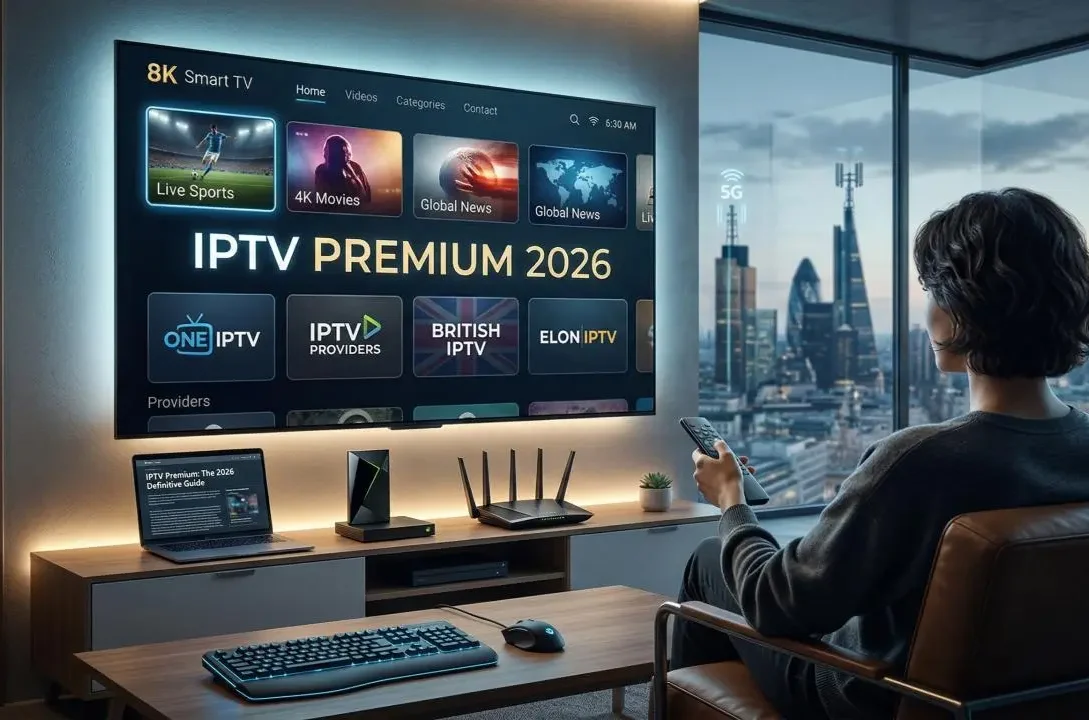
If you’re searching for the best IPTV options in 2026, you have probably noticed that the term IPTV is used for many different types of streaming services. Some platforms are legitimate live-TV services, while others operate without clear licensing or reliable information about where their channels and content come from.
That makes choosing the right service more complicated than simply looking for the provider with the largest channel list.
A good IPTV service should offer reliable streaming, useful channel selection, broad device compatibility, reasonable pricing, and a trustworthy subscription model. It should also provide clear information about the content it offers.
In this guide, we’ll explain what IPTV actually means, how internet television works, what features matter most, and which types of legitimate live-TV streaming services are worth considering in 2026.
What Is IPTV?
IPTV stands for Internet Protocol Television.
Instead of delivering television programming through traditional cable, satellite, or terrestrial broadcasting, IPTV delivers television content through an internet connection.
The basic concept is straightforward.
Your device connects to the internet, the service sends the requested video data, and your television, smartphone, computer, or streaming device plays the content.
This technology can support both live television and on-demand programming.
However, IPTV itself isn’t a specific company or subscription package.
It is a method of delivering television content over an IP network.
This distinction is important because many completely different services can technically use IPTV technology.
A legitimate streaming platform can use internet-based delivery while obtaining the necessary rights to distribute its programming. At the same time, an unverified provider may advertise hundreds or thousands of channels without clearly explaining whether it has the legal rights to distribute them.
Therefore, when looking for the best IPTV, you should consider both technology and legitimacy.
How Does IPTV Work?
Traditional television usually depends on a broadcasting infrastructure.
Cable television uses cable networks.
Satellite television uses satellites and receiving equipment.
Internet television uses an internet connection.
When you select a live channel through an internet TV service, the platform sends the video stream to your device.
The stream is continuously delivered while you watch.
For on-demand content, the process is slightly different because the viewer can choose a particular movie, episode, or program and start it whenever they want.
Modern IPTV services can also provide features such as cloud DVR, multiple profiles, recommendations, catch-up programming, and on-demand libraries.
The exact features depend on the provider.
IPTV vs Traditional Cable TV
One reason IPTV has become popular is convenience.
Traditional cable television often requires a dedicated cable connection and television equipment.
Internet-based services can usually work through a supported app and an internet connection.
This makes them easier to use on multiple devices.
For example, a household might watch live television on a smart TV while another person watches on a smartphone or tablet.
Internet television can also make it easier to cancel or change subscriptions compared with traditional long-term television contracts.
However, IPTV still depends heavily on internet quality.
If your connection is unstable, your viewing experience can suffer regardless of how good the streaming service itself is.
What Makes the Best IPTV Service?
There isn’t one IPTV service that is perfect for everyone.
The right choice depends on what you want to watch.
A sports fan may prioritize live sports and regional coverage.
A family may care more about children’s programming, entertainment channels, and multiple simultaneous streams.
Someone who mainly watches news may prefer a cheaper service with strong news coverage.
A person who wants flexibility may prefer a service with customizable channel packages.
Because of this, the best IPTV option should be evaluated based on your individual requirements rather than the number of channels advertised.
1. YouTube TV
YouTube TV is one of the major legitimate live-TV streaming services available in the United States.
It combines live television channels with cloud DVR functionality and support for multiple household profiles.
The service is particularly attractive to people who want a cable-like television experience without traditional cable hardware.
One of its major strengths is its broad channel lineup.
It also provides features designed for sports viewers, including multiview options on supported content.
The platform is available through supported smart TVs, streaming devices, phones, tablets, and web browsers.
For households that want a broad live-TV package with a familiar interface, YouTube TV is one of the strongest options to consider.
However, availability and channel lineups can vary by location, so users should check the official service before subscribing.
2. Hulu + Live TV
Hulu + Live TV is another major internet television option.
Its biggest advantage is that it combines live television with Hulu’s on-demand entertainment ecosystem.
That makes it particularly interesting for households that don’t want to maintain separate services for live television and on-demand entertainment.
The service includes a large selection of live channels along with access to Hulu’s streaming catalog.
Depending on the current plan and market, users can also receive access to Disney+ and ESPN-related content as part of the package.
This combination can make Hulu + Live TV appealing to families with different viewing preferences.
Someone can watch live news or sports while another household member watches an on-demand series.
The service also provides cloud DVR functionality.
As with other live-TV platforms, channel availability, regional restrictions, blackouts, and pricing can change, so checking the current plan information before subscribing is important.
3. Sling TV
Sling TV takes a different approach from some of the larger live-TV bundles.
Instead of simply offering one large channel package, Sling focuses heavily on flexibility.
Users can select different base plans and add additional programming depending on their viewing needs.
This can make Sling attractive to people who don’t want to pay for a large package containing channels they never watch.
Another advantage is the availability of different subscription options and passes, depending on the current market and offer.
Sling also provides cloud DVR options and support for a range of popular streaming devices.
The service is particularly worth considering if flexibility and package customization are more important to you than having the largest possible channel lineup.
4. Fubo
Fubo is especially well known for its focus on sports.
The service provides live sports programming alongside entertainment and news channels.
For sports fans, the channel selection and sports-oriented features can be more important than simply counting the total number of available channels.
Fubo offers multiple plans, and the available channels can vary between packages and locations.
The platform also supports multiple devices and provides cloud-based recording features.
One of its biggest advantages is the amount of sports content available through the platform.
However, sports availability can depend on location, league rights, regional restrictions, and blackouts.
Therefore, sports fans should always check whether the specific teams, leagues, and events they want are included before subscribing.
5. DIRECTV
DIRECTV’s streaming options are designed for people who want a more traditional television experience through an internet connection.
Its packages can include a large number of channels, making the service attractive to households that want broad programming.
The platform can be particularly useful for viewers who are accustomed to traditional pay-TV services but want the convenience of streaming.
However, larger channel packages can also become more expensive.
Before choosing DIRECTV, compare the channels you actually watch against the price of the package.
A service with hundreds of channels isn’t necessarily better if most of those channels aren’t relevant to you.
Why Channel Count Isn’t Everything
When comparing the best IPTV services, one of the biggest mistakes is focusing entirely on channel numbers.
A provider may advertise hundreds of channels, but that doesn’t necessarily mean it is the best option.
Imagine that you mainly watch sports.
A service with 150 channels but poor sports coverage may be less useful than a service with fewer channels that includes the leagues you actually watch.
The same applies to news, entertainment, children’s programming, and international content.
Instead of asking:
“Which service has the most channels?”
Ask:
“Which service has the channels and features I actually need?”
That question usually produces a much better decision.
IPTV Streaming Quality
Streaming quality is another major factor.
Most modern live-TV platforms support high-definition streaming, while some content may also be available in higher resolutions depending on the service, device, and program.
But advertised resolution isn’t the only thing that matters.
A stable connection is equally important.
A service can technically support high-quality video, but your experience may still be poor if your internet connection frequently drops or becomes congested.
For reliable streaming, you should consider:
- Internet speed
- Wi-Fi quality
- Router performance
- Device capability
- Network congestion
- Service-side reliability
A wired Ethernet connection can sometimes provide more consistent performance than Wi-Fi, especially for a television or streaming device located near the router.
Internet Speed for IPTV
There is no single internet speed that guarantees perfect IPTV performance because requirements vary depending on resolution, compression, household usage, and service quality.
However, higher-quality streams generally require more bandwidth.
If multiple people are streaming simultaneously, your household needs additional capacity.
For example, if one person is watching live television while another is gaming and a third is downloading large files, the available bandwidth can become a limiting factor.
This is why internet speed should be considered together with overall network usage.
Device Compatibility
The best IPTV service should work with the devices you actually own.
Popular supported platforms can include:
- Smart TVs
- Android TV devices
- Google TV devices
- Streaming sticks
- Apple TV
- Smartphones
- Tablets
- Computers
- Web browsers
Before subscribing, check whether the provider officially supports your specific device.
An excellent service is of little value if its application isn’t available on your television or streaming hardware.
IPTV on Smart TVs
Smart TVs are one of the most convenient ways to watch internet television.
A compatible application can allow you to access live channels directly from your television without requiring a separate cable box.
However, smart TV operating systems differ.
Samsung, LG, Google TV, Android TV, and other platforms may have different application ecosystems.
Always check official compatibility before subscribing.
IPTV on Fire TV and Streaming Devices
Streaming devices can be useful if your television doesn’t have the applications you need.
Devices based on platforms such as Google TV or Amazon’s Fire TV ecosystem can provide access to supported streaming applications.
This can also be useful when an older television has limited built-in software support.
The important point is to use official applications and supported services rather than installing unknown applications from unverified sources.
IPTV on iPhone and Android
Mobile compatibility is another advantage of internet television.
A supported application can allow subscribers to watch live programming on smartphones and tablets.
This can be useful when traveling or when someone else is using the main television.
However, mobile streaming can consume a significant amount of data.
If you’re watching television over cellular data, monitor your data usage to avoid unexpected charges or limits.
IPTV on Mac and Windows
Many legitimate live-TV platforms can also be accessed through a web browser.
This means you may not need a dedicated television device.
A laptop or desktop computer can become another screen for watching live channels and on-demand content.
Browser compatibility can vary, so always check the provider’s current supported-platform information.
Legal IPTV vs Unverified IPTV
The term IPTV is sometimes associated with services that promise extremely large channel lists for unusually low prices.
This is where consumers should be careful.
A legitimate streaming provider should clearly identify its service, subscription terms, supported platforms, and content offering.
If a service claims to provide an enormous number of premium channels for an unusually small monthly fee while offering little information about licensing or ownership, that should be treated as a warning sign.
Choosing a legitimate service is safer because you know what company you’re dealing with and what you’re paying for.
It also reduces the risk of suddenly losing access because a questionable provider disappears.
Final Thoughts on Choosing IPTV
The best IPTV option isn’t necessarily the cheapest service or the one advertising the biggest channel list.
A better approach is to compare:
- Channel selection
- Sports coverage
- Entertainment content
- Streaming quality
- Device support
- DVR features
- Number of simultaneous streams
- Subscription price
- Regional availability
- Service reliability
- Legitimacy
Once you know what matters most to you, choosing between the major legitimate streaming platforms becomes much easier.
In the next section, we’ll look more closely at how to compare IPTV services, which features are actually worth paying for, how to avoid unreliable providers, and what you should check before subscribing.
How to Choose the Best IPTV Service
Choosing the best IPTV service becomes easier when you stop comparing providers based only on price or channel count.
Instead, create a list of the features that matter to you and compare each service against those requirements.
For example, if you mainly watch sports, sports coverage should receive more weight than the total number of entertainment channels.
If you are choosing a service for your family, simultaneous streams and parental controls may be more important.
If you travel frequently, mobile compatibility may be a priority.
The best service is the one that matches your viewing habits.
Check the Channel Lineup
The first thing you should check is the actual channel lineup.
Don’t rely only on phrases such as “hundreds of channels” or “thousands of channels.”
Look at the specific networks included in the package.
Make a list of the channels you watch regularly and compare them with the provider’s current lineup.
You should also check whether regional channels are available in your location.
Some live-TV services have different channel availability depending on where you live.
This is particularly important for local news, regional sports, and broadcast networks.
Check Sports Availability
Sports viewers should pay special attention to licensing and regional availability.
A service may offer sports channels without carrying every game from a particular league.
Some events can also be subject to regional restrictions or blackouts.
Before subscribing, identify the teams and leagues you actually watch.
Then confirm whether the service provides access to those events.
This is much better than assuming a large sports channel lineup means you’ll automatically receive every game.
Look at DVR Features
Cloud DVR can be extremely useful for people who can’t watch live programming.
Instead of having to watch a program at its scheduled time, you can record it and watch it later.
Different providers may offer different DVR capabilities.
Check:
- Recording storage
- Recording duration
- Whether recordings expire
- Whether recordings can be skipped through commercials
- Whether DVR is included or requires an additional fee
If you regularly watch live sports, news, or television shows, DVR functionality can significantly improve the experience.
Consider Simultaneous Streams
If multiple people in your household watch television, check how many devices can stream at the same time.
This is especially important for families.
Imagine one person watching a sports event in the living room while another watches a television show on a tablet.
If your subscription only supports one stream, someone may be unable to watch.
Some services offer multiple simultaneous streams as part of their plans or allow additional streams through upgrades.
Always check the current rules before subscribing.
Check Supported Devices
Device compatibility should be one of your first checks.
A service might work perfectly on one platform but have limited functionality on another.
Check whether it supports the devices you use most often.
These may include:
- Samsung Smart TV
- LG Smart TV
- Android TV
- Google TV
- Apple TV
- Fire TV
- Roku
- iPhone
- iPad
- Android phones
- Android tablets
- Mac
- Windows computers
Also check whether the service has an official application or requires browser access.
Look at App Quality
Having an application isn’t enough.
The quality of the application also matters.
A good streaming application should make it easy to:
- Browse channels
- Search for programs
- Change channels
- Find recordings
- Continue watching content
- View program information
- Manage profiles
- Adjust settings
A complicated interface can make an otherwise good service frustrating to use.
Before committing to a long-term subscription, check whether the service provides a trial or another way to evaluate the platform.
Streaming Reliability
Reliability may be more important than having a massive feature list.
A service that constantly buffers or disconnects isn’t useful regardless of how many channels it offers.
Streaming reliability depends on several factors.
The provider needs reliable infrastructure.
Your internet connection needs to be stable.
Your home network should be capable of handling the traffic.
Your streaming device also needs to perform properly.
If you’re experiencing buffering, don’t automatically blame the IPTV provider.
First determine whether the problem happens on one device or across your entire network.
If other streaming services also buffer, the issue may be your internet connection or home network.
Wi-Fi vs Ethernet for IPTV
Wi-Fi is convenient, but Ethernet can provide a more stable connection.
If your router is close to your television or streaming device, connecting the device through Ethernet may reduce wireless interference and improve consistency.
This can be particularly useful for high-resolution streaming.
However, a good modern Wi-Fi network can also provide excellent performance.
The goal is simply to maintain a stable connection between your device and the internet.
IPTV and Data Usage
Streaming television can consume a substantial amount of data.
The amount depends on factors such as:
- Resolution
- Video compression
- Streaming duration
- Bitrate
- Number of devices
Watching several hours of high-quality video every day can use considerably more data than occasional viewing.
If your internet plan has a monthly data limit, check your usage before moving entirely to internet television.
This is especially important for households with multiple people streaming simultaneously.
4K IPTV Streaming
Some streaming services provide selected content in 4K.
However, 4K availability is not necessarily universal.
A provider may offer some programs in 4K while other channels remain in HD.
You also need a compatible television and sufficient internet bandwidth.
Don’t choose a service simply because it advertises 4K.
Check how much of the content you actually watch is available in that resolution.
For many viewers, stable HD streaming may provide a better overall experience than unreliable high-resolution streaming.
Audio Quality
Picture quality isn’t the only factor.
Audio quality can also affect your viewing experience.
Some viewers use soundbars, home theater systems, or surround-sound setups.
If audio quality is important to you, check whether the service supports the audio formats and equipment you use.
Again, compatibility can vary between devices and programs.
Parental Controls
Families with children should consider parental controls.
A useful television platform should make it possible to restrict inappropriate content or create separate profiles where available.
Parental-control features can help parents manage what younger viewers can access.
If this is important for your household, check the exact features of the service before subscribing.
User Profiles
Profiles can make streaming easier for households with several viewers.
Different people can have different recommendations, watch histories, and preferences.
This prevents the entire household from sharing one viewing profile.
Some services also provide personalized recommendations based on individual viewing habits.
Subscription Flexibility
Another important consideration is how easy it is to change or cancel a subscription.
Look for clear information about:
- Monthly billing
- Annual billing
- Cancellation policies
- Free trials
- Promotional pricing
- Price increases
- Add-on packages
Be careful with services that make cancellation unnecessarily difficult.
A transparent subscription policy is generally a better sign than a provider that hides important billing information.
Free Trials
If a legitimate service offers a free trial, it can be a useful way to test the platform.
During the trial, don’t just watch one program.
Test the features you actually need.
Try different channels.
Check video quality.
Test the application on your main device.
Try streaming during busy hours.
Check the search system.
Test DVR functionality if available.
This gives you a better understanding of whether the service fits your needs.
Avoid Extremely Cheap Unverified IPTV Services
One of the biggest warnings when searching for the best IPTV service is an offer that seems too good to be true.
For example, a provider might claim to offer an enormous number of premium channels, movies, sports events, and international networks for an extremely low price.
That should make you investigate further.
A legitimate provider generally has clear information about its company, subscription plans, supported platforms, and content offering.
An unverified provider may provide little information about who operates the service or where the content comes from.
Cheap doesn’t automatically mean illegal, but an unusually large premium-content offering at an unusually low price deserves caution.
Why Unverified IPTV Services Can Be Risky
Unverified services can create several problems.
The provider could disappear without warning.
Your subscription could stop working.
Customer support may be unavailable.
The service could collect information in ways you don’t understand.
The application could come from an untrusted source.
You may also have no clear way to resolve billing disputes.
This is why choosing a reputable and legitimate streaming provider is generally the safer option.
Don’t Install Unknown IPTV Applications
Another important safety rule is to avoid installing random applications from websites you don’t trust.
If a provider asks you to disable security settings, install unknown software, or provide sensitive information without a clear reason, stop and investigate.
Whenever possible, use official application stores and official provider websites.
Your television or streaming device is still a connected computer.
Installing unknown software can create unnecessary security risks.
IPTV and Privacy
Streaming services may collect information about how you use their platforms.
Depending on the service, this can include information about:
- Account activity
- Device information
- Viewing behavior
- Subscription details
- Diagnostic information
Before signing up, review the provider’s privacy policy.
You don’t need to understand every technical detail, but you should know what type of information the company collects and how it is used.
Avoid giving unnecessary personal information to unknown providers.
IPTV and VPNs
Some people use VPN services for privacy or network-security reasons.
A VPN can encrypt internet traffic between your device and the VPN server, but it does not automatically make an unlicensed streaming service legitimate.
This distinction is important.
A VPN is a privacy and networking tool.
It should not be viewed as a way to bypass licensing restrictions or access content you’re not authorized to receive.
You should always follow the laws and terms that apply to your location and subscription.
Best IPTV for Sports
There isn’t one universal answer because sports availability varies significantly.
Sports fans should prioritize the leagues and events they actually watch.
A good checklist is:
- Does it carry your league?
- Are local games available?
- Are regional restrictions involved?
- Does it support the devices you use?
- Does it offer DVR?
- Can you watch multiple games?
- Is the picture quality good enough?
- Are important events available in your region?
A sports-focused service can sometimes be better than a general television package even if it contains fewer total channels.
Best IPTV for Families
Families usually need a broader range of features.
A family-oriented service may benefit from:
- Multiple streams
- Family-friendly programming
- Parental controls
- Different profiles
- DVR
- Large entertainment selection
- Reliable smart-TV applications
Instead of selecting a service based on one person’s viewing preferences, consider what the entire household watches.
Best IPTV for News
News viewers should look for strong access to the networks and local channels they actually follow.
Local availability is particularly important.
A service may carry major national networks but have limited local coverage in some areas.
If local news is important, confirm availability for your specific location.
Best IPTV for Entertainment
Entertainment viewers may care more about movies, television series, reality programs, documentaries, and general entertainment networks.
In this case, an IPTV service that includes a large on-demand library can be more valuable than one with an enormous live-channel lineup.
Consider whether you need both live TV and on-demand content.
If you mainly watch on-demand shows, paying for a large live-TV package may not make financial sense.
Best IPTV for Cord-Cutters
Cord-cutters usually want to replace traditional cable without losing the channels they actually watch.
The best approach is to calculate your real needs.
Make a list of your favorite channels.
Add any sports networks you need.
Consider local channels.
Then compare the total cost of the available legitimate services.
You may discover that a smaller package provides everything you need at a lower price.
Don’t Pay for Channels You Never Watch
A huge channel list can look impressive, but unused channels are still part of your monthly bill.
If you only watch twenty channels, paying for hundreds of additional networks may not provide much value.
This is why customizable packages can be attractive.
However, don’t automatically assume a smaller package is cheaper.
Compare the actual monthly cost and included features.
Best IPTV for Travelers
Travelers should pay attention to geographic availability.
Some streaming services are designed primarily for specific countries or regions.
Content libraries and live channels can change when you travel.
Before subscribing, check the provider’s rules regarding travel and supported locations.
You should also consider mobile compatibility and offline features where available.
IPTV for Multiple Devices
Modern households often use several devices.
A family might have:
- One smart TV
- Two smartphones
- A tablet
- A laptop
- A streaming stick
Before subscribing, check how many devices the service supports and how many can stream simultaneously.
Don’t confuse the number of registered devices with simultaneous streams.
A provider may allow several devices to be connected to an account while limiting how many can watch at the same time.
How Much Should You Pay for IPTV?
There is no universal price that defines the best service.
Pricing depends on:
- Channel selection
- Sports coverage
- DVR
- Number of streams
- On-demand content
- Premium networks
- Device support
- Additional features
The cheapest option isn’t automatically the best value.
Likewise, the most expensive service isn’t necessarily the best.
The goal is to find a service where the features you actually use justify the monthly price.
IPTV Comparison Checklist
Before subscribing, ask yourself:
Content
Do I get the channels I actually watch?
Sports
Does it include the leagues and events I need?
Quality
Does it provide reliable HD or higher-quality streaming?
Devices
Does it work on my television and other devices?
DVR
Can I record the content I care about?
Streams
Can my household watch simultaneously?
Price
Is the monthly cost reasonable for my needs?
Legitimacy
Is the provider transparent about its service and content?
Support
Can I contact the company if something goes wrong?
Cancellation
Can I cancel without unnecessary complications?
If a service performs well across these categories, it may be a strong option for your household.
Final Thoughts
Finding the best IPTV service isn’t about finding the provider with the longest list of channels.
It’s about finding a reliable and legitimate service that matches the way you watch television.
Think about your favorite channels, sports, devices, streaming habits, budget, and household requirements.
Then compare providers based on those factors.
A smaller service that provides everything you actually watch can be a better choice than a massive package filled with channels you never use.
Most importantly, avoid unverified services that make unrealistic promises or provide little information about their business and content rights.
Reliable streaming, transparent pricing, legitimate content, strong device support, and useful features should always be higher priorities than an enormous channel number.
Frequently Asked Questions About IPTV
Is IPTV better than cable?
For some people, yes. IPTV can provide greater flexibility and allow television content to be delivered through an internet connection. However, the better choice depends on your location, internet connection, preferred channels, and budget.
Does IPTV require fast internet?
Internet television requires a stable internet connection, and higher-quality streams generally require more bandwidth. Households with multiple simultaneous streams should have enough capacity for their total usage.
Can I watch IPTV on a Smart TV?
Many legitimate internet-TV services support smart TVs, but compatibility depends on the specific provider and television platform.
Can I use IPTV on my phone?
Many legitimate services support smartphones and tablets through official applications or web browsers.
Can IPTV replace cable?
For many cord-cutters, live-TV streaming services can replace some or all of the functions traditionally provided by cable. However, channel availability and pricing vary.
Is every IPTV service legal?
No. IPTV describes a method of delivering television over an internet network. The legality of a particular service depends on whether it has the appropriate rights to distribute its content.
Should I choose an IPTV service based on channel count?
No. Channel count is only one factor. The channels you actually watch, streaming reliability, device support, sports coverage, price, and legitimacy are usually more important.
Is cheap IPTV always better?
No. An extremely cheap service may have limited support, unreliable infrastructure, unclear licensing, or other risks. Compare the complete service rather than focusing only on price.
What should I check before subscribing?
Check the channel lineup, supported devices, streaming quality, DVR features, simultaneous streams, pricing, cancellation terms, customer support, and legitimacy of the service.
Final Verdict
The best IPTV service for you depends on your personal viewing habits.
A sports fan may prefer a sports-focused platform.
A family may need multiple streams and a broad entertainment lineup.
A budget-conscious viewer may prefer a smaller package.
A cord-cutter may prioritize replacing the channels they previously received through cable.
There is no reason to pay for features you don’t use.
Start with your actual viewing requirements, compare legitimate services, test the platform when possible, and choose the option that provides the best combination of content, reliability, device compatibility, and value.
Internet television has made watching live programming more flexible than traditional cable, but that flexibility also means consumers need to be more careful about which providers they trust.
Choose transparent services, use official applications, avoid questionable providers, and focus on reliable access to the content you genuinely want to watch.
That approach will help you find a better IPTV experience in 2026 without sacrificing reliability, security, or peace of mind.
Best IPTV Services: What to Consider Before You Subscribe
Choosing the right internet television service requires more than comparing monthly prices.
The best IPTV option should provide the channels you actually need, reliable streaming, useful features, good device compatibility, and transparent subscription terms.
Before making a decision, take a few minutes to compare the most important factors.
1. Check the Service’s Official Website
Start with the provider’s official website.
Look for clear information about:
- Available plans
- Channel packages
- Supported devices
- Pricing
- Subscription terms
- Cancellation policies
- Customer support
- Content availability
A professional service should make this information relatively easy to find.
Be cautious when a provider has little information about its business, subscription terms, or content.
2. Check Regional Availability
Not every service is available everywhere.
A platform may have different channels or packages depending on your country or region.
This is particularly important for local television networks and sports programming.
Before purchasing, check whether the service officially supports your location.
3. Check the Channels You Actually Watch
Make a list of your most important channels.
For example:
- Sports
- News
- Movies
- Entertainment
- Kids
- Documentary
- Local channels
- International channels
Then compare that list with the provider’s current lineup.
This is more useful than choosing a service because it advertises the largest number of channels.
4. Consider Your Internet Connection
Your internet connection plays a major role in streaming quality.
A reliable connection is generally more important than simply having a very high advertised speed.
If your home network regularly experiences:
- Buffering
- Disconnects
- Slowdowns
- High latency
- Wi-Fi dead zones
you may experience problems with live television.
Before blaming the streaming provider, test other streaming services on the same network.
If several services have problems, your internet connection or home network may be the actual issue.
5. Use a Suitable Streaming Device
Your streaming device can also affect the experience.
Older hardware may struggle with newer applications or high-resolution video.
If your television has an outdated operating system, an external streaming device can sometimes provide a better experience.
However, make sure the service officially supports the device before purchasing additional hardware.
Best IPTV for Different Users
There isn’t one universal winner.
Different viewers have different requirements.
Best IPTV for Sports Fans
Sports viewers should prioritize the leagues and events they actually watch.
Look for:
- Sports network availability
- Regional sports coverage
- Live event access
- DVR functionality
- Multiple streams
- High-quality video
- Reliable playback
Remember that sports rights can vary by region.
A service may provide access to a particular sports network but not every event shown by that network.
Always verify the exact programming you need.
Best IPTV for Families
Families usually need flexibility.
A family might have one person watching news, another watching sports, and children watching entertainment.
In this situation, simultaneous streams can be extremely useful.
Other useful features include:
- Profiles
- Parental controls
- DVR
- Large entertainment libraries
- Smart-TV support
- Multiple-device compatibility
Best IPTV for Movie and TV Fans
If most of your viewing consists of movies and television series, consider whether you actually need a large live-TV package.
Some viewers may get better value from combining a smaller live-TV service with one or more on-demand platforms.
The right setup depends on how much live television you watch.
Best IPTV for Cord-Cutters
Cord-cutters should compare their previous cable package with the available streaming alternatives.
Write down the channels you actually used.
Then compare:
Cable cost vs streaming cost
Don’t automatically assume streaming will be cheaper.
Instead, calculate the total cost of the services you would need to replace your previous television package.
This provides a more realistic comparison.
IPTV Features Worth Paying For
Not every feature deserves an additional monthly fee.
Some features can make a significant difference depending on how you watch television.
Cloud DVR
Cloud DVR is useful if you frequently miss live programming.
It allows you to record supported content and watch it later.
If you rarely watch live television, however, you may not need a large DVR allowance.
Multiple Streams
Multiple streams are valuable for families.
If only one person uses the account, paying extra for additional simultaneous viewing may not provide much benefit.
4K Content
4K can provide excellent image quality, but it should not be the deciding factor unless you have a 4K television and actually watch content available in that resolution.
Premium Channels
Premium channels can increase the monthly price significantly.
Before adding them, check whether you regularly watch their programming.
International Channels
International programming can be extremely important for multilingual households.
If international channels are a priority, compare the exact networks available in your region rather than relying on general statements about international content.
How to Save Money on IPTV
You don’t necessarily need the most expensive package.
Start with the smallest plan that meets your requirements.
You can then upgrade if necessary.
Review Your Current Subscriptions
Many households subscribe to several streaming platforms without realizing how much they spend each month.
Write down every service you’re currently paying for.
Then ask:
Do I actually use this?
If you rarely watch a service, canceling it could save more money than choosing a slightly cheaper IPTV package.
Compare Annual and Monthly Pricing
Some legitimate platforms may offer different pricing structures.
If you know you’ll use a service for a long time, compare annual pricing with monthly billing.
However, don’t pay for an annual plan simply to receive a discount if you’re uncertain about whether you’ll continue using the service.
Watch Promotional Offers
Streaming platforms sometimes introduce promotional pricing.
Promotions can be useful, but always check the regular price after the promotional period.
A low introductory price doesn’t necessarily mean the service will remain at that price permanently.
Common IPTV Problems and Solutions
Even legitimate streaming services can occasionally experience technical problems.
Buffering
If you’re experiencing buffering, try:
- Restarting the streaming application.
- Restarting your router.
- Testing another device.
- Moving closer to the Wi-Fi router.
- Using Ethernet if available.
- Checking whether other devices are consuming bandwidth.
If the problem affects only one application while everything else works normally, the service itself may be experiencing an issue.
Poor Picture Quality
Picture quality can be affected by:
- Internet speed
- Wi-Fi stability
- Device performance
- Display settings
- Stream quality
- Network congestion
Check whether the problem occurs on multiple channels or only one.
Application Crashes
If an official application repeatedly crashes, check whether:
- The app needs an update.
- Your device needs an update.
- Your device has enough storage.
- The application is officially supported.
- Reinstalling the application resolves the problem.
Avoid downloading unofficial modified versions of streaming applications.
IPTV Security Tips
Security should not be ignored when choosing a streaming service.
Use the following basic practices.
Download Official Applications
Whenever possible, download applications from official app stores or the provider’s official platform.
Avoid random APK files and unknown software packages.
Use Strong Account Credentials
If a service requires an account, use a unique password.
Don’t reuse the same password across multiple websites.
Check Payment Security
Only enter payment information through trusted and secure payment pages.
Be suspicious of providers that request unusual payment methods without explaining why.
Avoid Unnecessary Personal Information
A streaming service shouldn’t need every piece of personal information about you.
Only provide information that is genuinely required for the account or payment process.
Is IPTV Safe?
Legitimate IPTV services can be safe to use when you subscribe through official channels and use supported applications.
The greater concern is often unverified providers.
Unknown services can create uncertainty around:
- Content licensing
- Data collection
- Payment security
- Application safety
- Customer support
- Service reliability
This is why choosing a recognizable and transparent provider is generally the safer approach.
IPTV vs Streaming Services
It’s also important to understand the difference between live-TV services and on-demand streaming platforms.
A live-TV service is designed to reproduce much of the traditional television experience.
You can browse channels and watch programming as it airs.
On-demand platforms work differently.
You select a movie, episode, or other program and watch it when you want.
Some modern services combine both approaches.
For many households, this combination can be more convenient than maintaining traditional cable television.
Should You Cancel Cable for IPTV?
It depends on your situation.
Before canceling cable, make sure your replacement service provides everything you actually use.
Check:
- Local channels
- Sports
- News
- Favorite networks
- DVR
- Multiple streams
- Device compatibility
Also calculate the total cost.
If replacing cable requires four separate subscriptions, the savings may be smaller than expected.
How to Test a New IPTV Service
If a legitimate provider offers a trial, use it properly.
Don’t just test one movie or channel.
Try several parts of the service.
Test Different Times
Watch during the evening when many people are online.
Test Different Devices
Try your main television and another device if possible.
Test Different Channels
Check news, entertainment, sports, and other categories that matter to you.
Test DVR
If recording is important, test it before committing.
Test Customer Support
If you encounter a problem, see how quickly and effectively the provider responds.
This can reveal more about the service than a promotional page.
https://tv.youtube.com/
Red Flags to Watch For
When searching for the best IPTV, be cautious if a provider:
- Makes unrealistic promises
- Doesn’t clearly identify the company
- Provides little information about its service
- Has unclear subscription terms
- Uses suspicious payment methods
- Requires unknown software
- Encourages users to bypass security settings
- Has no meaningful customer support
- Advertises premium content at an unusually low price without explaining the offering
One warning sign doesn’t necessarily prove that a service is illegitimate.
However, multiple warning signs should make you reconsider.
Why the Cheapest IPTV Isn’t Always the Best
Price is important, but value is more important.
A cheap service isn’t useful if it constantly buffers.
A large channel package isn’t useful if most of those channels don’t interest you.
A premium package isn’t necessarily good value if you only watch a few networks.
Think about the total experience.
A slightly more expensive legitimate service with reliable streaming, strong support, good applications, and the channels you actually watch can provide much better value.
Best IPTV Buying Checklist
Before subscribing, run through this checklist:
Content: Are my favorite channels included?
Sports: Can I watch the teams and leagues I follow?
Quality: Is the streaming quality good enough?
Reliability: Does the service have a strong reputation for stable streaming?
Devices: Does it work on my TV and other devices?
DVR: Can I record programs when necessary?
Streams: Can multiple household members watch simultaneously?
Price: Does the subscription fit my budget?
Terms: Are billing and cancellation policies clear?
Security: Is the application official and trustworthy?
Support: Can I contact the company if I need help?
Legitimacy: Is there clear information about the service and its content?
If the answer to these questions is satisfactory, you’ve probably found a service that deserves consideration.
Frequently Asked Questions
What is the best IPTV service in 2026?
There isn’t one service that is best for everyone. Major legitimate live-TV platforms such as YouTube TV, Hulu + Live TV, Sling TV, Fubo, and DIRECTV offer different channel packages, features, pricing, and regional availability.
What should I look for in the best IPTV?
Focus on the channels you actually watch, streaming reliability, device compatibility, DVR, simultaneous streams, pricing, customer support, and whether the provider clearly operates legitimately.
Is IPTV the same as cable?
No. IPTV refers to television delivered over an IP network, while traditional cable television uses a cable distribution network. Many modern live-TV streaming services use internet delivery.
Can IPTV work without cable?
Yes. Internet-based television services can work without a traditional cable-TV subscription, provided you have a suitable internet connection and compatible device.
Can I watch IPTV on a Smart TV?
Many legitimate services support Smart TVs, but compatibility depends on the provider and television operating system.
Can IPTV work on a laptop?
Many internet-TV services can be accessed through supported web browsers or official desktop applications.
Can I watch IPTV while traveling?
Some services support travel, but availability can vary by location. Check the provider’s current terms before traveling.
Does IPTV use a lot of internet data?
Live video can consume substantial bandwidth, particularly at higher resolutions. Your total usage depends on streaming quality, viewing time, and the number of simultaneous streams.
Is free IPTV safe?
Free does not automatically mean unsafe, but you should be particularly cautious with unknown services that offer premium television content without clear information about their operation or licensing.
Should I use an unknown IPTV app?
It’s better to use official applications from reputable providers and trusted application stores. Unknown applications can create unnecessary privacy and security risks.
Final Verdict: Is IPTV Worth It in 2026?
Internet television has become a practical alternative to traditional television for many viewers.
The biggest advantage is flexibility.
You can watch live programming through an internet connection on televisions, smartphones, tablets, computers, and supported streaming devices.
But flexibility also means consumers have more choices to evaluate.
The best IPTV service isn’t necessarily the one with the biggest channel number or the lowest monthly price.
A better service provides the content you want, reliable streaming, useful features, good device compatibility, transparent pricing, and trustworthy customer support.
For sports fans, sports availability should be the priority.
For families, multiple streams and parental controls may matter more.
For cord-cutters, replacing essential cable channels at a reasonable cost may be the main goal.
For casual viewers, a smaller and cheaper package could provide better value.
Most importantly, choose legitimate services and avoid providers that make unrealistic claims, hide important subscription information, or require suspicious software.
Do your research before subscribing, test the service when possible, and compare the total cost against your actual viewing habits.
If you follow these steps, you’ll be in a much better position to choose an IPTV service that provides reliable entertainment without unnecessary costs or avoidable risks.
Quick Comparison
| Service | Best For | Main Strength |
|---|---|---|
| YouTube TV | General live TV | Broad live-TV experience |
| Hulu + Live TV | Families | Live TV plus on-demand content |
| Sling TV | Budget-conscious viewers | Flexible packages |
| Fubo | Sports fans | Strong sports focus |
| DIRECTV | Traditional TV users | Large channel packages |
Availability, channels, features, pricing, and regional restrictions can change, so verify current details directly with each provider before purchasing.