Introduction
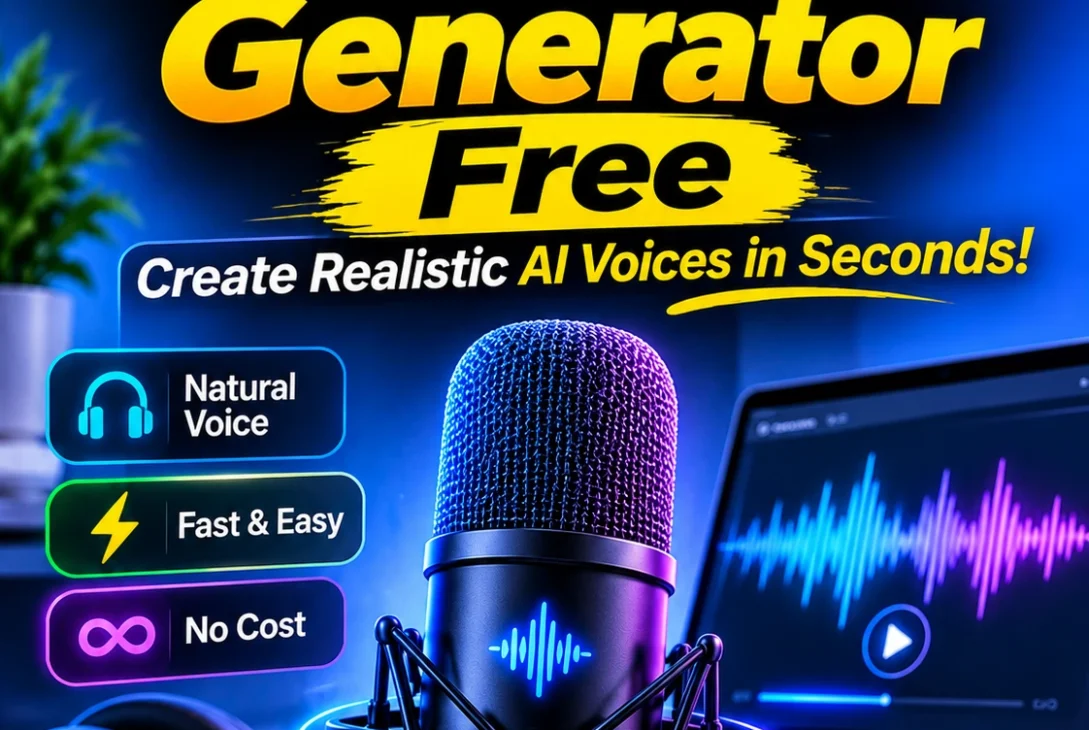
Finding the best ai voice generator free can save content creators, students, businesses, and video editors considerable time and money. Modern artificial intelligence can transform written scripts into realistic speech, complete with different accents, speaking styles, and natural-sounding pronunciation. You no longer need expensive recording equipment or a professional voice actor to produce basic voiceovers.
However, not every free AI voice generator offers the same experience. Some platforms provide realistic voices but restrict monthly credits, while others allow unlimited generation on selected voices. Certain tools also let users download audio without paying, whereas others reserve downloads and commercial permissions for premium subscribers.
The right choice depends on what you want to create. You might need narration for YouTube videos, voiceovers for social media, podcast introductions, online courses, business presentations, or simply a way to listen to written documents.
In this guide, we compare seven useful AI voice generators available in 2026. We examine their free features, limitations, voice quality, export options, and potential use cases so you can choose a tool that matches your requirements.
Table of Contents
- What Is an AI Voice Generator?
- 7 Best AI Voice Generator Free Tools in 2026
- Comparison of Free AI Voice Generators
- How to Choose the Right AI Voice Generator
- How to Create Natural-Sounding AI Voiceovers
- Are Free AI Voice Generators Safe to Use?
- Frequently Asked Questions
- Final Verdict
What Is an AI Voice Generator?
An AI voice generator is a software tool that converts written text into spoken audio using artificial intelligence and speech synthesis technology. Instead of recording every sentence yourself, you enter a script, select a voice, and let the platform generate the narration.
Modern systems use advanced neural networks to understand pronunciation, sentence structure, pauses, and speech patterns. This helps them produce more natural results than traditional robotic text-to-speech software.
Depending on the platform, users can select different voices, accents, languages, speaking speeds, and emotional styles. Some advanced services also support voice cloning, allowing users to create a synthetic version of a voice with appropriate permission.
For content creators, the best ai voice generator free can be particularly useful when producing regular videos, tutorials, advertisements, or educational material without maintaining a recording studio.
7 Best AI Voice Generator Free Tools in 2026
Here are seven platforms worth considering. Their free allowances and licensing conditions are different, so check the relevant terms before using generated audio in public or commercial projects.
1. ElevenLabs – Best for Realistic AI Voices
ElevenLabs is one of the most recognisable platforms in AI-generated speech. It focuses on realistic narration, expressive delivery, and multilingual voice generation.
Its text-to-speech system can produce speech with natural-sounding pauses and variations in delivery. Users can select from different voices and adjust available generation settings to achieve a suitable result.
Key features:
- Realistic AI-generated speech.
- Multiple voice options and supported languages.
- Text-to-speech generation.
- Voice design and additional creative tools.
- Audio generation through its online platform.
Free plan: ElevenLabs offers a free plan with 10,000 credits per month. Its pricing information estimates approximately 10 minutes of speech, depending on the model and usage.
Limitations: The free plan does not include a commercial licence. Users who need commercial rights can consider the paid Starter plan, which is listed at $6 per month after its introductory first-month offer.
Best for: YouTube creators testing narration, short-form videos, and people who prioritise natural-sounding voices.
If realistic speech is your main priority, ElevenLabs deserves a place on your shortlist. However, its limited free allowance means it may not suit creators producing lengthy voiceovers every week.
Official website: https://elevenlabs.io/
2. TTSMaker – Best for Free Downloadable Voiceovers
TTSMaker is a practical option for people who want to convert written content into downloadable audio without immediately purchasing a subscription.
The platform supports multiple languages and voice styles, including different English-speaking options. Its straightforward interface makes it suitable for beginners who do not need a complicated editing environment.
Key features:
- Online text-to-speech conversion.
- Multiple languages and voice styles.
- Downloadable generated audio.
- Simple interface.
- Selected unlimited-use voices.
Free plan: TTSMaker currently advertises a weekly allowance of 20,000 characters. Selected voices marked with an unlimited-use symbol do not count towards that allowance.
One important advantage is that its official website states that generated audio can be downloaded and used commercially for free.
Limitations: Voice quality and expression can vary between available options. Some voices may sound less natural than premium alternatives, and individual conversion limits can affect longer scripts.
Best for: Budget-conscious creators, basic narration, educational videos, and users who need downloadable voiceovers.
For people searching for the best ai voice generator free with commercial-use flexibility, TTSMaker is particularly worth testing. Its free allowance and licensing position make it different from services that offer free generation but restrict publishing rights.
3. CapCut – Best for Social Media Video Voiceovers
CapCut is widely used for editing short-form videos, and its text-to-speech functionality makes it useful for creators who want narration without switching between several applications.
Instead of generating audio separately and importing it into another editor, users can create speech as part of their video-editing workflow.
Key features:
- Text-to-speech conversion.
- Different voice styles.
- Integration with video editing.
- Timeline-based audio editing.
- Captions and other creative tools.
Free plan: CapCut states that its core text-to-speech functionality is free. Users can generate speech and export audio without paying, although some premium voices and additional assets may require a Pro subscription.
The platform also states that generated speech can be used in commercial projects, including marketing campaigns and product videos. Always check the applicable terms for the specific assets and features used in a project.
Limitations: Some advanced editing features and voice options may be restricted. Availability can also vary between the desktop application, mobile app, and web version.
Best for: TikTok videos, Instagram Reels, YouTube Shorts, product demonstrations, and social media marketing.
CapCut is a strong choice when narration is only one part of a larger video project. You can create a script, generate speech, arrange clips, and edit the finished video in the same environment.
4. Fish Audio – Best for Voice Variety and Experimentation
Fish Audio is an AI-powered speech platform offering text-to-speech generation and voice-related creative features. It is particularly interesting for users who want to explore different voices and experiment with narration styles.
Its platform includes a library of community voices and enhanced voice-generation capabilities. Depending on the available model and voice, results can be suitable for storytelling, character narration, and other creative projects.
Key features:
- AI text-to-speech generation.
- Community voice library.
- Multiple voice styles.
- Voice cloning features.
- Multilingual speech generation.
Free plan: The current free tier provides 8,000 monthly credits, approximately seven minutes of generation, and up to 500 characters per generation. It does not require a credit card to get started.
Limitations: The free generation allowance is relatively small. More importantly, the free plan is intended for personal, non-commercial projects. Premium subscribers can access commercial-use permissions for eligible voices.
Best for: Experimenting with synthetic voices, personal storytelling, and testing different narration styles.
Fish Audio is worth considering when voice variety matters more than producing large quantities of audio. However, anyone planning to monetise videos or sell voiceover services should review its licensing conditions carefully.
5. Microsoft Edge Read Aloud – Best for Listening to Written Content
Microsoft Edge Read Aloud is slightly different from traditional voice-generation platforms. Rather than focusing on creating downloadable voiceovers, it reads webpages and supported documents aloud.
This makes it useful for students, researchers, professionals, and people who prefer listening instead of reading lengthy material.
Key features:
- Reads supported webpages aloud.
- Different voice options and accents.
- Adjustable speaking speed.
- Reading controls.
- Support for online and offline use, with fewer voices available offline.
Free plan: Read Aloud is included in Microsoft Edge and does not require a separate paid subscription.
Limitations: It is primarily a listening and accessibility feature, not a dedicated voiceover production platform. It does not provide the same straightforward downloadable-audio workflow as dedicated generators.
Best for: Reading articles, reviewing documents, studying, and listening to online information.
If you need speech for personal productivity rather than publishing videos, Microsoft Edge is a convenient option. Its reading functionality makes it different from the best ai voice generator free tools designed specifically for audio production.
6. Descript – Best for Podcast and Audio Editing Workflows
Descript combines audio and video editing with transcription-based tools. Instead of working entirely with traditional editing timelines, users can edit recordings through their associated text transcripts.
Its Overdub feature provides AI voice generation and voice-cloning functionality, making it relevant to creators who regularly produce spoken content.
Key features:
- Text-based audio and video editing.
- Automatic transcription.
- AI voice features.
- Podcast production tools.
- Recording and editing capabilities.
Free plan: Descript offers a free plan with limited transcription and export features. Its current pricing page lists one hour of transcription per month and restricted video export capabilities.
Limitations: Do not assume that the free plan includes unlimited AI voice generation. Overdub access and other advanced features depend on the subscription level.
Best for: Podcasters, interview editors, educational content creators, and people working with recorded speech.
Descript is more useful when you need an editing environment rather than a simple text-to-speech website. It can help manage several stages of content production in one application.
Official website: https://www.descript.com/price
7. Google Cloud Text-to-Speech – Best for Developers
Google Cloud Text-to-Speech is designed for developers and businesses that want to integrate synthetic speech into applications, websites, and digital services.
It supports multiple voice technologies and audio output formats. Developers can send text through an API and receive generated speech that can be used within their own applications.
Key features:
- API-based speech generation.
- Multiple voice types.
- Different audio output formats.
- Language and voice options.
- Integration with software applications.
Free allowance: Google Cloud’s pricing page lists monthly free character allowances for certain legacy voice categories, including up to four million characters for Standard voices and one million for WaveNet voices.
However, billing must be enabled to use the service. New Gemini TTS models have different pricing arrangements and should not be assumed to share the same free allowance.
Limitations: Setting up an account, enabling the API, configuring authentication, and understanding usage billing can be complicated for beginners.
Best for: Developers, application builders, software companies, and technical projects.
Google Cloud is a useful alternative when you need programmable speech generation rather than a simple website for recording voiceovers. It may be more technical than most individual creators require.
Official website: https://cloud.google.com/text-to-speech
Comparison of Free AI Voice Generators
The following table summarises the main differences between the seven platforms.
| Tool | Best use | Free access | Downloadable audio |
|---|---|---|---|
| ElevenLabs | Realistic narration | 10,000 monthly credits | Yes |
| TTSMaker | Free voiceovers | 20,000 characters weekly, plus selected unlimited voices | Yes |
| CapCut | Video narration | Core TTS available free | Yes |
| Fish Audio | Voice experimentation | 8,000 monthly credits | Yes |
| Microsoft Edge | Listening to text | Included with Edge | Not a standard export feature |
| Descript | Podcast editing | Limited free plan | Depends on workflow and plan |
| Google Cloud | Developer applications | Free allowances for eligible models | Yes, through API |
Free limits, voice availability, and licensing can change. The figures above reflect the published information available for the respective services in November 2026. Always check the provider’s current pricing and terms before starting a larger project.
How to Choose the Right AI Voice Generator
Choosing a platform should involve more than listening to a few impressive sample voices. Consider how you intend to use the finished audio and whether the free plan supports your workflow.
1. Check Voice Quality
A realistic voice should sound clear, consistent, and comfortable to listen to. Pay attention to pronunciation, pauses, sentence endings, and how the voice handles longer paragraphs.
For example, a voice that sounds excellent when reading a short introduction might become monotonous during a 10-minute tutorial.
2. Understand Free Usage Limits
Different services measure usage through characters, credits, minutes, or individual generations.
Before choosing a platform, estimate how much narration you need every month. A small monthly allowance might be enough for occasional social media videos but unsuitable for daily publishing.
3. Check Download Options
Some platforms are designed primarily for listening, while others let you download MP3 or other audio files.
If you intend to edit narration in Premiere Pro, CapCut, Audacity, or another editor, confirm that the platform offers an appropriate export option.
4. Review Commercial Licensing
This is particularly important for businesses and monetised creators.
A free subscription does not automatically grant permission to use generated audio in advertisements, client projects, paid courses, or monetised videos.
For example, ElevenLabs restricts commercial use on its free plan, while TTSMaker advertises commercial use for its free generated audio. Fish Audio also distinguishes between personal and commercial usage.
Read the actual licence rather than relying on a general statement that a tool is free.
5. Consider Language and Accent Support
Creators targeting American and British audiences should listen to both US and UK English voices before selecting one.
Check pronunciation of common words, company names, locations, and technical terminology. Multilingual support is also useful if you publish content for international audiences.
How to Create Natural-Sounding AI Voiceovers
Even the best ai voice generator free cannot completely compensate for a poorly written script. The way you prepare your text has a significant effect on the final recording.
Follow these practical steps:
Step 1: Prepare a clean script.
Write short, conversational sentences. Avoid unnecessary abbreviations, complicated punctuation, and excessively long paragraphs.
Step 2: Select an appropriate voice.
Choose a voice that matches your content. A calm narrator might work for educational videos, while a more energetic voice could suit promotional content.
Step 3: Test a short sample.
Generate a small section before converting the entire script. Listen for incorrect pronunciations, unnatural pauses, and unusual emphasis.
Step 4: Adjust speech settings.
Where available, experiment with speed, pitch, stability, and speaking style. Small adjustments can make narration easier to understand.
Step 5: Generate and review the audio.
Listen to the complete recording. Correct any pronunciation issues and regenerate sections that sound unnatural.
Step 6: Edit the final recording.
Remove unnecessary silence, balance volume, and add background music only when appropriate. Make sure the narration remains clear throughout the video.
These steps can improve the quality of your output without requiring expensive recording equipment.
Are Free AI Voice Generators Safe to Use?
Established voice-generation services can be useful, but users should understand the privacy and licensing implications before uploading sensitive recordings or creating synthetic voices.
First, review the provider’s privacy policy to understand how submitted scripts, uploaded audio, and generated recordings are handled.
Second, avoid uploading confidential business information, private conversations, or personal recordings unless you understand the platform’s data-handling practices.
Third, obtain permission before cloning another person’s voice. Do not use synthetic voices to impersonate someone, mislead audiences, or create unauthorised recordings.
Finally, review the licence associated with your selected voice and subscription. A platform’s general terms may differ from the specific permissions attached to individual community voices or third-party assets.
Responsible use is especially important when creating advertising, public-facing business content, or monetised media.
Frequently Asked Questions
1. What is the best ai voice generator free in 2026?
It depends on your requirements. ElevenLabs is worth trying for realistic speech, TTSMaker offers downloadable audio with commercial-use permissions under its stated free terms, and CapCut is useful for video narration.
2. Can I generate AI voices without paying?
Yes. Several services offer free plans or built-in features. TTSMaker, ElevenLabs, CapCut, and Microsoft Edge are examples, although their features and restrictions differ.
3. Which free AI voice generator allows commercial use?
TTSMaker states that its free generated audio can be used commercially. CapCut also states that its text-to-speech audio can be used in commercial projects. Always check the current terms and the specific assets you use.
4. Is ElevenLabs completely free?
ElevenLabs offers a free plan with 10,000 monthly credits. However, it has usage restrictions and does not include a commercial licence. Paid plans provide additional features and permissions.
5. Can I use AI-generated voices for YouTube videos?
Yes, provided you follow the platform’s licensing requirements and YouTube’s applicable policies. Check whether your AI voice provider permits monetised use before publishing.
6. Which AI voice generator is best for realistic English narration?
ElevenLabs is a useful option for realistic English narration. However, voice quality varies depending on the selected voice, model, script, and delivery settings.
7. Can AI voice generators create British and American accents?
Yes. Several services offer different English voice options, including American and British accents. Availability varies between platforms and individual voices.
8. Can I download AI-generated speech as an MP3?
Many dedicated generators offer downloadable audio. TTSMaker, ElevenLabs, and CapCut provide audio export options, subject to their respective plans and features. Microsoft Edge Read Aloud is primarily designed for listening.
9. Are AI-generated voices suitable for professional videos?
They can be suitable for tutorials, product demonstrations, educational videos, and other projects. The final quality depends on the voice, script, editing, and licensing permissions.
10. Can I clone my own voice using AI?
Some services provide voice-cloning features. Availability depends on the platform and subscription. You should only clone voices for which you have the necessary rights and permission.
11. Is an AI voice generator better than hiring a voice actor?
They serve different purposes. AI narration can reduce production time and costs for routine content, while professional voice actors can provide more nuanced performances and creative direction.
12. Do free AI voice generators have word or character limits?
Yes. Many services restrict generation through monthly credits, weekly character allowances, or per-request limits. Check these restrictions before preparing a lengthy script.
Final Verdict
AI-generated speech has become a practical option for creators, businesses, educators, and developers who want to produce narration without recording every line themselves. However, the right platform depends on your intended use, available budget, required voice quality, and publishing permissions.
ElevenLabs is worth exploring when realistic narration is your priority, while TTSMaker offers a useful combination of free downloads and commercial-use flexibility. CapCut makes sense for social media creators who want to generate narration directly inside a video editor. Microsoft Edge is more appropriate for listening to written material, and Google Cloud is designed for developers building speech into applications.
Ultimately, choosing the best ai voice generator free means looking beyond attractive voice samples. Compare actual free allowances, export options, language support, and commercial licensing before committing to a platform.
Start with a short script, test two or three voices, and listen to the results carefully. This simple process will help you find a suitable tool without paying for features you may never need.