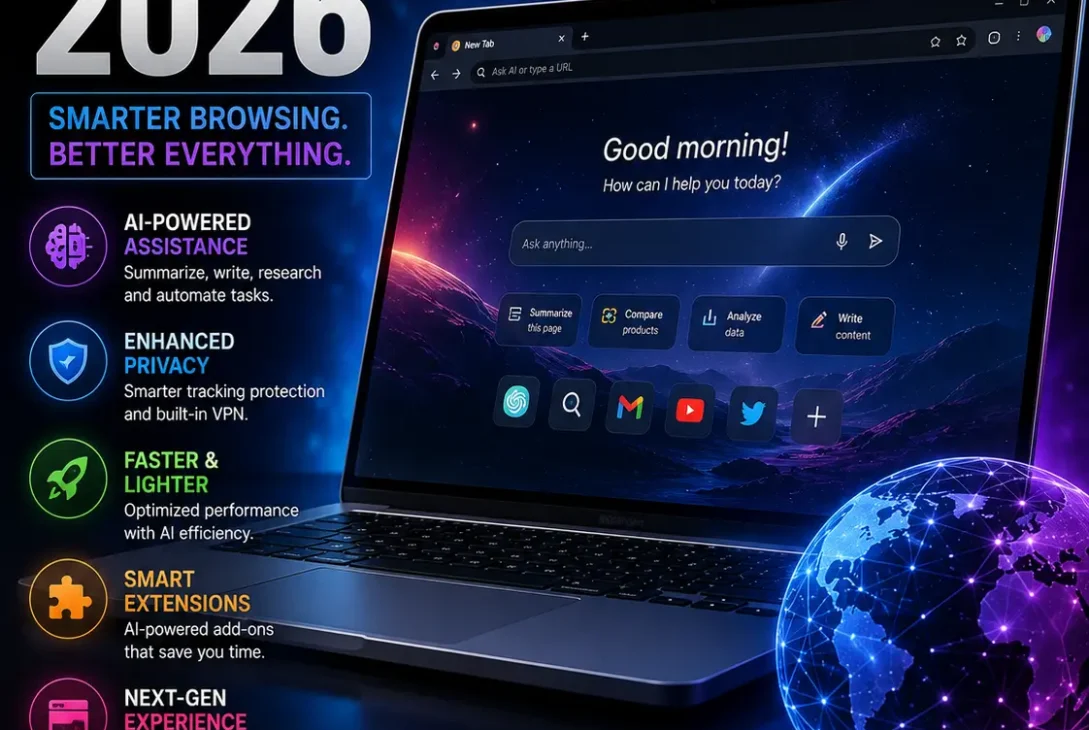
Looking for the best ai browser 2026 has become much more interesting as browsers move beyond simple search and tabs. Modern AI browsers can summarize webpages, analyze PDFs, compare information across tabs, answer questions about what you’re reading, and in some cases perform actions directly inside the browser.
If you want one clear recommendation, Perplexity Comet is one of the strongest choices for AI-focused research and everyday browsing. Microsoft Edge is a great option for Windows users, Brave is attractive for privacy-conscious users, and Opera Neon is worth considering if you want more advanced AI agents. Comet is a Chromium-based browser with AI built into the browsing experience and supports many Chrome extensions.
But the best ai browser 2026 depends on what you actually want to do. Some browsers focus on research, some on privacy, and others on letting AI interact with websites.
Table of Contents
- What Is an AI Browser?
- Best AI Browser 2026: Quick Comparison
- Perplexity Comet
- Microsoft Edge With Copilot
- Brave With Leo
- Opera Neon
- Opera One
- Chrome With Gemini
- Which AI Browser Should You Choose?
- Are AI Browsers Safe?
- How to Choose an AI Browser
- Frequently Asked Questions
- Final Verdict
- SEO Details
What Is an AI Browser?
An AI browser is a web browser that integrates artificial intelligence directly into the browsing experience.
Instead of opening a separate chatbot and copying information from a webpage, an AI browser can often work with the content you’re already viewing.
Depending on the browser, you may be able to:
- Summarize webpages
- Analyze PDFs
- Ask questions about a website
- Compare multiple tabs
- Research a topic
- Translate content
- Rewrite text
- Generate content
- Search using natural language
- Automate certain browser tasks
The biggest difference is context. The AI can potentially understand the page, tabs, or browsing session you’re working with.
That’s why choosing the best ai browser 2026 isn’t simply about asking which browser has the smartest chatbot. You also need to consider privacy, automation, speed, extensions, platform support, and how much control you want to give an AI assistant.
Best AI Browser 2026: Quick Comparison
| Browser | Best For | Main Strength |
|---|---|---|
| Perplexity Comet | AI research | AI-powered browsing and research |
| Microsoft Edge | Windows users | Copilot integration |
| Brave | Privacy | Privacy-focused AI assistant |
| Opera Neon | AI agents | Browser automation |
| Opera One | Everyday AI browsing | Context-aware AI tools |
| Chrome | Existing Chrome users | Google ecosystem |
There is no universal winner. The right choice depends on your workflow.
1. Perplexity Comet
For users who want an AI-first browsing experience, Perplexity Comet is arguably the strongest place to start.
Comet is built on Chromium and combines standard browser functionality with Perplexity’s AI capabilities. Perplexity says Comet supports features such as bookmarks, page translation, and most Chrome extensions while adding AI-powered search and browsing capabilities.
Why Comet Stands Out
Comet is particularly useful for research-heavy tasks.
You can use it to:
- Summarize pages
- Research complicated subjects
- Work across multiple tabs
- Ask questions about content
- Automate certain browser actions
- Find information without constantly switching between a browser and chatbot
Perplexity describes Comet as an AI-powered browser designed to turn the web into an interactive workspace, combining browsing with an assistant that can summarize, search, reason across tabs, and automate actions.
Another advantage is that you don’t have to give up the Chromium ecosystem. Perplexity says Comet supports most Chrome extensions, which can make switching easier for existing Chrome users.
Who Should Use Comet?
Comet is a strong choice for:
- Researchers
- Students
- Writers
- Freelancers
- Developers
- SEO professionals
- People who constantly compare websites
- Anyone who uses AI for research
If your main reason for looking for the best ai browser 2026 is research, Comet should be near the top of your list.
2. Microsoft Edge With Copilot
Microsoft Edge is another strong contender, especially if you use Windows.
Copilot is built directly into Edge and can help summarize webpages, videos, and PDFs, answer questions, and work with browsing context. Microsoft says Edge can use information such as the current page, page title, open tabs, and browsing context when answering relevant prompts.
Why Edge Is Useful
The biggest advantage is convenience.
You don’t necessarily need to install an entirely new browser to get AI assistance.
Copilot can help with:
- Webpage summaries
- PDF analysis
- Video summaries
- Research
- Questions about open tabs
- Writing assistance
- Browser-based tasks
Microsoft has also introduced Browse with Copilot, which can perform actions such as clicking, typing, and navigating webpages. Microsoft says users can see the actions and take control whenever they want.
Availability of some agentic features can vary by plan and market, so users should check Microsoft’s current availability before relying on a particular feature.
Who Should Use Edge?
Edge makes sense if you:
- Use Windows
- Already use Microsoft 365
- Want AI without changing browsers
- Work with PDFs regularly
- Want AI-assisted web research
- Prefer Microsoft’s ecosystem
For a Windows user who doesn’t want to experiment with a completely different browser, Edge is one of the easiest options.
3. Brave With Leo
If privacy is more important to you than aggressive automation, Brave with Leo deserves attention.
Leo is Brave’s AI assistant built directly into the browser. Brave says Leo can summarize webpages, analyze PDFs and documents, translate content, generate text, and work with multiple open pages.
Privacy Is the Main Advantage
Brave says Leo doesn’t retain or share chats or use them for additional model training. Brave also says no account or login is required to start using Leo.
That’s a meaningful difference for people who want AI assistance while remaining more cautious about personal data.
Brave also supports multiple AI models and provides options for users who want more control over which models they use.
AI Browsing in Brave
Brave has also been developing agentic browsing capabilities.
The company warns that giving AI control over browsing introduces additional security risks because an agent may interact with personal data or perform unintended actions.
That warning is worth remembering regardless of which AI browser you choose.
Who Should Use Brave?
Brave is a good fit for users who want:
- Privacy-focused browsing
- Built-in AI
- Ad and tracker blocking
- AI webpage summaries
- Multiple AI model choices
- Less dependence on traditional browser ecosystems
If privacy is your number-one requirement when choosing the best ai browser 2026, Brave is one of the first browsers you should investigate.
4. Opera Neon
Opera Neon takes the AI browser concept further by focusing heavily on AI agents.
Instead of simply answering questions, Neon is designed to let AI interact with the browser and perform tasks.
Opera says Neon can work with live browser context and, through its MCP Connector, allow external AI clients to interact with the browser session. Supported actions include navigating webpages, extracting information, opening tabs, searching, filling forms, and capturing screenshots.
What Makes Neon Different?
Opera has also introduced several AI agents inside Neon, including Chat, Do, Make, and 1 Minute Research.
Its Intelligent Mode can recommend which agent is appropriate for a particular request instead of requiring users to manually choose one.
Opera also announced in August 2026 that Neon can be downloaded for free and connected to users’ own AI-agent setups through MCP or its browser CLI. The subscription is used for Neon’s own AI capabilities such as autonomous browsing, deep research, Skills, automation, and generative AI agents.
Who Should Use Opera Neon?
Neon is especially interesting for:
- Power users
- Developers
- AI enthusiasts
- Researchers
- People who automate browser workflows
- Users who want AI agents rather than simple chat
It may be unnecessary for someone who only wants webpage summaries, but it is one of the more ambitious options available.
5. Opera One
You don’t have to use Opera Neon to get AI features from Opera.
Opera One includes built-in Opera AI that can understand the context of open tabs and assist with tasks such as analyzing PDFs, generating images, and translating YouTube videos. Opera also provides ChatGPT and Gemini access through the browser sidebar.
Why Consider Opera One?
Opera One is more appropriate if you want a normal everyday browser with useful AI features rather than an experimental agentic environment.
Its AI can work with your current webpage and help with:
- Research
- Summaries
- Writing
- Content generation
- PDF analysis
- Translation
Opera says its AI tools can be used without an account and are integrated into the browser interface.
Opera has also expanded its AI ecosystem with Browser Connector, which can allow external AI tools such as ChatGPT and Claude to access live browsing context through the MCP standard.
For someone who wants AI features but still wants a conventional browser experience, Opera One is worth considering.
6. Chrome With Gemini
Chrome remains an important option because many users don’t actually want to switch browsers.
If you’re already comfortable with Chrome, Google’s AI features can provide a way to add AI-assisted functionality without migrating your bookmarks, extensions, passwords, and browsing habits to a new browser.
Why Chrome Still Makes Sense
Chrome is particularly appealing if you already use Google’s ecosystem.
It can be a practical choice for users who rely heavily on:
- Google Search
- Gmail
- Google Drive
- Google Docs
- YouTube
- Chrome extensions
- Google account synchronization
The biggest advantage is familiarity.
You don’t necessarily need a completely new AI-native browser to benefit from AI-assisted browsing.
For that reason, Chrome remains a sensible option even when comparing the best ai browser 2026.
Which AI Browser Should You Choose?
The easiest way to choose is to match the browser to your main use case.
Best for AI Research: Perplexity Comet
Choose Comet if your browsing involves a lot of research, summaries, comparisons, and information gathering.
Best for Windows: Microsoft Edge
Choose Edge if you already use Windows and Microsoft services and want AI integrated into a familiar browser.
Best for Privacy: Brave
Choose Brave if you want built-in AI while keeping privacy as a major priority.
Best for AI Agents: Opera Neon
Choose Neon if you want AI to perform browser actions rather than simply answer questions.
Best for a Traditional Browser With AI: Opera One
Opera One is a good middle ground between a conventional browser and an AI-powered workspace.
Best for Staying With Your Current Setup: Chrome
If you’re already comfortable with Chrome and don’t want to migrate, adding Google’s AI features may be more practical than switching browsers.
Are AI Browsers Safe?
AI browsers can be useful, but agentic features require extra caution.
A browser that can read webpages is one thing.
A browser that can click buttons, fill forms, access authenticated sessions, or perform tasks is something else.
Opera’s documentation confirms that its Neon MCP Connector can access live web context and authenticated sessions and perform actions within the browser.
Microsoft similarly explains that Browse with Copilot can interact with webpages and allows users to monitor and interrupt its actions.
Don’t Give AI Unlimited Access
For sensitive activities, use caution.
Avoid giving autonomous browser agents unnecessary access to:
- Banking websites
- Credit card information
- Government accounts
- Password managers
- Private medical information
- Highly confidential business accounts
You should also review what an AI agent is doing before allowing it to complete an important transaction.
The more powerful the browser becomes, the more important permissions and privacy settings become.
https://www.perplexity.ai/help-center/en/articles/11172798-getting-started-with-comet
How to Choose an AI Browser
Before installing the best ai browser 2026 for your computer, consider these five things.
1. AI Features
Decide whether you need:
- Summaries
- Research
- Writing
- Translation
- PDF analysis
- Automation
- AI agents
Don’t choose an agentic browser if you only need basic summaries.
2. Privacy
Read the browser’s privacy documentation and understand what information the AI can access.
This is especially important when the browser can use your open tabs or authenticated sessions.
3. Extensions
If you depend on Chrome extensions, a Chromium-based browser may make switching easier.
Comet, for example, supports most Chrome extensions.
4. Operating System
Check Windows and macOS support before making your decision.
For example, Perplexity’s current Comet installation documentation lists Windows 10 or later and macOS 11 or later as supported systems.
5. Automation
Think carefully about how much control you want AI to have.
If you only want answers, choose a browser with a strong AI assistant.
If you want AI to perform tasks, look at agentic browsers such as Opera Neon.
Frequently Asked Questions
What is the best AI browser in 2026?
For users who prioritize AI research and browsing assistance, Perplexity Comet is one of the strongest choices. Edge, Brave, Opera Neon, Opera One, and Chrome are also worth considering depending on your needs.
Is Perplexity Comet better than Chrome?
Comet is more focused on AI-assisted browsing and research, while Chrome offers a mature traditional browsing experience and deep integration with Google’s ecosystem. The better choice depends on your workflow.
What is the best AI browser for Windows 11?
Microsoft Edge is an obvious choice for Windows 11 because Copilot is integrated into the browser. Comet is another strong option if AI research is your main priority.
What is the best private AI browser?
Brave is one of the strongest privacy-focused choices. Brave says Leo does not retain or share chats or use them for additional model training.
Can AI browsers control websites?
Some can. Agentic browsers can navigate webpages, search, click, type, fill forms, and perform other actions. Opera Neon is a prominent example of this approach.
Is Opera Neon free?
Opera announced in August 2026 that Neon is available with a free plan, while its own advanced AI capabilities require a Neon subscription. Users can also connect their own agents through MCP or the browser CLI.
Can an AI browser read my open tabs?
Some can. Microsoft Edge Copilot can use browsing context such as the current page and open tabs when the relevant feature and permissions are enabled.
Which AI browser is best for research?
Perplexity Comet is particularly well suited to research because its AI is integrated into the browser and designed around search, summaries, and working across web content.
Should I replace Chrome with an AI browser?
Not necessarily. If you already like Chrome and only need occasional AI assistance, keeping Chrome may be easier. If you frequently research, summarize, compare pages, or want browser automation, an AI-first browser can provide more value.
Are AI browsers worth using?
Yes, particularly if you regularly use AI for research or productivity. However, the benefits are much greater for users who actually need AI-assisted browsing rather than simply wanting a new browser.
Final Verdict
The best ai browser 2026 depends on your priorities, but there are several clear choices.
Perplexity Comet is the best starting point for users who want an AI-first research and browsing experience. Microsoft Edge is excellent for Windows users who want Copilot without changing their entire workflow. Brave is the better choice for privacy-conscious users, while Opera Neon stands out for people interested in AI agents and browser automation.
If you want a more traditional browser with useful AI features, Opera One is worth considering. And if you’re already deeply invested in Google’s ecosystem, staying with Chrome may be the simplest solution.
For most users interested specifically in AI-powered research and productivity, Comet is the first browser I’d try in 2026. But if privacy, Windows integration, or automation is more important to you, another option may be a better fit.