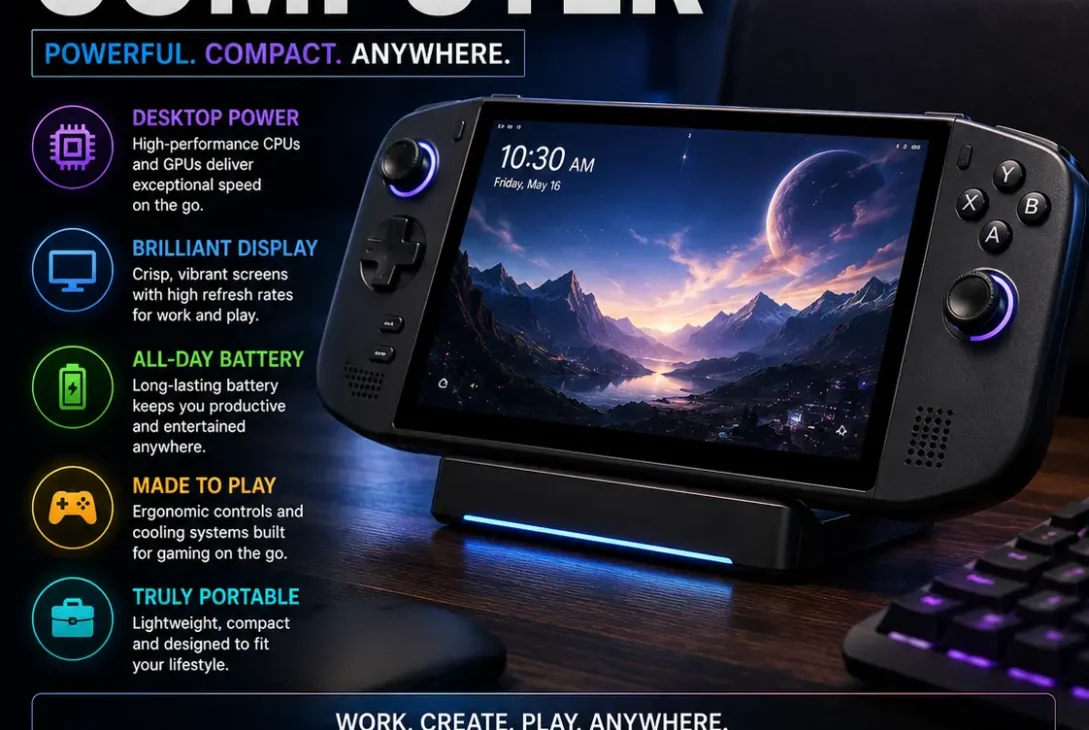
A portable computer gives you the freedom to work, study, browse the web, or enjoy entertainment without being tied to a desk. From lightweight laptops and 2-in-1 devices to powerful portable workstations, there are now more options than ever.
But which type should you choose? A good portable computer should match the way you actually use it. Students may prioritize battery life and weight, while professionals might need a larger display, more RAM, or stronger processing power. This guide explains the main types, important specifications, advantages, limitations, and what to look for before buying one.
Table of Contents
- What Is a Portable Computer?
- Types of Portable Computers
- Portable Computer vs Desktop
- What to Look for Before Buying
- Best Portable Computer for Different Users
- How Much RAM Do You Need?
- Battery Life and Portability
- Windows, macOS, or ChromeOS?
- Tips for Choosing the Right Device
- Frequently Asked Questions
- Final Verdict
- SEO Details
What Is a Portable Computer?
A portable computer is a computing device designed to be easily moved from one location to another.
Unlike traditional desktop computers, portable models generally include the display, processor, memory, storage, keyboard, battery, and other essential components in a compact design.
Common examples include:
- Laptops
- Ultrabooks
- 2-in-1 laptops
- Chromebooks
- Portable workstations
- Gaming laptops
- Some large tablets with keyboards
The modern laptop is the most common type because it provides a balance between portability and performance.
Types of Portable Computers
Not every mobile computer is designed for the same purpose. Understanding the differences can help you avoid paying for features you don’t need.
1. Ultralight Laptops
Ultralight laptops are designed for people who frequently carry their computers.
They generally focus on:
- Low weight
- Slim designs
- Long battery life
- Fast startup
- Everyday productivity
They are particularly useful for students, remote workers, writers, and frequent travelers.
The trade-off is that extremely thin designs may provide fewer ports or less upgradeability than larger machines.
2. 2-in-1 Laptops
A 2-in-1 combines traditional laptop functionality with tablet-style features.
Depending on the design, the display may fold backward or detach from the keyboard.
These devices are useful for:
- Note-taking
- Presentations
- Drawing
- Watching videos
- Web browsing
- Office work
A 2-in-1 can be a practical choice if you want one device for both productivity and casual tablet use.
3. Gaming Laptops
Gaming laptops are portable computers built around higher-performance hardware.
They commonly include:
- Powerful processors
- Dedicated graphics
- High-refresh-rate displays
- Better cooling systems
- Larger power adapters
They can also be useful for video editing, 3D applications, and other demanding workloads.
The downside is portability. Gaming laptops are generally heavier and may have shorter battery life than thin productivity machines.
4. Chromebooks
Chromebooks use Google’s ChromeOS and are designed primarily around web-based applications.
They can be attractive for:
- Students
- Web browsing
- Online classes
- Cloud applications
- Basic productivity
Before buying one, check whether the applications you need are supported. Traditional Windows or macOS software may not be available in the same way.
5. Portable Workstations
A mobile workstation is aimed at demanding professional workloads.
These systems may be designed for:
- Engineering
- CAD
- 3D modeling
- Professional video production
- Architecture
- Scientific applications
They can offer significantly more performance than a basic laptop, but they are usually more expensive and heavier.
Portable Computer vs Desktop
The biggest difference is flexibility.
A desktop generally offers more room for powerful components, larger cooling systems, and upgrades. A portable computer sacrifices some of that flexibility to make the system easier to carry.
| Feature | Portable Computer | Desktop |
|---|---|---|
| Portability | Excellent | Poor |
| Battery | Usually included | Usually not |
| Upgradeability | Limited to moderate | Usually better |
| Desk space | Low | Higher |
| Performance | Varies widely | Often higher at similar prices |
| Setup | Simple | More components required |
| Travel | Easy | Difficult |
If you regularly work in different locations, portability can be more valuable than maximum desktop performance.
What to Look for Before Buying
Choosing a portable computer isn’t just about processor speed.
Consider these specifications together.
Processor
The processor affects how quickly the computer handles applications and multitasking.
For basic work, you don’t necessarily need a high-end processor.
For demanding tasks such as video editing, software development, or 3D rendering, a stronger processor can make a significant difference.
Look at the specific processor generation and performance rather than choosing a computer based only on the brand name.
RAM
RAM determines how much information the computer can keep readily available while applications are running.
For everyday browsing and office work, moderate memory can be sufficient.
If you regularly use:
- Photoshop
- Video editing software
- Development tools
- Virtual machines
- Large spreadsheets
- Multiple demanding applications
more RAM can make multitasking considerably smoother.
Storage
An SSD should be a priority for most modern computers.
Compared with older mechanical hard drives, SSDs provide much faster system and application loading.
When choosing storage, consider how much space you actually need.
A user who primarily works with documents and cloud storage may need far less storage than someone who keeps large video projects or game libraries locally.
Display
The display is especially important because you’ll spend hours looking at it.
Consider:
- Screen size
- Resolution
- Brightness
- Refresh rate
- Color accuracy
- Panel technology
- Touch support
For creative work, color accuracy can be more important than a very high refresh rate.
For gaming, refresh rate and response time become more important.
Best Portable Computer for Different Users
For Students
Students generally benefit from a lightweight device with good battery life.
A compact laptop or Chromebook can work well for:
- Research
- Documents
- Online classes
- Presentations
- Web browsing
Portability matters because the computer may be carried between home, school, university, and libraries.
For Remote Workers
Remote workers should prioritize:
- Comfortable keyboard
- Good webcam
- Reliable Wi-Fi
- Battery life
- Quality display
- Useful ports
If you’re working eight hours a day, keyboard and screen quality can have a bigger impact than a small difference in processor performance.
For Creators
Photographers, designers, and video editors should pay attention to:
- CPU performance
- GPU performance
- RAM
- SSD capacity
- Display quality
- Color accuracy
- External monitor support
A slightly heavier system may be worth choosing if it provides substantially better performance.
For Gamers
Gaming users should focus on:
- Dedicated graphics
- Processor performance
- Cooling
- Display refresh rate
- RAM
- SSD storage
Battery life is usually less important during gaming because demanding games can consume power quickly.
How Much RAM Do You Need?
The right amount of RAM depends on your workload.
For basic tasks such as browsing, email, documents, and streaming, a moderate memory configuration can be enough.
For heavier multitasking, creative applications, development environments, and gaming, more memory is preferable.
As a simple guideline:
- 8GB: Basic everyday tasks
- 16GB: Excellent general-purpose target
- 32GB: Heavy multitasking and professional workloads
- 64GB or more: Specialized professional use
These are general recommendations rather than strict requirements. Always check the software you use for its official system requirements.
Battery Life and Portability
Battery life is one of the biggest reasons to choose a portable computer instead of a desktop.
However, advertised battery figures shouldn’t be treated as guaranteed real-world results.
Actual battery life depends on:
- Screen brightness
- Processor workload
- Applications
- Wireless connectivity
- Video playback
- Background processes
- Battery health
If you travel frequently, also consider the computer’s weight and charger size.
A laptop that is slightly heavier may become noticeably less convenient if you carry it every day.
Windows, macOS, or ChromeOS?
Your operating system can be just as important as the hardware.
Windows
Windows offers broad hardware and software compatibility.
It’s particularly useful if you need:
- Specialized Windows applications
- PC gaming
- Business software
- Broad hardware choices
macOS
macOS is Apple’s desktop operating system and is available on Mac computers.
It can be a strong option for users who already use Apple devices and services.
Apple also provides official information about macOS compatibility and features through its support resources. (support.apple.com)
ChromeOS
ChromeOS is designed around Google’s ecosystem and web applications.
It’s often a good fit for users whose computing needs are primarily browser-based.
Before choosing an operating system, make a list of the applications you actually use. This can prevent compatibility surprises later.
Tips for Choosing the Right Device
Before buying a portable computer, ask yourself five questions.
1. Where Will You Use It?
If you carry it every day, weight should be a major consideration.
If it mostly stays on your desk, you can prioritize screen size and performance instead.
2. What Software Do You Need?
Check application compatibility before choosing Windows, macOS, or ChromeOS.
3. How Much Performance Do You Need?
Don’t automatically buy the most powerful model.
For email and documents, high-end hardware may be unnecessary.
For video editing, development, gaming, or professional workloads, stronger hardware can be worthwhile.
4. How Much Storage Do You Need?
Think about what you’ll store locally over the next several years rather than only what you need today.
5. How Long Will You Keep It?
If you plan to use your computer for several years, buying slightly more RAM or storage can make sense if the configuration isn’t upgradeable.
Frequently Asked Questions
What is a portable computer?
A portable computer is a computing device designed to be easily transported and used in different locations. Laptops are the most common example.
Is a laptop considered a portable computer?
Yes. A laptop is one of the most common types of portable computers because it combines the display, keyboard, computer hardware, and battery into one device.
What is the best portable computer for students?
A lightweight laptop with good battery life, a comfortable keyboard, reliable Wi-Fi, and enough memory for school applications is usually a practical choice.
Are portable computers good for gaming?
Yes. Gaming laptops can provide substantial performance in a portable form, although they are usually heavier and may have shorter battery life than productivity laptops.
Is 16GB RAM enough for a portable computer?
For many users, 16GB is a strong general-purpose configuration. People working with demanding professional software may benefit from 32GB or more.
How much storage should a laptop have?
It depends on your workload. Users who rely heavily on cloud storage can manage with less local storage, while gamers and creators may need significantly more.
Which operating system is best for a portable computer?
There isn’t one universal answer. Windows offers broad compatibility, macOS is closely integrated with Apple’s ecosystem, and ChromeOS is useful for web-focused computing.
What makes a computer portable?
Low weight, compact dimensions, integrated battery power, and a self-contained design are the main characteristics that make a computer portable.
Are lightweight laptops less powerful?
Not necessarily. Modern thin laptops can offer strong performance, but extremely compact designs may have limitations related to cooling, ports, or sustained workloads.
Should I buy a laptop or desktop?
Choose a laptop if you need portability. A desktop is generally better if you want maximum performance, easier upgrades, or a larger workstation and don’t need to move your computer.
Final Verdict
A portable computer is an excellent choice if flexibility matters to you. The best model isn’t necessarily the most expensive or powerful one—it should provide the right balance of performance, battery life, weight, display quality, storage, and software compatibility for your needs.
For students and frequent travelers, prioritize a lightweight design and dependable battery life. Professionals should consider memory, processor performance, display quality, and application compatibility. Gamers and creators may want a more powerful system with dedicated graphics.
Before buying, focus on how you’ll actually use the computer rather than choosing based only on specifications. A well-balanced laptop can remain useful for years while still being easy to carry wherever you work.