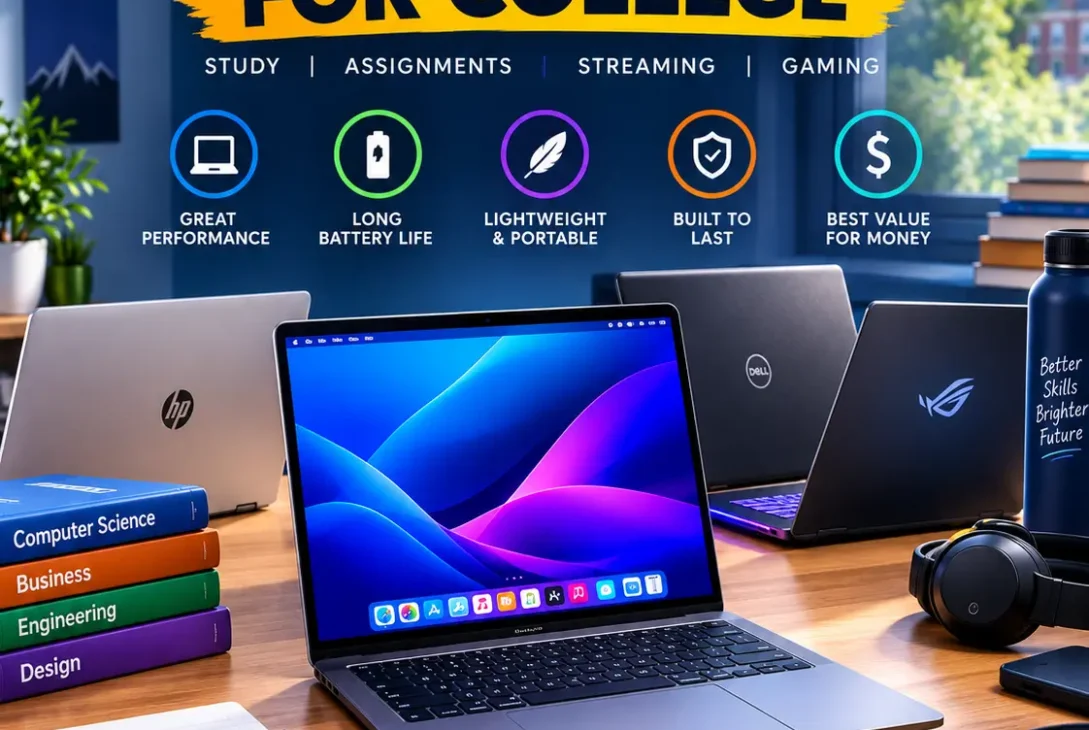
Finding the best laptops for college is not just about buying the fastest computer you can afford. College students need a laptop that is portable, reliable, comfortable to type on, and powerful enough to handle assignments, research, presentations, video calls, and everyday applications.
In 2026, students have more choices than ever, including MacBooks, Windows laptops, and Chromebooks. The right choice depends on your major, budget, required software, and how long you want the laptop to last.
Current laptop testing continues to favor lightweight machines with strong battery life and enough performance for everyday coursework. The MacBook Air M5, MacBook Neo, Dell XPS 13, and several affordable Windows laptops are among the options receiving attention for students this year.
In this guide, we have selected some of the best laptops for college and explained what makes each one suitable for different types of students.
Table of Contents
- Best Laptops for College in 2026
- MacBook Air M5
- MacBook Neo
- Dell XPS 13
- Lenovo IdeaPad Slim 3x
- Microsoft Surface Laptop
- ASUS Zenbook A14
- Acer Chromebook Plus
- Lenovo Yoga Slim 7i
- What to Look for in a College Laptop
- How Much RAM Do College Students Need?
- How Much Storage Do College Students Need?
- MacBook vs Windows for College
- Are Chromebooks Good for College?
- Best Laptop for Different College Majors
- Common Mistakes to Avoid
- Frequently Asked Questions
- Final Verdict
Best Laptops for College in 2026
The best laptops for college should offer a good balance between performance, portability, battery life, display quality, and price.
You do not necessarily need a high-end gaming laptop or workstation for college. For most students, a lightweight laptop with a modern processor, 16GB of RAM, and a 512GB SSD is more than enough for everyday academic work.
Here are some of the strongest options to consider in 2026:
| Laptop | Best For | Main Advantage |
|---|---|---|
| MacBook Air M5 | Overall | Performance and battery life |
| MacBook Neo | Budget | Affordable Apple option |
| Dell XPS 13 | Windows users | Premium portable design |
| Lenovo IdeaPad Slim 3x | Budget Windows | Value |
| Microsoft Surface Laptop | Windows users | Battery and portability |
| ASUS Zenbook A14 | Lightweight users | Thin and light design |
| Acer Chromebook Plus | Basic college work | Affordable and simple |
| Lenovo Yoga Slim 7i | Portability | Lightweight productivity |
The ideal laptop depends on your individual requirements. A computer science student may need different hardware from a humanities student, while an engineering or design student may require more processing or graphics power.
MacBook Air M5
The MacBook Air M5 is one of the best laptops for college for students who want a premium combination of performance, portability, and battery life.
The 13-inch MacBook Air M5 has a lightweight design and starts with 16GB of memory and 512GB of storage. Its performance is more than sufficient for writing papers, browsing, programming, presentations, research, and many creative workloads.
Why Choose the MacBook Air M5?
- Strong everyday performance
- 16GB RAM
- 512GB SSD
- Lightweight design
- Excellent battery life
- Comfortable keyboard
- High-quality display
- Silent fanless operation
The MacBook Air M5 is particularly attractive if you already use an iPhone or other Apple products.
However, students should check software compatibility before buying. Some university programs, particularly specialized engineering applications, may require Windows.
For students whose required applications work on macOS, the MacBook Air M5 is one of the best laptops for college available in 2026.
MacBook Neo
The MacBook Neo is a more affordable Apple option aimed at students and everyday users.
Its smaller size and lower starting price make it attractive for students who want macOS without paying MacBook Air pricing.
Current student laptop recommendations list the MacBook Neo as a leading affordable college option. WIRED highlights its 2.7-pound design and $699 starting price, while noting that its 8GB memory is a limitation for heavier multitasking.
Best For
- Writing assignments
- Web research
- Online classes
- Presentations
- Basic productivity
- Students on a tighter budget
The MacBook Neo can be one of the best laptops for college if your workload is relatively light and you don’t need large amounts of RAM.
For students who regularly use many applications and browser tabs at once, a MacBook Air with more memory may be a better long-term choice.
https://www.wired.com/story/best-college-laptops
Dell XPS 13
The Dell XPS 13 is one of the best laptops for college for students who prefer Windows.
The 2026 model combines a compact design with a high-resolution touchscreen and modern Intel processors. Current testing has highlighted its portability, battery life, and strong performance for everyday student tasks.
Why Choose the Dell XPS 13?
- Windows 11
- Compact 13.4-inch design
- High-resolution touchscreen
- Strong battery life
- Lightweight chassis
- Comfortable keyboard
- Premium construction
The Dell XPS 13 is particularly useful for students who need Windows-specific applications but don’t want to carry a large laptop around campus.
It is also a good option for students who want a traditional Windows environment for programming, business applications, and general productivity.
Lenovo IdeaPad Slim 3x
If affordability is your biggest priority, the Lenovo IdeaPad Slim 3x deserves attention.
Budget students don’t necessarily need premium hardware. A reasonably priced laptop can handle assignments, research, web browsing, presentations, and online classes without problems.
Best For
- Students on a budget
- Microsoft Office
- Web browsing
- Research
- Online learning
- Basic productivity
When buying a budget laptop, try to find a configuration with at least 8GB of RAM, although 16GB is preferable if your budget allows.
Storage is also important. A 512GB SSD provides significantly more flexibility than a small 128GB or 256GB drive.
For students looking for value, the IdeaPad Slim 3x can be among the best laptops for college when configured appropriately.
Microsoft Surface Laptop
The Microsoft Surface Laptop is another strong choice for students who want a clean and portable Windows experience.
Its design makes it easy to carry between lectures, libraries, and study sessions.
Best For
- Business students
- Writing
- Research
- Presentations
- Microsoft Office
- Video meetings
- General productivity
One important consideration is processor compatibility. Some modern Windows laptops use ARM-based processors, so students should confirm that specialized university software works correctly before purchasing.
For normal productivity tasks, a modern Surface Laptop can provide a smooth experience.
ASUS Zenbook A14
The ASUS Zenbook A14 is designed for users who prioritize portability.
College students often spend long periods moving between classrooms and study locations, so a lightweight laptop can be much more convenient than a large performance machine.
Why Consider the Zenbook A14?
- Lightweight design
- Portable chassis
- Long battery-focused design
- Good productivity performance
- Comfortable for everyday work
- Windows operating system
The ASUS Zenbook A14 is particularly suitable for students who spend a lot of time away from their desk.
It is one of the best laptops for college for students who value portability without moving to a Chromebook or entry-level machine.
Acer Chromebook Plus
Chromebooks are still worth considering for students who primarily use web-based applications.
An Acer Chromebook Plus can handle common college tasks such as:
- Google Docs
- Google Sheets
- Web research
- Online classes
- Video calls
- Streaming
Chromebooks are generally simple to maintain and can provide excellent value.
However, ChromeOS is not suitable for every major.
Students studying engineering, advanced computer science, professional graphic design, or other fields that require specialized desktop applications should check compatibility first.
For students whose coursework is mostly browser-based, a Chromebook Plus can be one of the best laptops for college at a lower price.
Lenovo Yoga Slim 7i
The Lenovo Yoga Slim 7i is another strong option for students who want a lightweight Windows laptop.
It focuses on portability and productivity rather than gaming performance.
Best For
- Commuting students
- Research
- Note-taking
- Office applications
- Writing assignments
- Online classes
- Everyday multitasking
The Yoga Slim 7i can be especially useful if you carry your laptop around campus for several hours every day.
When comparing configurations, pay attention to RAM, SSD capacity, processor generation, and display specifications.
What to Look for in a College Laptop
When comparing the best laptops for college, don’t focus only on the processor name.
Several other features can have a bigger impact on your daily experience.
Portability
A lightweight laptop is easier to carry between classes.
For most students, 13- or 14-inch models provide an excellent balance between screen size and portability.
Battery Life
Battery life matters because you may spend hours in lectures or libraries without access to a power outlet.
A laptop with strong battery efficiency can help you get through most of the school day without constantly looking for a charger.
Keyboard
College students type a lot.
Assignments, reports, essays, research notes, emails, and presentations all require a comfortable keyboard.
Display
A good display can make reading and multitasking much more comfortable.
OLED panels offer excellent contrast and vibrant colors, while quality IPS displays can still provide an excellent experience.
Connectivity
Check the available ports before buying.
Depending on your needs, you may want:
- USB-C
- USB-A
- HDMI
- Headphone jack
- SD card reader
Thin laptops sometimes sacrifice ports for a smaller design.
How Much RAM Do College Students Need?
For most students, 16GB of RAM is the ideal target in 2026.
It provides enough headroom for multiple browser tabs, Microsoft Office, research, video calls, music, and other applications running at the same time.
The current student-laptop market increasingly favors 16GB configurations, particularly for students who want their laptop to remain useful for several years.
Is 8GB Enough?
8GB can still work for basic tasks, but it gives you less room for heavy multitasking.
If you’re buying a laptop for a four-year college degree, 16GB is a safer choice whenever your budget allows.
Students studying computer science, engineering, data science, or creative subjects may want 24GB, 32GB, or more depending on their software requirements.
How Much Storage Do College Students Need?
A 512GB SSD is a good starting point for most college students.
It provides enough space for:
- Assignments
- Applications
- Photos
- Research files
- Presentations
- Downloads
- Offline documents
A 256GB SSD can work if you use cloud storage extensively, but it can become restrictive over several years.
Students working with video, photography, 3D models, or large datasets should consider a 1TB SSD.
For most students, however, 512GB offers an excellent balance.
MacBook vs Windows for College
Choosing between MacBook and Windows is one of the biggest decisions when selecting the best laptops for college.
Choose a MacBook If:
- You already use Apple products
- You want strong battery life
- You prefer macOS
- Your required applications support macOS
- You want a lightweight premium laptop
Choose Windows If:
- Your university requires Windows-only software
- You need broader application compatibility
- You want more hardware choices
- You need specialized engineering software
- You want more gaming options
Neither operating system is automatically better.
Your major and software requirements should determine which platform makes the most sense.
Are Chromebooks Good for College?
Yes, but it depends on what you study.
Chromebooks can be excellent for students who mainly use:
- Google Docs
- Google Sheets
- Web applications
- Online learning platforms
- Browser-based tools
They are less suitable for students who need specialized desktop applications.
Before choosing a Chromebook, check your university’s software requirements.
If everything you need runs through a browser, a Chromebook can provide excellent value. If not, Windows or macOS is usually a safer choice.
Best Laptop for Different College Majors
The best laptops for college can vary significantly depending on your major.
Computer Science
Computer science students should look for:
- 16GB RAM
- Fast processor
- 512GB SSD
- Comfortable keyboard
- Good battery life
A MacBook Air M5 or capable Windows laptop can handle most programming and development workloads.
Engineering
Engineering students should check requirements for:
- CAD
- MATLAB
- Simulation software
- 3D modeling
- Engineering applications
A Windows laptop with a stronger processor and dedicated graphics may be preferable for demanding workloads.
Business
Business students generally don’t need extreme specifications.
A laptop with 16GB RAM, 512GB storage, good battery life, and a comfortable keyboard should handle spreadsheets, presentations, research, and video meetings.
Graphic Design
Graphic design students should prioritize:
- Color accuracy
- Display quality
- RAM
- Processor performance
- SSD storage
- Graphics performance
If you work with professional video editing or 3D applications, consider a more powerful laptop than the average student machine.
Humanities
Humanities students usually spend more time writing, reading, and researching.
For these students, portability, keyboard quality, battery life, and display comfort may matter more than raw processing power.
Common Mistakes to Avoid
Even after finding the best laptops for college, students can still make mistakes when purchasing.
Buying Too Much Power
A high-end gaming laptop isn’t necessary for basic coursework.
If you mainly write papers and browse the web, spending thousands of dollars on hardware may not make sense.
Ignoring Weight
A large laptop can become uncomfortable if you carry it around campus every day.
Buying Too Little Storage
A small SSD may seem sufficient initially but can fill quickly after installing applications and storing several years of coursework.
Choosing Only by Price
The cheapest laptop isn’t always the best value.
Consider battery life, build quality, keyboard comfort, performance, and long-term usability.
Forgetting Software Compatibility
This is one of the biggest mistakes students make.
Always check whether the applications required for your major work on your chosen operating system.
Frequently Asked Questions
What are the best laptops for college in 2026?
The best laptops for college in 2026 include the MacBook Air M5, MacBook Neo, Dell XPS 13, Lenovo IdeaPad Slim 3x, Microsoft Surface Laptop, ASUS Zenbook A14, Acer Chromebook Plus, and Lenovo Yoga Slim 7i.
Is 16GB RAM enough for college?
Yes. 16GB is an excellent choice for most students and provides enough memory for multitasking, research, productivity applications, and online classes.
Is a MacBook good for college?
Yes. MacBooks can be excellent college laptops, particularly for students who want strong battery life, portability, and performance. However, always check whether your required software supports macOS.
Is Windows better than MacBook for students?
It depends on the student’s major. Windows offers broader compatibility with specialized applications, while MacBooks provide excellent performance, battery life, and integration with Apple’s ecosystem.
Is a Chromebook enough for college?
A Chromebook can be enough for students whose coursework is mainly browser-based. Students who need specialized desktop software should consider Windows or macOS.
How much should I spend on a college laptop?
Many students can find a capable laptop between $600 and $1,300. Students with demanding majors may need to spend more, while basic users can spend less.
Is 512GB enough for college?
Yes. 512GB is enough for most students. If you work with large video, photography, 3D, or scientific files, consider 1TB or more.
What screen size is best for college?
A 13- or 14-inch laptop is generally a good choice because it balances portability and screen space. Larger 15- or 16-inch laptops are better for multitasking but can be heavier.
Should college students buy gaming laptops?
Only if they need gaming performance or a dedicated GPU for their studies. Gaming laptops are usually heavier and have shorter battery life than thin-and-light laptops.
How long should a college laptop last?
A good laptop can potentially last throughout a four-year degree. Choosing sufficient RAM and storage from the beginning can help extend its useful life.
Final Verdict
The best laptops for college in 2026 depend on your major, budget, required software, and portability needs.
The MacBook Air M5 is an excellent overall option for students who want strong performance, long battery life, and a lightweight design. Current college laptop testing continues to rate it highly for student workloads.
The MacBook Neo is a more affordable Apple option, while the Dell XPS 13 is an excellent choice for students who prefer Windows. Budget-conscious students can also consider the Lenovo IdeaPad Slim 3x or an Acer Chromebook Plus.
If you’re studying engineering, advanced computer science, graphic design, or another demanding subject, check your software requirements before choosing a laptop.
Ultimately, the best laptops for college are not necessarily the most expensive ones. The best choice is the laptop that gives you enough performance, RAM, storage, battery life, and portability to comfortably handle your college workload for several years.