
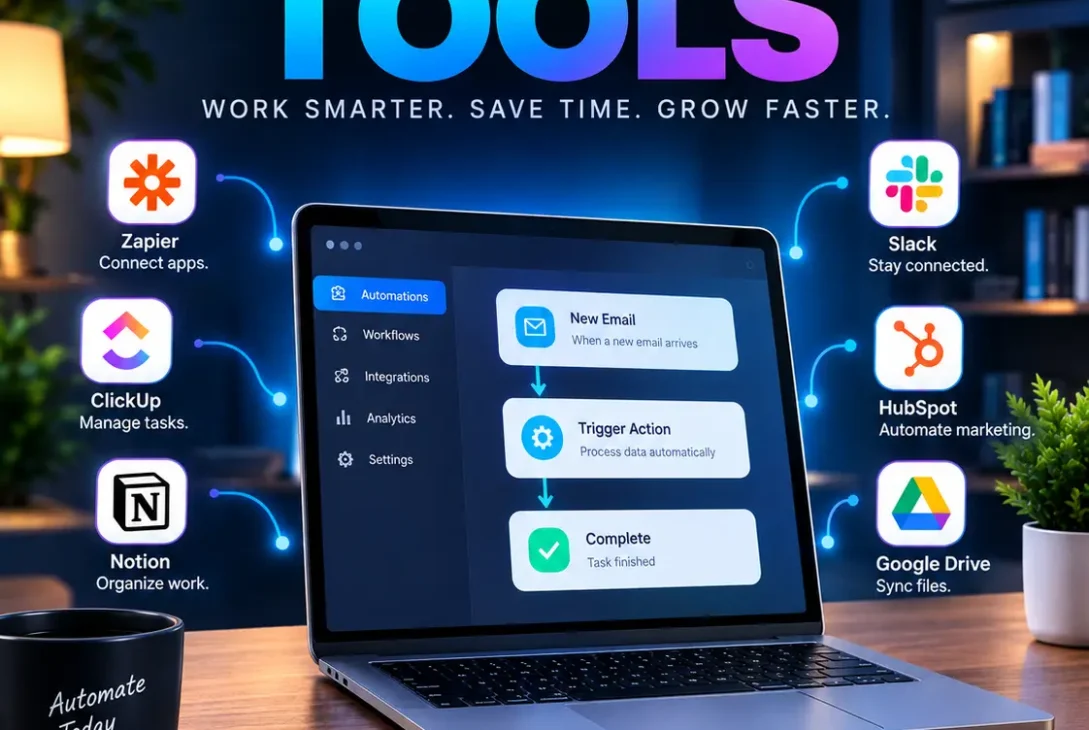
SaaS automation tools help businesses connect cloud applications, automate repetitive tasks, move data between platforms, and create workflows that run with little manual effort. Instead of copying information between apps or repeatedly performing the same administrative steps, teams can create automated processes that trigger when specific events occur.
For startups, agencies, small businesses, and larger companies in the USA and UK, choosing the right SaaS automation tools can make a significant difference to day-to-day operations. The best choice depends on what you need to automate, how complex your workflows are, your technical skills, and how much control you need over your data.
This guide compares the most useful options in 2026, explains what each platform is good at, and shows how to choose an automation tool without paying for features you don’t actually need.
Table of Contents
- What Are SaaS Automation Tools?
- Best SaaS Automation Tools in 2026
- Zapier
- Make
- n8n
- Microsoft Power Automate
- HubSpot
- Workato
- UiPath
- ClickUp
- Asana
- monday.com
- Airtable
- How SaaS Automation Works
- Best SaaS Automation Tools for Different Needs
- How to Choose the Right Tool
- Common Automation Mistakes
- Frequently Asked Questions
- Final Verdict
- SEO Details
What Are SaaS Automation Tools?
SaaS automation tools are cloud-based platforms that automate tasks between software applications and business processes.
A basic workflow might look like this:
Trigger → Action → Result
For example:
New website form submission → Add lead to CRM → Send notification to sales team
More advanced workflows can contain conditions, multiple applications, data transformations, approvals, notifications, and AI-powered actions.
The goal isn’t simply to make one task automatic. Good automation connects several steps into a reliable process that can continue running without someone manually moving information from one application to another.
Best SaaS Automation Tools in 2026
There isn’t one universal winner among SaaS automation tools. Different platforms are designed for different users and workflow requirements.
| Tool | Best For | Main Strength |
|---|---|---|
| Zapier | Beginners and cross-app automation | Large integration ecosystem |
| Make | Visual complex workflows | Flexible visual builder |
| n8n | Developers and technical teams | Self-hosting and customization |
| Power Automate | Microsoft users | Microsoft 365 integration |
| HubSpot | Sales and marketing | CRM-based workflows |
| Workato | Enterprises | Enterprise orchestration |
| UiPath | RPA and legacy systems | UI automation |
| ClickUp | Project teams | Tasks and workflow automation |
| Asana | Team workflows | Project management automation |
| monday.com | Business operations | Custom team processes |
| Airtable | Data-driven workflows | Database automation |
Zapier’s current 2026 automation guide also highlights platforms such as Zapier, Microsoft Power Automate, n8n, Workato, UiPath, ServiceNow, and others for different automation scenarios.
1. Zapier
Zapier is one of the easiest SaaS automation tools for connecting applications without writing code.
You can create workflows called Zaps using triggers and actions. For example, a new lead can trigger actions across your CRM, email platform, spreadsheet, and team chat.
Zapier is particularly useful when your company uses many different SaaS applications and you want a straightforward way to connect them.
Best for
- Beginners
- Small businesses
- Marketing teams
- Lead management
- Cross-app workflows
- No-code automation
Zapier says its platform supports more than 9,000 apps, making integration breadth one of its major advantages.
2. Make
Make is a strong choice if you want more visual control over your workflows.
Instead of a simple linear sequence, you can build scenarios with branches, conditions, data transformations, webhooks, and more advanced logic.
Make currently advertises more than 3,000 pre-built app integrations and supports custom JavaScript and Python through its Make Code functionality.
Best for
- Complex workflows
- Operations teams
- Visual workflow design
- Data synchronization
- API integrations
- Businesses that have outgrown basic automation
For someone who wants to see exactly how data moves through a workflow, Make is one of the most interesting SaaS automation tools available.
3. n8n
n8n is aimed more toward technical users.
One of its biggest differences is the ability to self-host the platform, giving technical teams greater control over their infrastructure and data.
You can also use code inside workflows, making n8n considerably more flexible than a basic no-code automation service.
Zapier’s 2026 comparison describes n8n as a strong option for self-hosted automation and technical teams that need additional control.
Best for
- Developers
- Technical teams
- Self-hosted deployments
- Custom APIs
- Advanced workflows
- Teams that want greater infrastructure control
If you have development experience, n8n can be one of the most flexible SaaS automation tools to consider.
4. Microsoft Power Automate
Microsoft Power Automate makes particular sense for organizations heavily invested in Microsoft products.
It can connect business processes with services across the Microsoft ecosystem while also supporting integrations with external applications.
Microsoft users may find it especially useful for automating processes involving Microsoft 365, approvals, documents, notifications, and business data.
Best for
- Microsoft 365 users
- Corporate environments
- Approvals
- Document workflows
- Business process automation
- IT teams
If your organization already relies heavily on Microsoft services, adding another standalone automation platform may not always be necessary.
5. HubSpot
HubSpot Workflow Automation is especially useful for companies that already use HubSpot for CRM, sales, marketing, or customer service.
Instead of moving data between unrelated tools, HubSpot workflows can automate processes directly around customer records, deals, tickets, and other CRM information.
HubSpot currently describes workflow automation as a way to automate processes across marketing, sales, and service, including routing, tasks, emails, notifications, and data updates.
Best for
- Sales teams
- Marketing departments
- CRM automation
- Lead nurturing
- Customer service
- Growing SaaS businesses
6. Workato
Workato focuses heavily on enterprise automation and integration.
Large organizations often have dozens or hundreds of applications that need to exchange information. Enterprise automation platforms need to consider governance, security, integrations, monitoring, and reliability—not just whether a workflow can send an email.
Workato is therefore more suitable for organizations with complex integration requirements than for someone who simply wants to automate a personal spreadsheet.
Best for
- Enterprise companies
- Complex integrations
- IT departments
- Business process orchestration
- Large application environments
7. UiPath
UiPath is particularly relevant when automation needs to interact with applications that don’t offer modern APIs.
This is where robotic process automation, or RPA, becomes useful.
Instead of only connecting APIs, software robots can perform actions through application interfaces in certain scenarios.
Best for
- Legacy applications
- Repetitive desktop tasks
- Enterprise RPA
- Back-office operations
- Large-scale process automation
UiPath is more specialized than simple no-code workflow platforms, so it may be excessive for straightforward app-to-app automation.
8. ClickUp
ClickUp combines project management with automation.
Teams can create automated actions around tasks, statuses, assignments, notifications, and other project information.
This can be useful when you don’t want a separate automation platform for every project-management process.
Best for
- Project management
- Marketing teams
- Task automation
- Team operations
- Internal workflows
9. Asana
Asana is another project-management platform that includes workflow automation capabilities.
For example, teams can automate actions when tasks change status, deadlines approach, or projects move through predefined stages.
It’s a good option when automation is primarily connected to project management rather than a large collection of unrelated SaaS applications.
Best for
- Project teams
- Marketing campaigns
- Task workflows
- Team coordination
- Repetitive project processes
10. monday.com
monday.com provides automation capabilities directly inside its work-management platform.
Teams can create rules that respond to changes in boards, tasks, statuses, dates, and other workspace information.
This makes it useful for organizations that want project management and automation in the same environment.
Best for
- Operations
- Project management
- Sales teams
- Marketing workflows
- Internal processes
11. Airtable
Airtable sits somewhere between a database, spreadsheet alternative, and workflow platform.
Its automation capabilities are useful when your processes depend heavily on structured records.
For example, a business could maintain a content database and automatically trigger notifications or other actions when records reach specific states.
Best for
- Content workflows
- Databases
- Inventory processes
- Operations
- Structured business data
How SaaS Automation Works
Most SaaS automation tools use the same basic concept: something happens, the platform detects it, and predefined actions follow.
Consider an online store.
A customer places an order.
The automation could:
- Detect the new order.
- Add customer information to a CRM.
- Send an order confirmation.
- Notify the fulfillment team.
- Update an internal database.
- Create a support record if required.
Without automation, an employee might have to perform several of these steps manually.
With a properly designed workflow, the process can happen automatically.
Triggers
A trigger starts the workflow.
Examples include:
- New form submission
- New email
- New order
- Calendar event
- Updated spreadsheet row
- New CRM contact
- Payment received
- Support ticket created
Actions
Actions are what happen after the trigger.
Examples include:
- Send an email
- Create a task
- Update a CRM record
- Post a Slack message
- Add a spreadsheet row
- Generate a document
- Send a notification
Conditions
Conditions make automation more intelligent.
For example:
If lead score > 80 → notify sales immediately
If lead score < 80 → add to email sequence
This is where visual workflow platforms become much more useful than simple one-action integrations.
Best SaaS Automation Tools for Different Needs
Choosing between SaaS automation tools becomes easier when you start with your actual use case.
Best for Beginners: Zapier
If you’ve never built an automated workflow before, Zapier is a strong starting point because its interface is designed around connecting applications and creating trigger-action workflows.
Best for Complex Visual Workflows: Make
Make is a better fit when your automation requires branching, transformations, webhooks, or multiple steps that you want to see visually.
Best for Developers: n8n
Technical teams may prefer n8n when self-hosting, custom code, and API flexibility are important.
Best for Microsoft 365: Power Automate
Companies deeply invested in Microsoft’s ecosystem should evaluate Power Automate before adding another platform.
Best for CRM Automation: HubSpot
If your workflows revolve around contacts, deals, marketing campaigns, and customer service, HubSpot’s native automation can be more convenient than connecting everything externally.
Best for Enterprise Automation: Workato
Large organizations with complicated application environments should look at enterprise-focused platforms where governance and integration management are major requirements.
How to Choose the Right SaaS Automation Tools
Don’t choose an automation platform simply because it has the longest feature list.
Start by documenting the process you want to automate.
1. Identify Repetitive Work
Look for tasks your team performs repeatedly.
Good candidates include:
- Copying data
- Sending routine notifications
- Creating recurring tasks
- Moving leads between systems
- Generating reports
- Updating records
2. Check Integrations
Make sure the platform supports the applications you actually use.
An automation platform is only useful if it can reliably communicate with your existing tools.
Make, for example, currently provides thousands of app integrations and also supports APIs for custom systems.
3. Understand Pricing
Pricing models can differ significantly.
Some SaaS automation tools charge based on tasks, operations, workflow executions, users, or other usage metrics.
A workflow that looks inexpensive during testing can become costly when it runs thousands of times every month.
Calculate expected usage before choosing a plan.
4. Consider Technical Requirements
Ask whether your team needs:
- No-code tools
- Low-code features
- Custom JavaScript
- Python
- Webhooks
- API requests
- Self-hosting
- Advanced error handling
The more technical control you need, the more important platform flexibility becomes.
5. Check Security and Permissions
Automation tools may receive access to sensitive business systems.
Before connecting a CRM, payment system, email account, or customer database, review:
- Authentication
- User permissions
- Data retention
- Encryption
- Audit logs
- Compliance requirements
- Access controls
For UK businesses in particular, privacy and data-processing requirements should be considered before moving customer information through third-party services.
Common Automation Mistakes
Even the best SaaS automation tools won’t fix a poorly designed process.
Automating Everything
Not every task should be automated.
Some processes require human judgment, especially when mistakes could affect customers, finances, or compliance.
Ignoring Failure Scenarios
Ask what happens when an API fails, a required field is empty, or an application becomes unavailable.
A good workflow should have a clear failure path.
Creating Too Many Automations
If your business has dozens of poorly documented workflows, it can become difficult to understand why data is changing.
Document important automations and give them descriptive names.
Forgetting Maintenance
SaaS applications change.
APIs, permissions, pricing, and features can change over time. Review critical workflows regularly to make sure they’re still operating as expected.
Measuring the Wrong Thing
Don’t measure automation success only by the number of workflows created.
Instead, consider whether the automation:
- Reduced manual work
- Reduced errors
- Improved response time
- Increased consistency
- Saved operational costs
Practical SaaS Automation Examples
Here are several workflows that businesses can realistically automate.
Lead Management
New website lead → CRM → sales notification → follow-up task
Customer Onboarding
New customer → welcome email → onboarding task → internal notification
Content Publishing
New approved article → content database → publishing task → social-media notification
Invoice Processing
New invoice → accounting system → approval task → notification
Customer Support
New support ticket → categorize → assign team → notify customer
Employee Onboarding
New employee → create tasks → send documents → notify HR → schedule meetings
The exact implementation depends on the applications your company uses.
Frequently Asked Questions
1. What are SaaS automation tools?
SaaS automation tools are cloud-based platforms that connect software applications and automate repetitive business processes using triggers, actions, conditions, and integrations.
2. What is the best SaaS automation tool for beginners?
Zapier is a strong choice for beginners because its workflow model is relatively easy to understand and it supports a broad range of applications.
3. What is the difference between Zapier and Make?
Zapier generally focuses on accessible app automation, while Make provides a highly visual environment that is particularly useful for complex workflows and data manipulation.
4. Is n8n good for SaaS automation?
Yes. n8n is particularly useful for developers and technical teams that want custom workflows, API connections, or self-hosting.
5. Can SaaS automation tools work with AI?
Yes. Modern automation platforms increasingly integrate AI models and AI agents into workflows. Make, for example, supports AI agents and AI integrations across its platform.
6. Are automation tools suitable for small businesses?
Yes. Small businesses can automate repetitive tasks such as lead management, notifications, data entry, customer onboarding, and reporting without building a custom system.
7. Do I need coding skills to use automation platforms?
Not necessarily. Many platforms offer no-code builders. However, coding knowledge becomes useful when you need custom APIs, advanced data processing, or specialized logic.
8. Are SaaS automation tools expensive?
Prices vary considerably. Some offer free plans, while others charge based on users, tasks, operations, executions, or enterprise usage. Always calculate your expected monthly volume before choosing a platform.
9. Can automation tools replace employees?
They can reduce repetitive manual work, but they don’t automatically replace the need for people. Human oversight remains important for decisions, exceptions, quality control, and sensitive processes.
10. Which automation tool is best for Microsoft users?
Microsoft Power Automate is worth considering if your organization already relies heavily on Microsoft 365 and related Microsoft services.
11. Which automation platform is best for developers?
n8n is a strong option for technical users because it supports custom logic and self-hosting, while Make also provides code-based customization.
Final Verdict
The best SaaS automation tools aren’t necessarily the ones with the most features. The right platform is the one that fits your existing software stack, workflow complexity, technical ability, budget, and security requirements.
For most beginners and small businesses, Zapier is an easy starting point. Make is attractive for more complex visual workflows, while n8n stands out for technical teams that want greater control. Businesses already using Microsoft 365 should evaluate Power Automate, while CRM-focused organizations may benefit from HubSpot’s built-in workflows.
Before committing, build one real workflow and measure its results. If the automation reliably saves time without creating new operational problems, then expand it gradually.
That approach makes SaaS automation tools a practical business investment rather than another collection of software subscriptions.


