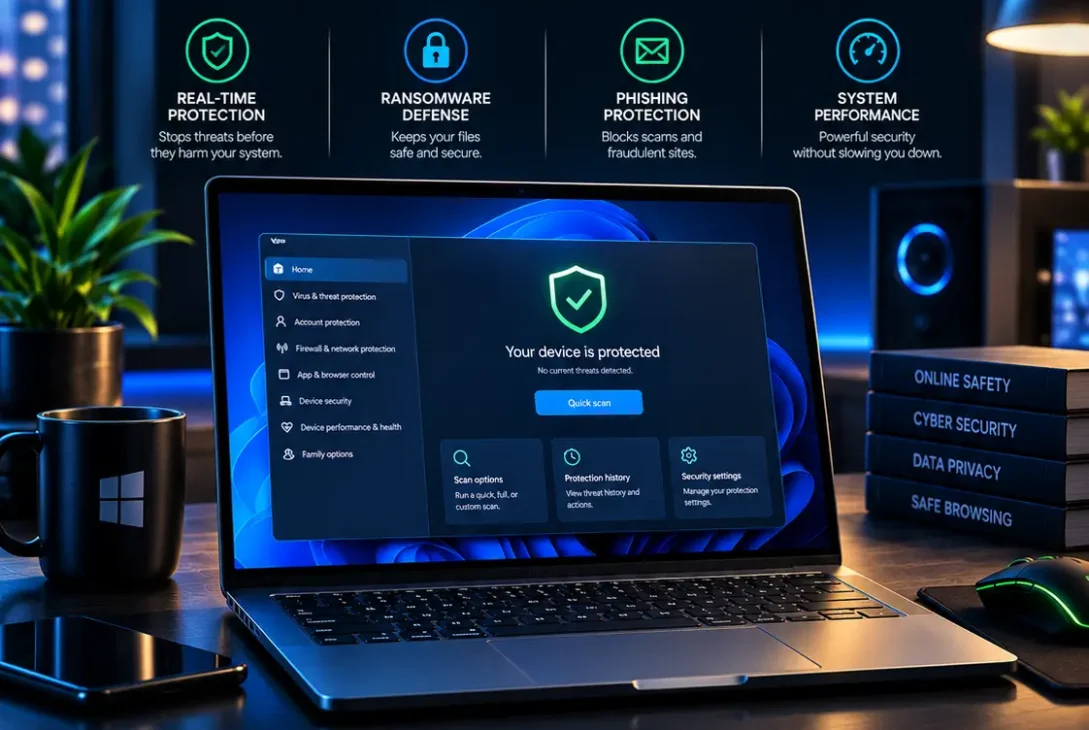
Choosing the best antivirus for windows means finding protection that fits your computer, budget, and everyday habits. Windows PCs face malicious downloads, phishing websites, ransomware, unsafe email attachments, and scams designed to steal personal information. A reliable security setup helps reduce these risks without making your computer difficult to use.
The good news is that Windows already includes Microsoft Defender Antivirus. For many home users, it provides a useful baseline without an extra subscription. Other people may prefer a dedicated security suite with additional web protection, parental controls, a VPN, or password management.
This guide compares seven options for Windows users in the United States and United Kingdom, helping you find the best antivirus for windows for your needs. It explains where each product may fit, what to check before paying, and how independent tests can help you make a more informed decision. No antivirus can block every threat, so software should be combined with updates, careful browsing, strong passwords, and reliable backups.
Table of Contents
- What Is the Best Antivirus for Windows?
- 7 Best Antivirus Programs for Windows in 2026
- Is Microsoft Defender Enough?
- Free vs Paid Antivirus
- How to Choose Antivirus Software
- Security Mistakes to Avoid
- FAQs
- Final Verdict
What Is the Best Antivirus for Windows?
There is no single winner for every person. Microsoft Defender is a practical starting point for people who want built-in protection. Bitdefender and Norton offer paid suites with additional features, while Avast and AVG have free editions. ESET may appeal to users who want more configuration options, and Malwarebytes is known for its malware detection and cleanup tools.
When comparing the best antivirus for windows, look beyond advertising claims. Independent testing organisations evaluate protection against real threats, the effect on computer performance, and how often a product incorrectly flags safe files. Scores can change between test periods and product versions, so check recent results before making a purchase.
Independent testing is one of the most practical ways to narrow down the best antivirus for windows without relying on advertising alone. AV-TEST publishes Windows home-user assessments at https://www.av-test.org/en/antivirus/home-windows/. AV-Comparatives also publishes real-world protection tests at https://www.av-comparatives.org/tests/real-world-protection-test-february-may-2026/. These sources are useful because they describe the products and testing conditions rather than relying only on a vendor’s marketing.
7 Best Antivirus Programs for Windows in 2026
1. Microsoft Defender — Best Built-In Free Option
Microsoft Defender Antivirus is included with supported Windows installations and managed through the Windows Security app. It provides real-time malware protection and works alongside other Windows security features. Users can check their protection status, run scans, and review detected threats without installing a separate application.
Advantages
- Included with Windows at no separate antivirus subscription cost.
- Real-time protection against many common threats.
- Integrates with Windows security features.
- Security updates are delivered through Microsoft’s update systems.
- Simple option for users who prefer fewer applications.
Limitations
Defender does not bundle every extra service that may come with a paid security suite. A VPN, password manager, or expanded identity-monitoring service may need to be purchased separately. Some settings may also be unfamiliar to less experienced users.
For people researching the best antivirus for windows without adding another monthly or yearly bill, Microsoft Defender is a sensible first choice. Open Windows Security and confirm that real-time protection and updates are enabled before deciding whether you need the best antivirus for windows beyond the built-in option.
Official guide: https://support.microsoft.com/windows/stay-protected-with-windows-security-2ae0363d-0ada-c064-8b56-6a39afb6a963
2. Bitdefender Total Security — Best Overall Paid Suite
Bitdefender Total Security is a comprehensive option for users who want antivirus protection with additional security features. Depending on the subscription and region, its tools may include web protection, anti-phishing safeguards, ransomware defenses, parental controls, and options for managing protection across supported devices.
AV-Comparatives reported a 99.5% protection rate for Bitdefender in its February–May 2026 real-world protection test, which used 400 test cases. This is a result from a particular test period, not a guarantee that every threat will be blocked.
Advantages
- Strong result in the cited independent test.
- Web and anti-phishing protection features.
- Extra tools beyond basic malware scanning.
- Options for multiple devices, depending on the plan.
- A dedicated dashboard for managing security.
Limitations
The feature set and price vary by subscription and country. Some users will not need the additional tools, and introductory prices may differ from renewal prices. Check the current offer and device limits before subscribing.
Bitdefender is worth considering for families, frequent online shoppers, and users who download files regularly. When comparing the best antivirus for windows with a broad feature set, decide whether those extras justify the subscription cost.
Official website: https://www.bitdefender.com/ — compare the plan carefully if you want the best antivirus for windows for multiple devices.
3. Norton 360 — Best for Bundled Security Features
Norton 360 combines antivirus protection with additional services that vary by plan. Depending on the subscription and country, these can include a VPN, password manager, cloud backup, parental controls, and identity-related services.
The main benefit is convenience: several security functions can be managed through one account rather than bought separately. AV-Comparatives recorded a 99.3% protection rate for Norton in its February–May 2026 real-world protection test.
Advantages
- Antivirus and web threat protection.
- Optional bundled privacy and identity features.
- Several subscription tiers.
- Strong result in the cited independent test.
- Convenient management of included services.
Limitations
Not every plan includes the same tools, and features can differ between the United States and United Kingdom. Renewal prices, device limits, and cancellation terms deserve attention before you sign up.
Norton is worth comparing if you want more than malware detection. It may be unnecessary if you already pay for a separate VPN or password manager. A good best antivirus for windows decision should be based on the features you will genuinely use, not the longest feature list.
4. Avast Free Antivirus — Best Free Third-Party Alternative
Avast Free Antivirus offers a separate antivirus application without requiring an immediate paid subscription. It provides malware protection and features designed to identify suspicious files and online threats. Its exact feature set may change as the software is updated.
AV-TEST awarded Avast Free Antivirus full marks for protection, performance, and usability in its August 2026 assessment. That result makes it worth comparing with Microsoft’s built-in protection, although no single test covers every possible situation.
Advantages
- A free edition is available.
- Results are available from independent testing.
- An interface designed for everyday users.
- Paid upgrades are available for people who need more features.
Limitations
Free products may promote paid upgrades, and some features are reserved for premium subscriptions. Review installation screens and privacy settings so you understand what you are enabling.
Avast can suit users who specifically prefer a third-party free antivirus. Compare it with Microsoft Defender before installing it; running two full real-time antivirus products together is generally unnecessary and may cause conflicts.
5. AVG AntiVirus Free — Another Free Choice
AVG AntiVirus Free is an established option for users who want antivirus protection without paying for a subscription. Its core purpose is to detect and block malicious software, while additional functions may be available through paid upgrades.
AVG and Avast share corporate ownership and related technologies, so their core protection approaches can overlap. Their interfaces, offers, and feature sets are not necessarily identical.
In AV-TEST’s August 2026 assessment, AVG Antivirus Free achieved full marks in protection, performance, and usability. This is useful evidence, but the right choice also depends on how the software fits your needs.
Advantages
- Free version available.
- Protection against common malware.
- Straightforward security interface.
- Paid upgrades for additional features.
Limitations
The free edition is not the same as a complete premium suite. Upgrade prompts may appear, and advanced features may not be included.
AVG is worth considering if you want a free third-party tool and prefer its interface or workflow. Compare it with Avast and Microsoft Defender rather than installing several products at once. The best antivirus for windows should provide appropriate protection while remaining manageable and affordable.
6. ESET HOME Security — Best for More Control
ESET offers security products with malware detection, web protection, and settings for users who want greater control over their configuration. Features depend on the edition, and product names and packages may differ by market.
ESET Security Ultimate received full marks across protection, performance, and usability in AV-TEST’s August 2026 assessment. This result applies to the tested edition and should not automatically be attributed to every ESET plan.
Advantages
- Strong result in the cited independent test.
- Security features for web use and suspicious files.
- Configurable options for more experienced users.
- Paid editions with additional tools.
Limitations
The interface and number of options may feel excessive if you only need basic protection. Check which features are included in the edition sold in your country.
ESET may suit users who want a dedicated security product and are comfortable reviewing settings. If you are looking for the best antivirus for windows for a work computer or family PC, consider whether its controls offer a meaningful advantage over simpler alternatives.
Official website: https://www.eset.com/ — review the current plan if you are choosing the best antivirus for windows for a work PC.
7. Malwarebytes — Best Known for Malware Cleanup
Malwarebytes is known for malware detection and remediation tools. It can be useful when investigating suspicious behaviour, unwanted software, or a computer that may already be infected. Paid products offer broader ongoing protection, depending on the plan.
Malwarebytes Premium received full marks in AV-TEST’s August 2026 assessment. As with the other products, this result applies to the version and conditions tested.
Advantages
- Tools for investigating and removing malware.
- Paid options for ongoing protection.
- Useful when troubleshooting suspicious computer behaviour.
- A familiar option for users seeking malware cleanup.
Limitations
Compare the current real-time protection features with those of a full security suite before using it as your only security product. Capabilities have evolved over time, so check the current edition rather than relying on old advice.
Malwarebytes may be appropriate if its detection and cleanup capabilities match your needs. If your goal is everyday, all-round protection, compare its current subscription with Bitdefender, Norton, ESET, and Microsoft Defender before deciding which best antivirus for windows suits you.
Official website: https://www.malwarebytes.com/ — check its current protection features before selecting the best antivirus for windows for daily use.
Is Microsoft Defender Enough?
For many people, yes. Microsoft Defender offers real-time malware protection and integrates with Windows Security. It is a reasonable choice if you keep the operating system updated, avoid suspicious downloads, use unique passwords, and maintain backups of important files.
Antivirus software is only one part of digital security. It cannot reliably stop every scam, prevent you from entering a password on a convincing fake website, or restore files encrypted by ransomware if you have no backup.
Consider a paid product when you need specific extras, such as parental controls, broader web filtering, protection for several devices, or a bundled VPN; these needs can determine the best antivirus for windows for your household. Check what is included rather than assuming every paid package offers the same capabilities.
If you are comparing the best antivirus for windows because you believe Defender is not enough, review recent independent tests and identify the additional features you actually need before paying for another product.
Free vs Paid Antivirus
Free antivirus can be sufficient for users who browse trusted websites, use familiar applications, and follow safe online habits. Microsoft Defender, Avast Free, and AVG AntiVirus Free are examples worth comparing.
Paid products may add convenience features, more extensive support, parental controls, password management, identity services, or VPN access. These extras are not automatically necessary, and some are available separately.
| Feature | Free protection | Paid security suite |
|---|---|---|
| Basic malware protection | Usually available | Usually available |
| Real-time scanning | Depends on product | Usually included |
| Advanced web features | Varies | Often broader |
| VPN or password manager | Limited or separate | May be bundled |
| Parental controls | Often limited | May be included |
| Customer support | Varies | May offer more support |
Before paying, compare the renewal price, number of covered devices, supported operating systems, and cancellation terms to make a well-informed best antivirus for windows choice. A discounted first year may not reflect what you will pay later.
For many households, built-in protection plus secure habits and reliable backups provides better value than paying for features that will never be used. The best antivirus for windows choice depends on your risk level, budget, and the extra functions you genuinely need.
How to Choose Antivirus Software
1. Check Independent Lab Results
Independent testing is one of the most practical ways to narrow down the best antivirus for windows without relying on advertising alone.
Look at recent tests from organisations such as AV-TEST and AV-Comparatives. Compare protection, performance, usability, and false positives rather than relying on a single percentage or marketing claim.
2. Consider Computer Performance
Older PCs and budget laptops may be more sensitive to background activity. Review performance measurements and, if possible, test a product during normal browsing, video calls, and file transfers.
3. Review the Full Price
Price matters when choosing the best antivirus for windows, especially if a low introductory offer renews at a higher rate.
Compare the renewal price, not just the introductory offer. Check how many devices are included and whether you need to pay extra for features advertised on the company’s website.
4. Review Privacy and Usability
Read privacy policies and installation screens. A security product should be easy to update and manage. Understand which features are enabled and what information the software collects.
5. Avoid Conflicting Security Tools
Do not install multiple full antivirus products with overlapping real-time protection unless the vendors explicitly support that configuration. Use one primary real-time solution and use other scanners only in a compatible way.
6. Match Features to Your Needs
A family with children may value parental controls, while a freelancer may care more about ransomware defenses and protecting work files. Someone who only browses the web may not need a large security bundle.
When comparing the best antivirus for windows options, write down the features you need first. This makes it easier to avoid paying for tools that do not solve your actual problems.
Security Mistakes to Avoid
Ignoring updates: Antivirus software cannot provide its intended protection if definitions, applications, or Windows itself are outdated. Enable automatic updates whenever practical.
Trusting every warning: Fake virus alerts may appear in browser notifications or advertisements. Do not call a phone number or install software simply because a webpage claims your PC is infected. Close the page and check your installed security app.
Downloading cracked software: Pirated applications and unofficial installers can contain malware or unwanted programs. Download software from its official developer or a trusted store.
Treating antivirus as a backup: Security software may reduce risk, but it cannot guarantee ransomware will never affect your files. Maintain a separate backup and periodically verify that you can restore it.
Ignoring renewal terms: A product may be affordable in its first year but more expensive at renewal. Review subscription details before entering payment information.
Assuming every product blocks everything: Independent testing provides useful comparisons, not a guarantee of perfect protection. Safe browsing, unique passwords, multifactor authentication, and backups remain important whichever best antivirus for windows product you choose.
FAQs
1. What is the best antivirus for Windows in 2026?
There is no universal winner. Microsoft Defender is a strong built-in starting point, while Bitdefender, Norton, Avast, AVG, ESET, and Malwarebytes offer different combinations of protection and features. Compare recent independent tests and current plan details before choosing the best antivirus for windows for your needs.
2. Is Windows Defender free?
Microsoft Defender Antivirus is included with supported Windows installations and does not require a separate antivirus subscription. Some other Microsoft security or identity services may have separate requirements.
3. Is free antivirus good enough for Windows 11?
It can be. Microsoft Defender and some free third-party tools provide meaningful malware protection. Keep Windows updated, avoid suspicious downloads, use strong passwords, and maintain backups. Consider paid features only when they address a real need.
4. Can I use two antivirus programs at once?
It is generally best to use one primary real-time antivirus product. Two overlapping products may interfere with each other or affect performance. Some on-demand scanners can be used alongside a primary product, but check the vendors’ compatibility guidance.
5. Does antivirus slow down a Windows PC?
Any security software can use system resources, particularly during scans and updates. The impact depends on the computer, product, and workload. Review independent performance tests and schedule full scans for times when you are not busy.
6. Does antivirus protect against ransomware?
Many modern security products include ransomware-related defenses, but no product can promise complete protection. Keep offline or otherwise protected backups, install updates, and avoid opening unexpected attachments or running unknown files.
7. Should I pay for antivirus if I already have Microsoft Defender?
For many users, this question determines whether the best antivirus for windows is already installed.
Not necessarily. Defender may be sufficient for ordinary home use. A paid product can make sense if you want extra features, broader family protection, or tools that suit your risks. Compare the included features before buying.
8. Which antivirus is best for an older laptop?
Start by checking whether Microsoft Defender meets your needs. If you consider a third-party product, review independent performance results and test it on your laptop. Keep enough free storage and avoid running multiple real-time security suites.
9. How often should I scan my computer?
Keep real-time protection enabled and automatic updates on. Run a manual scan when you suspect a problem or after downloading a suspicious file. Follow your security app’s recommendations for full scans and additional checks.
10. Where should I download antivirus software?
Download it from the product’s official website or a trusted app store. Avoid suspicious sponsored search results, unofficial download portals, cracked versions, and pop-ups claiming your computer is already infected.
Final Verdict
The best antivirus for windows depends on how you use your PC, which features you need, and your budget. Microsoft Defender is a sensible no-extra-cost starting point for many home users. Bitdefender is worth comparing for a broad paid suite, while Norton may appeal to people who want multiple bundled features. Avast and AVG offer free alternatives, ESET provides another dedicated option, and Malwarebytes is worth examining for malware detection and cleanup.
Independent results from AV-TEST and AV-Comparatives can help you compare products, but rankings and features change as software is updated. Review recent results and current subscription terms before purchasing.
Most importantly, antivirus should be part of a broader security routine: update Windows and applications, use unique passwords and multifactor authentication, download software from trusted sources, and keep reliable backups. Those habits improve your protection no matter which product you select.