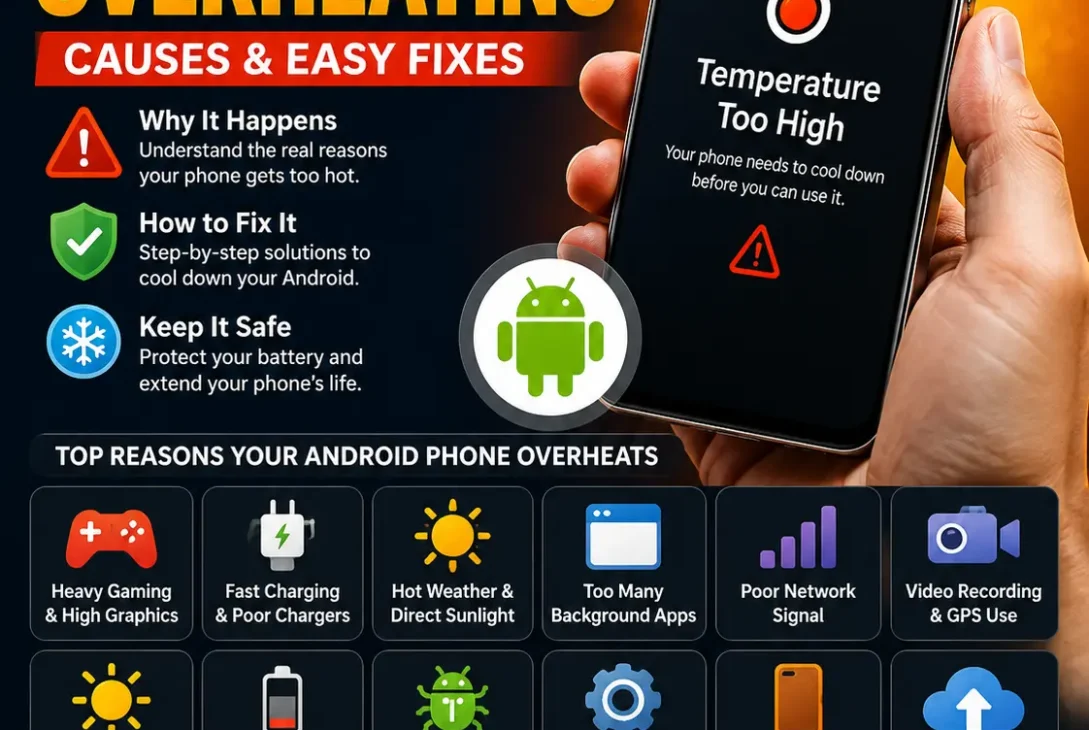
If your android phone overheating, don’t automatically assume the battery is damaged. Android phones can become warm during normal activities such as gaming, video recording, navigation, fast charging or using the camera for extended periods.
The problem becomes more concerning when the phone stays extremely hot during light use, repeatedly shuts down, becomes unusually slow or shows a temperature warning.
Common causes include:
- Heavy gaming
- Fast charging
- Direct sunlight
- Hot weather
- Background apps
- Poor cellular signal
- High screen brightness
- Video recording
- GPS navigation
- Battery problems
- Faulty chargers or cables
- Software bugs
- Resource-heavy applications
The good news is that many overheating problems can be reduced with a few simple changes.
Why Is My Android Phone Getting Hot?
Your phone produces heat whenever its processor, battery, modem or other internal components are working.
For example, playing a demanding 3D game requires the CPU and GPU to work harder. Streaming high-resolution video uses processing power and network connectivity. Charging also naturally produces some heat.
A warm phone isn’t necessarily a problem.
What matters is how hot it becomes, how long it stays hot and what you’re doing when the heating occurs.
If your phone becomes warm during a demanding task and cools down afterward, that can be normal.
If it becomes extremely hot while sitting idle, however, you should investigate further.
https://support.google.com/android/
Android Phone Overheating While Charging
Charging is one of the most common situations where Android phones become noticeably warm.
Fast charging can generate more heat because the battery is receiving energy at a higher rate.
Some warmth during charging is normal, particularly when using fast charging.
Don’t Use Your Phone Heavily While Charging
Avoid demanding activities such as gaming or 4K video recording while your phone is charging.
Doing both at the same time can increase heat because the battery is receiving power while the processor and graphics hardware are also working hard.
Instead, let the phone charge with the screen off whenever possible.
Remove a Thick Case
Some protective cases can make it harder for heat to escape.
If your phone becomes unusually hot while charging, temporarily remove the case and see whether the temperature improves.
You don’t necessarily need to stop using the case permanently. This is simply a useful troubleshooting test.
Use a Reliable Charger
A poor-quality charger or damaged cable can cause charging problems and unnecessary heat.
Use the charger recommended by your phone manufacturer or a reputable compatible charger that supports the appropriate charging standard.
If the phone suddenly started overheating after you changed your charger or cable, test it with another trusted charging setup.
Hot Weather Can Make Your Phone Overheat
Environmental temperature has a major effect on your phone.
Using an Android phone outside in direct sunlight can make it heat up much faster than using it indoors.
This is especially noticeable during summer.
Avoid leaving your phone:
- Inside a parked car
- On a dashboard
- Under direct sunlight
- Near a heater
- On a hot surface
If your phone becomes hot outdoors, move it to a cooler shaded location and stop demanding tasks until it cools down.
Don’t put a hot phone in a freezer or refrigerator.
Rapid temperature changes can create condensation and potentially damage internal components.
Check Which Apps Are Using the Most Battery
A badly optimized or constantly active application can cause your phone to remain warm even when you’re not actively using it.
Open your Android phone’s battery settings and check which apps are consuming the most power.
On many Android devices, you’ll find this under:
Settings → Battery → Battery usage
The exact menu can vary by manufacturer and Android version.
Look for applications that are consuming unusually large amounts of battery while you aren’t actively using them.
If one particular app is consistently at the top, update it first.
If the problem started after installing or updating that application, temporarily uninstalling or disabling it can also help identify the cause.
Close Unnecessary Background Apps
If your android phone overheating continues even when you’re not gaming or recording video, check the apps running in the background.
Some applications continuously use the processor, location services, mobile data or synchronization features.
You don’t need to manually close every app after using it. Instead, look for apps that are unusually active or consuming excessive battery.
If one application is consistently using significant power, update it or restrict its background activity through your phone’s battery settings.
Reduce Screen Brightness
A bright display can contribute to power consumption and heat, particularly when you’re using the phone outdoors.
If your screen is permanently set to maximum brightness, reduce it to a comfortable level.
You can also enable adaptive or automatic brightness if your Android phone supports it.
This won’t solve every overheating problem, but it can reduce unnecessary power consumption during everyday use.
Turn Off Features You Don’t Need
Wireless and location features can contribute to battery usage when they’re actively being used.
If you’re not using them, temporarily disable features such as:
- Bluetooth
- GPS/location
- Mobile hotspot
- NFC
- Wi-Fi scanning
You don’t need to turn everything off permanently. The goal is to identify whether a particular feature is contributing to the heat.
Mobile hotspot is especially worth checking because your phone is simultaneously maintaining a cellular connection and sharing that connection with other devices.
Poor Cellular Signal Can Make Your Phone Hot
A weak mobile signal can cause your phone to work harder to maintain communication with the cellular network.
You may notice this when you’re inside a building, underground or in an area with poor coverage.
If your phone becomes unusually warm in a location with very weak signal, compare its temperature after moving somewhere with better reception.
When you don’t need cellular connectivity, using Wi-Fi or Airplane Mode can also reduce unnecessary radio activity.
Gaming Can Cause Android Phones to Heat Up
Modern Android phones can run demanding games, but intensive gaming naturally produces heat.
Games with advanced graphics put significant demand on the CPU and GPU.
If your phone becomes hot during gaming:
- Lower the graphics quality
- Reduce the frame-rate setting
- Take regular breaks
- Avoid playing while charging
- Remove a thick case temporarily
- Keep the phone away from direct sunlight
- Close unnecessary background applications
A phone becoming warm during intensive gaming isn’t automatically a sign of hardware failure.
The concern is when temperatures remain excessive or the phone repeatedly shuts down, throttles severely or displays a temperature warning.
Restart Your Android Phone
A simple restart can fix temporary software processes that are consuming excessive resources.
If an app or system process has become stuck, restarting the phone can stop it and give the operating system a clean start.
If your phone has recently started overheating without an obvious reason, restart it and monitor the temperature afterward.
If the problem disappears but returns repeatedly, continue investigating recently installed applications, software updates and battery usage.
Update Android and Your Apps
Software bugs can sometimes cause unusual processor or battery activity.
Check whether your phone has a pending Android or manufacturer software update.
Also update applications through the Google Play Store.
This is particularly important if the overheating started immediately after installing a new application or following a major software update.
If the manufacturer has released a later update containing stability or battery improvements, installing it may resolve the issue.
Check Battery Health
An aging or damaged battery can contribute to overheating.
Battery condition information varies between Android manufacturers.
Some phones provide battery-health information directly in Settings, while others may provide diagnostic tools through the manufacturer’s support application.
Watch for additional warning signs such as:
- Battery draining unusually quickly
- Unexpected shutdowns
- Phone becoming hot during light use
- Battery percentage dropping rapidly
- The back panel lifting or separating
- Charging becoming unusually slow
A swollen battery is particularly serious.
If the phone’s battery appears swollen or the back cover is lifting, stop using and charging the device and seek professional service.
Check Your Charger and USB Cable
If your android phone overheating mainly happens while charging, the charger and cable should be part of your troubleshooting process.
Use the original charger when possible, or choose a reputable charger that is compatible with your phone’s charging requirements.
Avoid damaged cables, loose connectors and extremely cheap chargers from unknown sources.
If the phone stays noticeably cooler with a different trusted charger, the original charging setup may be contributing to the problem.
Avoid Charging in Hot Places
Charging already produces some heat, so adding external heat can make the situation worse.
Don’t charge your phone:
- Under a pillow
- Under a blanket
- Inside a closed bag
- In direct sunlight
- In a hot car
- Directly beside a heater
Place the phone on a hard, open surface where heat can dissipate.
Check for Malware or Suspicious Apps
Malware isn’t the most common reason for an overheating Android phone, but a suspicious application can consume excessive processor power, battery and network resources.
Think about whether the problem started after installing an unfamiliar application.
If it did, uninstall the app and monitor your phone.
Also avoid downloading APK files from unreliable websites. Installing applications outside trusted sources can increase security risks.
Use Safe Mode to Find Problem Apps
If you suspect a third-party application is responsible, Android’s Safe Mode can help identify the problem.
Safe Mode starts the phone with most third-party applications disabled.
The exact process varies between manufacturers, but it commonly involves restarting the phone and using the power-button or volume-button combination during startup.
If your phone becomes noticeably cooler in Safe Mode, a recently installed or updated application could be responsible.
You can then remove suspicious or recently installed apps one by one.
Check If Your Phone Is Overheating While Idle
An Android phone should generally cool down when you’re not using demanding applications.
If the device remains hot while sitting on a table with the screen off, that’s a stronger reason to investigate.
Check:
- Battery usage
- Recently installed apps
- Background activity
- Mobile signal strength
- Pending software updates
- Charging behavior
- Location services
If the phone is consistently hot while idle and the battery is draining quickly, consider having the device professionally inspected.
Turn Off 5G Temporarily
In areas with weak or inconsistent 5G coverage, your phone may use additional power while switching between network connections.
As a troubleshooting test, temporarily switch to 4G/LTE and monitor the phone.
The exact settings depend on your Android manufacturer and carrier.
If the phone becomes noticeably cooler on 4G, network conditions may be contributing to the extra battery usage.
This doesn’t necessarily mean 5G is faulty.
Don’t Use Performance Mode All the Time
Some Android phones offer performance modes designed to maximize gaming or processing performance.
These modes can increase processor performance and therefore generate more heat.
If you’re not gaming or performing demanding tasks, use the phone’s normal or balanced performance mode when available.
This can reduce unnecessary power consumption during everyday use.
When Should You Stop Using an Overheating Phone?
A slightly warm phone isn’t usually a reason to panic.
However, you should take overheating more seriously if you notice:
- A temperature warning
- Extreme heat that is uncomfortable to touch
- Smoke or unusual smells
- Battery swelling
- The back cover separating
- Repeated unexpected shutdowns
- Severe battery drain
- Charging problems accompanied by excessive heat
If the phone becomes dangerously hot, disconnect it from the charger, stop using it and move it away from flammable materials.
Don’t attempt to open or puncture a swollen battery yourself.
If the problem persists after the basic troubleshooting steps, contact the manufacturer’s support service or a qualified repair professional.
Android Phone Overheating: Quick Fix Checklist
If your android phone overheating problem isn’t severe, work through these fixes in order:
- Stop gaming or other demanding apps.
- Remove the phone from direct sunlight.
- Disconnect the charger if the phone is extremely hot.
- Remove a thick case temporarily.
- Restart the phone.
- Check battery usage for apps consuming excessive power.
- Update Android and your applications.
- Try a different trusted charger and cable.
- Disable hotspot, GPS or other features you don’t currently need.
- Test the phone on another network if cellular signal is very weak.
- Try Safe Mode if you suspect a third-party application.
- Check the battery for swelling or physical damage.
You don’t need to perform every step if you quickly identify the cause.
For example, if the phone only becomes hot while gaming, reducing graphics settings may be enough. If it becomes hot while sitting idle, investigate background apps, battery condition and software problems instead.
Android Phone Overheating on Samsung, Pixel and Other Phones
The basic troubleshooting process is similar across Android manufacturers, but menu names can differ.
Samsung Galaxy
Samsung phones provide battery and device-care tools that can help identify applications consuming excessive power.
Check the battery section in Settings → Battery or Device Care, depending on your One UI version.
Google Pixel
Pixel phones include battery-management features that can show which applications are using the most power.
Check:
Settings → Battery → Battery usage
Other Android Phones
OnePlus, Xiaomi, Motorola, Nothing and other manufacturers may use different names for battery, performance and temperature-related settings.
If you can’t find a particular option, search your phone’s Settings for terms such as:
Battery, Battery usage, Performance, Power saving or Temperature.
Final Verdict
If your android phone overheating, the cause is often something relatively simple such as heavy gaming, fast charging, direct sunlight, poor signal, background apps or an inefficient application.
Start by stopping demanding tasks and allowing the phone to cool naturally. Then check battery usage, update your software, test your charger and investigate recently installed applications.
Don’t ignore persistent overheating, especially when it happens during light use or while the phone is idle.
A temperature warning, swollen battery, burning smell, smoke or extreme heat is a reason to stop using the phone and seek professional assistance.
For everyday overheating, however, reducing workload, improving ventilation, avoiding heat during charging and keeping Android and apps updated can make a significant difference.
Frequently Asked Questions
Why is my Android phone overheating?
Common causes include demanding apps, gaming, fast charging, hot weather, direct sunlight, poor cellular signal, background activity and battery problems.
Why is my Android phone overheating while charging?
Fast charging naturally creates some heat, but excessive heat can be caused by a damaged cable, unsuitable charger, hot environment or heavy phone usage while charging.
Is it normal for an Android phone to get warm?
Yes. Phones can become warm during charging, gaming, video recording, navigation and other demanding tasks. The concern is excessive or persistent heat.
Why is my Android phone hot when I’m not using it?
A background application, poor cellular signal, software process or battery problem could be responsible. Check battery usage and recently installed applications.
Can a phone case cause overheating?
A thick or poorly ventilated case can make it harder for heat to escape. Remove the case temporarily to see whether the temperature improves.
Does fast charging make Android phones hotter?
Fast charging can generate additional heat because the battery is receiving power at a higher rate. Some warmth during fast charging is normal.
Should I put an overheating phone in the refrigerator?
No. Rapid cooling can cause condensation and potentially damage internal components. Move the phone to a cool, dry area and let it cool naturally.
Can gaming cause an Android phone to overheat?
Yes. Demanding games can heavily use the CPU and GPU. Lowering graphics settings and avoiding gaming while charging can reduce heat.
Can a bad charger make an Android phone overheat?
A damaged or poor-quality charger or cable can contribute to charging and heat problems. Use the manufacturer’s charger or a reputable compatible alternative.
When should I stop using an overheating phone?
Stop using and charging the phone if it becomes extremely hot, shows a temperature warning, smells unusual, smokes or has a swollen battery. Seek professional assistance for serious battery problems.