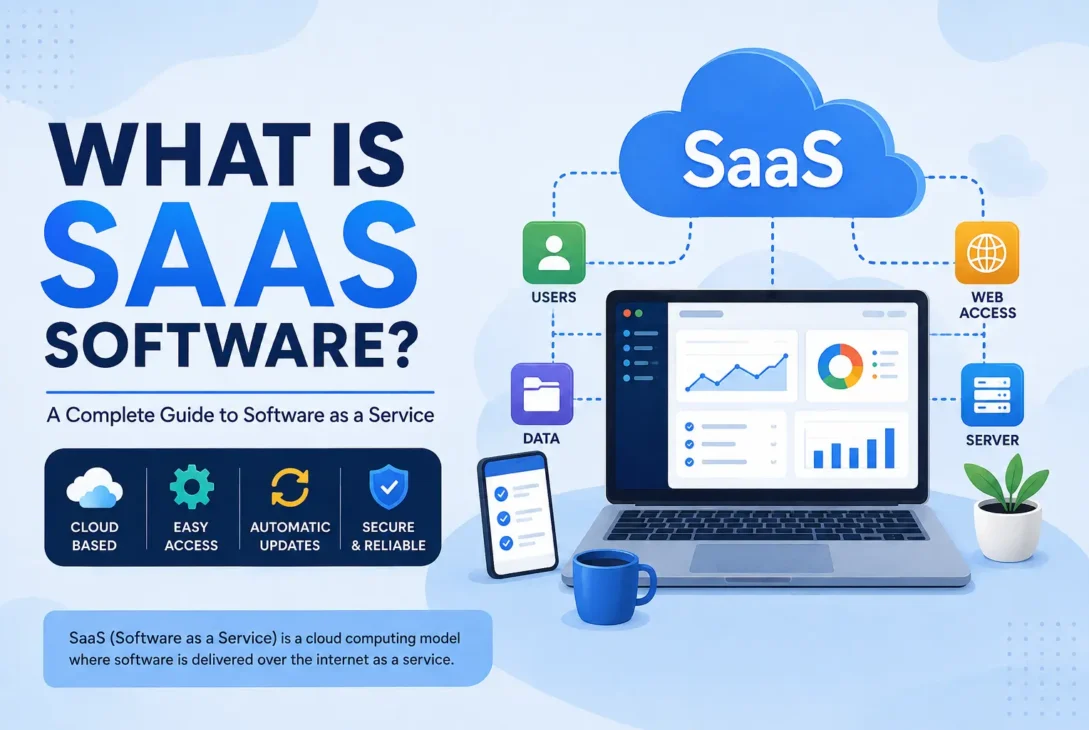
If you’ve ever used an online application without downloading a traditional desktop program, you’ve probably already used SaaS software. From project management platforms and accounting tools to email marketing systems and customer relationship management platforms, Software as a Service has become an important part of modern computing.
But what is SaaS software, and how is it different from the software people traditionally installed on their computers?
In simple terms, SaaS is a software delivery model in which an application is hosted by a provider and made available to customers over the internet. Instead of purchasing a program, installing it on a computer, and managing updates yourself, you normally access the software through a web browser or supported application.
The provider handles much of the technical infrastructure behind the service, including hosting, maintenance, updates, and often security and backups.
This model has changed how individuals and businesses purchase and use software. Instead of making a large upfront investment in software licenses and hardware, customers can often subscribe to a service and pay monthly or annually.
What Is SaaS Software?
SaaS stands for Software as a Service.
It is a software distribution model where the software provider hosts an application on its own infrastructure and gives customers access to it through the internet.
The basic concept is simple.
With traditional software, you might purchase a program, download an installer, install the application on your computer, and then manage updates yourself.
With SaaS, much of that infrastructure is managed by the service provider.
You typically create an account, choose a subscription plan, and sign in through a website or application.
The software runs on the provider’s infrastructure, while you interact with it through your internet-connected device.
For example, instead of installing a complicated accounting system on every employee’s computer, a business can use a browser-based accounting platform. Employees can sign in from supported devices and access the information they are authorized to use.
This approach can make software easier to deploy, maintain, and scale.
https://www.ibm.com/think/topics/saas
How Does SaaS Software Work?
SaaS applications generally operate through a cloud-based infrastructure.
The provider hosts the application and associated data on servers. Customers connect to the service over the internet.
A simplified process looks like this:
Customer → Internet → SaaS Application → Provider’s Infrastructure
When you log in, the service authenticates your account and provides access to the features included with your subscription.
The provider manages the underlying infrastructure.
This can include:
- Servers
- Databases
- Application software
- Network infrastructure
- Security systems
- Software updates
- Backups
- Monitoring
The exact architecture varies from one SaaS company to another.
Some services use highly distributed cloud infrastructure, while others use different hosting arrangements.
From the customer’s perspective, however, the main advantage is that most of the technical complexity remains behind the service.
Why Has SaaS Become So Popular?
SaaS has become popular because it addresses several limitations associated with traditional software deployment.
Businesses don’t necessarily need to purchase powerful servers or manually install applications on every employee’s computer.
Instead, employees can often access the service through a supported browser or application.
Updates can also be delivered centrally.
When the provider releases a new version, customers generally don’t need to download and install a major upgrade manually.
This creates a more convenient software experience.
For businesses, SaaS can also make it easier to add or remove users as the organization changes.
A company with ten employees may need ten accounts.
If the company grows to fifty employees, it can often expand the subscription accordingly.
SaaS vs Traditional Software
The difference becomes clearer when the two models are compared.
Traditional software is commonly installed directly on a computer or company-controlled server.
SaaS is generally hosted by the provider and accessed remotely.
Traditional Software
A traditional application may require:
- Installation
- Local storage
- Manual updates
- Hardware management
- Software licensing
- Technical maintenance
Depending on the software, organizations may also need IT staff to manage installations and updates.
SaaS
A SaaS application typically provides:
- Internet-based access
- Centralized updates
- Provider-managed infrastructure
- Subscription-based pricing
- Account-based access
- Easier deployment
This doesn’t mean SaaS is automatically better in every situation.
Some organizations have strict requirements around data control, offline operation, customization, or infrastructure ownership.
For those situations, traditional or self-hosted software may still be appropriate.
SaaS Examples
Once you understand the basic concept, SaaS becomes easier to recognize.
Many everyday online services follow this model.
Google Workspace
Google Workspace provides productivity applications such as Gmail, Google Drive, Google Docs, Google Sheets, and Google Meet.
Instead of installing and managing every component on a local server, organizations can access these services through the internet.
This makes collaboration easier because multiple users can work with shared files and services.
Microsoft 365
Microsoft 365 combines familiar productivity software with cloud-based services.
Depending on the plan, users can access applications and services such as Word, Excel, PowerPoint, Outlook, OneDrive, and collaboration tools.
Businesses can manage users, subscriptions, and permissions through centralized administration.
Salesforce
Salesforce is a major example of business-focused SaaS.
It provides customer relationship management capabilities that businesses can use to manage customer information, sales processes, marketing activities, service operations, and other workflows.
Instead of building and maintaining an entire CRM infrastructure themselves, organizations can subscribe to the platform.
Slack
Slack provides communication and collaboration features for teams.
Organizations can create workspaces, channels, direct messages, and integrations with other applications.
Because the service is hosted online, employees can access their workspaces from supported devices.
Canva
Canva is another familiar example of cloud-based software.
Users can create designs through a web browser or supported application without needing to install a traditional professional design suite for every task.
The platform also provides collaboration and cloud storage features depending on the plan.
Dropbox
Dropbox provides cloud-based file storage and synchronization.
Users can store files online and access them from supported devices.
Businesses can also use centralized administration and collaboration features through appropriate plans.
SaaS for Businesses
Businesses are among the biggest users of SaaS applications.
Modern companies often rely on dozens of cloud services to operate daily activities.
A business might use one SaaS application for accounting, another for customer management, another for project management, and another for employee communication.
This creates a connected software ecosystem.
For example, a marketing agency might use:
- CRM software for leads
- Project management software for tasks
- Communication software for internal discussions
- Accounting software for invoices
- Cloud storage for documents
- Analytics software for reporting
Instead of developing every system internally, the company can subscribe to specialized services.
This can reduce development requirements and allow employees to focus on the company’s core activities.
SaaS for Small Businesses
Small businesses can particularly benefit from the SaaS model.
A small company may not have the budget to hire a large IT department or purchase expensive server infrastructure.
Cloud-based applications can provide access to sophisticated features without requiring the business to build everything from scratch.
For example, a small online store may use SaaS tools for:
- Email marketing
- Customer support
- Accounting
- Inventory management
- Website analytics
- Team communication
- Project management
This allows small teams to use software that would previously have required significant technical resources.
SaaS for Startups
Startups often need to move quickly.
Building every internal software system from the ground up can consume valuable time and money.
SaaS applications allow startups to adopt existing solutions instead.
A new company can subscribe to a CRM, payment platform, communication system, analytics service, and project management tool within a relatively short period.
This allows the team to concentrate on developing its actual product or service.
However, startups should avoid subscribing to too many tools.
A large collection of overlapping SaaS products can become expensive and difficult to manage.
SaaS for Individual Users
SaaS isn’t limited to companies.
Individuals use cloud-based software every day.
Examples include:
- Online design tools
- Cloud storage
- Personal productivity applications
- Note-taking platforms
- Email services
- Online learning platforms
- Photo editing tools
- Financial applications
The user doesn’t necessarily need to understand the infrastructure behind the service.
They simply create an account, sign in, and use the application.
Main Features of SaaS
SaaS products can differ significantly, but many share several characteristics.
Internet-Based Access
One of the defining characteristics is remote access.
Instead of relying entirely on software installed on one computer, users can access the application through an internet connection.
This makes it easier to work across different locations and devices.
Subscription Access
Many SaaS companies use recurring subscriptions.
Customers may pay monthly or annually for access.
Some providers also offer different plans based on features, users, storage, or usage.
Automatic Updates
The provider generally manages software updates.
Users don’t have to manually install every new version.
This can make maintenance easier, particularly for businesses with many employees.
Centralized Data
Depending on the application, data is generally stored within the provider’s infrastructure.
This allows users to access information from multiple supported devices.
It can also make collaboration easier because team members can work with shared information.
Scalability
SaaS platforms are often designed to support organizations of different sizes.
A company may start with a small plan and move to a larger plan as its requirements grow.
This flexibility is one reason cloud-based software is attractive to growing businesses.
SaaS and Remote Work
The growth of remote and hybrid work has increased the importance of cloud-based applications.
Employees don’t always work from one office anymore.
They may work from home, a coworking space, another city, or another country.
SaaS applications can make this arrangement easier because employees can access supported services from different locations.
A remote team can communicate through a cloud collaboration platform, manage tasks through project management software, share files through cloud storage, and communicate with customers through a CRM.
This creates a digital workplace without requiring every employee to be physically connected to the same office network.
SaaS and Collaboration
Collaboration is another major advantage.
Traditional desktop software may require users to exchange files manually.
Cloud applications can allow multiple authorized users to work with shared information.
For example, a team might collaborate on a document without repeatedly sending different versions through email.
Changes can often be synchronized across users.
The exact collaboration features depend on the product, but the general principle remains the same: cloud-based access can make teamwork easier.
SaaS and Automatic Backups
Some SaaS platforms provide backup and recovery capabilities.
However, customers should not assume that every SaaS provider automatically protects every piece of data forever.
Backup policies vary.
Before choosing a business-critical service, review its documentation and terms.
Look for information about:
- Backup frequency
- Data retention
- Recovery procedures
- Account recovery
- Disaster recovery
- Data export
For important business data, organizations should understand exactly how the provider handles data protection.
Is SaaS the Same as Cloud Computing?
Not exactly.
Cloud computing is a broad concept that includes many different types of technology and services.
SaaS is one category within cloud computing.
Other cloud service models include Infrastructure as a Service and Platform as a Service.
The easiest way to understand the distinction is:
Cloud computing is the broader concept.
SaaS is a software delivery model that uses cloud-based infrastructure to provide applications to customers.
A company can use cloud infrastructure without directly using a SaaS application.
Likewise, a SaaS provider can use cloud infrastructure behind its product while customers simply interact with the application.
Why SaaS Matters Today
SaaS has changed the relationship between businesses and software.
Instead of software being treated primarily as a product that is purchased and installed, it can be delivered as an ongoing service.
This has changed how companies budget for technology, deploy applications, manage employees, and introduce new tools.
For customers, SaaS can provide easier access to software.
For providers, recurring subscriptions can create an ongoing relationship with customers.
For organizations, the model can make it easier to adopt specialized applications without building everything internally.
However, the model also introduces new considerations around subscriptions, data ownership, internet dependency, security, and vendor management.
Understanding both the benefits and limitations is important before adopting any SaaS platform.
Key Takeaway
If someone asks what is SaaS software, the simplest answer is that it is software delivered as an ongoing service over the internet rather than as a traditional application that customers must fully install and manage themselves.
The provider typically manages the underlying infrastructure, maintenance, updates, and much of the technical operation.
Customers generally access the software through a browser or supported application and pay according to the provider’s pricing model.
SaaS can be useful for individuals, startups, small businesses, and large organizations.
However, choosing a SaaS product requires more than looking at its features.
Customers should also consider pricing, security, reliability, integrations, support, data management, and the long-term relationship with the provider.
In the next section, we’ll look at the major benefits and disadvantages of SaaS, different pricing models, security considerations, and how businesses can decide whether a SaaS platform is the right choice.
Benefits of SaaS Software
Now that the basic concept is clear, the next question is why so many organizations use this software model.
SaaS can provide several practical advantages compared with traditional software, particularly for businesses that want flexibility and easier deployment.
Lower Upfront Costs
Traditional enterprise software can require significant upfront spending.
A company may need to purchase licenses, servers, networking equipment, installation services, and technical support.
A SaaS subscription can reduce some of these initial costs.
Instead of purchasing a complete software system upfront, a company can often pay a recurring fee based on its requirements.
This doesn’t necessarily mean SaaS is always cheaper.
Over several years, subscription costs can become significant.
However, the subscription model can make technology expenses more predictable and reduce the need for large initial investments.
Faster Deployment
Another major advantage is speed.
Traditional software can require installation and configuration across many computers.
A cloud-based application can often be introduced much faster.
Employees may simply receive account credentials and instructions for accessing the service.
For businesses that need to deploy software across multiple locations, this can save considerable time.
Automatic Software Updates
With traditional applications, updates may need to be downloaded and installed manually.
Some organizations may delay updates because installing them across hundreds of computers takes time.
With SaaS, updates are generally managed centrally by the provider.
Customers usually receive improvements without having to install a new version manually.
This can make maintenance easier for businesses.
However, automatic updates can also introduce challenges.
A change made by the provider could affect an existing workflow or interface.
Businesses should therefore choose providers that communicate important changes clearly.
Easy Accessibility
Because the software is usually accessed through the internet, users can often work from different locations.
This can be useful for:
- Remote employees
- Traveling professionals
- Distributed teams
- Freelancers
- International companies
Instead of being tied to a particular computer, users can often access the service from multiple supported devices.
The exact level of access depends on the provider and subscription plan.
Easier Scalability
Businesses don’t remain the same size forever.
A company might start with five employees and eventually grow to fifty or five hundred.
SaaS platforms can make this growth easier because many providers offer different plans or user tiers.
A company can add accounts as its workforce grows.
When employees leave, their access can often be removed.
This can be simpler than purchasing and configuring new software installations for every employee.
Reduced Infrastructure Requirements
A company using traditional enterprise software may need servers and specialized infrastructure.
SaaS moves much of that responsibility to the provider.
This doesn’t eliminate infrastructure.
It changes who manages it.
The provider is generally responsible for operating the servers, databases, networking, and application environment required to deliver the service.
This can reduce the infrastructure burden on the customer.
Easier Collaboration
Cloud-based applications can make collaboration easier because authorized users can work with shared information.
For example, a marketing team can collaborate on documents, campaigns, customer records, and project tasks without maintaining separate copies of everything on individual computers.
This can reduce version conflicts and make information easier to access.
Predictable Billing
Many providers use monthly or annual subscriptions.
This can make technology expenses easier to forecast.
A business can estimate its software costs based on the number of users and selected features.
However, businesses should monitor subscriptions carefully because adding users, storage, integrations, or premium features can increase the total cost.
Disadvantages of SaaS Software
SaaS also has limitations.
It is important to understand them before moving important business processes to a cloud service.
Dependence on the Internet
One of the biggest limitations is internet dependency.
If the application requires an online connection, users may have difficulty accessing it during an internet outage.
This can be a major problem for businesses that depend on the service for daily operations.
Some applications offer offline functionality, but this isn’t universal.
Before selecting a SaaS platform, determine whether your most important workflows can continue if the internet becomes unavailable.
Recurring Subscription Costs
Subscriptions can look inexpensive when viewed month by month.
However, the long-term cost can become substantial.
A business using ten different SaaS products could be paying hundreds or thousands of dollars every month.
Over several years, those costs can become significant.
Organizations should therefore review their software subscriptions regularly.
Remove unused accounts.
Cancel unnecessary services.
Consolidate overlapping tools.
Negotiate enterprise pricing when appropriate.
This can prevent software costs from growing unnoticed.
Vendor Dependence
When you use a SaaS application, you become dependent on the provider.
If the provider changes its pricing, features, policies, or technical architecture, customers may need to adapt.
A provider could also discontinue a product.
This is known as vendor lock-in.
The risk becomes greater when a business stores large amounts of important data inside a platform and relies heavily on its integrations.
Before adopting a critical application, investigate how easily you can export your data.
Limited Customization
SaaS products are designed for many customers.
This means they may not support every specialized requirement.
Some providers offer customization options, APIs, extensions, and integrations.
Others provide a more standardized experience.
If your business has highly specialized workflows, make sure the platform can support them before committing.
Data and Privacy Concerns
When you use cloud-based software, your data may be stored on infrastructure controlled by another company.
This creates important questions.
Where is the data stored?
Who can access it?
How is it protected?
How long is it retained?
Can you export it?
What happens when your subscription ends?
These questions become especially important for organizations handling sensitive customer, financial, legal, or personal information.
SaaS Pricing Models
Different providers use different pricing models.
Understanding them can help you estimate the real cost.
Per-User Pricing
The provider charges according to the number of users.
For example, a company might pay a fixed amount per employee each month.
This model is easy to understand and works well when usage closely corresponds with the number of employees.
However, costs can increase quickly as the company grows.
Tiered Pricing
A provider may offer several plans.
For example:
- Basic
- Professional
- Business
- Enterprise
Each tier may provide different features, storage limits, support levels, or user allowances.
Tiered pricing allows customers to choose a package that fits their requirements.
Usage-Based Pricing
Some platforms charge according to how much the customer uses the service.
The cost could depend on:
- API requests
- Storage
- Transactions
- Data processing
- Messages
- Automation runs
Usage-based pricing can be attractive when usage is unpredictable, but customers need to monitor consumption carefully.
Freemium Pricing
A freemium model provides a basic version at no cost while charging for advanced features.
This allows users to test the product before paying.
Free plans may have restrictions on:
- Storage
- Users
- Features
- Integrations
- Support
- Usage limits
Freemium can be useful for individuals and small teams, but businesses should understand exactly what happens when they reach the limits.
Flat-Rate Pricing
Some products use a fixed subscription price regardless of the number of users or usage within a certain limit.
This can make budgeting easier.
However, the actual value depends on how many people use the service and what features are included.
SaaS Security
Security is one of the most important considerations when selecting cloud-based software.
Customers are trusting the provider with access to their accounts and, in many cases, important business data.
A responsible provider should have appropriate security controls.
These can include:
- Encryption
- Authentication controls
- Access management
- Monitoring
- Security testing
- Backup systems
- Incident response
- Vulnerability management
The exact security architecture varies between providers.
Customers should review the provider’s security documentation rather than assuming every SaaS company offers the same level of protection.
Multi-Factor Authentication
Multi-factor authentication can add another layer of account protection.
Instead of relying only on a password, users may be required to provide an additional verification method.
This can reduce the risk associated with stolen or reused passwords.
For business accounts, administrators should enable strong authentication policies whenever supported.
Role-Based Access
Businesses should avoid giving every employee unrestricted access.
A good SaaS platform may allow administrators to assign roles and permissions.
For example:
- Administrator
- Manager
- Employee
- Viewer
Each role can have different capabilities.
This follows the principle of giving users only the access they need to perform their responsibilities.
Data Encryption
Encryption can help protect information from unauthorized access.
Providers may use encryption while data is being transferred and while it is stored.
However, businesses should review the provider’s documentation to understand exactly what protections are available.
Sensitive organizations may also have additional compliance requirements.
SaaS Compliance
Some businesses operate under strict regulatory requirements.
Depending on the industry, they may need to consider privacy, financial, healthcare, or other regulatory obligations.
Before selecting a provider, verify whether it supports the compliance requirements relevant to your organization.
Don’t assume that using a major cloud provider automatically makes your business compliant.
Compliance is often a shared responsibility.
The provider may offer specific controls and certifications, while the customer remains responsible for configuring the service correctly and following applicable laws.
SaaS Data Ownership
Data ownership should be clearly understood.
Businesses should know:
- Who owns customer data
- Where data is stored
- How data can be exported
- What happens after cancellation
- How long deleted data remains available
- Whether backups are retained
- Whether third-party integrations can access information
These questions should be answered before storing critical business data inside a platform.
SaaS Backup Strategy
A common mistake is assuming that a SaaS provider’s backup system completely replaces the customer’s own backup strategy.
Provider backups are designed primarily for the provider’s operational recovery.
They may not protect you from every situation.
For example, if an employee accidentally deletes a large amount of important information, the provider’s normal retention system may not give you the recovery options you need.
For business-critical information, consider maintaining an independent backup or export strategy where appropriate.
SaaS Integrations
Modern businesses rarely use only one software platform.
They often connect multiple applications.
For example, a company might connect:
CRM → Email Marketing → Analytics → Accounting
Integrations can reduce manual work.
Data can move automatically between systems.
For example, when a new lead enters a CRM, an automation could add the contact to a marketing system.
When a customer completes a purchase, information could be sent to an accounting platform.
This can improve efficiency.
However, integrations also increase complexity.
If one service changes its API or removes an integration, connected workflows may stop working.
APIs and SaaS
Many SaaS platforms provide APIs.
An API allows software systems to communicate with each other.
Businesses can use APIs to:
- Retrieve information
- Send information
- Create records
- Update records
- Automate workflows
- Build custom applications
For technical teams, API availability can be an important factor when selecting a SaaS provider.
A platform with strong API documentation and reliable integrations can be easier to connect with existing systems.
SaaS for Enterprise Companies
Large organizations often have complex software requirements.
Enterprise customers may need:
- Advanced security
- Single sign-on
- Centralized administration
- Audit logs
- Dedicated support
- Custom contracts
- Advanced reporting
- Compliance features
- Large-scale integrations
Enterprise SaaS plans can therefore be significantly different from standard consumer subscriptions.
Large companies should evaluate not only product features but also the provider’s reliability, financial stability, support capabilities, security practices, and contractual terms.
SaaS for Remote Teams
Remote teams can benefit from centralized cloud applications.
Employees can access the same systems from different locations.
For example, a remote company could use one platform for communication, another for project management, and another for document collaboration.
This reduces dependence on a physical office.
However, remote access also increases the importance of security.
Organizations should use strong passwords, multi-factor authentication, access controls, and employee security training.
SaaS and Business Continuity
Cloud-based applications can support business continuity because employees may be able to access services from alternative locations.
If an office becomes unavailable, employees may still be able to work remotely.
However, SaaS doesn’t automatically guarantee business continuity.
A provider can experience outages.
Internet connectivity can fail.
Accounts can become inaccessible.
A complete continuity strategy should consider these possibilities.
How to Evaluate a SaaS Provider
Before purchasing a business-critical application, evaluate more than its marketing page.
Consider:
Reliability
Does the provider have a strong track record?
Security
Does it offer appropriate security controls?
Support
Can customers receive help when something goes wrong?
Integrations
Can it connect with the tools you already use?
Scalability
Can the service support your future growth?
Data Export
Can you retrieve your information if you leave?
Pricing
Is the long-term cost sustainable?
Contract Terms
Are renewal and cancellation conditions clear?
Product Roadmap
Does the provider continue improving the product?
A SaaS application becomes part of your business infrastructure, so selecting one deserves careful consideration.
When SaaS May Not Be the Best Choice
Despite its popularity, SaaS isn’t suitable for every situation.
A company may prefer self-hosted or traditional software when it needs:
- Complete infrastructure control
- Highly specialized customization
- Offline operation
- Specific data-location requirements
- Legacy system compatibility
- Specialized hardware integration
In these cases, the additional management requirements may be justified.
The goal isn’t to choose SaaS simply because it is modern.
The goal is to choose the software delivery model that fits the organization’s actual requirements.
Final Thoughts
The advantages of SaaS include easier deployment, remote access, automatic updates, scalability, collaboration, and reduced infrastructure management.
At the same time, customers need to consider recurring costs, internet dependence, vendor lock-in, customization limits, security, privacy, and data ownership.
The right decision depends on the specific application and business requirements.
A small company may benefit from a simple subscription-based tool.
A large enterprise may need advanced security, compliance, integrations, and administrative controls.
An individual may only need a basic plan.
Understanding these differences makes it easier to choose software that provides long-term value rather than simply selecting the most popular product.
In the final section, we’ll cover how to choose the right platform, SaaS vs cloud software in more detail, common questions, and the final takeaways.
How to Choose the Right SaaS Software
Choosing the right SaaS platform depends on what you need it to accomplish.
Start by identifying the problem you want to solve. Don’t choose software simply because it has a large number of features.
For example, a small business looking for basic invoicing may not need a complex enterprise accounting platform.
Before subscribing, compare:
- Required features
- Ease of use
- Pricing
- Number of users
- Integrations
- Security
- Customer support
- Data export options
- Scalability
- Cancellation terms
A short trial can also help you determine whether the software fits your workflow.
SaaS vs Cloud Software
SaaS and cloud software are related terms, but they aren’t exactly identical.
Cloud computing is the broader technology concept. It includes infrastructure, platforms, storage, databases, and applications delivered through cloud environments.
SaaS specifically describes software that customers access as a service.
For example, a company could rent cloud infrastructure to run its own application. That would involve cloud computing, but it isn’t necessarily SaaS from the customer’s perspective.
A SaaS product is designed to provide the finished software application to its customers.
SaaS vs PaaS vs IaaS
The three common cloud service models can be understood simply.
SaaS
The provider gives you a finished application.
You use the software without managing the underlying infrastructure.
PaaS
The provider gives developers a platform for building and deploying applications.
The developer manages the application while the provider handles much of the underlying infrastructure.
IaaS
The provider supplies infrastructure such as computing resources, storage, and networking.
The customer has much more control but also more responsibility.
This distinction is useful because not every cloud service is SaaS.
Common SaaS Mistakes
Businesses can make several mistakes when adopting subscription software.
Buying Too Many Tools
More software doesn’t necessarily mean more productivity.
Multiple applications can create overlapping features, unnecessary costs, and complicated workflows.
Ignoring Long-Term Costs
A low monthly price can become expensive over several years.
Calculate the expected annual and long-term cost before committing to important software.
Forgetting Data Export
Before storing critical information, understand how you can retrieve it.
A platform that makes data export difficult can create problems if you eventually move to another provider.
Giving Everyone Administrator Access
Employees should generally receive only the permissions they need.
Using appropriate roles can reduce accidental changes and security risks.
Not Reviewing Subscriptions
Companies should periodically review their SaaS accounts.
Remove inactive users and cancel services that are no longer needed.
This can significantly reduce unnecessary spending.
Frequently Asked Questions
What is SaaS software in simple words?
SaaS software is an application that is provided as an online service. Instead of installing and maintaining the entire system yourself, you generally access it through the internet while the provider manages the underlying software and infrastructure.
Is SaaS software installed on a computer?
Some SaaS products offer desktop or mobile applications, but the service itself is generally hosted by the provider. The application may simply provide another way to access the online service.
Is SaaS the same as an app?
Not necessarily. An app describes software that performs a function, while SaaS describes a software delivery model. A SaaS product can have web, desktop, and mobile applications.
Is SaaS only for businesses?
No. Individuals also use many SaaS products, including cloud storage, design tools, productivity platforms, email services, and other online applications.
Does SaaS require an internet connection?
Most SaaS platforms require internet access for their primary functionality. Some applications offer limited offline capabilities, but this depends on the provider.
Is SaaS secure?
SaaS can provide strong security, but security varies between providers. Customers should review authentication, encryption, access controls, compliance information, backup policies, and other relevant protections before choosing a service.
What are the disadvantages of SaaS?
Common disadvantages include recurring subscription costs, internet dependence, vendor lock-in, limited customization, and concerns about data privacy or availability.
Why do businesses use SaaS?
Businesses use SaaS because it can simplify deployment, reduce infrastructure management, support remote work, provide automatic updates, and make it easier to scale software access as the organization grows.
Final Verdict
Understanding what is SaaS software becomes much easier when you look at it as a way of delivering software rather than simply as a type of application.
With this model, a provider hosts and maintains an application while customers access it as an ongoing service.
This approach can offer major advantages.
Businesses can deploy software faster, support remote employees, add users more easily, and avoid managing much of the underlying infrastructure themselves.
Individuals can also benefit from convenient access to applications across supported devices.
However, SaaS isn’t automatically the right solution for every situation.
Customers need to consider subscription costs, internet dependency, security, privacy, vendor lock-in, customization, integrations, and data portability.
The best approach is to evaluate each platform according to your actual requirements.
Choose software that solves a genuine problem, fits your budget, integrates with your existing workflow, provides appropriate security, and gives you a practical way to manage your data.
When these factors are considered together, SaaS can provide a flexible and efficient way to access modern software without the complexity of managing an entire software infrastructure yourself.
Key Takeaways
- SaaS stands for Software as a Service.
- SaaS applications are generally hosted by the provider.
- Users typically access them through the internet.
- Many SaaS products use monthly or annual subscriptions.
- Providers commonly manage updates and infrastructure.
- SaaS can make remote collaboration easier.
- Businesses should consider security and data ownership.
- Subscription costs should be evaluated over the long term.
- Data export and vendor lock-in are important considerations.
- SaaS is one category within the broader cloud-computing ecosystem.