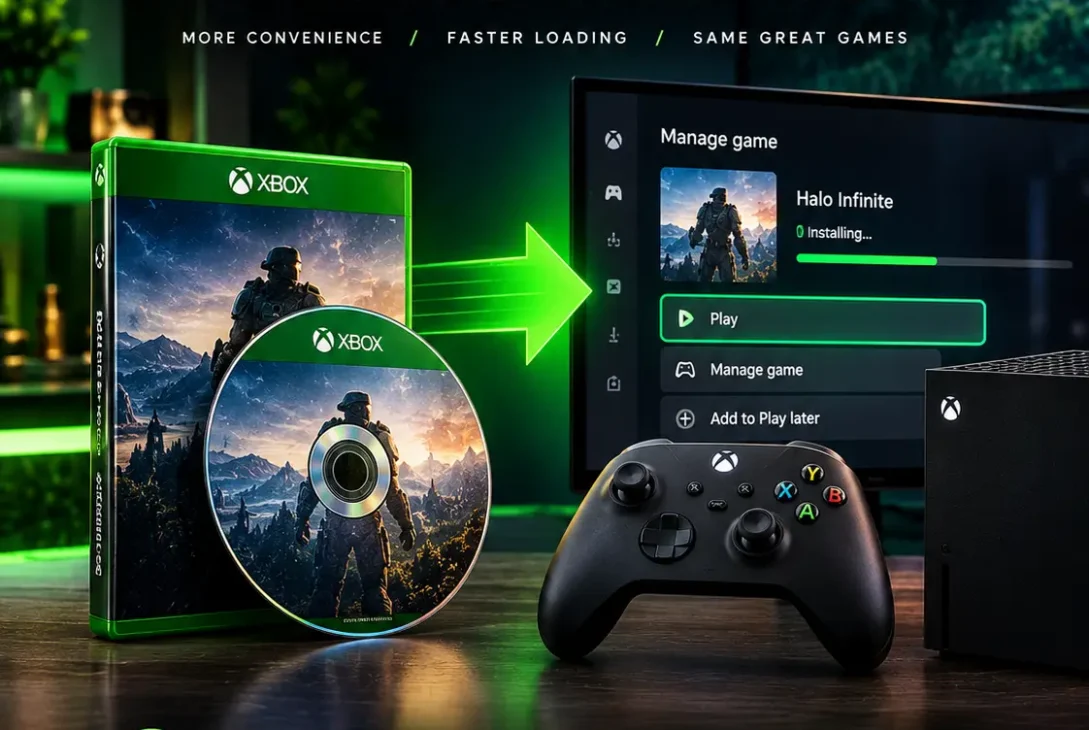
The Xbox disc to digital feature is changing how players can use their physical game collections. Microsoft has introduced a new system that allows owners of supported physical Xbox games to claim a digital entitlement without purchasing the game again.
The new Xbox disc to digital program is currently being tested through the Xbox Insider program. Microsoft says most Xbox One and Xbox Series X disc-based games support the feature, although not every title is available yet. The company is starting with thousands of games and plans to expand the supported catalog over time.
For players who own a large collection of physical games, this can make older purchases more flexible. Once an eligible disc is converted, the player can access the digital entitlement through their Xbox account while the original physical disc continues to work normally.
This guide explains how Xbox disc to digital works, which consoles support it, how to convert an eligible game, what happens to the physical disc, and what limitations you should know about.
Table of Contents
- What Is Xbox Disc to Digital?
- How Does Xbox Disc to Digital Work?
- Which Xbox Games Are Supported?
- Which Xbox Consoles Support the Feature?
- How to Convert an Xbox Disc to Digital
- What Happens to Your Physical Disc?
- Can You Play Without the Disc?
- Can You Sell the Physical Disc?
- Xbox Disc to Digital and Xbox Play Anywhere
- Xbox Disc to Digital and Cloud Gaming
- Are Xbox 360 Games Supported?
- Why Is Microsoft Introducing This Feature?
- Important Limitations
- Frequently Asked Questions
- Final Verdict
- SEO Details
What Is Xbox Disc to Digital?
Xbox disc to digital is Microsoft’s system for turning ownership of an eligible physical Xbox game into a digital entitlement.
Previously, if you owned an Xbox One or Xbox Series X game on disc, you generally needed to insert that disc into a compatible console when you wanted to play the game.
With the new system, an eligible physical disc can be used to claim a digital entitlement.
Microsoft says the feature is designed to give physical game collections more flexibility across the Xbox ecosystem.
The important point is that this isn’t the same as simply copying a game from a disc onto your console.
Instead, the supported disc is used to verify ownership and claim a digital license.
Once the entitlement has been claimed, the digital version can be accessed without repeatedly inserting the physical disc.
How Does Xbox Disc to Digital Work?
The basic Xbox disc to digital process is relatively straightforward.
You insert a supported physical game disc into an Xbox One or Xbox Series X console and launch the game.
If the title is eligible, the console provides an option to claim its digital entitlement.
After the entitlement is successfully claimed, the game becomes associated with the appropriate account.
Microsoft says the physical disc continues to work exactly as it did before.
This means the process doesn’t destroy or deactivate the physical copy.
The important change is that you now have a digital entitlement for the supported game.
Which Xbox Games Are Supported?
One of the biggest questions about Xbox disc to digital is which games can actually be converted.
Microsoft says most Xbox One and Xbox Series X disc-based games are supported, but the company has also made clear that not every title will be available at launch.
The initial program includes thousands of titles, and Microsoft plans to add more over time.
Independent compatibility tracking has also shown the supported list expanding during the Insider testing period.
Because the catalog is changing, you should check the eligibility of an individual game rather than assuming every Xbox disc works.
Publisher Participation Matters
Game publishers can affect whether particular titles participate.
During early testing, players reported that some games from certain publishers were not immediately eligible, although availability can change as Microsoft expands the program.
Therefore, an unsupported game today may not necessarily remain unsupported permanently.
https://news.xbox.com/en-us/2026/08/26/your-discs-now-also-digital/
Which Xbox Consoles Support the Feature?
The current Xbox disc to digital system is designed around physical Xbox One and Xbox Series X games.
Microsoft specifically says supported discs can be inserted into an Xbox One or Xbox Series X console to claim the entitlement.
This distinction is important because the Xbox Series S does not have a physical disc drive.
Xbox Series X
Series X owners can use physical game discs and are therefore able to participate in the disc-based entitlement process for supported titles.
Xbox Series S
The Series S is a digital-only console.
Because it cannot read physical discs, you cannot simply insert a game disc into a Series S and start the conversion process.
If you already own a physical Xbox game and want to use it on a Series S, the new Xbox disc to digital feature may provide a way to claim its digital entitlement using a supported disc-drive Xbox first.
The exact eligibility still depends on the individual game.
How to Convert an Xbox Disc to Digital
If you want to try Xbox disc to digital, follow the basic process below.
Step 1: Use a Compatible Console
Use an Xbox One or Xbox Series X with a working disc drive.
Make sure the console is connected to the internet and signed into the Xbox account you want associated with the entitlement.
Step 2: Insert the Game Disc
Insert your physical game disc into the console.
Wait for Xbox to recognize the game.
Step 3: Launch the Game
Start the game from the console.
If the title is supported, Xbox should provide the relevant option for claiming its digital entitlement.
Step 4: Claim the Entitlement
Follow the instructions shown on the console.
The system will verify the physical disc and associate the eligible digital entitlement with your account.
Step 5: Download the Digital Version
Once the entitlement has been claimed, you can download the digital game to a compatible Xbox device.
The actual game files may still need to be downloaded from Xbox servers.
The disc isn’t necessarily being converted into a digital file stored directly on the disc.
What Happens to Your Physical Disc?
One major advantage of Xbox disc to digital is that Microsoft says the original disc continues to work normally after the digital entitlement is claimed.
The disc isn’t destroyed.
It can still be used as a physical copy.
The new digital entitlement simply provides another way to access the supported game.
This is particularly useful for people who own physical games but want more flexibility when moving between compatible Xbox hardware.
Can You Play Without the Disc?
Yes, that’s one of the main purposes of the Xbox disc to digital system.
After claiming the digital entitlement for a supported game, the game can be accessed digitally without repeatedly inserting the physical disc.
This is different from traditional backward compatibility for disc-based games.
Microsoft’s existing backward-compatibility system normally requires the physical disc to remain in the drive when playing a disc-based compatible game.
The new system changes that experience for supported titles by providing a digital entitlement.
Can You Sell the Physical Disc?
This is an important detail to understand.
According to Microsoft’s system description, the digital entitlement is associated with the physical game ownership and can provide digital access across supported Xbox experiences.
However, ownership behavior can be more complicated than simply assuming the digital license permanently remains with your account after selling the physical disc.
During early testing, users and reporting outlets have examined how licenses behave when physical discs change hands.
Therefore, don’t assume that converting a disc automatically gives you a permanently independent digital purchase that can be separated from the physical ownership relationship.
If you’re planning to sell a converted disc, check the current Xbox rules for that specific title and entitlement.
Xbox Disc to Digital and Xbox Play Anywhere
One of the most interesting aspects of Xbox disc to digital is its connection with Microsoft’s broader Xbox ecosystem.
Microsoft says supported digital entitlements can provide access to features such as Xbox Play Anywhere where supported.
Xbox Play Anywhere allows supported games to work across Xbox consoles and Windows PCs without requiring a separate purchase.
However, not every game automatically becomes a Play Anywhere title.
The individual game’s support determines which devices and features are available.
If a converted game supports Xbox Play Anywhere, its digital entitlement can therefore be considerably more flexible than the original physical disc.
Xbox Disc to Digital and Cloud Gaming
Microsoft also says supported digital entitlements can provide access to Xbox Cloud Gaming where the game supports the service.
This means the new system isn’t only about removing the need for a disc.
For eligible titles and supported accounts, it can potentially connect physical game ownership with other parts of the Xbox ecosystem.
Cloud Gaming availability still depends on the game, service requirements, region, and Xbox subscription or access rules.
Therefore, converting a disc doesn’t automatically mean every game can be streamed.
Are Xbox 360 Games Supported?
The current Xbox disc to digital announcement focuses primarily on Xbox One and Xbox Series X disc-based games.
Microsoft’s existing backward-compatibility program supports selected Xbox 360 and original Xbox games, but disc-based backward-compatible titles normally still require the disc to remain inserted for authentication.
The new system should therefore not be interpreted as a universal conversion service for every Xbox disc ever produced.
If you own an Xbox 360 or original Xbox disc, check its individual backward-compatibility status and the current Xbox support information.
Why Is Microsoft Introducing This Feature?
Microsoft says the program is part of a broader effort around game preservation.
The company wants players to have more flexibility as hardware, distribution methods, and gaming devices change.
That is particularly relevant as gaming hardware becomes increasingly digital.
The Xbox disc to digital system gives owners a way to connect older physical purchases with newer digital features.
The initiative also fits Microsoft’s broader approach to backward compatibility and cross-device gaming.
The Verge reported that the feature is connected to Microsoft’s longer-term efforts to preserve access to games across future hardware.
Important Limitations
Although Xbox disc to digital provides useful flexibility, there are several limitations.
Not Every Game Is Supported
Microsoft says thousands of titles are supported, but not every game is included.
Always check the specific title.
A Disc Drive Is Required for Conversion
The physical disc must be inserted into a compatible disc-drive console to claim the entitlement.
A digital-only console cannot read the disc itself.
Publisher Participation Can Vary
Some titles may not participate initially.
The supported catalog can also change as Microsoft adds games.
Digital Features Vary by Game
Xbox Play Anywhere and Cloud Gaming are not automatically available for every converted game.
They depend on the title’s existing support.
Internet Access Is Required
The entitlement process and digital game downloads require an internet connection.
A factory reset or offline installation shouldn’t be confused with the entitlement process.
Frequently Asked Questions
What is Xbox disc to digital?
Xbox disc to digital is a feature that allows owners of supported physical Xbox One and Xbox Series X games to claim digital entitlements without buying the game again.
How do I convert an Xbox disc to digital?
Insert a supported physical game into an Xbox One or Xbox Series X console, launch the game, and follow the instructions to claim its digital entitlement.
Does Xbox disc to digital cost money?
Microsoft’s announced feature allows eligible physical owners to claim the digital entitlement without purchasing the game again. However, only supported titles qualify.
Does the physical disc still work after conversion?
Yes. Microsoft says the physical disc continues to work normally after its digital entitlement is claimed.
Can I use Xbox disc to digital on Xbox Series S?
The Series S doesn’t have a disc drive, so you cannot insert the physical disc directly into it. A compatible disc-drive Xbox is required for the physical verification process.
Does every Xbox game support disc to digital?
No. Microsoft says most Xbox One and Xbox Series X disc-based games support the feature, but not every title is included.
Can converted games work on PC?
Some eligible games may support Xbox Play Anywhere, allowing access on Windows PC. This depends on the individual game’s Play Anywhere support.
Can converted games work with Xbox Cloud Gaming?
Supported digital entitlements can provide Xbox Cloud Gaming access where the specific game supports it.
Does Xbox disc to digital work with Xbox 360 games?
The current program is focused on Xbox One and Xbox Series X disc-based games. Xbox 360 and original Xbox titles remain subject to Microsoft’s separate backward-compatibility system.
Will more games be added?
Yes. Microsoft says it is starting with thousands of titles and will continue adding more over time.
Can I use my physical disc after getting the digital version?
Yes. Microsoft says the physical disc continues to work as it did previously.
Final Verdict
The Xbox disc to digital program gives physical game owners a new way to connect their disc collections with Xbox’s digital ecosystem.
The process is straightforward for supported games: insert the disc into an Xbox One or Xbox Series X, launch the game, and claim the digital entitlement when the option is available.
The biggest limitation is compatibility. Microsoft says most Xbox One and Xbox Series X disc-based games are supported, but the catalog is still expanding and some publishers or individual titles may not participate yet.
For supported games, the feature can provide additional flexibility, including digital access and, where available, Xbox Play Anywhere or Xbox Cloud Gaming.
The physical disc also continues to work normally, so the new system doesn’t require players to abandon their existing physical collections.
As Microsoft continues expanding the catalog, Xbox disc to digital could become an increasingly important part of how physical Xbox libraries carry forward to newer hardware and services.