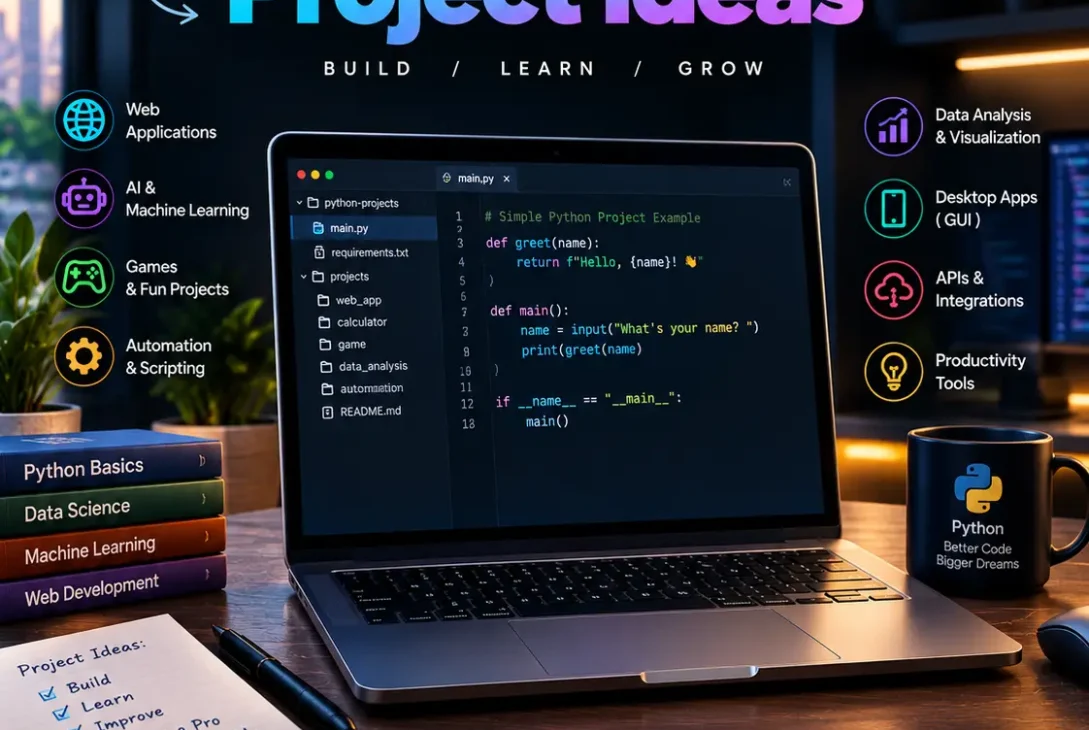
Looking for the best Python project ideas to improve your coding skills, build a portfolio, or prepare for a software development job? Working on practical projects is one of the most effective ways to turn Python knowledge into real programming experience.
Python is used for web development, automation, data analysis, artificial intelligence, cybersecurity, and machine learning. That means you can build anything from a simple calculator to an AI-powered document assistant using the same programming language.
The challenge is choosing a project that matches your current skill level without becoming too easy or unnecessarily complicated.
These python project ideas cover beginner, intermediate, and advanced levels. Each project includes what it does, the skills you’ll learn, and ways to improve it so your finished work can become a useful portfolio project.
Whether you’re a student, a self-taught developer, or someone learning Python for a career change, this list will help you choose a practical project and start building.
Table of Contents
- Why Build Python Projects?
- Beginner Python Project Ideas
- Intermediate Python Project Ideas
- Advanced Python Project Ideas
- AI and Machine Learning Projects
- Python Automation Projects
- How to Choose the Right Project
- How to Make Your Projects Stand Out
- Common Mistakes to Avoid
- Frequently Asked Questions
- Final Verdict
- SEO Details
Why Build Python Projects?
Learning Python syntax is important, but understanding individual concepts does not automatically mean you can build a complete application.
Projects help you connect variables, functions, loops, classes, databases, APIs, and error handling into something useful.
The best python project ideas solve a real problem, even if the first version is small. A file organizer, for example, might initially move downloaded files into folders. You can later add a graphical interface, configuration options, and a log of every change.
Projects also provide tangible evidence of your abilities. Employers and potential clients can examine your code, test your application, and understand how you approach problems.
According to Real Python’s project tutorials, practical projects can help learners develop skills in areas such as web scraping, automation, data analysis, and web applications.
You don’t need to start with advanced AI or complicated software. A small, finished application is often more valuable than an ambitious project that never works properly.
Beginner Python Project Ideas
If you’re new to programming, start with projects that use basic Python concepts. You should be comfortable with variables, conditions, loops, functions, and simple file operations before moving into more complex applications.
These beginner-friendly python project ideas provide a foundation for larger projects later.
1. Personal Expense Tracker
Build a program that lets users record income, expenses, dates, and categories.
For example, someone could enter grocery spending, transportation costs, subscriptions, and monthly bills. The application would calculate total spending and show how much money remains.
Technologies: Python, CSV, SQLite, and optionally Tkinter.
What you’ll learn: Data structures, file handling, functions, calculations, and input validation.
To improve the project, add monthly reports, category-based spending charts, and a budget warning when expenses exceed a specified limit.
This is one of the most practical python project ideas because it solves a problem people encounter in everyday life.
2. Smart To-Do List
Create a task manager that lets users add tasks, assign deadlines, change priorities, and mark work as completed.
Start with a command-line application that stores tasks in a list. Then save them to a JSON file so they remain available after the program closes.
You can eventually build a graphical interface with Tkinter or a web application with Flask.
What you’ll learn: Lists, dictionaries, functions, JSON, dates, and basic application design.
An advanced version could include recurring tasks, reminders, search, and task categories.
3. Quiz Game
Build an interactive quiz that asks multiple-choice questions and calculates the player’s score.
You can create categories such as science, technology, geography, history, and programming.
Store questions in JSON so you can add new content without changing the main program.
What you’ll learn: Conditional statements, loops, random selection, functions, and data storage.
A stronger version could include difficulty levels, a countdown timer, a leaderboard, and explanations for incorrect answers.
4. Password Generator
Create a tool that generates random passwords based on user preferences.
Allow users to select password length and whether to include uppercase letters, lowercase letters, numbers, and special characters.
Python’s built-in secrets module is suitable for generating passwords intended for security-sensitive use.
What you’ll learn: Randomness, strings, user input, functions, and basic security principles.
You can extend the application with a password-strength estimator and a graphical interface. Avoid storing generated passwords in plain-text files.
5. File Organizer
Build a script that automatically sorts files into folders according to their extensions.
For example, images could move into an Images folder, PDFs into Documents, and ZIP archives into Archives.
Use Python’s pathlib and shutil modules to work with file paths and move files.
What you’ll learn: File handling, loops, conditions, operating-system paths, and exception handling.
A useful improvement is a preview mode that shows which files will move before making any changes. Add an undo log so users can reverse mistakes.
Among beginner python project ideas, this one is especially useful because it automates a repetitive computer task.
Intermediate Python Project Ideas
Once you’re comfortable with functions, modules, and file handling, try projects involving APIs, databases, graphical interfaces, or web development.
These python project ideas require more planning, but they can demonstrate stronger practical skills.
6. Weather Forecast Application
Build an application that displays current weather conditions and forecasts for a selected city.
Connect to a weather API and retrieve information such as temperature, humidity, wind speed, and forecast conditions.
You can display the results in a terminal, desktop window, or web dashboard.
Technologies: Python, requests, a weather API, and optionally Streamlit.
What you’ll learn: HTTP requests, JSON responses, API keys, error handling, and data presentation.
Add a search field, save favorite cities, and display temperature charts. Keep API keys out of publicly shared source code.
7. Price Tracking Tool
Create an application that monitors product prices and notifies users when a price falls below their chosen budget.
The tool could save previous prices and show how they change over time.
Technologies: Python, APIs, SQLite, scheduling, and email notifications.
What you’ll learn: Data collection, databases, date handling, automation, and notifications.
Where available, use an official API rather than scraping a website. If scraping is necessary, follow the website’s terms and access rules.
This is one of the more useful python project ideas for learning how automated services work.
8. Personal Finance Dashboard
Take the expense tracker further by building a dashboard with charts and financial summaries.
Users could upload CSV bank statements, categorize transactions, and compare spending across different months.
Use pandas to process the data and Plotly or Matplotlib to visualize the results.
What you’ll learn: Data cleaning, aggregation, visualization, CSV processing, and dashboard development.
You can add filters for dates and spending categories, along with comparisons between planned and actual expenses.
For a portfolio, include a sample dataset containing fictional transactions rather than publishing personal financial information.
9. REST API for a Task Manager
Build a backend service that allows applications to create, read, update, and delete tasks.
Use FastAPI or Flask to create endpoints, and SQLite or PostgreSQL to store the information.
For example, an application could send a request to retrieve all tasks or update a task’s completion status.
What you’ll learn: HTTP methods, JSON, API design, databases, validation, and testing.
Add authentication, pagination, automated tests, and API documentation to make the application more realistic.
Among intermediate python project ideas, this project is particularly useful for aspiring backend developers.
10. Desktop Notes Application
Create a desktop application where users can write, edit, search, and organize notes.
You could use Tkinter for a simple interface or PySide for a more sophisticated desktop experience.
Store notes in SQLite, allowing users to access them after restarting the application.
What you’ll learn: GUI programming, database operations, search, file management, and event handling.
Useful improvements include tags, keyboard shortcuts, automatic saving, and exporting notes as Markdown or PDF.
11. Website Uptime Monitor
Build a tool that checks whether websites are responding and records their availability.
The application can send HTTP requests at reasonable intervals and store response times and status codes.
A dashboard could display recent failures and historical uptime.
What you’ll learn: HTTP requests, scheduling, databases, logging, and monitoring.
For a more advanced version, send an alert when a website fails several consecutive checks. Add configurable intervals and timeouts to avoid excessive requests.
This project demonstrates practical skills relevant to system administration and web operations.
Advanced Python Project Ideas
Advanced projects combine several technologies and require more attention to architecture, testing, reliability, and deployment.
The following python project ideas can help experienced learners build a portfolio that goes beyond basic tutorials.
12. E-Commerce Backend
Build the backend for a small online store.
Include products, categories, shopping carts, customer accounts, orders, and inventory management.
Technologies: Django or FastAPI, PostgreSQL, and automated tests.
What you’ll learn: Database relationships, authentication, API development, validation, and application architecture.
You can add product search, stock tracking, order history, and payment integration through a legitimate payment provider’s test environment.
Do not store raw payment card details yourself. Use a provider’s secure checkout and follow its integration requirements.
13. Recommendation System
Create a system that recommends movies, books, products, or music based on user preferences.
Start with content-based recommendations using categories, descriptions, or other item features. Later, experiment with collaborative filtering using user-item interactions.
Technologies: pandas, NumPy, scikit-learn, and a suitable dataset.
What you’ll learn: Data preprocessing, similarity calculations, model evaluation, and recommendation algorithms.
A useful extension is to explain why each item was recommended and measure how relevant the results are to users.
14. Log Analysis and Monitoring Tool
Develop a tool that reads application or server logs and identifies recurring errors, unusual activity, and performance problems.
The program can group events by type, count failures, and generate reports.
What you’ll learn: Regular expressions, file processing, structured data, logging, and anomaly detection.
For a more advanced version, create a searchable dashboard and send alerts when specific error patterns appear.
This is a strong project for learners interested in backend development, operations, and cybersecurity.
15. Real-Time Collaboration App
Build an application in which multiple users can exchange updates without repeatedly refreshing a page.
Possible features include shared notes, live task updates, or a collaborative chat interface.
Technologies: Python, FastAPI, WebSockets, a database, and a web frontend.
What you’ll learn: Asynchronous programming, real-time communication, user sessions, and concurrency.
Start with two users sharing a single document, then add authentication, conflict handling, and persistent storage.
16. Document Search Engine
Create a local search tool that indexes documents and helps users find relevant information.
Start with text files and PDFs. Extract the text, split it into searchable sections, and rank results according to the user’s query.
Technologies: Python, PDF extraction libraries, SQLite, and optionally vector embeddings.
What you’ll learn: Text processing, indexing, search algorithms, document parsing, and information retrieval.
An advanced version could support semantic search, filters, and references showing which document contains each result.
This is one of the most versatile python project ideas because it can later become the foundation for an AI-powered knowledge assistant.
AI and Machine Learning Projects
AI-related applications are useful portfolio options, but they should solve a clearly defined problem rather than simply adding a chatbot to an ordinary application.
These python project ideas introduce practical AI development while giving you opportunities to learn data processing, APIs, evaluation, and deployment.
17. AI PDF Question-Answering Tool
Build an application that lets users upload a PDF and ask questions about its contents.
The system extracts the document’s text, divides it into smaller sections, retrieves relevant passages, and uses a language model to formulate an answer.
Technologies: Python, PDF parsing, embeddings, a vector database, and an LLM API.
What you’ll learn: Document processing, retrieval-augmented generation, API integration, and evaluation.
A good version should cite the source passages and admit when the document does not contain enough information to answer a question.
18. Customer Review Sentiment Analyzer
Create a tool that classifies customer reviews as positive, negative, or neutral.
Start with a prepared dataset and a simple machine-learning model. Then compare its results with a more advanced natural language processing model.
Technologies: pandas, scikit-learn, and optionally Hugging Face Transformers.
What you’ll learn: Text preprocessing, classification, model evaluation, and visualization.
Display common complaint categories and track sentiment over time. Evaluate the model on data it has not seen during training.
19. AI Meeting Notes Assistant
Build an application that turns meeting transcripts into concise summaries, action items, and follow-up questions.
You can begin with existing text transcripts before introducing speech-to-text functionality.
Technologies: Python, an LLM API, text-processing libraries, and a simple web interface.
What you’ll learn: Prompt design, API integration, structured outputs, and error handling.
Allow users to review the generated notes before sharing them. Meetings may contain sensitive information, so handle uploaded transcripts carefully.
20. Image Classification Application
Train or use a suitable model to identify objects in images.
Start with a manageable classification task, such as distinguishing between different types of flowers or everyday objects.
Technologies: Python, PyTorch or TensorFlow, and a labeled image dataset.
What you’ll learn: Data preparation, model inference, evaluation metrics, and image processing.
A desktop or web interface can let users upload an image and view the predicted category alongside a confidence score.
For a portfolio, explain the dataset, limitations, and common types of prediction errors.
21. AI Research Assistant
Create a research tool that collects information from approved sources, organizes findings, and produces a structured summary with links.
Begin with a small collection of documents or a trusted API. Add retrieval and summarization after the basic search functionality works.
What you’ll learn: API integration, search, text extraction, LLM workflows, and source verification.
The assistant should distinguish sourced facts from generated explanations and preserve links to the original material.
This is a more ambitious addition to a list of python project ideas, but it can demonstrate several modern development skills in one application.
Python Automation Projects
Automation is one of Python’s most practical uses. A short script can save time by handling repetitive tasks consistently.
22. Automated Report Generator
Create a program that reads spreadsheet or CSV data, calculates important figures, and generates a formatted report.
For example, a sales report could summarize revenue, identify the best-performing products, and compare monthly results.
Technologies: pandas, openpyxl, and optionally a PDF generation library.
What you’ll learn: Spreadsheet processing, data validation, report formatting, and workflow automation.
Add a configuration file so users can choose the reporting period and output format without editing the source code.
23. Email Follow-Up Assistant
Build a tool that prepares reminders for unanswered business emails or upcoming follow-ups.
Start with a local task list and scheduled notifications. If you later connect an email service, use its official API and the required authorization process.
What you’ll learn: Date handling, scheduling, API integration, and secure credential management.
A safer first version can draft messages for review rather than automatically sending emails.
24. Duplicate File Finder
Create a program that identifies duplicate files and helps users reclaim storage space.
Instead of comparing only filenames, calculate file hashes to identify files with matching contents.
What you’ll learn: File-system operations, hashing, error handling, and efficient processing.
Begin with a report-only mode. Add an explicit confirmation step before moving or deleting files, and preserve an undo or recovery option where possible.
25. Personal Workflow Automation Tool
Build a single application that combines several repetitive computer tasks.
It might organize downloads, rename files, create backups, generate reports, and prepare a daily checklist.
Use separate Python modules for each task so the application remains easy to maintain.
What you’ll learn: Modular programming, configuration, scheduling, logging, and software design.
This is an excellent final project because you can start with one simple feature and add others as your experience grows.
How to Choose the Right Project
The best project is not necessarily the most complicated one. It is the one you can complete, explain, and improve.
Use these guidelines when evaluating different python project ideas.
Match the Project to Your Skill Level
If you are new to Python, choose a calculator, quiz game, or expense tracker.
If you understand functions, modules, and file handling, try a weather app, website monitor, or price tracker.
If you already work with APIs and databases, consider a REST API, recommendation system, or document search application.
Choose a Problem You Understand
Projects become easier to finish when you know why they are useful.
A student might build a study planner. A freelancer might automate invoices. A data analyst might create a dashboard.
Personal interest also makes debugging and improvement less frustrating.
Keep the First Version Small
Write down the minimum features required for a working application.
For a task manager, the first version might only allow users to add, list, and complete tasks. Search, reminders, and a graphical interface can come later.
Plan How You’ll Demonstrate It
Think about how someone else will test the project.
A screenshot, short demonstration video, hosted application, or clear README can help people understand what you built.
How to Make Your Projects Stand Out
Completing an application is only part of the process. You should also make it easy for another person to understand and run your code.
For stronger python project ideas and portfolio results, follow these practices:
- Use Git: Track changes and keep a clean development history.
- Write a README: Explain the problem, features, installation, and usage.
- Include screenshots: Show what the application looks like.
- Add error handling: Deal with missing files, invalid input, and failed requests.
- Write tests: Verify important functions and expected behavior.
- Protect credentials: Keep API keys and passwords out of public repositories.
- Document limitations: Explain what the application can and cannot do.
- Deploy when appropriate: Make web applications accessible through a demo or hosting service.
You can publish your work on GitHub and use roadmap.sh’s Python project roadmap to find additional challenges across beginner, intermediate, and advanced levels.
A smaller project with reliable functionality, useful documentation, and a clear purpose can make a better impression than a large project copied from a tutorial.
Common Mistakes to Avoid
One common mistake is choosing an advanced project before learning the fundamentals. Building an AI research assistant may sound exciting, but it becomes difficult if you are still struggling with functions and file handling.
Another mistake is following a tutorial line by line without understanding the code. After completing a tutorial, change the features, add your own requirements, and try implementing parts independently.
Avoid starting too many projects at once. Choose one, define a realistic scope, and finish a working version before moving to the next.
Finally, don’t ignore testing. A program that works with one example may fail when a file is missing, an API returns an error, or a user enters unexpected data.
The goal of python project ideas is not simply to collect repository links. It is to develop problem-solving skills and demonstrate that you can build and maintain working software.
Frequently Asked Questions
What are the best Python project ideas for beginners?
A to-do list, expense tracker, quiz game, password generator, and file organizer are excellent starting points. They teach basic Python concepts without requiring complex infrastructure.
Which Python projects are good for a portfolio?
REST APIs, data dashboards, automated reporting tools, document search applications, and machine-learning projects can demonstrate practical skills. Choose a project related to the type of job you want.
Can I build AI projects using Python?
Yes. Python has libraries and API integrations for natural language processing, machine learning, image classification, document search, and AI-powered applications.
Which Python project is best for getting a job?
There is no single best project for every role. Backend developers can build APIs, data analysts can create dashboards, and machine-learning candidates can develop and evaluate predictive models.
Do I need advanced Python knowledge to start a project?
No. Many useful applications require only variables, conditions, loops, functions, and file handling. You can learn additional concepts as your project becomes more sophisticated.
Where can I find more Python project ideas?
Explore roadmap.sh, Real Python, and DataCamp’s Python project collection. These resources provide additional inspiration and learning material.
Should I upload Python projects to GitHub?
Yes, if the code is yours to share and contains no secrets or private data. Add a README, installation instructions, sample inputs, and screenshots where appropriate.
How many Python projects should I complete?
Focus on quality rather than a fixed number. A few finished projects that demonstrate different skills can be more valuable than dozens of incomplete or nearly identical exercises.
Are Python automation projects useful for beginners?
Yes. File organizers, report generators, and simple reminder tools teach practical skills and can produce useful results without requiring a complex user interface.
How long does it take to complete a Python project?
A simple command-line application may take a few hours, while a database-backed web application or machine-learning system may take several days or weeks. The timeline depends on your experience and the project’s scope.
Final Verdict
The best python project ideas help you move from understanding programming concepts to solving practical problems.
Beginners can build a quiz game, expense tracker, or file organizer. Intermediate developers can explore APIs, dashboards, price tracking, and desktop applications. More experienced programmers can develop recommendation systems, document search tools, real-time applications, and AI-powered assistants.
You don’t need to master every Python library before starting. Pick one project that interests you, build a small working version, test it carefully, and improve it step by step.
If your goal is to get a job, choose projects that demonstrate skills relevant to the role. If your goal is automation, focus on a task you perform repeatedly. If you want to explore AI, build an application that solves a specific problem and produces verifiable results.
Ultimately, the most valuable python project ideas are the ones you actually finish, understand, and can confidently demonstrate to someone else.