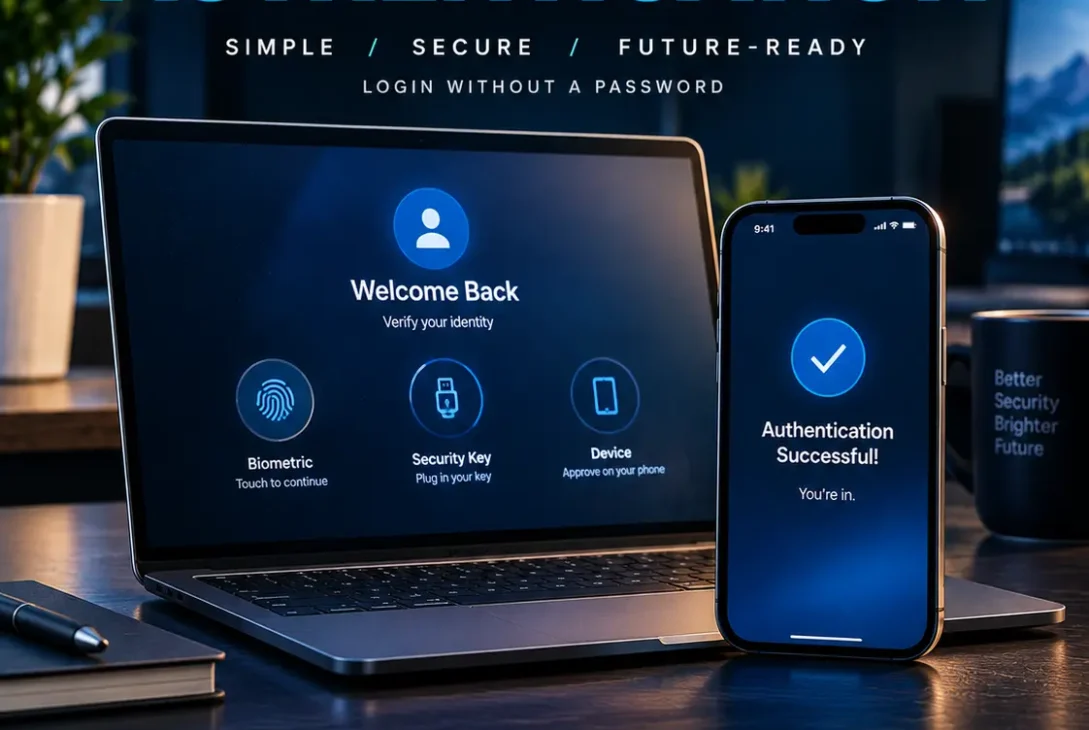
Logging into an account without typing a traditional password is becoming a normal part of modern digital life. Passwordless authentication replaces or reduces the need for passwords by using technologies such as passkeys, biometrics, security keys, device PINs, and other cryptographic credentials.
The shift is happening because passwords create several long-standing security problems. People reuse passwords, choose weak combinations, forget credentials, and can be tricked into entering them on fake websites. Modern passwordless authentication methods are designed to reduce those risks while also making sign-in faster and easier.
In 2026, passkeys are one of the most important technologies driving this change. FIDO Alliance research published in May 2026 reported that more than 5 billion passkeys were in active use globally, while 68% of surveyed organizations with 500 or more employees were deploying, piloting, or rolling out passkeys.
Table of Contents
- What Is Passwordless Authentication?
- How Passwordless Authentication Works
- Passwordless Authentication vs Traditional Passwords
- What Are Passkeys?
- How Passkeys Support Passwordless Authentication
- Common Types of Passwordless Authentication
- Benefits of Passwordless Authentication
- Is Passwordless Authentication More Secure?
- Passwordless Authentication and Phishing Protection
- Passwordless Authentication for Businesses
- Challenges and Limitations
- How to Start Using Passwordless Authentication
- The Future of Passwordless Authentication
- Frequently Asked Questions
- Conclusion
What Is Passwordless Authentication?
Passwordless authentication is a sign-in method that allows users to verify their identity without entering a traditional password.
Instead of relying on a memorized secret, the authentication process can use something the user has, something the user is, or a cryptographic credential stored on a trusted device.
Common examples include:
- Passkeys
- Fingerprint authentication
- Face recognition
- Windows Hello
- FIDO2 security keys
- Device PINs
- Smartphone-based authentication
- Hardware authentication devices
The important distinction is that not every biometric or PIN-based login is automatically passwordless. For example, a fingerprint may unlock a device that then uses a cryptographic credential to authenticate with a website.
Modern passwordless authentication frequently relies on public-key cryptography. During registration, a device or authenticator creates a key pair. The private key remains protected by the authenticator, while the service stores the corresponding public key. Microsoft describes passkeys as phishing-resistant credentials based on FIDO standards and WebAuthn.
How Passwordless Authentication Works
The exact process depends on the technology being used, but a modern passwordless authentication system usually follows a simple sequence.
1. Registering a Credential
When you create a passkey or another passwordless credential, your device generates cryptographic information associated with the website or application.
The private key is protected by your device or passkey provider. The service receives the public key needed to verify future sign-ins.
2. Starting a Login
When you return to the website, you select the available passwordless sign-in option.
For example, a website might display a prompt asking you to use a passkey.
3. Proving Your Presence
Your device may ask you to confirm the login using:
- Fingerprint
- Face recognition
- Device PIN
- Security key
- Another supported local authentication method
The biometric information itself does not normally need to be sent to the website.
4. Cryptographic Verification
The authenticator uses the protected private key to respond to the website’s authentication challenge.
The website verifies the response using the public key associated with your account.
If the verification succeeds, access is granted.
This approach is fundamentally different from sending a password that can potentially be stolen, reused, or exposed during phishing.
Passwordless Authentication vs Traditional Passwords
Traditional password authentication depends on a secret that the user remembers and types.
That creates several risks. A password can be:
- Guessed
- Reused across multiple services
- Captured by malware
- Stolen in phishing attacks
- Exposed in a data breach
- Shared with another person
- Reused after appearing in a previous breach
Passwordless authentication changes the security model by using credentials that are much harder to copy or replay.
| Feature | Traditional Password | Passwordless Authentication |
|---|---|---|
| Memorization | Usually required | Usually not required |
| Phishing resistance | Often weak | Strong with passkeys/FIDO |
| Credential reuse | Common risk | Greatly reduced |
| Biometric support | Optional | Common |
| Device integration | Limited | Strong |
| Security keys | Optional | Supported |
| User experience | Can be slower | Often faster |
| Recovery complexity | Usually familiar | Requires careful planning |
The exact security level still depends on implementation, recovery methods, account policies, and the authenticator being used.
What Are Passkeys?
Passkeys are cryptographic credentials designed to replace passwords for websites and applications.
They are based on FIDO standards and use technologies including WebAuthn and CTAP. FIDO Alliance explains that passkeys can be stored on phones, computers, or hardware security keys and can use the same device-unlock experience users already know, such as biometrics or a PIN.
A major advantage is that a passkey is associated with the website or application for which it was created.
This makes it much more difficult for an attacker to trick a user into authenticating on a fake website.
Microsoft explains that passkeys use origin-bound public-key cryptography, meaning the credential is tied to the legitimate relying party rather than functioning like a reusable password.
How Passkeys Support Passwordless Authentication
Passkeys have become closely associated with passwordless authentication because they combine security with a relatively simple user experience.
For example, instead of typing a password, you might:
- Open a website.
- Choose Sign in with a passkey.
- Confirm your identity with Face ID, a fingerprint, or a device PIN.
- Get signed in.
There is no password to type into the website.
Passkeys can also be synchronized between compatible devices through supported passkey providers. Other passkeys can remain device-bound, meaning the credential is tied to a particular physical authenticator.
Microsoft currently distinguishes between synced passkeys and device-bound passkeys in Microsoft Entra ID.
Common Types of Passwordless Authentication
There is no single technology behind passwordless authentication. Different organizations and services can use different approaches.
Passkeys
Passkeys are becoming one of the most widely discussed passwordless technologies. They use public-key cryptography and can be unlocked through a device’s biometric authentication or PIN.
FIDO2 Security Keys
Physical security keys provide another option.
A user can insert, tap, or otherwise interact with a security key during sign-in. These devices can be particularly useful for administrators, developers, and employees who require strong protection.
Windows Hello
Windows Hello allows compatible Windows devices to use face recognition, fingerprint authentication, or a PIN for sign-in. Microsoft also supports FIDO2 and WebAuthn APIs for passwordless applications on Windows.
Biometrics
Fingerprint and facial recognition can provide a convenient way to unlock a passwordless credential.
However, biometrics are usually part of the local authentication process rather than the complete authentication system by themselves.
Smartphone-Based Authentication
A phone can act as an authenticator for another device or provide access to a passkey stored through a supported password manager or operating-system credential system.
Benefits of Passwordless Authentication
The biggest reason organizations are moving toward passwordless authentication is the combination of security and convenience.
Better Protection Against Phishing
Passwords can be entered into convincing fake websites.
Passkeys are designed differently. Their cryptographic credentials are associated with the legitimate website or relying party, helping prevent attackers from simply collecting a usable password.
Microsoft describes passkeys as phishing-resistant credentials.
Fewer Password Resets
Businesses spend significant time dealing with forgotten passwords and account recovery.
Removing passwords from the authentication process can reduce some of these support requests.
Faster Sign-Ins
A biometric prompt or device PIN can be much quicker than remembering and typing a complex password.
Microsoft reports that its synced passkey experience has shown faster sign-in and higher sign-in success than password-plus-traditional-MFA combinations among its measured consumer account population.
Less Credential Reuse
If users don’t need traditional passwords, they have fewer opportunities to reuse the same password across multiple services.
That reduces the potential impact of password reuse.
Better User Experience
For many users, signing in with a fingerprint, face scan, or device PIN feels simpler than managing multiple passwords.
Is Passwordless Authentication More Secure?
In many implementations, passwordless authentication can provide stronger protection than passwords, especially when it uses phishing-resistant FIDO credentials.
However, it should not be treated as a magic security solution.
The overall security of an account depends on more than its primary login method.
Organizations also need to consider:
- Account recovery
- Device security
- Administrator access
- Backup authentication methods
- Session security
- Endpoint protection
- User enrollment
- Identity-provider configuration
A poorly designed recovery process can undermine an otherwise strong authentication system.
For example, if a company introduces passkeys but allows attackers to reset accounts through a weak SMS recovery process, the strongest authentication method may not protect the account in every scenario.
Passwordless Authentication and Phishing Protection
Phishing remains one of the major reasons organizations are moving away from passwords.
A traditional phishing attack attempts to convince a user to enter their username, password, or authentication code into a fraudulent website.
Passwordless authentication based on FIDO standards changes this interaction because the cryptographic credential is tied to the legitimate service.
The attacker may still create a convincing fake website, but the passkey should not simply provide the attacker with a reusable secret.
This is one reason Microsoft is moving passkeys to the default authentication experience for Microsoft Entra ID beginning September 2026. Microsoft says the change is intended to reduce reliance on phishable methods such as SMS and voice authentication.
https://fidoalliance.org/passkeys/
Passwordless Authentication for Businesses
Businesses have several reasons to consider passwordless authentication.
Employees often access cloud applications, internal systems, collaboration tools, financial platforms, and customer databases. Protecting those accounts is important because one compromised credential can potentially expose multiple systems.
A business deployment can involve:
- Identifying high-risk accounts.
- Enabling passkeys or FIDO2 credentials.
- Creating enrollment instructions.
- Testing recovery procedures.
- Training employees.
- Monitoring authentication events.
- Gradually reducing dependence on passwords.
Microsoft Entra ID supports both synced and device-bound passkeys, as well as FIDO2 security keys.
Organizations should also consider whether different employee groups need different authentication policies.
For example, an administrator with access to highly sensitive systems may use a device-bound credential or hardware security key, while general employees may use synced passkeys.
Challenges and Limitations
Despite the advantages, passwordless authentication has several challenges.
Device Loss
If a user loses their phone or computer, they need a secure way to regain account access.
Recovery procedures therefore need to be designed before passwordless credentials are deployed widely.
Account Recovery
Recovery is one of the most important parts of a passwordless strategy.
A company should avoid replacing a strong primary authentication method with a weak recovery process.
Device Compatibility
Although passkey support has expanded significantly, organizations still need to check compatibility across operating systems, browsers, applications, and identity providers.
Microsoft maintains platform-specific compatibility guidance for passkeys and FIDO2 authentication.
User Education
People may initially wonder where their password went or how they can sign in from a new device.
Clear instructions can make the transition easier.
Legacy Applications
Older applications may still depend on usernames and passwords.
Organizations may therefore need a gradual migration rather than attempting to remove passwords everywhere at once.
How to Start Using Passwordless Authentication
If you want to move toward passwordless authentication, start with the accounts that matter most.
Step 1: Identify Supported Services
Check whether your email provider, cloud services, banking applications, social networks, and business tools support passkeys or FIDO2 authentication.
Step 2: Secure Your Main Device
Make sure your phone or computer is protected with a strong device PIN, fingerprint, face recognition, or another appropriate security mechanism.
Step 3: Register a Passkey
Open the security settings of a supported account and look for options such as:
- Passkeys
- Security keys
- Sign in with a passkey
- FIDO2
- Passwordless sign-in
Step 4: Configure Recovery
Before relying entirely on the new authentication method, understand how account recovery works.
Make sure you have an appropriate backup method that doesn’t create an unnecessary security weakness.
Step 5: Expand Gradually
After successfully using passwordless sign-ins on personal accounts, organizations can consider expanding the approach to more users and services.
The Future of Passwordless Authentication
The future of passwordless authentication is closely connected to passkeys, hardware-backed security, identity platforms, and phishing-resistant authentication.
The technology is already moving beyond early adoption. FIDO Alliance’s 2026 research indicates that passkeys have reached billions of active credentials worldwide and that organizations are increasingly deploying them for workforce authentication.
Large technology platforms are also increasing their support.
Microsoft is making passkeys the default authentication experience in Microsoft Entra ID beginning September 1, 2026, while Microsoft-provided SMS and voice authentication is scheduled for retirement on February 1, 2027, subject to the scope and exceptions described by Microsoft.
This does not mean passwords will disappear from the internet overnight.
Millions of websites and legacy applications still depend on them. But the direction is clear: modern identity systems are increasingly designed around credentials that are harder to phish and easier for users to operate.
For consumers, the biggest change may simply be that signing in becomes something they approve with their device rather than something they remember.
For businesses, the transition requires more planning because enrollment, recovery, compatibility, administration, and security policies all matter.
Frequently Asked Questions
What is passwordless authentication?
Passwordless authentication is a method of verifying a user’s identity without requiring a traditional password. It can use passkeys, biometrics, security keys, device PINs, and other authentication technologies.
Are passkeys the same as passwordless authentication?
Passkeys are one major technology used for passwordless authentication. The broader concept includes other methods such as FIDO2 security keys and Windows Hello.
Is passwordless authentication safer than passwords?
Phishing-resistant methods such as passkeys can provide stronger protection against credential phishing than traditional passwords. However, overall security also depends on device protection, recovery methods, and implementation.
Can I use passwordless authentication on my phone?
Yes. Modern smartphones can support passkeys and other passwordless credentials. The exact experience depends on the operating system, browser, account provider, and authentication technology.
What happens if I lose my device?
The answer depends on the service and credential type. Synced passkeys can potentially be available on another authenticated device, while device-bound credentials may require another registered authenticator or recovery method.
Does passwordless authentication eliminate MFA?
Not necessarily. A passkey can provide strong authentication and may satisfy multifactor requirements when it combines possession of an authenticator with a local user-verification method such as a PIN or biometric. Microsoft specifically describes passkeys as capable of serving as an MFA method when combined with device biometrics or a PIN.
Will passwords disappear completely?
Probably not immediately. Many legacy systems still depend on passwords. However, passkeys and other passwordless technologies are expanding rapidly, and major identity platforms are actively encouraging organizations to move away from phishable authentication methods.
Conclusion
Passwordless authentication represents a major change in how people access websites, applications, and business systems.
Instead of relying on a memorized password, users can authenticate with passkeys, biometrics, security keys, device PINs, and cryptographic credentials. Passkeys are particularly important because they combine a familiar sign-in experience with public-key cryptography and strong resistance to phishing.
The transition will not happen instantly. Businesses still need to handle compatibility, account recovery, device management, and legacy applications. Consumers also need to understand how their credentials are stored and how they can recover accounts if a device is lost.
Still, the move toward passwordless authentication is already well underway in 2026. As passkey support expands across platforms and services, signing in may increasingly feel less like entering a secret and more like securely approving access from a trusted device.