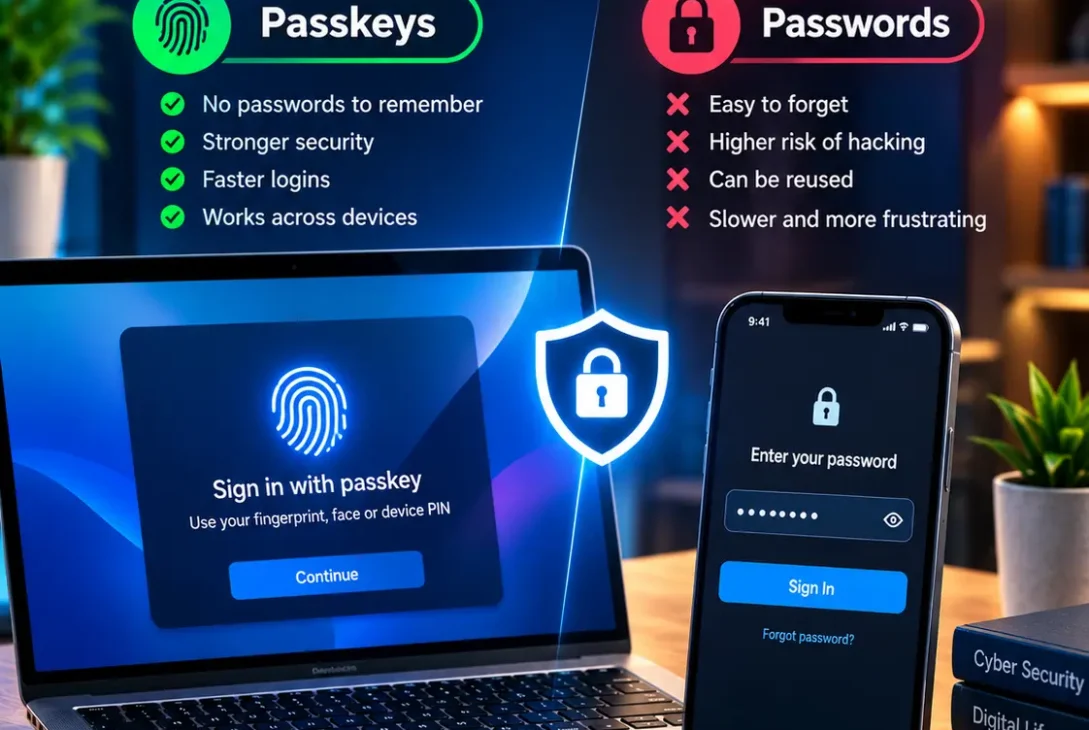
Online accounts have traditionally depended on usernames and passwords, but the way people authenticate themselves is changing. Passkeys are becoming increasingly common across websites, apps, phones, computers, and other devices.
The debate around passkeys vs passwords is no longer just a discussion for cybersecurity experts. Major technology companies, online services, and security organizations are increasingly supporting passwordless authentication.
A passkey allows a user to sign in using a credential stored on a compatible device or credential manager. Instead of remembering and typing a password, the user typically confirms their identity with a fingerprint, face scan, device PIN, or another local unlock method.
The FIDO Alliance reported in 2026 that an estimated 5 billion passkeys were actively being used worldwide, showing how quickly passwordless authentication is expanding.
But does that mean passwords are becoming obsolete? Not necessarily.
This guide explains passkeys vs passwords, how both technologies work, their security differences, advantages, disadvantages, and which option is better for everyday users.
Table of Contents
- What Are Passwords?
- What Are Passkeys?
- Passkeys vs Passwords: How They Work
- Security Comparison
- Phishing Protection
- Credential Theft and Data Breaches
- Ease of Use
- Device Compatibility
- Recovery and Account Access
- Are Passkeys Completely Safe?
- Which Is Better for Businesses?
- Should You Switch to Passkeys?
- Frequently Asked Questions
- Final Verdict
- SEO Details
What Are Passwords?
A password is a secret string of characters used to prove that you are authorized to access an account.
A typical login requires a username or email address followed by a password. Some services then add another authentication method, such as an SMS code or authenticator application.
Passwords are familiar and supported by virtually every online service.
However, they have several weaknesses.
Users often choose passwords that are easy to remember. Others reuse the same password across multiple accounts. If one website suffers a data breach and the password is reused elsewhere, attackers may attempt to access additional accounts using the stolen credentials.
Phishing is another major problem.
An attacker can create a fake login page that looks like a legitimate website and convince a victim to enter their password. Once the password has been submitted, the attacker may be able to use it on the real service.
This is one of the biggest reasons the security industry is exploring alternatives.
What Are Passkeys?
Passkeys are a password replacement based on public-key cryptography and FIDO standards.
Instead of storing a traditional secret that the user has to type, a passkey uses a cryptographic key pair.
The private key remains protected by the user’s device or passkey provider, while the website stores the corresponding public key.
When the user signs in, the device verifies the person using a biometric method, PIN, pattern, or another supported local authentication mechanism.
The biometric information itself does not need to be sent to the website. FIDO explains that biometric processing remains on the user’s device.
This fundamental difference is important when comparing passkeys vs passwords.
With a traditional password, the user must provide a secret to the website.
With a passkey, the website verifies a cryptographic response without receiving the private credential itself.
Passkeys vs Passwords: How They Work
The biggest difference is the authentication model.
With a password, you create a secret and later type that secret into a login form.
With a passkey, your device uses a cryptographic credential to prove that you have the correct authentication key.
For example, imagine logging into an online shopping account.
With a password:
- Enter your email address.
- Enter your password.
- Submit the login form.
- Complete additional verification if required.
With a passkey:
- Enter your email address or select the account.
- Choose the passkey option.
- Unlock your device with your fingerprint, face, or PIN.
- The service verifies the cryptographic authentication.
The process can be faster because there is no password to type or remember.
Security Comparison
Security is where passkeys vs passwords becomes particularly important.
Passwords can be stolen through phishing, credential stuffing, malware, database breaches, social engineering, and password reuse.
Passkeys are designed to address several of these problems at the authentication protocol level.
The FIDO Alliance describes passkeys as phishing-resistant credentials based on public-key cryptography. The credentials are tied to the website or service for which they were created, making them fundamentally different from reusable passwords.
The UK National Cyber Security Centre also announced in 2026 that it would recommend passkeys wherever services support them, based on its analysis of common credential attacks.
That does not mean every implementation is automatically perfect, but the underlying authentication method provides significant security advantages.
Phishing Protection
Phishing is one of the biggest weaknesses of passwords.
A criminal can send an email or message containing a fake login page. If a user enters their password, the attacker receives the credential.
A properly implemented passkey is different.
The authentication is cryptographically associated with the legitimate website’s domain. A fake website cannot simply collect the passkey in the same way it can collect a typed password.
This is one of the strongest arguments in the passkeys vs passwords discussion.
FIDO standards are specifically designed to provide phishing-resistant authentication.
However, users can still be tricked by other forms of social engineering, fake support requests, malicious applications, or compromised devices. Passkeys improve authentication security; they do not make every aspect of cybersecurity risk-free.
Credential Theft and Data Breaches
Another major difference involves what a website stores.
Traditional password systems need to protect password-related credentials on the server side. Even when passwords are properly hashed, a compromised database can create opportunities for attackers.
Passkeys use public-key cryptography.
The website receives and stores the public key, while the private key remains with the user’s authenticator.
This means a conventional database breach does not expose a reusable password in the same way.
The FIDO Alliance says this architecture helps protect against credential stuffing and large-scale attacks involving stolen password databases.
This is another major advantage when evaluating passkeys vs passwords.
Ease of Use
Security is not the only consideration.
A secure authentication method also needs to be convenient enough that people actually use it correctly.
Passwords can be frustrating because users need to remember them, reset forgotten credentials, and create different passwords for multiple accounts.
Password managers solve many of these problems, but users still need to interact with the password-management system.
Passkeys simplify the everyday login process.
Instead of typing a long password, users can generally authenticate with the same method they already use to unlock their phone or computer.
The FIDO Alliance says passkeys are designed to provide faster and simpler sign-ins while eliminating password complexity requirements.
Device Compatibility
Passkeys are now supported across major operating systems, browsers, and passkey providers.
They can be stored and managed through services such as Apple’s iCloud Keychain, Google Password Manager, and supported third-party password managers.
This makes moving between devices easier than it was when passwordless authentication first appeared.
However, compatibility can still vary between websites and services.
Some websites support passkeys fully, while others continue to rely primarily on passwords or offer them as an optional authentication method.
This means users may need to maintain traditional credentials for some accounts even after adopting passkeys elsewhere.
Recovery and Account Access
Account recovery is one area where users should pay attention.
A password can be written down, stored in a password manager, or recovered through an email address or other account-recovery mechanism.
Passkeys can also be synchronized between compatible devices through supported passkey providers.
Synced passkeys are designed to remain available across a user’s devices, and FIDO states that synchronization is protected using end-to-end encryption.
However, users should still make sure their main device ecosystem is properly secured.
If you lose access to your devices or your primary account used to manage credentials, recovery procedures become extremely important.
For particularly sensitive accounts, hardware security keys and device-bound credentials can provide additional protection.
Are Passkeys Completely Safe?
No authentication technology should be described as completely risk-free.
Passkeys are highly resistant to common credential attacks, but the surrounding account, device, software, and recovery systems still matter.
For example, if someone gains control of an unlocked device, they may be able to access accounts that rely on that device.
A compromised email or identity-provider account can also create serious problems.
Users should therefore keep their devices updated, use strong device authentication, enable account-recovery protections, and avoid installing suspicious software.
The security benefit comes from removing the reusable password from the login process, not from making the entire digital environment immune to attacks.
https://fidoalliance.org/passkeys
Which Is Better for Businesses?
For organizations, the passkeys vs passwords comparison is even more significant.
Businesses often manage hundreds or thousands of employee accounts.
Password resets, phishing incidents, credential reuse, and account recovery can create substantial security and administrative costs.
Passkeys can reduce several of these problems by eliminating the need for users to create and remember traditional passwords.
The FIDO Alliance’s 2026 workforce research found that 68% of surveyed organizations were deploying, piloting, or rolling out passkeys for employee authentication.
However, businesses need a proper deployment strategy.
Organizations should consider device management, account recovery, employee onboarding, offboarding, administrator access, backup authentication, and compatibility with existing applications.
For high-security environments, device-bound credentials and hardware security keys may be preferable for certain accounts.
Should You Switch to Passkeys?
For most users, adopting passkeys where they are supported is a sensible security upgrade.
You do not necessarily need to replace every password immediately.
A practical approach is to start with your most important accounts.
Consider enabling passkeys for:
- Primary email accounts
- Cloud storage
- Financial services where supported
- Social media
- Shopping accounts
- Work accounts
- Developer accounts
- Important online services
Keep your account-recovery information current and make sure you understand how your chosen passkey provider handles synchronization and device replacement.
You can gradually move away from passwords as more websites support the technology.
Passkeys vs Passwords: Which Is More Secure?
For common online threats, passkeys generally provide stronger protection than traditional passwords.
Passwords remain vulnerable to phishing, reuse, credential stuffing, and theft.
Passkeys are specifically designed to resist these attacks through cryptographic authentication.
The NCSC’s 2026 assessment concluded that FIDO2 credentials, including passkeys, are as secure or more secure than traditional MFA against common credential attacks observed in the wild.
That makes the security advantage clear.
Passwords still have one major advantage: universal compatibility.
Almost every website supports passwords, while passkey availability continues to expand.
Therefore, the best practical strategy for many users is to use passkeys whenever a trusted service supports them while maintaining secure backup and recovery methods for accounts that still require passwords.
Frequently Asked Questions
What is the main difference between passkeys vs passwords?
Passwords are secrets that users remember and type. Passkeys use cryptographic credentials stored on compatible devices or credential managers and are normally unlocked with a biometric, PIN, or similar local method.
Are passkeys safer than passwords?
Yes, properly implemented passkeys provide stronger protection against phishing and credential theft than traditional passwords.
Can passkeys be hacked?
Passkeys can be affected by broader account, device, or recovery compromises, but they are designed to prevent common attacks such as phishing and credential stuffing.
Do passkeys replace passwords completely?
Not yet. Many websites still support or require passwords, but passkey adoption is increasing rapidly.
What happens if I lose my phone?
Recovery depends on the passkey type and provider. Synced passkeys can often be restored on another compatible device after account recovery, while device-bound credentials may require another recovery method.
Are passkeys stored in the cloud?
Some passkeys can be securely synchronized through a passkey provider, while device-bound passkeys remain tied to a specific device or security key.
Do passkeys use fingerprints?
They can. A compatible device may use a fingerprint, face recognition, PIN, pattern, or another local verification method. The biometric data itself remains on the device.
Should I use a password manager or passkeys?
They solve different problems. Password managers remain useful for websites that still require passwords, while passkeys can provide a more secure passwordless login where supported.
Final Verdict
The passkeys vs passwords debate is increasingly moving in one direction.
Passwords are familiar and universally supported, but they have fundamental weaknesses. They can be reused, guessed, stolen, phished, and exposed through compromised credentials.
Passkeys use a different security model based on public-key cryptography. They remove the need to transmit or remember a reusable password and provide strong protection against phishing and credential stuffing.
Adoption is also accelerating. The FIDO Alliance reported billions of active passkeys in 2026, while the UK’s NCSC has moved toward recommending them wherever services support the technology.
For everyday users, the best approach is not to panic about replacing every password overnight. Instead, start enabling passkeys on important accounts whenever trusted services provide the option.
Passwords will remain part of the internet for years, but passkeys are increasingly becoming the more secure and convenient way to sign in.