
Introduction
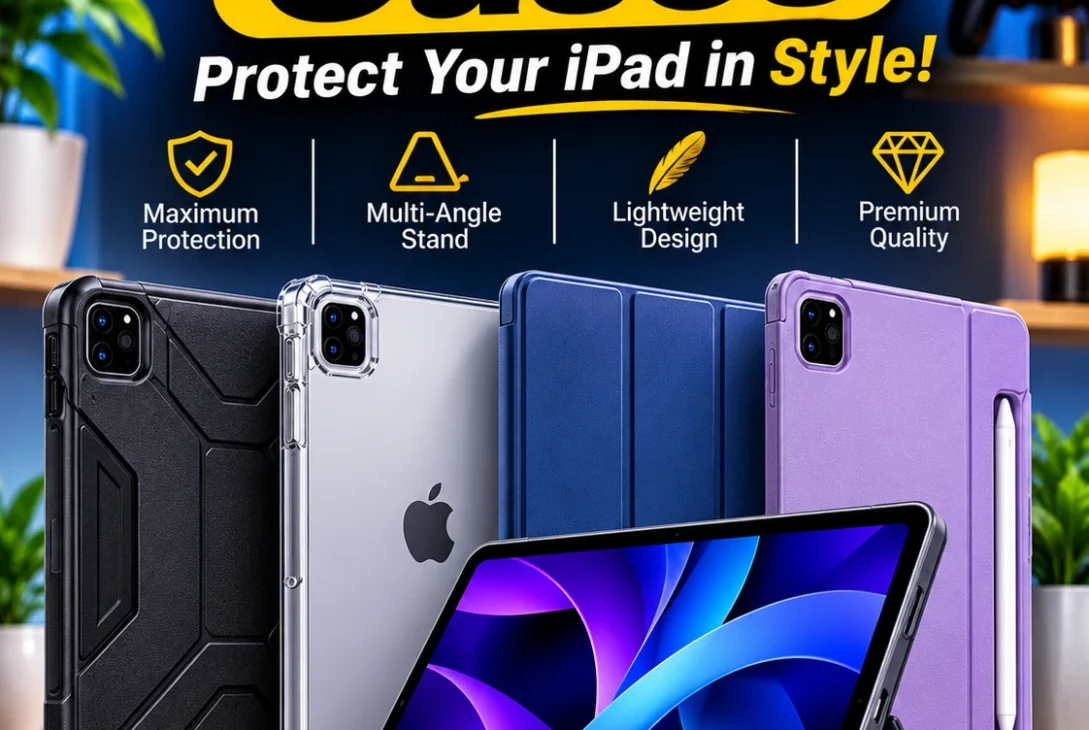
Choosing the right iPad cases is about more than finding an attractive cover. A good case protects an expensive tablet from everyday scratches, accidental drops, and damage while making it easier to use for work, studying, drawing, entertainment, and travel.
The market offers hundreds of options, from thin magnetic folios and transparent covers to heavy-duty protective shells and keyboard cases. Some are designed to keep an iPad lightweight, while others add adjustable stands, Apple Pencil storage, detachable keyboards, and extra protection around the corners.
However, not every case fits every iPad. Apple sells several tablet families, including the standard iPad, iPad mini, iPad Air, and iPad Pro. Even when two models have similar screen sizes, their camera openings, dimensions, buttons, and accessory connections may differ.
That is why selecting the correct iPad cases requires checking the exact model before purchasing. A case designed for an older iPad may not fit a newer generation, even if the product listing uses a similar screen-size description.
This guide explores seven popular case options and categories worth considering in 2026. It also explains the differences between folio, rugged, clear, magnetic, and keyboard designs, helping you find the right balance between protection, portability, and functionality.
Table of Contents
- Why Do You Need iPad Cases?
- 7 Best iPad Cases and Case Types in 2026
- Best iPad Cases Comparison
- How to Choose the Right iPad Case
- Which iPad Case Is Best for Different Users?
- Common Mistakes to Avoid
- Frequently Asked Questions
- Final Verdict
Why Do You Need iPad Cases?
An iPad is a portable device that often travels between home, school, work, and other locations. It may be placed inside a backpack, carried in one hand, used on a desk, or shared with family members.
Without protection, its aluminum body and display can be exposed to scratches and accidental impacts. A suitable case adds a protective layer around the device and can make everyday handling more comfortable.
The best iPad cases also offer practical features beyond basic protection.
Protection Against Everyday Damage
A case can help protect the back panel, corners, and edges from scratches and minor impacts. Some designs also have raised edges around the display and camera, reducing direct contact with flat surfaces.
However, no ordinary case makes an iPad completely drop-proof. Protection depends on its materials, construction, and the height and surface involved in an accident.
Better Viewing and Typing Angles
Many folio-style cases fold into a stand. This is useful when watching videos, attending online meetings, reading documents, or typing with an external keyboard.
Some cases offer two viewing positions, while others provide several adjustable angles. A stable stand can make a noticeable difference if you use your tablet for long periods.
Apple Pencil Storage
People who draw, take handwritten notes, or annotate documents often need a convenient place for an Apple Pencil.
Certain iPad cases include a dedicated holder or magnetic attachment area. Before buying, confirm that the case supports the exact Apple Pencil model you own and does not block its charging or pairing features.
Easier Everyday Use
A good case can make an iPad easier to hold, carry, and position. Some have textured edges for grip, while others include hand straps, detachable stands, or keyboard attachments.
The right design depends on how you use your tablet. A student may need a different case from a graphic designer or someone who mainly watches movies.
7 Best iPad Cases and Case Types in 2026
There is no single product that is perfect for every iPad owner. The following options cover different needs, including premium folio protection, rugged construction, typing, and affordability.
1. ZUGU Case – Best Overall Protective Folio
ZUGU is a popular choice for people who want a combination of protection, an adjustable stand, and a premium design.
Its case design includes a rigid protective frame, a magnetic cover, and multiple viewing positions. WIRED highlights the ZUGU Case for its durable construction, stable stand, and Apple Pencil storage.
One of its most useful features is the adjustable magnetic stand. It allows users to position the tablet at different angles for reading, drawing, video calls, and entertainment.
The cover can also help protect the display when the tablet is not being used. Depending on the model, the case includes a place to store an Apple Pencil.
ZUGU offers versions for different iPad families and generations, so buyers should select the exact model rather than assuming one size fits all.
Best for: Students, professionals, artists, and everyday users who want a versatile folio.
Advantages:
- Multiple adjustable viewing angles
- Protective frame around the tablet
- Magnetic cover
- Apple Pencil storage on supported versions
- Premium construction
Potential drawback: It can add more weight and bulk than a basic folio.
For people who want dependable everyday functionality, ZUGU is one of the strongest options among premium iPad cases.
2. Apple Smart Folio – Best Slim Official Case
The Apple Smart Folio is designed for people who prefer a minimal appearance and want to keep their iPad relatively thin.
It uses a lightweight folding cover that protects the front and back of compatible models. The cover can also fold into different positions for watching videos, reading, and typing.
One advantage is its integration with Apple’s tablet software. Supported versions can automatically wake the iPad when opened and put it to sleep when closed.
The Smart Folio is particularly appealing to people who rarely drop their tablets and mainly want protection against scratches during everyday use.
However, it is not a full protective shell. The edges remain more exposed than they would with a rugged case, so it may not be the best option for children or people who frequently carry an iPad in crowded environments.
Apple sells model-specific versions, and buyers should confirm compatibility through the official product listing.
Best for: People who want a lightweight, simple, and official Apple cover.
Advantages:
- Thin and lightweight design
- Clean appearance
- Folding viewing stand
- Automatic wake and sleep on supported models
- Designed for compatible Apple devices
Potential drawback: Less edge and drop protection than reinforced alternatives.
Among slim iPad cases, the Smart Folio is a practical choice for users who value portability more than heavy-duty protection.
3. OtterBox Defender Series – Best for Heavy-Duty Protection
The OtterBox Defender Series is designed for users who need stronger physical protection.
Rather than focusing on a slim appearance, this type of case prioritizes a reinforced construction intended to protect the tablet during demanding everyday use.
It is worth considering for people who work in busy environments, travel frequently, or share an iPad with children. Its protective design can help reduce the risk of damage from accidental bumps and handling.
Some Defender configurations include additional protective elements, but exact features depend on the iPad model and product version.
Buyers should check whether the selected case includes a built-in screen protector, a separate screen cover, or only a protective frame. These details are not identical across every Defender product.
A rugged case can also make a tablet considerably heavier. This is an important trade-off if you regularly hold your iPad for reading or drawing.
Best for: Families, field workers, frequent travelers, and users who prioritize protection.
Advantages:
- Reinforced protective construction
- Designed for demanding environments
- Extra coverage around vulnerable areas
- Suitable for shared devices
- Useful for people who frequently carry tablets
Potential drawback: More bulk and weight than slim folio designs.
If protection is your main priority, Defender-style iPad cases are worth considering before choosing a lightweight cover.
4. Logitech Combo Touch – Best Keyboard Case
The Logitech Combo Touch is a strong option for people who use an iPad for writing, studying, and productivity.
It combines a protective case with a detachable keyboard and integrated trackpad. This gives the tablet a more laptop-like working experience without requiring a separate keyboard and stand.
The keyboard is particularly useful for writing documents, responding to emails, preparing assignments, and working with spreadsheets.
A built-in kickstand allows users to adjust the viewing angle. Depending on the model, the keyboard can be detached when it is not needed, leaving the protective case attached.
The Combo Touch is available in versions for compatible iPad models, including selected iPad Air and iPad Pro devices. Compatibility should be checked carefully because keyboard cases are designed around specific dimensions and connector layouts.
The main disadvantage is that a keyboard case is heavier and thicker than a traditional folio. It may also cost considerably more than a basic protective cover.
Best for: Students, writers, office workers, and people who regularly type on an iPad.
Advantages:
- Detachable keyboard on supported versions
- Integrated trackpad
- Adjustable kickstand
- Useful for productivity
- Protective case design
Potential drawback: Adds weight and may be expensive.
For people who want their tablet to handle more work tasks, the Combo Touch is one of the most functional iPad cases to consider.
5. ESR Rebound Series – Best Budget-Friendly Folio Option
ESR offers several affordable tablet accessories, including folio-style cases designed for different iPad models.
The Rebound family is worth considering if you want a relatively simple cover with useful everyday features without paying premium accessory prices.
Depending on the specific version, features may include a folding stand, magnetic cover, automatic wake and sleep, and Apple Pencil support.
Some ESR cases also use a transparent or semi-transparent back, allowing the original appearance of the iPad to remain visible.
The main advantage is value. Buyers can often find ESR products at a lower price than official Apple accessories, although prices vary by model, retailer, and region.
Do not assume every Rebound case has the same features. ESR sells different designs, and some provide more protection or additional stand positions than others.
Best for: Students, casual users, and people shopping on a limited budget.
Advantages:
- Generally affordable
- Multiple designs for different models
- Folding stand on supported versions
- Magnetic cover on selected versions
- Useful everyday protection
Potential drawback: Materials and features vary between individual products.
For buyers comparing affordable iPad cases, ESR is a brand worth including in the shortlist.
6. ESR Shift Magnetic Case – Best for Flexible Viewing Angles
The ESR Shift Magnetic Case is designed for people who want more flexibility when positioning their tablet.
Its magnetic design allows users to adjust the iPad for different viewing situations. This can be helpful when reading, attending video calls, drawing, or using the tablet as a secondary display.
Certain versions offer several stand positions and can support both portrait and landscape use. This is useful for people who switch frequently between watching videos and working with documents.
The magnetic design also makes it easier to reposition the tablet compared with some traditional folding covers.
However, magnetic attachment should not be confused with complete drop protection. Users who frequently travel or work in demanding environments may prefer a case with a more secure protective frame.
ESR Shift products are model-specific, so confirm the exact iPad generation and screen size before ordering.
Best for: Artists, students, and users who regularly change viewing positions.
Advantages:
- Flexible stand positioning
- Magnetic attachment
- Useful for portrait and landscape viewing on supported versions
- Suitable for productivity and entertainment
- Multiple model-specific options
Potential drawback: Magnetic convenience may not provide the same impact protection as a reinforced shell.
If you often adjust your tablet’s position, this style of case can make everyday use more convenient.
7. MoKo Ultra-Slim Case – Best for iPad mini Users
The iPad mini is designed to be compact and portable. A large or heavy case can reduce some of the convenience that makes this tablet attractive.
MoKo offers lightweight case options for different iPad models, including the iPad mini family.
Its ultra-slim designs are intended for people who want basic everyday protection without adding unnecessary bulk. Depending on the version, users may get a soft exterior, a folding cover, and a simple stand.
This type of design is suitable for reading, browsing, watching videos, and carrying the tablet in a small bag.
However, an ultra-slim case is not the right option for people who need serious drop protection. Its main purpose is to reduce scratches and provide basic coverage.
Always check the exact iPad mini generation listed by the seller. A case designed for one generation should not be assumed to fit every other mini model.
Best for: iPad mini owners, readers, travelers, and people who prefer lightweight accessories.
Advantages:
- Lightweight construction
- Slim profile
- Easy to carry
- Basic everyday protection
- Often available at budget-friendly prices
Potential drawback: Less impact protection than rugged alternatives.
For compact tablets, lightweight iPad cases can preserve portability without making the device uncomfortable to hold.
Best iPad Cases Comparison
The following table summarizes the main options discussed in this guide.
| Case | Best For | Main Advantage | Main Trade-Off |
|---|---|---|---|
| ZUGU Case | Overall use | Adjustable stand and protection | Added bulk |
| Apple Smart Folio | Slim protection | Lightweight official design | Limited edge coverage |
| OtterBox Defender | Heavy-duty use | Reinforced construction | Heavier design |
| Logitech Combo Touch | Productivity | Keyboard and trackpad | Higher price and weight |
| ESR Rebound | Budget buyers | Affordable everyday features | Features vary by version |
| ESR Shift | Flexible positioning | Magnetic stand design | Not a rugged case |
| MoKo Ultra-Slim | iPad mini | Lightweight design | Basic protection |
These are use-case recommendations, not a claim that every product has been independently drop-tested in this article. Check current product specifications and independent reviews before purchasing.
https://developer.apple.com/accessories/Accessory-Design-Guidelines.pdf
How to Choose the Right iPad Case
Before ordering, consider the following factors. They can help you avoid compatibility problems and choose a case that suits your everyday routine.
1. Identify Your Exact iPad Model
This is the most important step.
Apple sells multiple iPad families and generations. A case for an 11-inch iPad Air may not fit an 11-inch iPad Pro because their dimensions, camera areas, and accessory layouts can differ.
To identify your device:
- Open Settings on your iPad.
- Select General.
- Tap About.
- Check the Model Name.
- Confirm the model and generation on the case listing.
You can also check the model number, which begins with the letter A, and use Apple’s identification information if needed.
Apple’s accessory guidelines contain specific compatibility testing for different generations. They also show why case makers need to verify fit rather than relying only on screen size. <Cite refs={[“turn469258view0″,”turn469258view1”]} />
2. Decide How Much Protection You Need
Think about where and how you use your tablet.
If it mostly stays at home, a slim folio may be enough. If you carry it to school, work, or outdoor locations every day, consider a reinforced case with stronger corner protection.
For children or shared family devices, a more protective design may be worthwhile.
Remember that a case cannot guarantee that a tablet will survive every fall. A screen protector can provide another layer of protection against scratches, but it also does not make the display indestructible.
3. Check Apple Pencil Compatibility
If you use an Apple Pencil, make sure the case supports your specific Pencil model.
Some cases provide a storage slot, while others leave the magnetic attachment and charging area accessible.
A poorly designed case may block charging, pairing, or attachment. Do not assume that every case advertised as Apple Pencil compatible supports every generation of the accessory.
4. Consider Stand Positions
A stand is useful for video calls, streaming, drawing, and typing.
A simple folio may offer only two positions, while more advanced designs provide several angles.
If you frequently draw or write by hand, choose a case that keeps the tablet stable when pressure is applied to the screen.
5. Check Keyboard Requirements
A keyboard case can improve productivity, but it is not necessary for every user.
If you regularly write long documents or respond to emails, a detachable keyboard and trackpad may be useful.
If you mainly browse websites and watch videos, a regular folio is likely to be more practical.
Also consider weight. Keyboard cases can make an iPad much heavier, especially when combined with a large screen.
6. Choose the Right Material
Common materials include silicone, TPU, polycarbonate, leather, and synthetic fabrics.
TPU is flexible and often used around the edges of protective cases. Polycarbonate provides a more rigid structure. Silicone can offer a comfortable grip, while leather and fabric finishes are often selected for appearance and texture.
The best material depends on your priorities. A soft finish may feel comfortable, but it does not automatically provide better drop protection.
7. Check Camera and Port Cutouts
A case should leave the camera, microphones, speakers, buttons, and charging port accessible.
Poorly aligned openings can interfere with everyday use. This is another reason to avoid buying a case based only on its advertised screen size.
Read the product description carefully and check customer feedback for the exact model.
Which iPad Case Is Best for Different Users?
Different people use their tablets in different ways. The best option depends on your main activity.
For Students
Students should look for a case that offers a stable stand, comfortable handling, and Apple Pencil storage if they take handwritten notes.
A ZUGU or ESR folio-style design may be worth considering, depending on the budget and exact iPad model.
For Artists and Designers
Artists need a case that holds the iPad securely while drawing. Adjustable angles are especially important because a steep viewing position may not be comfortable for long illustration sessions.
Check that the case does not interfere with Apple Pencil charging or attachment.
For Office Workers
People who use an iPad for email, documents, and spreadsheets may prefer a keyboard case.
The Logitech Combo Touch is a practical option for supported models because it combines a keyboard, trackpad, and stand.
For Children and Families
Families should prioritize a reinforced case with a secure grip and good corner coverage.
A rugged design may be more suitable than a thin folio, especially if the tablet is shared by younger users.
For Travelers
Travelers may prefer lightweight iPad cases that fit easily inside a backpack or carry-on bag.
A slim folio protects the tablet from scratches while keeping it relatively portable. If the tablet is frequently used outdoors, consider a more protective design.
Common Mistakes to Avoid
Buying the wrong accessory can be frustrating, especially when the product looks correct but does not fit the tablet.
Avoid these common mistakes:
- Buying by screen size alone: Two iPads with similar screen sizes may have different dimensions and camera positions.
- Ignoring the generation: Always check the exact model name or generation in the product listing.
- Choosing style over protection: A beautiful case may not offer enough protection for your daily routine.
- Forgetting Apple Pencil support: Confirm storage and charging compatibility before ordering.
- Ignoring the weight: Heavy-duty and keyboard cases can make a tablet less portable.
- Assuming every magnetic case is secure: Check how the case attaches and whether it has additional protection.
- Not checking return policies: A clear return policy is useful if the case does not fit as expected.
A little research before purchasing can save money and prevent unnecessary returns.
Frequently Asked Questions
1. What are the best iPad cases in 2026?
Popular options include ZUGU, Apple Smart Folio, OtterBox Defender, Logitech Combo Touch, and ESR cases. The best choice depends on your iPad model, budget, and protection requirements.
2. Do all iPad cases fit every iPad?
No. Cases are designed for specific models and generations. Differences in dimensions, cameras, buttons, and accessory connections can prevent one case from fitting another iPad.
3. Are Apple Smart Folio cases worth buying?
They are worth considering if you want a lightweight, official cover with a folding stand. However, they provide less edge protection than many reinforced cases.
4. Which iPad case is best for students?
A folio with a stable stand and Apple Pencil storage is a practical choice. ZUGU and selected ESR models are worth comparing, depending on the device and budget.
5. Are rugged iPad cases better?
Rugged cases generally offer more physical coverage and stronger construction than slim folios. They are useful for demanding environments, but they usually add weight and bulk.
6. Do iPad cases support Apple Pencil charging?
Some do, but support depends on the case and Pencil model. Check whether the design leaves the correct magnetic charging area accessible.
7. Is a keyboard case better than a regular folio?
A keyboard case is better for people who regularly type documents and emails. A regular folio is lighter and usually more affordable for reading, browsing, and watching videos.
8. Can I use an iPad case with a screen protector?
In most cases, yes. However, some tightly fitted cases may lift the edges of certain screen protectors. Check product compatibility and customer feedback before buying both accessories.
9. Are transparent iPad cases a good choice?
Transparent cases are useful if you want to show the original color and design of your tablet. Their protection varies, so check the material, corner coverage, and raised edges.
10. How do I find the correct iPad case?
Open Settings, select General, and tap About to find your iPad’s model name. Match that information with the exact compatibility details in the case listing.
Final Verdict
The right iPad case should protect your tablet while making it more convenient to use. A slim folio is suitable for people who value portability, while a rugged shell is a better choice for users who need additional physical protection.
The ZUGU Case is a versatile option for people who want a stable stand and protective construction. Apple’s Smart Folio is attractive for users who prefer a lightweight official cover, while OtterBox Defender is designed for more demanding environments.
For productivity, the Logitech Combo Touch adds a keyboard and trackpad. Budget-conscious buyers can compare ESR’s Rebound range, while the ESR Shift is worth considering for flexible positioning. iPad mini owners may prefer a compact design such as a compatible MoKo ultra-slim case.
Before purchasing iPad cases, always confirm the exact iPad model and generation. Do not rely only on screen size, product photographs, or a generic compatibility label.
Ultimately, the best choice is the one that matches your device, protects it appropriately, and supports the way you use it every day.