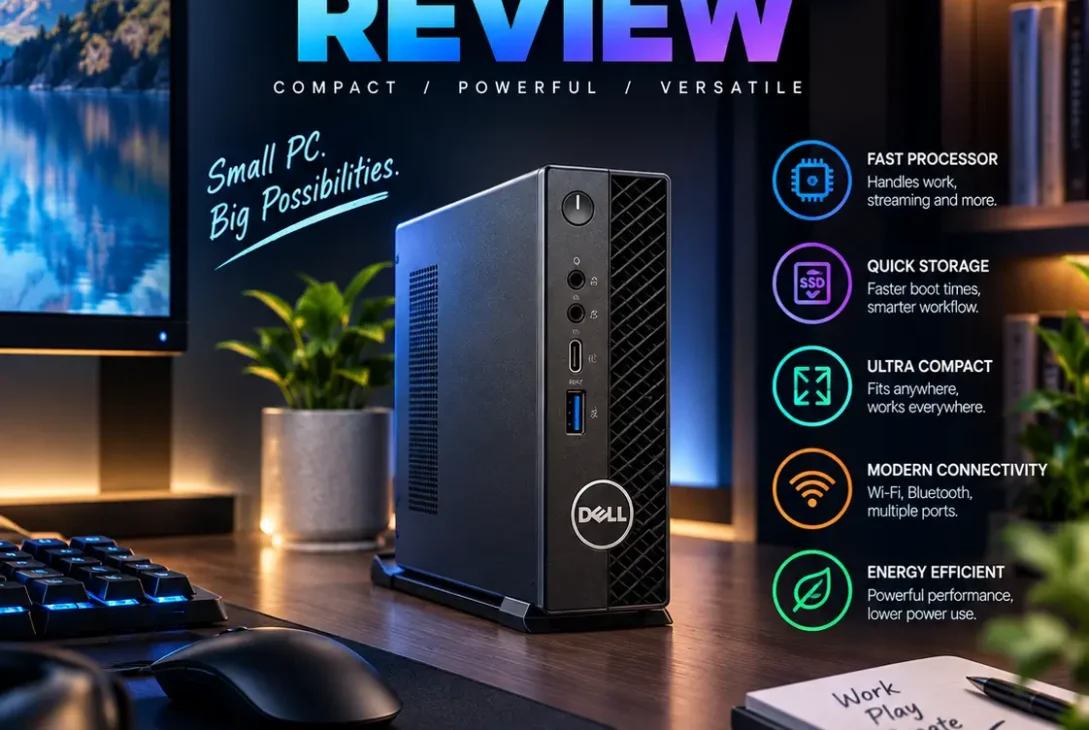
A Dell mini PC is a compact desktop computer designed for people who want a capable Windows computer without a large tower taking up desk space. Dell sells small-form-factor systems for home offices, businesses, classrooms, reception desks, and professional workspaces. Depending on the model, you can choose efficient Intel processors, AMD Ryzen options, business security features, multiple display outputs, and upgradeable memory or storage.
The phrase Dell mini PC can describe several different machines rather than one specific product. Dell’s Pro Micro systems are aimed mainly at business users, while refurbished OptiPlex Micro computers can offer a lower-cost route to compact desktop computing. The right choice depends on your budget, workload, ports, upgrade needs, and whether you are buying new or refurbished.
This guide explains the main Dell compact desktop options, what specifications matter, how they perform for everyday work, and what to check before purchasing in 2026.
Table of Contents
- What Is a Dell Mini PC?
- Dell Mini PC Models to Know
- Processor and Performance
- RAM and Storage
- Ports and Multiple Displays
- Size, Cooling, and Power Use
- Business Security and Manageability
- What Can You Do With a Dell Mini PC?
- New vs. Refurbished Models
- Dell Mini PC vs. a Full-Size Desktop
- How to Choose the Right Configuration
- Pros and Cons
- Frequently Asked Questions
- Final Verdict
- SEO Details
What Is a Dell Mini PC?
A Dell mini PC is a small desktop computer that delivers the core functions of a conventional PC in a much smaller enclosure. It normally connects to an external monitor, keyboard, and mouse, so you can build a workspace around the accessories you already own.
Dell’s compact desktops are often sold under business-focused families such as Dell Pro Micro and OptiPlex Micro. They can be mounted behind a compatible monitor or under a desk using an appropriate mounting bracket, keeping cables and equipment out of the way.
Unlike a laptop, a mini desktop is not designed to be carried around with a built-in screen and battery. Its advantage is the ability to stay in one place while using less desk space than a tower PC. It can be a practical choice for office workers, students, call centers, reception desks, and businesses deploying multiple computers.
Dell Mini PC Models to Know
Dell offers several compact desktop families, and the exact models available depend on region and configuration.
Dell Pro Micro
The Dell Pro Micro is a current business-oriented compact desktop. Depending on the configuration, it can be equipped with Intel Core or Intel Core Ultra processors, Windows 11 Pro, DDR5 memory, and M.2 solid-state storage. Certain configurations support up to 64GB of memory and two M.2 SSDs, while port options vary by processor and selected modules. <Cite refs={[“turn797521search1″,”turn797521search2”]}/>
Dell also offers AMD-based Pro Micro configurations in some markets. These can use AMD Ryzen PRO processors with integrated Radeon graphics. Always verify the exact processor, memory, ports, and warranty on the product page before buying. <Cite refs={[“turn797521search0”]}/>
Dell OptiPlex Micro
OptiPlex Micro systems are commonly found in offices and the refurbished market. Older models can still be useful for web browsing, document work, point-of-sale systems, and light office tasks, but performance depends heavily on the processor generation, memory, and drive type.
If you are considering a used unit, check its service tag and full specifications rather than relying on the seller’s broad model name. An older Core i3 configuration with a hard drive may feel very different from a newer Core i5 model with an SSD.
Dell Pro Micro Plus
Some Dell Pro Micro Plus configurations offer additional connectivity and support for more displays than the standard Micro model. These features can be helpful for trading desks, control rooms, business users, or anyone who needs several screens and peripherals connected at once. <Cite refs={[“turn797521search2”]}/>
Do not assume every Micro model has the same ports or display support. Dell’s official specifications identify the differences between configurations.
Processor and Performance
The processor is one of the most important parts of a Dell mini PC. Entry-level CPUs can be perfectly adequate for email, web browsing, online meetings, and document editing. For heavier multitasking, large spreadsheets, development tools, or demanding business applications, a newer Core i5/Core Ultra 5 or Ryzen 5-class processor is a sensible starting point.
Higher-end Core Ultra 7 or Ryzen 7 PRO configurations may suit users who regularly run more demanding applications. However, the most expensive processor is not always the best value. A system used mainly for browser tabs and office software may not benefit enough from a premium CPU to justify the extra cost.
Processor model numbers matter. Two computers described as Core i5 can have different generations, power limits, core counts, and performance characteristics. Check the exact chip, not only the family name.
Integrated graphics are generally designed for desktop productivity, video playback, and light graphics work. They are not equivalent to a dedicated gaming GPU. If you need high-end 3D rendering or modern games at demanding settings, a desktop with a discrete graphics card is usually a better choice.
RAM and Storage
Memory affects how well a computer handles several applications at once. For basic office work, 8GB may be sufficient, but 16GB is a more comfortable target for a new Windows 11 desktop. Users running virtual machines, large datasets, development environments, or creative software may benefit from 32GB or more.
A Dell mini PC may support memory upgrades, but the maximum capacity and memory speed depend on the specific model and processor. Check the service manual before purchasing RAM, and confirm whether the computer uses one or two memory modules. Dual-channel memory can also help integrated graphics performance on supported systems.
For storage, an SSD is strongly recommended. It helps Windows start quickly, reduces application loading times, and makes the computer feel more responsive than an older mechanical hard drive. A 256GB SSD can work for basic office use, while 512GB offers more room for apps and files. Users storing large media libraries should consider a larger drive or external storage.
Some Dell Micro systems provide two M.2 storage slots, but this is not universal. If future expansion matters, verify the exact layout and supported drive sizes before buying.
Ports and Multiple Displays
Connectivity is a major reason businesses choose compact Dell desktops. Depending on the configuration, the rear panel may include HDMI, DisplayPort, Ethernet, USB-A, USB-C, and optional modules for additional video or specialized connections. Front ports are convenient for USB drives, headsets, and temporary accessories. <Cite refs={[“turn797521search1″,”turn797521search2”]}/>
The exact port selection varies between generations and configurations. A USB-C port does not automatically support video output or laptop-style power delivery, so check the specifications if you plan to connect a monitor through USB-C.
Many models support two displays, while selected Pro Micro Plus configurations can support more. Confirm the supported number of screens, resolutions, refresh rates, and connector types before purchasing. If you plan to run two 4K monitors, make sure the system has the correct outputs and can handle your intended display settings.
For office deployments, wired Ethernet can provide a stable network connection. Wi-Fi and Bluetooth availability can vary by configuration, so verify that wireless connectivity is included if you need it.
Size, Cooling, and Power Use
The main benefit of a Dell mini PC is the compact footprint. It can sit on a desk, mount behind a compatible monitor, or fit into a small workstation where a traditional tower would be inconvenient. This is especially useful for businesses that need many computers in limited space.
Compact size does require careful thermal design. The processor and other components generate heat, and the small enclosure has less room for airflow than a large tower. Keep the vents clear, avoid placing the system inside a sealed cabinet, and clean dust from the ventilation area when necessary.
Many Micro systems use efficient, lower-power desktop processors and external or compact power adapters. Actual power consumption depends on the CPU, workload, connected devices, and power settings. Do not assume every model uses the same amount of electricity simply because it has a small case.
A small desktop can reduce clutter, but it still needs a suitable location with airflow and access to power and network connections.
Business Security and Manageability
Dell’s business desktop families may include features intended for organizations that need to manage many PCs. Depending on the configuration, these can include Windows 11 Pro, Intel vPro options, BIOS-level security features, remote management capabilities, and business support services.
These features matter most to IT teams deploying computers across an office, school, clinic, or call center. Centralized management can make it easier to maintain software, configure devices, and apply company policies. However, not every configuration includes every security or management feature.
For a home user, a standard Windows installation, reliable updates, and good account security may be enough. For a business purchase, review the warranty, service level, security options, and lifecycle support in addition to the hardware specifications.
What Can You Do With a Dell Mini PC?
A Dell mini PC can handle a wide range of everyday and business tasks, provided you choose a suitable configuration.
- Office work: Documents, spreadsheets, email, browser-based tools, and video meetings.
- Education: Research, online classes, presentations, and learning software.
- Retail and reception: Point-of-sale systems, booking tools, and front-desk applications.
- Call centers: Customer-service platforms, CRM software, browser tools, and headsets.
- Development: Coding, testing, and local development environments on configurations with enough memory.
- Digital signage: Displaying menus, announcements, and dashboards with compatible software.
- Home computing: Browsing, streaming, file management, and general household tasks.
For professional photo editing, video production, CAD, or 3D work, check the application’s hardware requirements. Some creative programs run well on modern integrated graphics, but demanding workloads may require more memory or a workstation-class computer.
New vs. Refurbished Models
Buying new usually gives you a current processor platform, a new warranty, and a clearer support path. It is often the safer choice for businesses that need dependable systems and predictable service.
A refurbished OptiPlex Micro can cost less and may be good enough for basic computing. However, older machines may have shorter remaining support life, weaker graphics, less efficient processors, and limited upgrade options. Ask whether the seller has tested the system, replaced worn parts, and included a genuine power adapter.
Before buying refurbished, check the exact processor generation, RAM, SSD capacity, Windows license, Wi-Fi support, physical condition, and warranty. Avoid listings that use a broad label such as “Core i7 mini PC” without showing the exact model number.
A low purchase price is not always the lowest total cost. If an older system needs a new SSD, extra memory, a Wi-Fi adapter, or repairs, a newer entry-level model may offer better value.
Dell Mini PC vs. a Full-Size Desktop
A Dell mini PC saves space and can be easier to mount behind a monitor. It is suitable for general productivity, business applications, and workloads that do not need a powerful discrete graphics card. It can also simplify office layouts where many systems are installed.
A full-size desktop generally offers more room for cooling, larger graphics cards, additional drives, and other expansion cards. If you want to upgrade a GPU for gaming or professional graphics, a tower is usually the more flexible platform.
Choose a Micro system when space, lower clutter, and standard office performance matter most. Choose a tower when expandability, sustained high performance, or dedicated graphics are priorities.
https://www.dell.com/en-us/shop/desktops/spd/dellpromicroqcm1250
How to Choose the Right Configuration
Before ordering a Dell mini PC, use this checklist:
- Identify your workload. Browsing and office applications need less power than development, video editing, or data analysis.
- Choose the processor generation. Compare the exact CPU model rather than relying only on Core i5 or Ryzen 5 labels.
- Aim for enough memory. For a new Windows 11 system, 16GB is a practical starting point for most users.
- Select SSD capacity. Choose 512GB if you expect to install many applications or keep a large number of files locally.
- Count your displays. Confirm that the ports support your monitor count, resolution, and refresh rate.
- Check USB connections. Make sure the system has the USB-A, USB-C, and audio ports you need.
- Review wireless options. Verify Wi-Fi and Bluetooth are included if required.
- Compare warranty terms. Business support can be valuable when downtime is expensive.
- Check upgrade options. Confirm memory and storage limits in the service documentation.
- Calculate the full cost. Include the monitor, keyboard, mouse, adapter, and any required mounting bracket.
Pros and Cons
Pros
- Compact design saves desk space.
- Good fit for office and everyday productivity.
- Business-focused security and support options on selected models.
- Some configurations allow memory and SSD upgrades.
- Can mount behind compatible monitors.
- Often includes useful display and Ethernet connections.
Cons
- Integrated graphics limit demanding gaming and 3D performance.
- Port selection varies between models.
- Small cases require unobstructed airflow.
- Upgrades can be more limited than on a tower PC.
- New business configurations may cost more than some consumer mini PCs.
- Refurbished models require careful specification and condition checks.
Frequently Asked Questions
Is a Dell mini PC good for everyday use?
Yes. A suitable model can handle browsing, office software, streaming, online meetings, and general home computing. For comfortable multitasking on a new Windows 11 system, consider 16GB of RAM and an SSD.
Can a Dell mini PC run Windows 11?
Many current Dell Pro Micro systems are sold with Windows 11 Home or Pro, while some configurations offer Linux. Older refurbished models should be checked against Microsoft’s Windows 11 hardware requirements before purchase.
Can I upgrade the RAM and SSD?
Some models support memory and SSD upgrades, but the maximum capacity and number of slots vary. Check the service manual for the exact model before buying parts.
Is a Dell mini PC suitable for gaming?
It can handle light gaming and some less demanding titles, depending on the processor and integrated graphics. For modern AAA games or high graphics settings, a system with a dedicated GPU is generally more suitable.
Can it run two monitors?
Many configurations support two external displays, and selected models support more. Confirm the exact ports and supported resolutions for your chosen configuration.
Does it come with a monitor and keyboard?
A desktop configuration may include a keyboard and mouse, but accessories vary by seller and package. A monitor is typically separate, so check the included-items list before ordering.
Is a refurbished OptiPlex Micro worth buying?
It can be good value for basic work if the price, condition, and specifications are right. Verify the processor generation, SSD, memory, Windows license, power adapter, and warranty.
Is a Dell mini PC better than a laptop?
It depends on your needs. A mini desktop is often better for a fixed workstation with an external monitor, while a laptop is the better choice for portability and a built-in battery and display.
Final Verdict
A Dell mini PC is a practical option for anyone who wants a compact Windows desktop for work, study, business applications, or everyday computing. Dell’s Pro Micro family offers modern business-oriented configurations, while refurbished OptiPlex Micro systems may provide a more affordable entry point for lighter workloads.
The most important factors are the exact processor, memory, SSD capacity, display outputs, wireless features, and warranty. Avoid choosing by model name or price alone, because configurations within the same product family can differ significantly.
For most new buyers, 16GB of RAM, an SSD, and a recent processor are a sensible baseline. If you need high-end gaming or demanding graphics performance, consider a tower PC with a dedicated GPU instead. Compare the complete setup cost and confirm the exact specifications before making your decision.