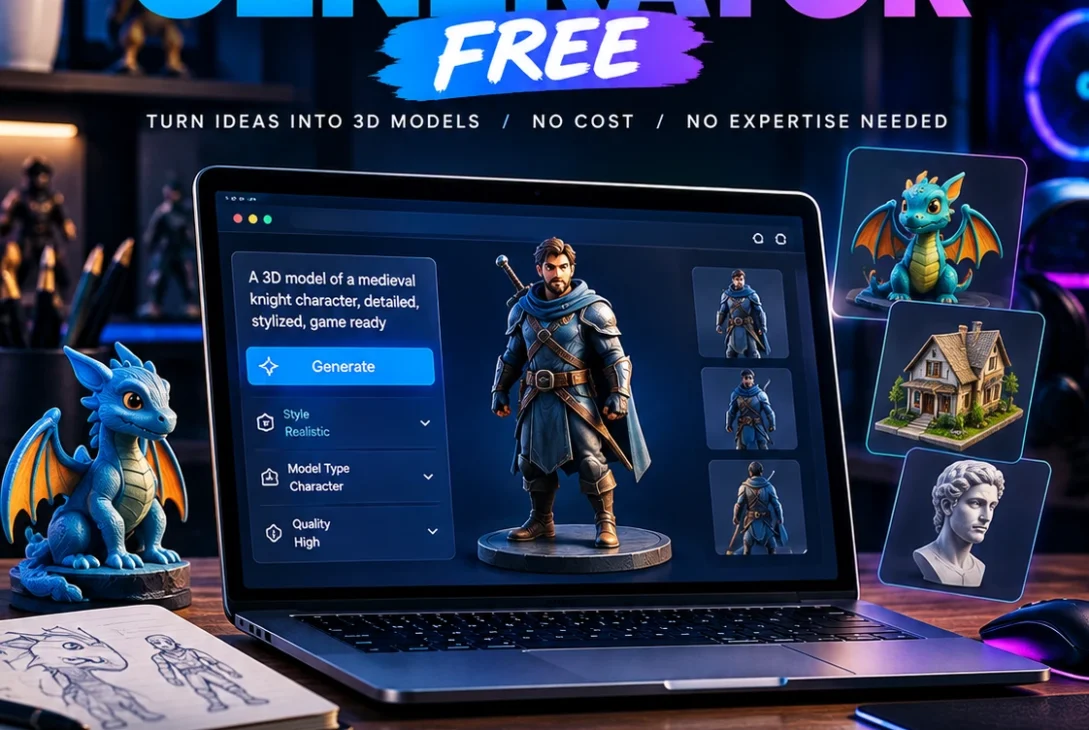
An AI 3D model generator free tool can turn a simple text prompt, photograph, sketch, or concept image into a three-dimensional asset within minutes. What once required hours of modeling in Blender or another 3D application can now be accelerated with artificial intelligence.
This technology is becoming useful for game developers, designers, 3D-printing enthusiasts, students, artists, product designers, and creators who need quick 3D prototypes. Modern platforms can generate geometry, textures, materials, and exportable files, although the quality and available features depend on the tool.
In 2026, several platforms offer free tiers, including Meshy, Tripo, Hyper3D Rodin, and Hunyuan 3D. However, free access usually comes with limits such as credits, public models, restricted downloads, or commercial-use conditions.
This guide explains how these tools work, which free options are worth exploring, and how to get better results from AI-generated 3D models.
Table of Contents
- What Is an AI 3D Model Generator?
- How AI 3D Generation Works
- Best Free AI 3D Model Generators in 2026
- Meshy
- Tripo AI
- Hyper3D Rodin
- Hunyuan 3D
- Text-to-3D vs Image-to-3D
- What Can You Create?
- AI 3D Models for Games
- AI 3D Models for 3D Printing
- AI 3D Models for Blender
- How to Generate a 3D Model With AI
- Free Plan Limitations
- Commercial Use and Licensing
- Tips for Better Results
- Frequently Asked Questions
- Final Verdict
- SEO Details
What Is an AI 3D Model Generator?
An AI 3D model generator free platform uses machine-learning technology to create three-dimensional geometry from an input such as text or an image.
Instead of manually creating vertices, faces, materials, and textures, the user provides instructions or a reference and the AI attempts to construct a 3D representation.
For example, a creator could enter:
“A futuristic electric motorcycle with a black carbon-fiber body, exposed mechanical components, thick tires, and realistic metal details.”
The system analyzes the description and generates a model based on the requested characteristics.
Image-based generation works differently. You can upload a photograph or concept image, and the AI estimates the object’s shape, depth, surfaces, and materials.
The result can then be downloaded or imported into another application, depending on the platform and subscription.
How AI 3D Generation Works
Most AI 3D tools follow a relatively simple process.
Step 1: Provide an Input
The input can be:
- Text
- Product photography
- Concept art
- Sketches
- Character images
- Multiple reference views
A clean reference image generally produces a more predictable result than a complicated image with a busy background.
Step 2: Generate the Model
The AI analyzes the input and creates a three-dimensional representation.
Depending on the platform, the result may include:
- Mesh geometry
- Textures
- Materials
- UV mapping
- Normal maps
- Different levels of detail
Step 3: Inspect the Result
Always rotate the model before downloading it.
Check the front, sides, rear, top, and bottom.
AI-generated models can contain distorted geometry in areas that weren’t clearly visible in the reference.
Step 4: Export the Asset
Depending on the service, you may be able to export formats such as:
- GLB
- FBX
- OBJ
- STL
- USD
- USDZ
- 3MF
The correct format depends on whether you’re creating a game asset, animation, website model, or 3D print.
https://www.meshy.ai
Best Free AI 3D Model Generators in 2026
The free AI 3D market has expanded significantly, but free plans aren’t identical.
Some platforms provide recurring monthly credits, while others provide daily generations or let you preview a model before paying for the final result.
| Platform | Free offering | Main strength | Suitable for |
|---|---|---|---|
| Meshy | 100 credits/month | Text and image generation | Beginners and game assets |
| Tripo AI | 200 credits/month | Complete generation workflow | Games and prototypes |
| Hyper3D Rodin | Free previews | Image-to-3D and text-to-3D | Detailed asset concepts |
| Hunyuan 3D | Free hosted/open options | Open ecosystem | Developers and researchers |
Free limits can change, so check the provider’s current pricing and license information before starting a commercial project. Tripo currently lists 200 monthly credits on its free plan, while Meshy lists 100 monthly credits.
Meshy
Meshy is one of the most established platforms for anyone searching for an AI 3D model generator free option.
It supports text-to-3D and image-to-3D generation and also provides tools for texturing, remeshing, rigging, and animation.
The current free plan provides 100 credits per month. Meshy’s current documentation also explains that different generation operations can consume different numbers of credits.
One important limitation is that the newest model versions may have download restrictions on free accounts. Meshy’s own comparison information notes that Meshy 7 generation is available to registered users, while downloading Meshy 7 models requires a paid plan.
This means you should distinguish between generating something for free and being able to export the latest model for free.
Meshy can be particularly useful for:
- Game props
- Characters
- Environment assets
- Product concepts
- 3D-printing experiments
- Texture generation
Its browser-based interface also makes it accessible to beginners who don’t have advanced modeling experience.
Tripo AI
Tripo AI is another strong option when testing an AI 3D model generator free workflow.
Tripo currently lists 200 monthly credits on its free plan and supports text-to-3D and image-to-3D generation.
The platform also provides tools for mesh generation, texturing, segmentation, and other parts of the 3D workflow.
Tripo says its free plan includes public models and non-commercial use, while private models and commercial rights are available on paid plans.
That distinction is important for creators planning to sell generated assets or include them in commercial products.
Tripo can be useful for:
- Game development
- Concept modeling
- Character creation
- Props
- Product visualization
- 3D-printing projects
It also supports common formats such as GLB, FBX, OBJ, and USD.
Hyper3D Rodin
Hyper3D Rodin is another platform worth testing if you’re looking for an AI 3D model generator free service.
Rodin can create 3D models from text descriptions and images. Its image-to-3D workflow is particularly useful when you already have a visual reference.
Hyper3D says one image can be enough for many objects, while additional reference images can provide more information when greater control is needed.
The platform’s current free plan allows users to generate and inspect results before confirming them. It also includes a limited number of private assets and public-gallery publishing.
This preview-first approach can be useful if you don’t want to spend credits before seeing whether the generated model is suitable.
Rodin supports formats including GLB, OBJ, FBX, USDZ, and STL, making it useful for several 3D workflows.
Hunyuan 3D
Hunyuan 3D is another interesting option for people exploring AI-generated 3D assets.
Its ecosystem is particularly relevant to developers and researchers because it includes models and tools that can be explored outside traditional commercial web applications.
Hosted services are easier for beginners because they don’t require local GPU configuration.
Self-hosting is different. It provides more control but requires suitable hardware, software installation, and technical knowledge.
For developers who want to experiment with AI-generated geometry at a deeper technical level, Hunyuan 3D can be worth exploring.
Text-to-3D vs Image-to-3D
When choosing an AI 3D model generator free platform, you’ll generally encounter two major generation methods.
Text-to-3D
Text-to-3D lets you describe what you want using natural language.
For example:
“A medieval wooden treasure chest with iron bands, worn leather straps, scratches, and realistic proportions.”
This method is useful when you have an idea but don’t already have a reference image.
Image-to-3D
Image-to-3D starts with an existing image.
The AI analyzes the image and estimates the object’s three-dimensional structure.
This can be particularly useful for:
- Product photos
- Concept art
- Character references
- Toys
- Furniture
- Vehicles
If multiple images are supported, providing different views can help the system understand parts of an object that aren’t visible from a single angle.
What Can You Create?
An AI 3D model generator free tool can be used for many different types of assets.
Characters
AI can create character concepts for:
- Games
- Animation
- Prototypes
- Virtual environments
- Concept development
Characters are more challenging because anatomy, hands, faces, clothing, and topology can be difficult for generative systems.
Props
Simple props are often easier to generate.
Examples include:
- Furniture
- Tools
- Containers
- Toys
- Decorations
- Weapons
- Household objects
Vehicles
AI can also generate concept vehicles such as cars, motorcycles, aircraft, and fictional machines.
These models may still require manual cleanup before they are suitable for professional production.
Environment Assets
Creators can generate individual environmental objects such as:
- Trees
- Rocks
- Buildings
- Signs
- Street furniture
- Industrial equipment
This can speed up early environment design.
AI 3D Models for Games
Game development is one of the biggest potential uses for an AI 3D model generator free tool.
A developer can create an initial collection of props and environment objects much faster than modeling everything manually.
Possible assets include:
- Weapons
- Vehicles
- Buildings
- Furniture
- Characters
- Decorations
- Environmental objects
However, an AI-generated model isn’t automatically game-ready.
Professional game assets may require:
- Retopology
- UV optimization
- Texture optimization
- Polygon reduction
- Collision meshes
- Rigging
- Animation
- LOD creation
AI generation is therefore best viewed as a way to accelerate the asset-production process rather than completely eliminate traditional 3D work.
AI 3D Models for 3D Printing
3D printing is another useful application.
An AI 3D model generator free tool can turn an idea or reference image into a printable starting point.
Good candidates include:
- Figurines
- Miniatures
- Decorative objects
- Toys
- Sculptures
- Simple household designs
Before printing, inspect the mesh carefully.
Check for:
- Non-manifold geometry
- Holes
- Very thin walls
- Unsupported areas
- Incorrect scale
- Intersecting geometry
- Excessive detail
Some AI-generated models may look excellent visually but still require repairs before they can be successfully printed.
For precision mechanical components, traditional CAD software remains more appropriate because exact dimensions and tolerances are important.
AI 3D Models for Blender
Blender works particularly well as a second stage after AI generation.
Once you’ve downloaded a model, you can:
- Import the asset.
- Inspect the topology.
- Remove unnecessary geometry.
- Fix proportions.
- Retopologize where necessary.
- Adjust materials.
- Optimize textures.
- Add rigging or animation.
- Prepare the final scene.
GLB, FBX, and OBJ are common formats for moving generated assets into Blender.
This workflow gives creators the speed of AI generation while retaining the control of traditional 3D software.
How to Generate a 3D Model With AI
Using an AI 3D model generator free platform usually takes only a few steps.
Step 1: Choose a Platform
Start with Meshy, Tripo, Hyper3D, or another service that provides a free tier.
Step 2: Select Text or Image Generation
Choose text-to-3D if you’re starting from an idea.
Choose image-to-3D if you already have a suitable reference.
Step 3: Write a Detailed Prompt
Instead of:
“A robot”
try:
“A compact futuristic exploration robot with four mechanical legs, a white aluminum body, dark joints, two camera sensors, visible screws, and realistic industrial proportions.”
Detailed prompts give the model more information.
Step 4: Generate a Draft
Don’t immediately spend all available credits on the highest-quality generation.
Create a draft first and inspect it.
Step 5: Check the Geometry
Rotate the model from different angles.
Look for areas where the AI misunderstood the reference.
Step 6: Refine the Model
Use the platform’s editing tools or Blender to correct problems.
Step 7: Export
Choose the format that matches your final application.
For example:
- GLB: Web and general 3D
- FBX: Game engines and animation
- OBJ: General compatibility
- STL: 3D printing
- USD/USDZ: Modern 3D and AR workflows
- 3MF: Advanced 3D printing workflows
Free Plan Limitations
Although an AI 3D model generator free service can be useful, free plans normally have restrictions.
Monthly Credits
Most platforms limit the number of generations.
Tripo currently provides 200 monthly credits, while Meshy provides 100 monthly credits.
Download Restrictions
Some services allow free generation but restrict downloads of newer models.
This is one of the most important details to check before committing to a platform.
Public Models
Free plans may make generated models public.
That can be unsuitable for confidential product concepts or unreleased commercial designs.
Commercial Restrictions
A free plan may allow experimentation but restrict commercial usage.
Always check the current license.
Queue Priority
Free users may receive lower processing priority than paid subscribers.
This can become noticeable when generating multiple models.
Commercial Use and Licensing
Before using an AI 3D model generator free platform for a commercial project, read its license.
There are several things to check:
- Can you use the model commercially?
- Is attribution required?
- Can you modify the asset?
- Can you redistribute the model?
- Are generated models public?
- Does the license change between free and paid plans?
- Can the platform change or revoke certain permissions?
For example, Tripo currently identifies its free plan as non-commercial, while paid plans provide commercial-use rights.
Meshy also distinguishes its free and paid outputs and licenses. Its current information indicates CC BY 4.0 treatment for free outputs, with broader commercial ownership on paid plans.
Therefore, don’t assume that a free download automatically gives you unrestricted commercial ownership.
Tips for Better Results
You can improve results from an AI 3D model generator free platform by improving the quality of your input.
Use a Clean Reference
Choose a high-resolution image with the object clearly visible.
Keep the Background Simple
A complicated background can make object reconstruction more difficult.
Describe Materials
Instead of saying “chair,” specify:
- Oak wood
- Black leather
- Brushed aluminum
- Transparent plastic
Describe Shape
Mention characteristics such as:
- Rounded
- Angular
- Cylindrical
- Symmetrical
- Thin
- Thick
- Low-profile
Use Multiple Views
If supported, provide front, side, rear, and three-quarter views.
Generate Before Refining
Create a basic version first.
Once you’ve found a promising direction, spend additional credits on higher-quality generation.
Frequently Asked Questions
Is there an AI 3D model generator free to use?
Yes. Several services currently provide free tiers, including Meshy, Tripo, and Hyper3D. However, the number of generations, exports, and commercial rights varies between platforms.
Can I create a 3D model from a photo?
Yes. Image-to-3D technology can analyze a photograph and generate an approximate three-dimensional model.
Can AI create a 3D model from text?
Yes. Text-to-3D systems can interpret descriptions and create 3D assets based on the prompt.
Is Tripo AI free?
Tripo currently offers a free plan with 200 monthly credits. Its free plan has restrictions on privacy and commercial use.
Is Meshy free?
Meshy currently provides a free plan with 100 monthly credits. However, the newest model generation can have download restrictions for free users.
Is Hyper3D Rodin free?
Hyper3D currently offers a free plan that allows users to generate and preview results before confirming them. Some export and model capabilities are limited compared with paid plans.
Can AI-generated models be used in Blender?
Yes. Models exported in formats such as GLB, FBX, or OBJ can generally be imported into Blender.
Can AI 3D models be used for games?
Yes, but they often need additional optimization. Game developers may need to fix topology, UVs, textures, polygon count, collision meshes, and animations.
Can AI generate models for 3D printing?
Yes. AI-generated assets can be useful for figurines, decorations, toys, and other objects. Always inspect the mesh before printing.
Is an AI-generated 3D model ready for professional use?
Not necessarily. AI can produce impressive models, but professional assets often require manual cleanup and optimization.
Which is better, text-to-3D or image-to-3D?
It depends on the project. Text-to-3D is useful when you have an idea but no reference, while image-to-3D is useful when you want the result to follow an existing visual design.
Do free AI 3D tools have usage limits?
Yes. Free plans commonly limit credits, exports, storage, model quality, privacy, or commercial usage.
Final Verdict
An AI 3D model generator free platform can make 3D creation much more accessible to beginners and experienced creators alike.
Meshy offers recurring monthly credits and a broad collection of generation and editing features. Tripo provides 200 monthly credits on its free tier and supports a complete text-to-3D and image-to-3D workflow. Hyper3D Rodin provides a preview-first approach, while Hunyuan 3D offers an interesting route for developers interested in open AI technology.
The right platform depends on what you need.
If you’re learning 3D, free credits can be enough to experiment with different prompts and reference images. If you’re creating game assets, focus on topology, textures, polygon count, and export formats. If you’re making 3D prints, inspect the mesh carefully before sending it to a slicer.
Most importantly, check the current license before using a free-generated asset commercially.
AI 3D generation is not replacing Blender, CAD, or professional modeling workflows entirely. Instead, it can make the initial creation process significantly faster by giving creators a usable starting point.
For anyone interested in experimenting with 3D without immediately investing in expensive software or modeling services, these tools provide an accessible way to begin.