
Introduction
WhatsApp has changed significantly in 2026, and one of the biggest developments is the introduction of WhatsApp Plus, an optional subscription from Meta. It gives users additional ways to personalize their messaging experience, organize conversations, and make the app feel more personal. However, the name can be confusing because an unofficial modified APK called WhatsApp Plus has existed for years.
These are two different things. The official WhatsApp Plus subscription is offered by Meta through the genuine WhatsApp application. The older WhatsApp Plus APK is a third-party modification that is not supported by WhatsApp and can put accounts and personal information at risk.
If you have searched for WhatsApp Plus, you may have seen websites promising free downloads, hidden privacy controls, unlimited customization, and special versions that supposedly avoid account bans. It is important to understand which claims relate to Meta’s subscription and which refer to unofficial software.
This guide explains what WhatsApp Plus actually offers in 2026, how much it costs, how to subscribe, which devices support it, and whether it is worth paying for. It also explains the risks associated with unofficial APK downloads and how to identify the genuine service.
Table of Contents
- What Is WhatsApp Plus?
- Official WhatsApp Plus vs. the Unofficial APK
- 9 Important WhatsApp Plus Features
- WhatsApp Plus Pricing in 2026
- How to Get WhatsApp Plus
- Is WhatsApp Plus Available on Android and iPhone?
- Is WhatsApp Plus Safe?
- WhatsApp Plus vs. Regular WhatsApp
- Is WhatsApp Plus Worth It?
- Frequently Asked Questions
- Final Verdict
What Is WhatsApp Plus?
WhatsApp Plus is an optional paid subscription introduced by Meta to provide additional personalization and organization features inside the official WhatsApp application. It is designed for people who want more control over the appearance of their chats and additional ways to manage important conversations.
Unlike the traditional modified APK, the official WhatsApp Plus subscription does not require users to install a separate application from an unknown website. Its benefits are accessed through the supported WhatsApp Messenger app, where eligible users can find the subscription option.
The subscription focuses mainly on customization and convenience. It offers exclusive themes and app icons, custom ringtones, special-effect stickers, and the ability to pin more conversations. Users can also customize alerts and themes for individual chat lists.
It is important to understand that WhatsApp Plus is not a replacement for the free messaging service. Regular WhatsApp messaging and calling remain available without a subscription. Paying for WhatsApp Plus simply unlocks additional features for people who want them.
There is another product using the same name. For many years, independent developers distributed modified WhatsApp applications under the WhatsApp Plus name. These APK files are not official Meta products. They should not be confused with the subscription now offered inside the genuine application.
Official WhatsApp Plus vs. the Unofficial APK
The most important thing to understand before subscribing or downloading anything is the difference between the two versions.
The official WhatsApp Plus subscription is provided by Meta. Users can access it through the genuine WhatsApp Messenger application when the subscription is available to their account and region.
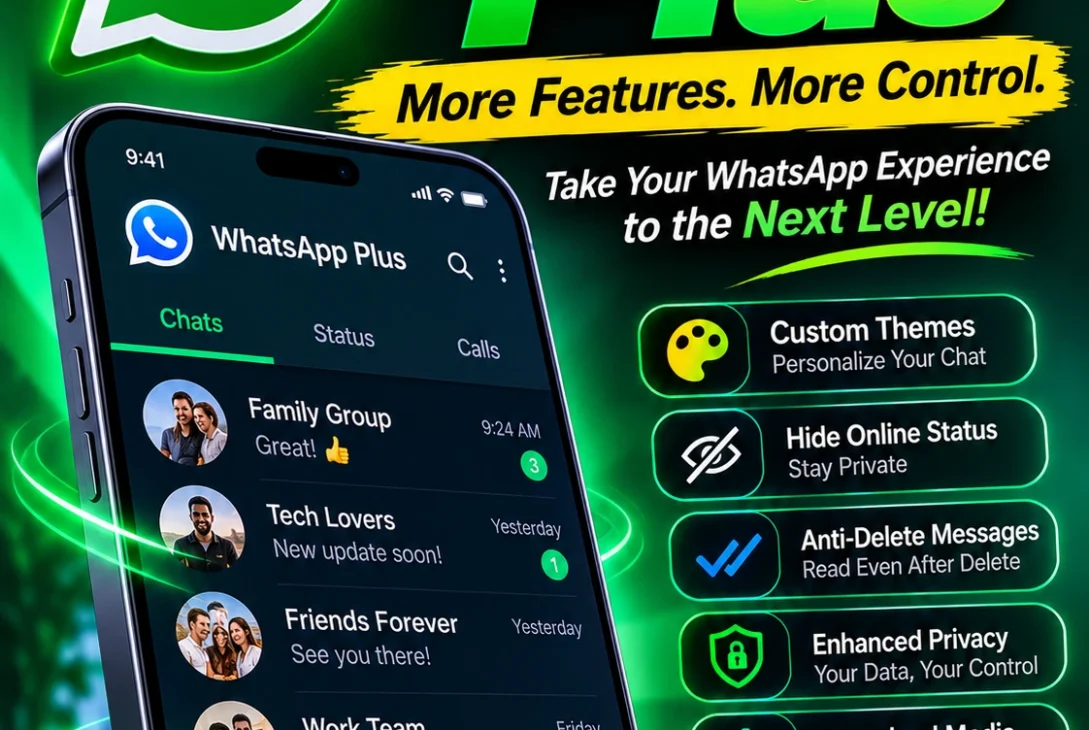
The unofficial WhatsApp Plus APK is a modified version created and distributed by third parties. It may advertise features such as hiding online status, changing interface colors, viewing deleted messages, or sending larger files. However, these features vary between versions, and there is no guarantee that a downloaded APK is safe.
Here is a simple comparison:
| Feature | Official WhatsApp Plus | Unofficial WhatsApp Plus APK |
|---|---|---|
| Developer | Meta | Third-party developers |
| Installation | Inside official WhatsApp | Usually downloaded as an APK |
| Availability | Depends on region and account | Distributed through external websites |
| Custom themes | Yes | Often advertised |
| Extra pinned chats | Yes, up to 20 | Depends on the version |
| Custom app icons | Yes | Often advertised |
| Account support | Officially supported | Not supported |
| Security oversight | Official WhatsApp service | Cannot be verified by WhatsApp |
| Subscription | Paid monthly plan | Often advertised as free |
| Account-ban risk | Not for using the official subscription | Possible |
The difference is not simply about features. The official subscription is part of Meta’s supported service, while unofficial modifications operate outside WhatsApp’s approved distribution and support system.
If a website claims that its modified APK is the only real WhatsApp Plus, be careful. The official subscription is available through the genuine app, not through random APK download pages.
9 Important WhatsApp Plus Features
The official WhatsApp Plus subscription focuses on personalization and conversation management. Here are the main features Meta currently describes.
1. Exclusive App Icons
One of the most visible benefits is the ability to choose from exclusive app icon designs.
Regular WhatsApp users are familiar with the standard green application icon. With WhatsApp Plus, subscribers can select different icon styles to give the application a more personal appearance.
This is mainly a cosmetic feature. It does not change how messages are delivered, improve internet speed, or add new messaging technology. However, users who enjoy customizing their phone’s home screen may appreciate the extra choices.
2. Exclusive Themes and Colors
WhatsApp Plus also offers additional themes and customization options. Subscribers can personalize the application’s appearance with colors and styles that better match their preferences.
For users who spend a lot of time messaging, these options can make the interface feel more individual. Someone who prefers darker colors, for example, may enjoy having more choices than the standard appearance provides.
However, theme availability can depend on the benefits offered to an individual account. Users should check the subscription information displayed inside WhatsApp before paying.
3. Pin Up to 20 Chats
This is one of the most practical WhatsApp Plus features.
Regular WhatsApp users have a limited number of pinned conversations. If you communicate with many people throughout the day, important chats can quickly move down the conversation list as new messages arrive.
WhatsApp Plus increases the pinning limit to as many as 20 chats. This allows subscribers to keep more important conversations near the top of their chat list.
It may be useful for people who regularly communicate with family members, friends, customers, colleagues, or project teams.
For example, a small business owner could keep conversations with important customers, suppliers, and team members pinned instead of repeatedly searching for them.
4. Custom Ringtones for Contacts
Another feature is the ability to set unique ringtones for important contacts.
Instead of hearing the same notification sound for every conversation, subscribers can assign different tones to selected people. This can make it easier to recognize who is contacting you without immediately checking your phone.
For example, you could use one ringtone for family members and another for work contacts.
The feature is particularly useful for people who receive frequent messages and want to distinguish important conversations from ordinary notifications.
5. Special-Effect Stickers
WhatsApp Plus includes access to stickers with special visual effects.
Stickers are already a popular way to communicate on WhatsApp. They allow people to express emotions, reactions, and jokes without writing long messages.
The subscription adds exclusive sticker experiences with full-screen effects. This gives conversations a more expressive appearance and offers another way to personalize messages.
It is worth remembering that special stickers are an additional entertainment feature, not a major improvement to messaging functionality.
6. Custom Alerts for Chat Lists
WhatsApp Plus also offers customization for chat lists.
Different conversations have different levels of importance. You may want to receive alerts from work-related conversations while keeping less important groups quieter.
The subscription allows users to set custom alerts and notification preferences for individual lists. This can help organize conversations according to personal priorities.
For people who use WhatsApp for both personal and professional communication, this type of customization may be more useful than cosmetic themes.
7. Custom Ringtones and Themes for Lists
The subscription also allows users to apply custom tones and themes to different chat lists.
This gives subscribers more control over how different groups of conversations appear and notify them. Instead of treating every chat in exactly the same way, users can create a more organized experience.
For example, a person could use a particular visual theme for family conversations and another for professional contacts.
These options are intended to make WhatsApp easier to personalize. They do not create separate accounts or change the underlying messaging service.
8. More Control Over Conversation Organization
The ability to pin more chats and customize lists makes WhatsApp Plus useful for people who manage many conversations.
Regular users can already use WhatsApp’s existing chat filters and organization tools. The subscription builds on this experience by adding more personalization options.
People who receive dozens of messages every day may find it easier to keep important conversations visible.
However, users with only a few active conversations may not notice a significant difference. The value depends on how frequently you use WhatsApp and how much you care about customization.
9. Additional Features as the Subscription Develops
Meta may introduce additional benefits over time. In September 2026, the company announced that WhatsApp Plus would soon test storage for chat and media backups and Focus Schedules.
Focus Schedules are intended to help users protect their time by muting or hiding chats according to a schedule. Backup storage improvements could also make the subscription more useful beyond visual customization.
These developments are worth watching, but users should distinguish announced testing plans from features already available to every subscriber. A feature being tested does not mean it has reached all accounts.
For the latest list of benefits, check the official WhatsApp Plus page before subscribing.
WhatsApp Plus Pricing in 2026
WhatsApp Plus is a paid monthly subscription. Meta’s September 2026 announcement lists the US price at $2.99 per month.
That is a relatively small monthly payment compared with many entertainment and productivity subscriptions. However, the price should not be assumed to be identical in every country.
Meta explains that plans, benefits, pricing, and availability may vary by region and account. The amount shown during the subscription process is therefore more relevant than prices shared by third-party websites.
The subscription is optional. You do not need to pay for WhatsApp Plus to continue sending messages, making calls, sharing photos, or using the core WhatsApp service.
Before subscribing, consider whether you will actually use the extra features. If you only want ordinary messaging and calling, the free version may be enough.
Also, do not pay an external website that claims to sell an activation code for WhatsApp Plus. The genuine subscription should be offered through the official application and its supported payment process.
How to Get WhatsApp Plus
If the subscription is available to your account, you can check for it through the official WhatsApp Messenger application.
Follow these general steps:
- Update WhatsApp Messenger through the Google Play Store or Apple App Store.
- Open the official WhatsApp application on your phone.
- Open Settings and look for the WhatsApp Plus subscription option.
- Review the benefits and the price shown for your account.
- Follow the in-app instructions to complete the subscription.
- Confirm that the subscription is active and that the benefits appear in your account.
The exact menu layout may change as WhatsApp updates its application. If you cannot find the subscription option, it may not be available to your account yet.
WhatsApp’s Help Center explains that availability can depend on the country, account, and eligibility requirements. It also recommends keeping the official application updated.
You should not download an APK from a website simply because it claims to unlock the official subscription. The genuine subscription does not require an unofficial installation.
https://www.whatsapp.com/whatsapp-plus
Is WhatsApp Plus Available on Android and iPhone?
Yes. Meta’s subscription information and WhatsApp Help Center describe support for both Android and iPhone, subject to availability and account eligibility.
On Android, users should install or update WhatsApp Messenger through Google Play. On iPhone, they should use the official WhatsApp application from Apple’s App Store.
The subscription is not designed to be purchased through a desktop browser. Users need to follow the subscription process on a supported mobile device.
There is an important distinction between official WhatsApp Plus and the older APK versions. Unofficial modified applications are generally distributed as Android installation files. That does not make them official or safe.
If you use an iPhone, avoid websites claiming that a special WhatsApp Plus profile or configuration file will unlock Meta’s subscription. Check the genuine application instead.
Is WhatsApp Plus Safe?
The answer depends on which version you mean.
The official WhatsApp Plus subscription is offered through Meta’s supported WhatsApp service. Users should access it through the genuine application and follow the normal account-security practices they would use with regular WhatsApp.
The unofficial WhatsApp Plus APK is a different matter. WhatsApp does not support these modified applications because it cannot validate their security and privacy practices.
There are several risks to consider before installing an unofficial version.
Malware and Harmful Downloads
Unofficial APK files are often distributed through websites that are not controlled by WhatsApp or Meta. A file’s name, version number, download count, or attractive website design does not prove that it is safe.
A modified application could contain harmful code or request permissions that are unnecessary for messaging. Google also warns that applications installed from internet sources can create security risks, particularly when they request sensitive permissions.
Privacy Concerns
WhatsApp says it cannot verify the privacy practices of unofficial applications.
That means users cannot rely on Meta’s support or security checks to establish how a particular modified APK handles messages, contacts, media, or other personal information.
If you use messaging for private family conversations, work discussions, customer information, or sensitive documents, this uncertainty matters.
Account Suspension or Ban
Using an unofficial WhatsApp client can also lead to account restrictions.
WhatsApp’s Help Center says that a temporary ban may indicate the use of an unofficial version or other prohibited activity. It warns that continuing to use an unsupported application can result in a permanent ban.
An APK advertised as an anti-ban version does not remove this risk. Developers cannot guarantee that WhatsApp will continue to accept a modified client.
For these reasons, the official WhatsApp application is the safer choice for an account you depend on.
WhatsApp Plus vs. Regular WhatsApp
The biggest difference is that regular WhatsApp provides the core messaging experience, while the official WhatsApp Plus subscription adds extra personalization and organization benefits.
Regular WhatsApp already supports text messages, voice messages, voice and video calls, group conversations, media sharing, and a range of privacy controls.
WhatsApp Plus adds features such as exclusive app icons, additional themes, custom ringtones, special-effect stickers, and the ability to pin up to 20 chats.
Here is how to decide between them:
| Your Requirement | Better Choice |
|---|---|
| Basic messaging and calling | Regular WhatsApp |
| Sending messages without a subscription | Regular WhatsApp |
| Exclusive app icons and themes | WhatsApp Plus |
| Pinning up to 20 conversations | WhatsApp Plus |
| Custom ringtones for contacts | WhatsApp Plus |
| Special-effect stickers | WhatsApp Plus |
| Avoiding an optional monthly fee | Regular WhatsApp |
| Using an unsupported modified APK | Neither recommended; use official WhatsApp |
For most people, regular WhatsApp will continue to do everything necessary for everyday communication. The subscription is aimed at users who want additional customization rather than people who need a completely different messaging service.
Is WhatsApp Plus Worth It?
Whether WhatsApp Plus is worth paying for depends on your habits.
If you use WhatsApp throughout the day and manage many important conversations, the extra pinned chats and custom notification options may be useful. You may also enjoy the exclusive icons, themes, and stickers.
On the other hand, someone who uses WhatsApp mainly to message a few friends and family members may not need the subscription.
It is also important not to confuse the subscription with the unofficial APK. The official service is a supported Meta product, while modified applications come with risks that are difficult for ordinary users to assess.
Before paying, consider three questions:
- Do you regularly need more pinned conversations?
- Will you actually use custom themes, icons, and ringtones?
- Is the monthly price reasonable for the benefits available in your region?
If the answer to these questions is yes, the subscription may be worthwhile. If not, staying with regular WhatsApp is a perfectly reasonable choice.
Frequently Asked Questions
1. What is WhatsApp Plus?
WhatsApp Plus is an optional subscription from Meta that adds personalization and organization features to the official WhatsApp application. It includes exclusive themes and icons, custom ringtones, special-effect stickers, and more pinned chats.
2. Is WhatsApp Plus officially available from Meta?
Yes. Meta offers an official WhatsApp Plus subscription through the genuine WhatsApp service. However, unofficial modified APKs using the same name are still distributed by third parties and are not supported by Meta.
3. How much does WhatsApp Plus cost?
Meta lists WhatsApp Plus at $2.99 per month in the United States as part of its September 2026 announcement. Pricing and availability can vary by region and account, so check the amount displayed inside the official app.
4. Is WhatsApp Plus free?
The official subscription is paid. However, regular WhatsApp messaging and calling remain free. You do not need WhatsApp Plus to continue using the core service.
5. Can I use WhatsApp Plus on an iPhone?
The official subscription supports eligible iPhone users as well as Android users. You should install the genuine WhatsApp application from the Apple App Store and check whether the subscription is available to your account.
6. Can I use WhatsApp Plus on Android?
Yes. Eligible Android users can access the official subscription through WhatsApp Messenger. Update the app through Google Play and check the subscription option in Settings.
7. Can WhatsApp Plus get my account banned?
Using the official Meta subscription does not mean you are using an unsupported modified client. However, unofficial WhatsApp Plus APKs can lead to temporary or permanent account restrictions because they are not supported by WhatsApp.
8. Can I pin 20 chats with WhatsApp Plus?
Yes. Meta lists the ability to pin up to 20 chats as one of the official subscription benefits. This helps subscribers keep more important conversations near the top of their chat list.
9. Is the WhatsApp Plus APK safe to download?
You should be cautious. APK files distributed by unknown third-party websites are not verified by WhatsApp. They may expose your account or personal information to security risks. Use the official application instead.
10. Is WhatsApp Plus available for WhatsApp Business?
WhatsApp’s Help Center currently says the WhatsApp Plus subscription is available for WhatsApp Messenger and is not currently available on the WhatsApp Business app. Check the latest eligibility information because availability can change.
Final Verdict
WhatsApp Plus has become a more confusing search topic in 2026 because the name now refers to both an official Meta subscription and older unofficial modified applications.
The official WhatsApp Plus subscription offers useful personalization options, including exclusive app icons, themes, custom ringtones, special-effect stickers, and the ability to pin up to 20 chats. Meta has also announced plans to test additional benefits such as backup storage and Focus Schedules.
For users who enjoy customizing their messaging experience or manage many conversations, the subscription may be worth considering. However, people who only need basic messaging and calling can continue using regular WhatsApp without paying.
The unofficial WhatsApp Plus APK is a separate product and should not be treated as an official alternative. It can expose users to privacy and security risks and may result in account restrictions.
The safest approach is simple: use the genuine WhatsApp application, check the subscription details inside the app, and avoid downloading modified versions from unknown websites.