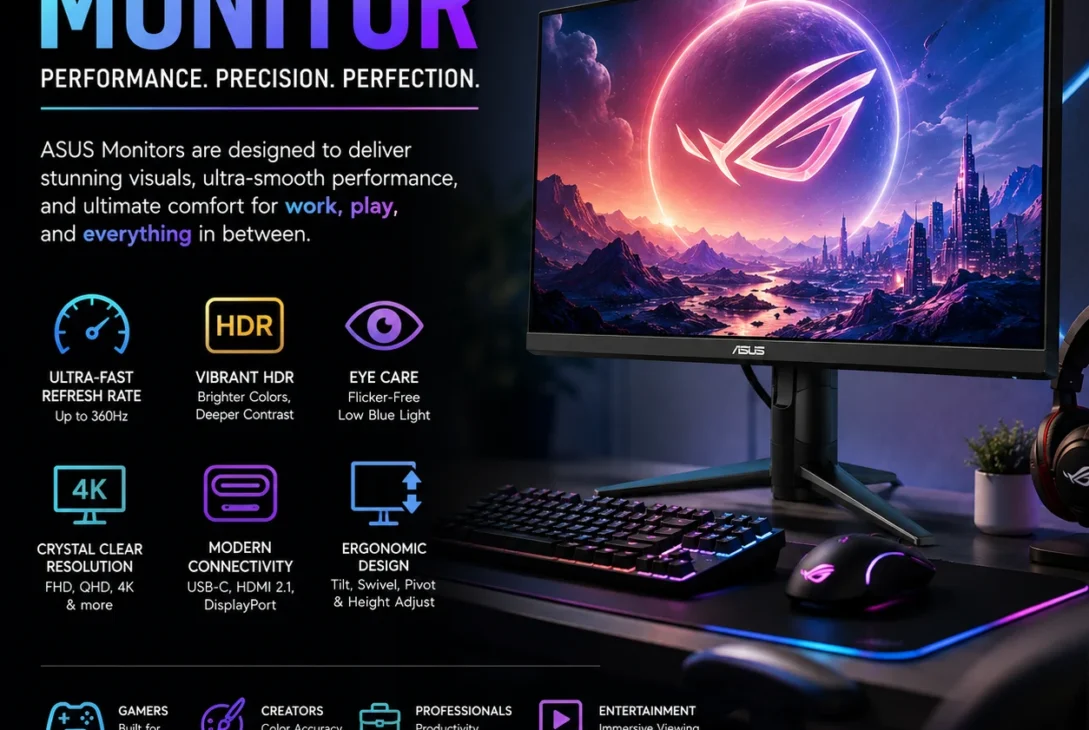
Choosing the right monitor can dramatically improve your gaming experience, work productivity, creative projects, and everyday computing. Among the leading brands in the display industry, the ASUS monitor lineup stands out for offering high-quality panels, innovative features, and options for every type of user. Whether you’re a gamer looking for ultra-fast refresh rates, a designer needing accurate colors, or a professional seeking a reliable office display, there’s an ASUS monitor designed to meet your needs.
An ASUS monitor is known for combining excellent image quality with modern technologies such as high refresh rates, HDR support, adaptive sync, USB-C connectivity, and ergonomic designs. The company manufactures displays ranging from budget-friendly Full HD models to premium 4K OLED gaming monitors used by professionals and esports enthusiasts.
In recent years, ASUS has expanded its product lineup to include gaming-focused ROG and TUF series, professional ProArt displays, business monitors, portable USB-C screens, and entertainment-focused models. This wide selection makes it easier for consumers to find a display that fits both their budget and performance requirements.
This comprehensive guide explains everything you need to know about choosing the best ASUS monitor, including different product series, display technologies, important specifications, buying tips, comparisons with competing brands, and recommendations for different users in 2026.
Table of Contents
- What Is an ASUS Monitor?
- Why Choose an ASUS Monitor?
- ASUS Monitor Series Explained
- Display Technologies
- Key Features to Consider
- Best ASUS Monitors for Different Users
- ASUS Monitor vs LG vs Dell
- Buying Guide
- Pros and Cons
- Final Verdict
- FAQs
What Is an ASUS Monitor?
An ASUS monitor is a computer display manufactured by ASUS, one of the world’s leading technology companies. These monitors are designed for a wide variety of users, including gamers, professionals, content creators, students, businesses, and everyday home users.
The company offers displays in multiple sizes, resolutions, and panel technologies, including:
- 22-inch monitors
- 24-inch monitors
- 27-inch monitors
- 32-inch monitors
- Ultrawide monitors
- Portable monitors
- Professional color-accurate displays
Depending on the model, an ASUS monitor may include features such as high refresh rates, USB-C connectivity, HDR support, adaptive sync, built-in speakers, ergonomic stands, and eye-care technologies.
Why Choose an ASUS Monitor?
There are many reasons why ASUS has become one of the most trusted monitor manufacturers worldwide.
An ASUS monitor offers an excellent balance of performance, build quality, innovation, and price. Whether you’re purchasing your first monitor or upgrading an existing setup, ASUS provides solutions across nearly every budget category.
Some of the biggest advantages include:
- Reliable build quality.
- Wide selection of models.
- Excellent gaming performance.
- Professional-grade color accuracy.
- Modern connectivity options.
- Strong warranty support.
- Competitive pricing.
- Innovative display technologies.
Because ASUS manufactures displays for different market segments, users can easily find models suited for gaming, business, creative work, programming, or entertainment.
ASUS Monitor Series Explained
ASUS organizes its displays into several product families, each targeting a specific type of user.
ROG (Republic of Gamers)
The Republic of Gamers lineup represents ASUS’s flagship gaming monitors.
These models typically include:
- Ultra-high refresh rates
- Extremely fast response times
- HDR support
- NVIDIA G-SYNC
- AMD FreeSync Premium
- RGB lighting
- Premium build quality
An ROG ASUS monitor is designed for competitive gamers who demand maximum performance.
TUF Gaming Series
The TUF Gaming lineup offers excellent gaming performance at a more affordable price.
Typical features include:
- 144Hz to 180Hz refresh rates
- Adaptive Sync
- Low Motion Blur
- Fast IPS panels
- Good color accuracy
For most gamers, a TUF ASUS monitor provides one of the best value-for-money options available.
ProArt Series
The ProArt lineup targets photographers, video editors, designers, architects, and digital artists.
These displays emphasize:
- Factory color calibration
- Wide color gamut
- High color accuracy
- USB-C connectivity
- Professional calibration support
A ProArt ASUS monitor is ideal for creative professionals who require accurate color reproduction.
Business Series
Business monitors focus on productivity and comfort.
They often include:
- Flicker-Free technology
- Low Blue Light modes
- Adjustable ergonomic stands
- Multiple input ports
- Energy-efficient designs
These displays are perfect for office environments and long working hours.
Portable Monitors
Portable ASUS monitors are lightweight displays powered through USB-C or USB connections.
They are commonly used by:
- Remote workers
- Business travelers
- Students
- Laptop users needing a second screen
Their slim design makes them easy to carry while providing additional workspace wherever you go.
Display Technologies Used in ASUS Monitors
One reason an ASUS monitor performs so well is the wide variety of display technologies available across its product lineup. Understanding these technologies helps you choose the right display for gaming, content creation, office work, or entertainment.
IPS (In-Plane Switching)
IPS panels are known for excellent color accuracy and wide viewing angles.
Advantages include:
- Accurate colors
- Wide 178° viewing angles
- Better image consistency
- Excellent for photo editing
- Great for professional work
Many mid-range and premium ASUS monitor models use Fast IPS technology, combining vivid colors with fast response times for gaming.
VA (Vertical Alignment)
VA panels focus on delivering deeper blacks and higher contrast ratios.
Benefits include:
- Better contrast
- Deep black levels
- Great movie experience
- Good HDR performance
VA displays are popular among users who enjoy watching movies and playing story-driven games.
OLED
Premium ASUS OLED monitors deliver exceptional image quality.
OLED advantages include:
- Perfect black levels
- Infinite contrast
- Extremely fast response times
- Outstanding HDR performance
- Vibrant colors
These displays are ideal for gamers, designers, and professionals seeking top-tier visual quality.
Mini LED
Some high-end ASUS monitors use Mini LED backlighting.
Benefits include:
- Improved local dimming
- Higher brightness
- Better HDR performance
- Reduced blooming
- Enhanced contrast
Mini LED technology bridges the gap between traditional LCD and OLED displays.
Important Features to Consider
Before purchasing an ASUS monitor, it’s important to understand the specifications that affect daily use.
Screen Size
Popular options include:
- 24-inch
- 27-inch
- 32-inch
- 34-inch ultrawide
- 49-inch super ultrawide
For most users, 27 inches offers an excellent balance between workspace and viewing comfort.
Resolution
ASUS monitors are available in several resolutions.
Full HD (1920×1080)
Best for:
- Budget users
- Office work
- Entry-level gaming
Quad HD (2560×1440)
Ideal for:
- Competitive gaming
- Programming
- Productivity
- Content creation
Many users consider QHD the sweet spot for a modern ASUS monitor.
4K Ultra HD (3840×2160)
Perfect for:
- Professional editing
- Photography
- Video production
- Premium gaming
- High-end workstations
Refresh Rate
Refresh rate determines how many times the screen updates every second.
Common options include:
- 60Hz
- 75Hz
- 100Hz
- 120Hz
- 144Hz
- 165Hz
- 180Hz
- 240Hz
- 360Hz
Higher refresh rates provide smoother motion, especially during gaming.
Response Time
Lower response times reduce motion blur and ghosting.
Typical response times:
- 1ms
- 0.5ms
- 0.3ms
Competitive gamers often prioritize this specification.
Adaptive Sync
Modern ASUS gaming monitors support adaptive synchronization technologies.
These include:
- AMD FreeSync
- FreeSync Premium
- NVIDIA G-SYNC Compatible
These technologies reduce screen tearing and stuttering for smoother gameplay.
HDR Support
Many premium ASUS models support HDR standards.
HDR improves:
- Brightness
- Contrast
- Color depth
- Overall image realism
Connectivity
A modern ASUS monitor may include:
- HDMI
- DisplayPort
- USB-C
- USB Hub
- Audio output
- Ethernet (select models)
USB-C connectivity is especially useful for laptops because it can carry video, data, and power through a single cable.
ASUS Eye Care Technology
One feature that separates ASUS from many competitors is its Eye Care technology.
This includes:
- Flicker-Free technology
- Low Blue Light modes
- TÜV Rheinland certification
- Adjustable brightness profiles
These features help reduce eye strain during long work or gaming sessions.
Best ASUS Monitors for Different Users
Choosing the right ASUS monitor depends on how you plan to use it.
For Competitive Gamers
Look for:
- 240Hz or higher refresh rate
- Fast IPS or OLED panel
- 1ms response time
- G-SYNC or FreeSync support
For Content Creators
Prioritize:
- ProArt series
- Factory-calibrated colors
- Wide Adobe RGB or DCI-P3 coverage
- 4K resolution
- USB-C connectivity
For Office Work
Recommended features include:
- IPS panel
- Ergonomic stand
- Flicker-Free display
- Low Blue Light technology
- 24–27 inch screen size
For Students
A budget-friendly Full HD IPS monitor with good ergonomics and HDMI connectivity is usually the best choice for studying, online classes, and general productivity.
ASUS Monitor vs LG vs Dell
When shopping for a new display, many buyers compare an ASUS monitor with offerings from LG and Dell. Each brand has its own strengths, and the right choice depends on your budget and intended use.
| Feature | ASUS Monitor | LG Monitor | Dell Monitor |
|---|---|---|---|
| Gaming Performance | Excellent | Excellent | Good |
| Professional Displays | Excellent (ProArt) | Very Good | Excellent (UltraSharp) |
| Color Accuracy | Excellent | Excellent | Excellent |
| Refresh Rate Options | Up to 360Hz+ | Up to 240Hz+ | Up to 165Hz (most models) |
| Build Quality | Excellent | Very Good | Excellent |
| USB-C Models | Yes | Yes | Yes |
| Budget Options | Wide Selection | Good | Moderate |
| Best For | Gaming & All-Round Use | Entertainment & Creators | Office & Professionals |
For most users, an ASUS monitor provides one of the best balances between performance, features, and pricing.
Buying Guide
Choosing the right monitor becomes much easier when you know which specifications matter most.
https://www.asus.com/displays-desktops/monitors/
Determine Your Primary Use
Ask yourself what you’ll use the monitor for.
Gaming
Look for:
- 165Hz or higher refresh rate
- Fast IPS or OLED panel
- 1ms response time
- Adaptive Sync support
Productivity
Choose:
- 27-inch display
- IPS panel
- QHD resolution
- Ergonomic stand
- USB-C connectivity
Creative Work
Professionals should prioritize:
- ProArt models
- Factory calibration
- Wide color gamut
- 4K resolution
- HDR support
Home Entertainment
Movie lovers should consider:
- VA or OLED panels
- HDR support
- High contrast ratio
- Built-in speakers (if needed)
Ergonomics Matter
A good monitor should remain comfortable during long working sessions.
Features worth looking for include:
- Height adjustment
- Tilt adjustment
- Swivel
- Pivot rotation
- VESA mount compatibility
These adjustments help improve posture and reduce neck strain.
Check Connectivity
Before buying, verify that the monitor supports your computer.
Common ports include:
- HDMI 2.1
- DisplayPort 1.4
- USB-C
- USB-A Hub
- 3.5mm Audio Jack
Modern laptops especially benefit from USB-C monitors because a single cable can handle video, data, and charging.
Energy Efficiency
Many ASUS displays include energy-saving features such as:
- Eco Mode
- Automatic brightness adjustment
- Low power consumption
- Energy Star certification (selected models)
These features reduce electricity usage without significantly affecting image quality.
Common Mistakes to Avoid
Many buyers focus only on screen size and overlook other important specifications.
Avoid these common mistakes:
- Buying a 4K monitor with hardware that cannot drive it effectively.
- Choosing a refresh rate higher than your graphics card can consistently deliver.
- Ignoring ergonomic adjustments.
- Purchasing based only on price.
- Forgetting to check available ports.
- Overlooking color accuracy if you edit photos or videos.
- Buying a gaming monitor for office work when a productivity-focused model would be a better value.
Making an informed decision ensures your ASUS monitor continues to meet your needs for years.
Future of ASUS Monitors
Display technology continues to evolve rapidly.
Future ASUS monitors are expected to focus on:
- Improved OLED panels
- Higher refresh rates
- Better HDR performance
- AI-powered display optimization
- Energy-efficient technologies
- Advanced USB4 and Thunderbolt connectivity
- Higher color accuracy for professional creators
These innovations will continue improving both gaming and productivity experiences.
Pros and Cons
Pros
- Excellent image quality across multiple display categories.
- Wide range of models for gaming, office work, content creation, and entertainment.
- High refresh rate options up to 360Hz+ on select models.
- Premium OLED, Mini LED, IPS, and VA panel choices.
- Reliable build quality with modern, ergonomic designs.
- Advanced Eye Care technology helps reduce eye strain.
- Wide connectivity options including HDMI, DisplayPort, and USB-C.
- Strong color accuracy, especially in the ProArt series.
- Adaptive Sync support for smoother gaming performance.
- Good value for money across different price ranges.
Cons
- Premium models can be expensive.
- OLED models may not suit every budget.
- Some entry-level models have limited ergonomic adjustments.
- Built-in speakers on budget models are average.
- High-refresh-rate monitors require powerful hardware to maximize performance.
- Professional color calibration features are mainly available in higher-end models.
Final Verdict
An ASUS monitor remains one of the best choices in 2026 for users who want reliability, performance, and excellent display quality. Whether you’re a competitive gamer, creative professional, office worker, or casual user, ASUS offers a monitor that fits your needs and budget.
Gaming enthusiasts can benefit from the ROG and TUF Gaming series, while photographers, designers, and video editors will appreciate the outstanding color accuracy of the ProArt lineup. Business users also gain from ergonomic designs, Eye Care technologies, and dependable long-term performance.
When selecting an ASUS monitor, focus on your intended use, preferred screen size, resolution, refresh rate, and connectivity options. A carefully chosen monitor can significantly improve productivity, gaming performance, and everyday computing while serving you reliably for many years.
Frequently Asked Questions (FAQs)
1. Is an ASUS monitor good for gaming?
Yes. ASUS offers some of the best gaming monitors available, featuring high refresh rates, fast response times, Adaptive Sync support, and premium technologies such as OLED and Mini LED.
2. Which ASUS monitor is best for office work?
A 24-inch or 27-inch IPS model with Eye Care technology, an ergonomic stand, and QHD resolution is an excellent choice for office productivity.
3. Are ASUS monitors good for photo and video editing?
Yes. The ProArt series is specifically designed for creative professionals and provides factory-calibrated colors, wide color gamut coverage, and exceptional accuracy.
4. What is the ideal refresh rate for an ASUS monitor?
For everyday use, 75Hz–100Hz is sufficient. Gamers should consider 144Hz, 165Hz, 180Hz, or higher depending on their hardware and gaming preferences.
5. Does an ASUS monitor support Mac and Windows?
Yes. Most ASUS monitors work seamlessly with both Windows PCs and Mac computers using HDMI, DisplayPort, or USB-C, depending on the model.
6. How long does an ASUS monitor typically last?
With proper care and regular maintenance, a quality ASUS monitor can easily last 7–10 years or more, depending on usage and panel technology.