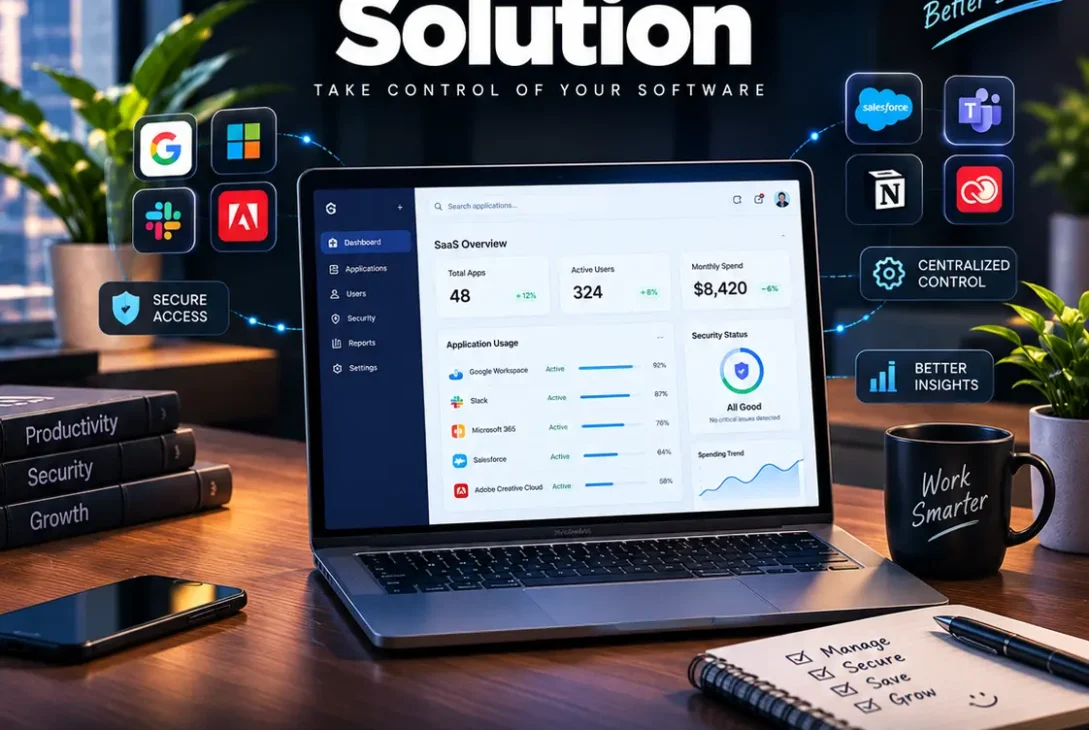
A growing business can quickly accumulate dozens or even hundreds of cloud applications. Employees use software for communication, project management, accounting, marketing, customer support, design, security, and collaboration. Without proper oversight, companies can lose track of subscriptions, duplicate tools, unused accounts, and security risks. A saas management solution helps businesses bring these applications into one organized system.
Modern SaaS environments are more complicated than simply keeping a list of software subscriptions. Companies need to know which applications employees use, who has access to sensitive information, when contracts renew, how much each department spends, and whether an application creates a security or compliance risk.
A good saas management solution can help answer these questions while giving IT, finance, security, and operations teams better visibility into the company’s software environment.
This guide explains what SaaS management means, how these platforms work, their biggest benefits, important features to look for, common mistakes, and how businesses can choose the right solution in 2026.
Table of Contents
- What Is a SaaS Management Solution?
- Why SaaS Management Matters
- How SaaS Management Software Works
- 9 Major Benefits of SaaS Management
- Essential Features to Look For
- SaaS Management for Security Teams
- SaaS Management for Finance Teams
- SaaS Management for IT Teams
- SaaS Management and Employee Offboarding
- SaaS Management vs. Traditional IT Asset Management
- How to Choose the Right SaaS Management Solution
- Common SaaS Management Mistakes
- Frequently Asked Questions
- Final Verdict
- SEO Details
What Is a SaaS Management Solution?
A saas management solution is software designed to help organizations discover, monitor, manage, secure, and optimize the SaaS applications used across a business.
SaaS stands for Software as a Service. Instead of installing software permanently on local computers or maintaining traditional servers, businesses typically access SaaS applications through the internet.
Examples include:
- Project management platforms
- Cloud storage
- Accounting software
- CRM platforms
- Marketing tools
- Communication applications
- Design software
- HR systems
- Analytics platforms
- AI applications
The challenge is that employees can often subscribe to applications without IT teams having complete visibility.
An employee might purchase a productivity application for a small monthly fee. Another department may already have a similar tool. Months later, the company could be paying for multiple subscriptions that provide overlapping functionality.
A saas management solution attempts to create a central view of this software environment.
Instead of asking employees to manually report every application they use, the platform can connect with identity providers, expense systems, corporate applications, and other data sources to identify SaaS usage.
Why SaaS Management Matters
The number of cloud applications used by businesses has increased dramatically.
Remote and hybrid work have also made SaaS applications essential for many organizations. Employees can work from almost anywhere, but this flexibility creates additional challenges for IT and security teams.
Without centralized management, a company may struggle to answer basic questions:
- Which SaaS applications are being used?
- Who has access to each application?
- Which subscriptions are active?
- How much does the company spend?
- Which licenses are unused?
- Which applications contain sensitive data?
- When do contracts renew?
- What happens when an employee leaves?
A saas management solution can help consolidate this information.
The Problem of Shadow IT
Shadow IT occurs when employees use technology without going through the organization’s formal IT approval process.
This can happen for innocent reasons. An employee may discover a useful AI tool or collaboration platform and start using it immediately.
The problem is that the company may not know what data is being shared with that application.
For example, an employee could upload customer information to an unapproved AI service. Even if the employee has good intentions, the organization may have created a security or compliance problem.
SaaS visibility can help security teams identify these applications and decide whether they should be approved, restricted, or removed.
How SaaS Management Software Works
A modern saas management solution typically collects information from multiple systems.
These can include:
- Single sign-on platforms
- Identity providers
- Accounting systems
- Expense management platforms
- Corporate email
- HR systems
- Application programming interfaces
- Browser or endpoint information
- Procurement systems
The platform then organizes this information into dashboards and reports.
For example, an IT administrator might see a list of applications, the number of active users, license utilization, subscription costs, security information, and upcoming renewal dates.
This provides a much clearer picture than maintaining a spreadsheet manually.
Application Discovery
Discovery is usually one of the most important capabilities.
A company cannot manage applications it does not know exist.
A management platform can identify SaaS applications connected to corporate accounts or appearing in expense and identity data.
Once applications are discovered, administrators can categorize them and determine whether they are approved.
License Tracking
License tracking helps businesses determine whether they are paying for more licenses than they actually need.
Suppose a company has 100 licenses for a particular application but only 65 employees actively use it.
The organization may be able to reduce its subscription during the next renewal.
Renewal Management
Automatic renewals can become expensive when contracts are forgotten.
A saas management solution can provide reminders about upcoming renewals and contract deadlines.
This gives procurement and finance teams more time to negotiate pricing or cancel unnecessary services.
9 Major Benefits of SaaS Management
1. Better SaaS Visibility
The first benefit is visibility.
Businesses can create a centralized inventory of applications instead of relying on scattered spreadsheets and employee knowledge.
This makes it easier to understand the company’s overall software environment.
2. Reduced Software Spending
Unused licenses can represent significant waste.
A management platform can identify applications where the number of paid licenses is higher than actual usage.
Finance teams can then work with department leaders to reduce unnecessary subscriptions.
A saas management solution can therefore contribute directly to software cost optimization.
3. Stronger Security
Every third-party application can potentially introduce security risks.
A SaaS platform may store company information, employee credentials, customer records, or other sensitive data.
Centralized visibility makes it easier for security teams to identify applications that require additional review.
4. Faster Employee Offboarding
When an employee leaves, their SaaS accounts should be reviewed and access should be removed where appropriate.
Manually checking dozens of applications can be time-consuming.
Automated workflows can help organizations identify accounts associated with departing employees and coordinate access removal.
5. Better Compliance
Organizations in regulated industries may need to know where data is stored and who can access it.
SaaS management can provide records that help security and compliance teams understand the organization’s application environment.
The platform itself does not automatically make a company compliant, but better visibility can support compliance processes.
6. Improved Procurement
Procurement teams can use SaaS usage information when negotiating contracts.
Instead of accepting a renewal automatically, the organization can review:
- Current users
- License utilization
- Spending
- Department usage
- Alternative applications
- Contract terms
This creates a stronger position during vendor negotiations.
7. Less Shadow IT
Employees will continue discovering new applications, particularly as AI software becomes more popular.
The goal should not always be to block every new application.
Instead, organizations can identify unknown tools and establish approval processes.
A saas management solution can help IT teams distinguish between approved applications and unmanaged software.
8. Centralized Reporting
Executives often need a simple view of technology spending and risk.
Centralized dashboards can make it easier to report:
- Total SaaS spending
- Number of applications
- License utilization
- Security risks
- Upcoming renewals
- Department spending
9. Better IT Efficiency
Without centralized management, IT teams may spend hours searching through invoices, spreadsheets, emails, and individual application dashboards.
Automation can reduce this administrative workload and allow IT professionals to focus on higher-value security and infrastructure tasks.
Essential Features to Look For
Not every saas management solution offers the same capabilities.
Before choosing a platform, evaluate the following features.
SaaS Discovery
The platform should provide reliable application discovery.
Ideally, it should identify both known and previously unknown applications.
License Optimization
Look for usage analytics that distinguish active users from inactive or underutilized accounts.
Spend Management
The platform should provide visibility into subscription costs and departmental spending.
Renewal Alerts
Renewal reminders are important because SaaS contracts can automatically renew.
Access Management
The ability to see who has access to applications can help IT and security teams manage accounts more effectively.
Security Risk Monitoring
Some platforms provide information about application security posture, data handling, authentication, and other risk factors.
Integrations
A good platform should connect with the systems your organization already uses.
Important integrations can include identity providers, HR platforms, expense systems, procurement tools, and communication platforms.
Automation
Automation is especially valuable for repetitive tasks.
Examples include:
- Removing inactive users
- Sending renewal reminders
- Creating approval workflows
- Flagging risky applications
- Generating reports
- Triggering offboarding tasks
SaaS Management for Security Teams
Security teams increasingly need visibility into the applications employees use.
Traditional security tools may focus heavily on devices, networks, and known infrastructure. SaaS introduces another layer of risk because employees can access applications directly through the internet.
A saas management solution can help security teams create an inventory of cloud applications and identify potential risks.
For example, a security team could categorize applications according to:
- Data sensitivity
- Authentication method
- Vendor risk
- Business importance
- Number of users
- Regulatory requirements
This creates a more structured approach to SaaS security.
AI Applications Add Another Challenge
The rapid adoption of AI tools has increased the number of applications employees may use without formal approval.
An employee might use an AI writing assistant, coding tool, image generator, or meeting transcription service.
Security teams need to understand what information these applications receive and whether their use complies with company policies.
SaaS management can help identify these tools and establish governance policies.
SaaS Management for Finance Teams
Finance teams often care about SaaS for a different reason: spending.
SaaS subscriptions can be spread across credit cards, invoices, departments, procurement systems, and expense reports.
This makes it difficult to calculate the company’s total software spending.
A saas management solution can consolidate this information and help finance teams understand where money is going.
Identify Duplicate Applications
Two departments may unknowingly pay for similar applications.
For example, one marketing team might use one project-management platform while another team pays for a different platform that performs many of the same functions.
Centralized visibility can reveal these overlaps.
Improve Renewal Negotiations
Knowing actual usage gives procurement teams better information during negotiations.
If only half the purchased licenses are being used, the company has a clear reason to request fewer seats.
SaaS Management for IT Teams
IT teams are often responsible for keeping the application environment organized.
A SaaS management platform can reduce repetitive administrative work by giving administrators a central location to review applications and users.
Instead of checking each vendor separately, IT can start with a consolidated inventory.
This is especially useful for growing organizations where the number of applications increases quickly.
SaaS Management and Employee Offboarding
Employee departures create security risks if accounts remain active after employment ends.
An employee may have access to:
- Cloud storage
- CRM systems
- Project management tools
- Accounting applications
- Communication platforms
- Development tools
- AI applications
A strong offboarding process should identify these accounts and revoke access appropriately.
A saas management solution can support this process by connecting employee identity information with application access data.
Automation can make offboarding faster while reducing the possibility of forgotten accounts.
SaaS Management vs. Traditional IT Asset Management
Traditional IT asset management focuses heavily on physical and installed technology.
This can include:
- Laptops
- Servers
- Monitors
- Networking equipment
- Installed software
SaaS management focuses more heavily on cloud applications, subscriptions, identities, licenses, access, and usage.
The two approaches can complement each other.
A company may need both traditional IT asset management and a dedicated SaaS management strategy.
How to Choose the Right SaaS Management Solution
Choosing a saas management solution should begin with your organization’s biggest problems.
Do not buy a platform simply because it has the longest feature list.
Start With Your Goals
Decide what you actually want to improve.
For example:
- Reduce SaaS spending
- Discover shadow IT
- Improve security visibility
- Automate employee offboarding
- Manage renewals
- Improve compliance
- Centralize application inventory
Your priorities should determine which features matter most.
https://www.nist.gov/cyberframework
Consider Company Size
A small business with 50 employees may not need the same platform as an enterprise with thousands of employees.
Smaller organizations may prioritize simple deployment and cost.
Larger companies may need advanced integrations, automation, security workflows, and detailed reporting.
Evaluate Integrations
Integration quality can determine whether the platform becomes useful or remains another dashboard employees have to maintain.
Check whether the solution supports the identity, HR, finance, procurement, and security systems your company already uses.
Test Data Accuracy
Discovery is only useful if the information is accurate.
During a trial, compare the platform’s inventory against the applications you know your employees use.
Consider Automation
If your main goal is reducing manual work, prioritize workflow automation.
A platform that only provides reports may not deliver as much operational value as one that can trigger actions.
Common SaaS Management Mistakes
Treating SaaS Management as Only a Finance Problem
Reducing software spending is valuable, but SaaS management also affects security, compliance, procurement, and IT operations.
Ignoring Shadow IT
Blocking applications without understanding why employees use them can encourage people to find workarounds.
Buying Too Many Tools
Adding another management platform without integrating it into existing workflows can create more complexity.
Not Reviewing Renewals
Even if a company discovers unused licenses, failing to review contracts before renewal can eliminate potential savings.
Forgetting Employee Offboarding
Leaving old SaaS accounts active can create unnecessary security exposure.
Focusing Only on Number of Applications
A company with 200 applications is not automatically less efficient than one with 50.
The important questions are whether applications are necessary, secure, properly managed, and cost-effective.
Frequently Asked Questions
What is a saas management solution?
A saas management solution is software that helps organizations discover, monitor, secure, and optimize their SaaS applications, users, licenses, subscriptions, and spending.
Why do businesses need SaaS management?
Businesses need SaaS management to improve visibility, reduce unnecessary spending, manage application access, control shadow IT, monitor renewals, and improve security.
Can SaaS management reduce software costs?
Yes. A management platform can identify unused licenses, duplicate applications, inactive accounts, and unnecessary subscriptions that may be contributing to wasted spending.
Does SaaS management improve cybersecurity?
It can support cybersecurity by giving teams greater visibility into applications, accounts, access permissions, and potentially risky services. It should complement, not replace, broader security controls.
What is shadow IT?
Shadow IT refers to hardware, software, or cloud services used by employees without formal approval or oversight from the organization’s IT team.
Is SaaS management only for large companies?
No. Small and medium-sized companies can also benefit from application discovery, license tracking, security visibility, and renewal management. The appropriate platform depends on the organization’s size and needs.
How does SaaS management help with employee offboarding?
It can help identify applications associated with an employee and support workflows for removing access when the employee leaves.
Can SaaS management help with AI tools?
Yes. As employees adopt more AI applications, SaaS management can help organizations discover these tools and establish appropriate security and governance policies.
What features should a SaaS management platform have?
Important features include application discovery, license tracking, spend management, renewal alerts, access visibility, integrations, security monitoring, reporting, and automation.
How do I choose the best SaaS management platform?
Start by identifying your main goal, such as reducing costs, improving security, or managing applications. Then compare integrations, discovery accuracy, automation, reporting, pricing, and ease of deployment.
Final Verdict
A saas management solution can become an important part of modern IT operations as companies continue moving their software infrastructure into the cloud.
The biggest value is not simply creating another list of applications. A strong platform can connect software discovery, license usage, spending, security, employee access, procurement, and renewal management into a more organized process.
For finance teams, this can mean better control over SaaS spending. For IT teams, it can reduce administrative work. For security teams, it can provide better visibility into applications and access. For employees, well-designed workflows can make software access and offboarding more efficient.
The right platform depends on the organization’s size, technology stack, security requirements, and goals. Businesses should therefore compare solutions based on real-world needs rather than choosing solely on the number of advertised features.
As SaaS adoption and AI software continue to expand, managing cloud applications will become increasingly important. Companies that build a structured SaaS management process can gain better visibility, reduce waste, and create a more controlled software environment.