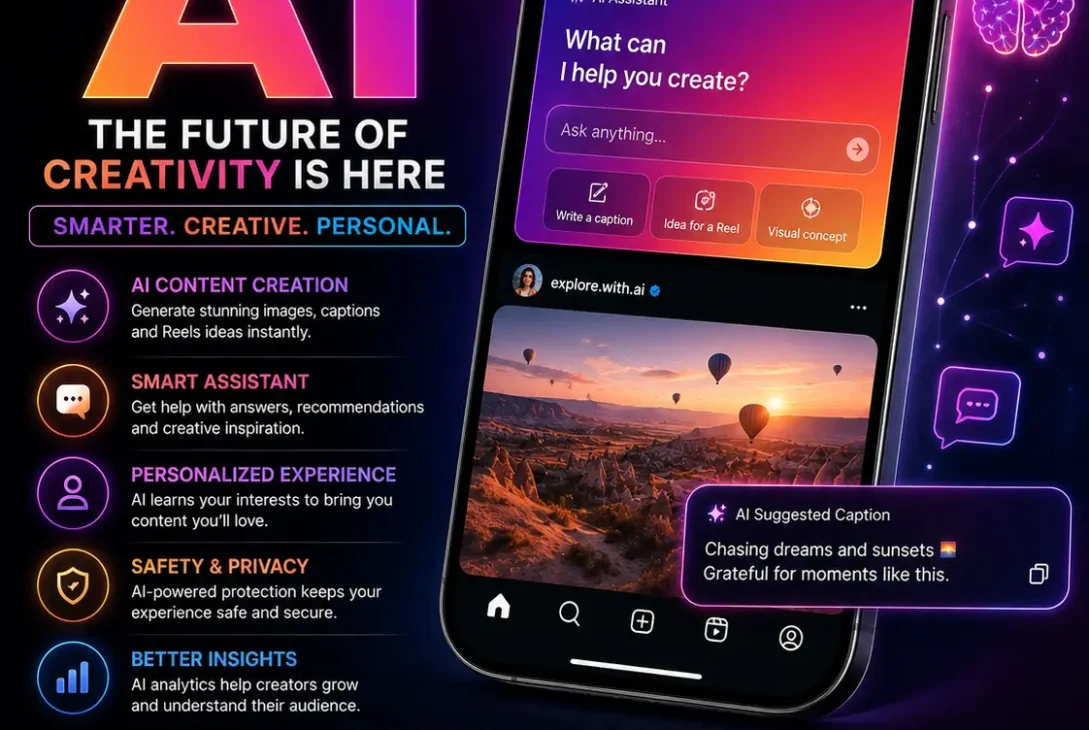
Instagram is becoming much more AI-powered in 2026, making Instagram AI an increasingly important part of the platform. From creative Story effects and AI image generation to smarter Meta AI experiences, artificial intelligence is changing how people create and discover content.
Meta has continued expanding AI across Instagram and its other apps. Its Muse Spark model is being integrated into Meta AI experiences across Instagram, Facebook, WhatsApp, Messenger, and Threads, while Muse Image now powers creative experiences on Instagram.
If you use Instagram for entertainment, personal content, business, or creator work, these Instagram AI features are worth knowing about.
Table of Contents
- What Is Instagram AI?
- 9 Powerful Instagram AI Features
- AI-Powered Instagram Story Effects
- Meta AI on Instagram
- Instagram AI Image Generation
- AI Photo Editing
- AI Content Ideas and Inspiration
- AI-Powered Content Discovery
- Instagram AI for Creators
- Instagram AI for Businesses
- Is Instagram AI Free?
- How to Use Instagram AI
- Instagram AI Privacy and Safety
- Frequently Asked Questions
- Final Verdict
What Is Instagram AI?
Instagram AI refers to artificial intelligence features and experiences that help users create, edit, discover, and interact with content on Instagram.
Some features are built directly into Instagram, while others are powered by Meta AI technology. Meta’s newer Muse Spark model is designed to make Meta AI more capable and contextual across Meta’s apps, including Instagram.
In 2026, Instagram AI is moving beyond basic filters. Users can now encounter AI-powered Story effects, image-generation tools, creative assistance, and other AI experiences.
The exact features available can depend on your location, account, device, and Meta’s rollout schedule.
9 Powerful Instagram AI Features in 2026
Here are some of the most important Instagram AI features and developments to know about in 2026.
1. Instagram AI Story Effects
One of the most noticeable ways users can experience Instagram AI is through Stories.
Meta introduced more than 30 new AI-powered effects for Instagram Stories using Muse Image. These effects can transform photos with a single tap, making it easier for users to experiment with different visual styles.
This is especially useful if you want to make a Story more creative without manually editing the entire image.
Instead of opening a separate photo-editing application, you can use an AI-powered effect directly within the Instagram experience when the feature is available to your account.
2. Meta AI on Instagram
Meta AI is becoming more closely connected with Instagram.
Meta says Muse Spark is being integrated into Meta AI experiences across Instagram, Facebook, WhatsApp, Messenger, and Threads. The technology can appear in areas such as search, posts, and group conversations.
This is important because it means Instagram AI is not simply one standalone button or feature.
Instead, Meta is building AI into different parts of its social platforms.
As these integrations expand, users can expect AI to become more involved in finding information, discovering content, and getting assistance while using Meta’s apps.
3. Instagram AI Image Generation
AI image generation is one of the biggest developments in Meta’s AI strategy.
In July 2026, Meta introduced Muse Image, its first image-generation model from Meta Superintelligence Labs. Meta says Muse Image can understand complex prompts, combine multiple visual references, and create images that can be shared to places including Stories, feeds, and chats.
This makes Instagram AI particularly interesting for people who enjoy visual content.
You can use AI image generation for ideas such as:
- Creative social media concepts
- Visual experiments
- Background changes
- Stylized portraits
- Promotional graphics
- Story ideas
- Image variations
The technology can also understand conversational instructions rather than requiring users to learn complicated image-generation commands.
4. AI Photo Editing
Another important part of Instagram AI is AI-assisted photo editing.
Meta says Muse Image can work with existing photos and understand instructions for making changes. Users can also mark or sketch areas of an image to indicate what they want changed and continue refining the result.
For example, AI can help with creative changes such as removing an unwanted element, changing the visual style, or adding new elements to an image.
This can be useful for users who do not have advanced knowledge of Photoshop or other professional editing software.
The main advantage is simplicity: instead of manually adjusting dozens of settings, you can describe the change you want.
5. AI Presets for Faster Creativity
Starting with a blank screen can sometimes be the hardest part of creating content.
Meta’s Muse Image experience includes suggested presets designed to give users ideas. Meta has shown examples such as restoring an old family photo, trying different hairstyles, and transforming people into different visual styles.
These presets can make Instagram AI easier for beginners.
You do not necessarily need to know how to write a detailed AI prompt. Instead, you can start with a suggested idea and customize it.
This can be especially helpful when you want to experiment but do not know exactly what to ask the AI to create.
6. AI-Powered Content Discovery
AI is also becoming increasingly important for discovering content.
Meta says Muse Spark is designed to power new features that can use recommendations and content shared across Instagram, Facebook, and Threads.
This means AI can play a role in helping users find relevant content based on what they are looking for or interacting with.
For example, someone interested in technology could potentially receive more relevant recommendations, creators, posts, or Reels.
The goal is to make content discovery feel more personalized instead of relying only on traditional keyword searches.
7. Instagram AI for Creators
Creators can benefit significantly from Instagram AI because content creation requires constant ideas and experimentation.
AI can help creators explore visual concepts, develop content ideas, edit images, and experiment with different creative directions.
Meta’s Muse Image is specifically designed to act as a creative partner, allowing users to start with an idea and refine it through conversational instructions.
Creators can potentially use these tools for:
- Instagram Story concepts
- Visual experimentation
- Image editing
- Content inspiration
- Promotional graphics
- Creative brainstorming
- Different versions of an idea
However, AI should support a creator’s personality rather than completely replace it.
The strongest Instagram content still needs an original idea, recognizable style, and human judgment.
8. Instagram AI for Businesses
Businesses can also take advantage of Instagram AI.
Small businesses often need to produce content without having a large design or marketing team. AI can help them experiment with visual concepts and produce different creative directions more quickly.
Meta has also announced plans to bring Muse Image into advertising workflows through Advantage+ creative.
This could make AI especially useful for businesses running social media campaigns.
For example, a business could experiment with:
- Product visuals
- Promotional concepts
- Background variations
- Social media graphics
- Creative advertisements
- Different visual styles
Businesses should still review AI-generated content carefully before publishing it, particularly when products, prices, logos, claims, or other important information are involved.
9. AI-Powered Personal Assistance
Meta is also moving toward AI that can do more than simply answer questions.
Meta says Muse Spark powers Meta AI experiences designed to be more contextual and useful across its products. Meta has also introduced capabilities that allow Meta AI to plan and perform certain tasks on a user’s behalf in its broader AI experience.
This direction could make Instagram AI more useful over time.
Instead of AI being limited to generating a caption or image, Meta is working toward AI experiences that understand context and can assist with more complicated tasks.
However, the availability of these capabilities on Instagram can differ from the broader Meta AI experience.
How to Use Instagram AI
The exact process depends on which Instagram AI feature is available on your account.
For AI-powered Story effects, you can generally start by creating an Instagram Story and checking the available effects.
For supported AI experiences, the basic workflow is:
- Open Instagram.
- Create a Story, post, or supported piece of content.
- Look through the available effects or AI options.
- Select the feature you want to use.
- Follow the on-screen instructions.
- Enter an AI prompt if the feature asks for one.
- Review the result.
- Make changes if the option is available.
- Share the final content.
If you cannot find a particular Instagram AI feature, that does not necessarily mean something is wrong with your account. Meta often rolls out new features gradually.
Is Instagram AI Free?
Some Instagram AI and Meta AI experiences are available without a separate payment, but availability and limits can vary.
Meta says using Meta AI with Muse Image is free for everyday creation, while additional creation capabilities are available through Meta’s subscription plans.
Therefore, users should not assume that every current or future AI feature will have exactly the same pricing or limits.
Meta can change availability as its AI products develop.
Instagram AI Privacy and Safety
Privacy is important whenever you use an AI-powered feature.
Before uploading personal photos or providing sensitive information, check the privacy information and controls associated with that particular feature.
It is also important to understand that different Meta AI experiences can have different capabilities and privacy settings.
Meta has been adding safety measures around AI use, including protections related to teens and Meta AI conversations.
For everyday use, a good rule is simple: do not provide sensitive information to an AI tool unless you understand how that feature handles it.
Instagram AI vs Traditional Instagram Editing
Traditional Instagram editing usually requires you to manually choose filters, adjust settings, add effects, and make other changes.
Instagram AI takes a different approach.
Instead of manually controlling every step, AI can allow you to describe what you want and then generate or modify the result.
For example:
Traditional editing:
Choose filter → adjust brightness → crop → add effects → add text.
AI-assisted editing:
Describe the desired result → AI creates or changes the image → refine the result.
Traditional editing still has advantages when you need precise control. AI is more useful when you want speed, experimentation, or ideas.
https://about.fb.com/news/2026/04/introducing-muse-spark-meta-superintelligence-labs/
Tips for Getting Better Results With Instagram AI
Be Specific
If an AI tool accepts prompts, describe the subject, style, environment, lighting, mood, and important details.
Try Different Prompts
Your first result may not be the best one. Try changing your wording and experiment with different ideas.
Keep Your Brand Consistent
If you are using Instagram AI for business, make sure generated content still matches your brand’s visual identity.
Check AI-Generated Images
Look carefully for strange details, incorrect text, unrealistic objects, or other mistakes before posting.
Do Not Rely Completely on AI
AI is best used as a creative assistant. Your own ideas, experience, and judgment should remain part of the process.
Frequently Asked Questions
What is Instagram AI?
Instagram AI refers to artificial-intelligence-powered features and experiences connected with Instagram, including creative effects, AI image tools, content discovery, and Meta AI integrations.
Does Instagram have AI features?
Yes. Meta has introduced AI-powered Instagram Story effects and is expanding Meta AI capabilities across Instagram and other Meta products.
Can Instagram AI generate images?
Yes. Meta’s Muse Image technology powers creative experiences on Instagram and can generate and modify images using natural-language instructions.
Can Instagram AI edit my photos?
Supported Meta AI experiences can modify existing images based on conversational instructions. Muse Image also supports marking or sketching changes directly on an image.
Is Instagram AI free?
Some AI features are available for free, although specific features, limits, availability, and subscription options can vary. Meta says Muse Image is free for everyday creation.
Why don’t I have Instagram AI?
A feature may not yet be available in your country, account, app version, or device. Meta commonly rolls out new features gradually.
Can Instagram AI create Story effects?
Yes. Meta introduced more than 30 new AI-powered effects for Instagram Stories powered by Muse Image.
Is Instagram AI useful for creators?
Yes. Creators can use AI-powered tools for visual experimentation, image editing, Story effects, and creative inspiration.
Can businesses use Instagram AI?
Yes. AI can help businesses experiment with visual content and creative concepts, while Meta is also bringing Muse Image into advertising workflows through Advantage+ creative.
Will Instagram AI replace creators?
AI can automate parts of content creation, but it does not eliminate the need for human creativity, strategy, personality, and judgment.
Final Verdict
Instagram AI is becoming a major part of Instagram’s future in 2026.
Meta is combining AI with Stories, image generation, photo editing, content discovery, and creator-focused tools. The introduction of Muse Image and the expansion of Muse Spark show that Meta is investing heavily in AI-powered experiences across its platforms.
For casual users, Instagram AI can make creating Stories and experimenting with photos easier. For creators, it can provide new ways to develop and refine ideas. For businesses, it can speed up parts of the creative process.
The best approach is to use AI as a tool rather than a replacement for creativity. As Meta continues expanding these features, Instagram is likely to become even more deeply connected with AI-powered creation and discovery.