
Introduction
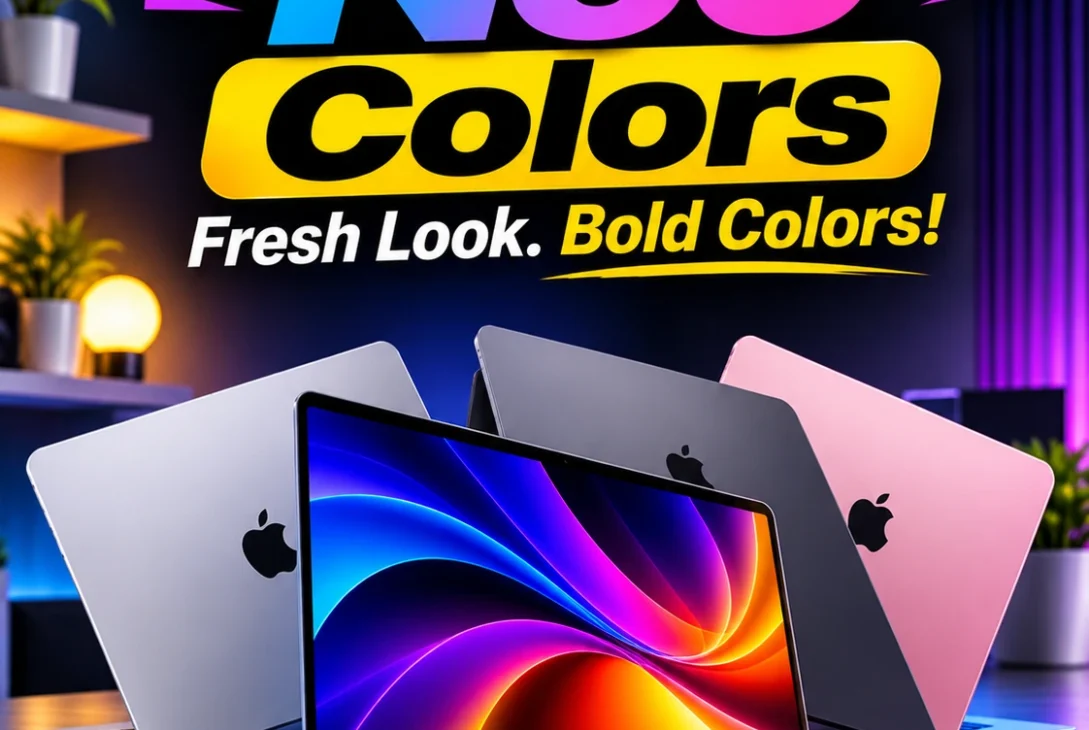
Apple has given its entry-level laptop a more expressive look with four finishes that are easy to tell apart. Instead of offering only familiar metallic shades, the MacBook Neo arrives in Silver, Blush, Citrus, and Indigo.
If you are comparing MacBook Neo colors before buying, the most useful question is not simply which shade looks best in a product photo. You should think about where you will use the laptop, whether you prefer a subtle or expressive design, how the matching keyboard changes the overall appearance, and how the finish may look under different lighting.
Apple lists four finishes: Silver, Blush, Citrus, and Indigo. The company also coordinates the Magic Keyboard with lighter shades of the laptop’s exterior and provides matching wallpapers, creating a consistent look across the hardware and software.
Table of Contents
- MacBook Neo Colors at a Glance
- Silver: The Classic and Minimal Option
- Blush: A Soft and Stylish Finish
- Citrus: The Brightest and Most Playful Choice
- Indigo: A Rich and Modern Look
- Which MacBook Neo Color Is Most Popular?
- Do the Keyboard and Wallpapers Match the Laptop?
- Do the Colors Look Different in Real Life?
- Which MacBook Neo Color Is Best for Students?
- Which Color Is Best for Work and Business?
- Which Finish Hides Fingerprints and Everyday Marks?
- How to Choose the Right Color
- MacBook Neo Design and Key Specifications
- Frequently Asked Questions
- Final Verdict
1. MacBook Neo Colors at a Glance
The four MacBook Neo colors give buyers different styles without changing the laptop’s core hardware. Silver is the familiar neutral choice.
| Finish | Overall Look | Best For |
|---|---|---|
| Silver | Clean, neutral, traditional | Minimalists and professional settings |
| Blush | Soft pink and understated | Buyers who like a gentle colour accent |
| Citrus | Bright, fresh, energetic | People who want a standout design |
| Indigo | Deep blue-purple and modern | Buyers who prefer darker colour |
The MacBook Neo colors are available across the product range, but storage and configuration options should be checked separately when ordering. A finish does not make the laptop faster, improve battery life, or change its display.
2. Silver: The Classic and Minimal Option
Among MacBook Neo colors, Silver is the most familiar-looking finish in the lineup. It gives the laptop a clean aluminium appearance that feels close to the traditional look associated with many earlier Mac notebooks.
One advantage of Silver is how naturally it fits into different environments. It looks appropriate in a classroom, a shared office, a home workspace, or a meeting room.
Silver may also appeal to buyers who plan to keep their laptop for several years. Trends in device colours change, but neutral finishes rarely feel tied to one particular fashion moment.
Among the MacBook Neo colors, Silver is the safest recommendation for someone who wants a restrained design. It is not necessarily the most exciting option, but it is versatile and unlikely to dominate the appearance of your desk.
Best for: Professionals, minimalists, and buyers who prefer a timeless metallic look.
3. Blush: A Soft and Stylish Finish
Blush gives MacBook Neo colors a warmer and more personal option. It is a soft pink finish rather than an extremely bright or neon colour.
The finish can look especially attractive alongside light-coloured accessories, including cream sleeves, pale grey desk mats, and neutral bags. It can also create a pleasing contrast with darker accessories.
Blush is a style choice, not a specification upgrade. It does not change the processor, memory, display, or battery capacity. When comparing MacBook Neo colors, remember that the same applications and features are available regardless of the finish you select.
Lighting can affect how Blush appears in photographs. A warm indoor lamp may make it look more peach or rose, while cooler daylight can make it appear paler.
Best for: Buyers who like a subtle pink accent and a softer overall aesthetic.
4. Citrus: The Brightest and Most Playful Choice
Among MacBook Neo colors, Citrus is the most energetic-looking finish. Its yellow-green character makes the laptop stand out more than the neutral and darker options. It is designed for people who enjoy colour and want their computer to feel a little less conventional.
This finish can be appealing in creative environments, at school, or in a home workspace where personal style matters. It also makes the laptop easier to distinguish when several similar computers are placed together.
The main consideration is whether you will still enjoy a bright finish over time. Some buyers love expressive colours for years, while others eventually prefer a more neutral look.
Of all the MacBook Neo colors, Citrus is the strongest option for anyone who wants the laptop to be visually distinctive. It is also the finish most likely to attract attention in a room, which can be a positive or negative depending on your preference.
Best for: Creative users, students, and anyone who wants a bold, cheerful laptop.
5. Indigo: A Rich and Modern Look
Among MacBook Neo colors, Indigo offers a deeper look than the lighter finishes. Its blue-purple character gives the laptop a modern look without being as bright as Citrus. Buyers who like darker colours but want something more distinctive than standard Silver may find Indigo particularly appealing.
The finish works well with black, charcoal, navy, and grey accessories. It can look understated from a distance while still showing more personality when viewed closely. That balance makes it a strong option for people who want colour without choosing the brightest shade.
As with other darker finishes, the appearance can vary depending on the lighting and angle. Product images may show a richer blue or purple tone than you see in a dim room.
When comparing MacBook Neo colors, Indigo is a good middle ground between neutral and expressive. It is more distinctive than Silver but less attention-grabbing than Citrus. It may suit someone who wants a stylish laptop for both work and personal use.
Best for: Buyers who prefer darker colours with a distinctive modern character.
6. Which MacBook Neo Color Is Most Popular?
There is no reliable public sales breakdown showing which of the MacBook Neo colors is the overall bestseller. Apple presents all four options, but the company does not publish a live ranking of colour sales for individual configurations.
Popularity also depends on the buyer. Silver may appeal to people who prefer traditional laptop designs, while Citrus can attract shoppers looking for something new.
Rather than choosing a colour because someone calls it the most popular, think about your own preferences. A laptop is a personal device that you may use every day for work, study, entertainment, and travel.
The MacBook Neo colors are deliberately varied, so Apple is giving buyers more room to choose a look that reflects their personality. If you are unsure, compare the four finishes side by side and imagine each one in your usual workspace.
7. Do the Keyboard and Wallpapers Match the Laptop?
Yes. Apple coordinates the Magic Keyboard and wallpapers with the MacBook Neo colors, using lighter shades for a consistent appearance.
The keyboard is still designed around the same typing experience across the range. The finish does not change key layout, typing response, or the laptop’s basic functionality. The visual coordination is there to make the product feel cohesive.
Matching wallpapers can also help the laptop feel personalised as soon as it is set up. Users can, of course, change their desktop background later.
When viewing MacBook Neo colors online, pay attention to the keyboard as well as the lid. Some buyers focus only on the exterior and then discover that the lighter keyboard shade is an important part of the overall appearance.
8. Do the Colors Look Different in Real Life?
MacBook Neo colors can look different in photos because of studio lighting, camera processing, screen calibration, brightness, and the display you use.
To compare finishes more accurately, view Apple’s official images on a well-calibrated display and avoid judging the colour from a single photograph. Look at images showing the laptop from different angles and in different lighting conditions.
The aluminium surface can also reflect surrounding colours. A warm wooden desk, a cool white table, or coloured lighting may subtly influence how the finish appears to your eyes. This is particularly noticeable with lighter shades.
Before choosing between MacBook Neo colors, remember that online photographs are a guide rather than a perfect colour reference. If colour accuracy is especially important to you, an in-person comparison is the most reliable approach.
9. Which MacBook Neo Color Is Best for Students?
Students choosing between MacBook Neo colors should consider classrooms, libraries, cafés, shared study spaces, and home use. Silver is a practical choice for someone who wants a traditional look that fits almost anywhere. Indigo offers a little more personality while remaining relatively restrained.
Blush can suit students who prefer a softer and more individual design. Citrus may appeal to someone who wants a bright device that is easy to recognise in a shared study area.
When choosing MacBook Neo colors for student use, consider the sleeve or backpack you already own. A neutral case works with all four finishes, while a matching or contrasting case can make the design feel more personal.
Spend more time comparing storage needs, software requirements, and device compatibility than worrying about whether one shade is academically better than another.
10. Which Color Is Best for Work and Business?
For office environments, Silver is the most conventional of the MacBook Neo colors. Its neutral metallic appearance blends easily into professional settings and does not draw much attention. Indigo is another strong option if you want a more distinctive finish while keeping a relatively restrained look.
Blush can also work well in a professional environment. A laptop’s colour does not determine how capable or professional its owner is, and many workplaces are comfortable with personal devices in different finishes.
The MacBook Neo colors do not affect performance, security, or compatibility with business applications.
11. Which Finish Hides Fingerprints and Everyday Marks?
Apple does not rank MacBook Neo colors by fingerprint visibility, so there is not enough official information to declare one finish the clear winner. Fingerprints and marks depend on skin oils, lighting, surface condition, cleaning habits, and how the laptop is handled.
A fingerprint may be more noticeable under certain lighting on one finish than another. Dust, small scratches, and smudges can also appear differently depending on contrast. That does not mean a particular colour is guaranteed to stay cleaner.
If keeping the laptop looking fresh matters to you, use a clean microfibre cloth and follow Apple’s cleaning guidance. Avoid spraying liquid directly onto the computer, and do not use abrasive materials.
Do not choose MacBook Neo colors based on unverified claims that one finish is scratch-proof or fingerprint-proof. All finishes deserve careful handling. A sensible cleaning routine and safe storage will matter more over the life of the laptop.
12. How to Choose the Right Color
To choose between MacBook Neo colors, start by deciding whether you prefer a neutral, soft, bright, or dark appearance. If you like a classic laptop look, choose Silver.
Next, think about where you will use the computer. A neutral finish may be easier to match with business accessories, while a brighter shade can make a personal device feel more distinctive.
Then compare real photographs rather than relying on colour names alone. Screens can change how a shade appears, and indoor lighting may make it look different from outdoor daylight. If possible, inspect a display unit before buying.
Finally, separate appearance from configuration. Storage capacity, Touch ID availability, and other model details should be checked independently.
13. MacBook Neo Design and Key Specifications
The MacBook Neo is built with an aluminium enclosure and has a 13-inch Liquid Retina display. Apple lists a native resolution of 2408 by 1506 pixels and brightness of up to 500 nits.
Apple lists storage configurations of 256GB and 512GB. The product also includes a Magic Keyboard, a Multi-Touch trackpad, a 1080p FaceTime HD camera, dual speakers, and a dual-microphone array.
These details help explain the product, but they should not be confused with the finish options. The MacBook Neo colors are cosmetic choices and do not change the chip, memory, storage, display resolution, or battery rating.
https://www.apple.com/newsroom/2026/03/say-hello-to-macbook-neo/
14. Frequently Asked Questions
How many MacBook Neo colors are available?
Apple lists four finishes: Silver, Blush, Citrus, and Indigo. Availability can vary by market and retailer, so check the local store before ordering.
What is the most colourful MacBook Neo finish?
Citrus is the brightest and most visually expressive option in the lineup. It is a good choice for buyers who want their laptop to stand out.
Is Silver a good choice for professional use?
Yes. Silver has a neutral metallic appearance that fits naturally into offices, meetings, and other professional settings. Indigo is another option for people who want a darker look.
Does the keyboard match the laptop colour?
Apple says the Magic Keyboard uses lighter shades coordinated with the exterior finish. This helps create a consistent appearance across the device.
Do all colours have the same specifications?
The finish itself does not change the core specifications. Check storage and configuration details separately when ordering.
Which colour is best for students?
There is no universally best option. Silver and Indigo are relatively restrained, Blush is softer, and Citrus is more expressive. Choose the one you enjoy using.
Which finish is best at hiding scratches?
Apple does not provide an official scratch-resistance ranking by colour. Careful handling and a protective sleeve are more important than choosing a particular finish.
Can I change the matching wallpaper?
Yes. You can use another wallpaper or personal image after setting up the laptop. The matching wallpaper is a design extra, not a requirement.
Are MacBook Neo colours different in photographs?
They can appear different because of lighting, camera processing, and display settings. Check several official images or view a display unit in person.
Do the colours affect the price?
The finish is not a performance upgrade. Check the current Apple Store or authorised retailer listing for any regional pricing or configuration differences.
15. Final Verdict
Apple’s four finishes give the MacBook Neo a more personal appearance than a laptop range limited to standard metallic colours. Silver is the most traditional and versatile option.
When comparing MacBook Neo colors, do not rely entirely on online photographs or claims about which finish is most popular. View the official images from several angles, consider the matching keyboard, and inspect the laptop in person if possible.