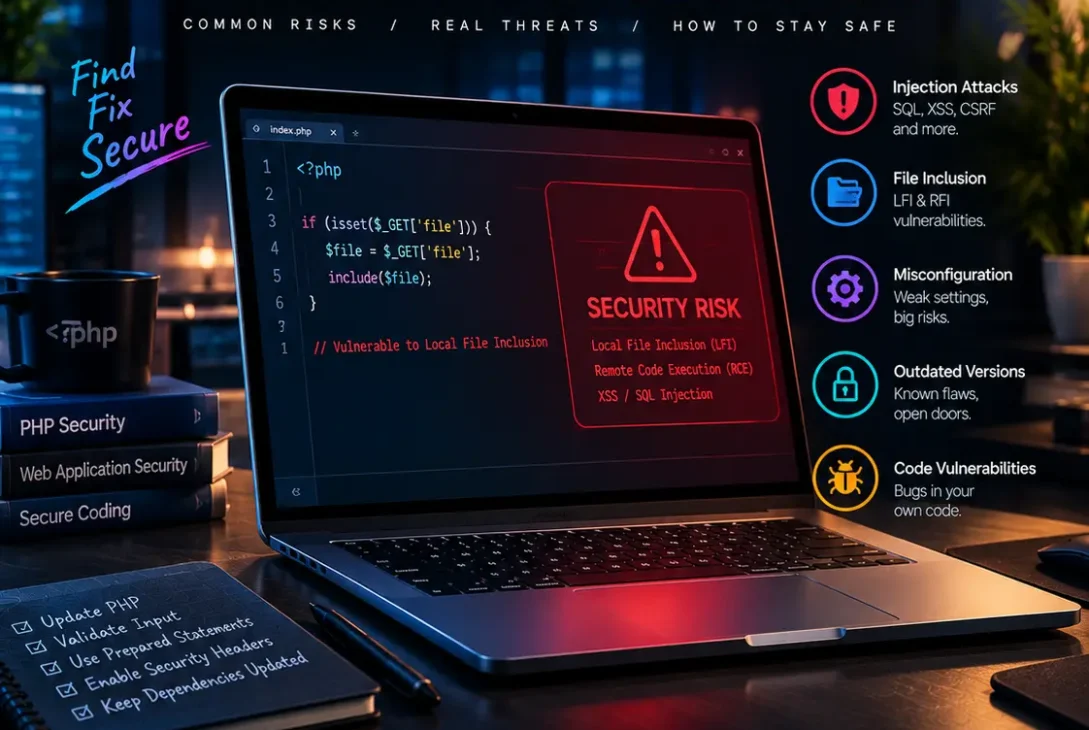
A PHP vulnerability can put an entire website, application, or server at risk because PHP is responsible for running backend code on millions of websites and web applications. A security weakness in PHP itself can become especially serious when the vulnerable system is exposed directly to the internet.
PHP remains one of the most widely used server-side programming languages. It powers content management systems, e-commerce platforms, APIs, business applications, and custom websites. That popularity also makes PHP installations an attractive target for attackers.
The issue is not limited to outdated PHP versions. Vulnerabilities can also come from insecure application code, third-party packages, weak configuration, vulnerable plugins, unsafe file uploads, and poor access controls.
Recent events have highlighted why PHP security deserves immediate attention. On October 21, 2026, the PHP project disclosed two critical vulnerabilities, CVE-2026-109618 and CVE-2026-109619, that can allow unauthenticated remote code execution under certain conditions. PHP released security updates for supported branches, and security agencies urged organizations to patch affected systems immediately.
This guide explains what a PHP vulnerability is, why PHP applications become vulnerable, the most common security risks, and the practical steps developers and website owners can take to reduce exposure.
Table of Contents
- What Is a PHP Vulnerability?
- Why Are PHP Vulnerabilities Dangerous?
- Recent Critical PHP Security Issues
-
- Outdated PHP Versions
-
- SQL Injection
-
- Cross-Site Scripting
-
- Remote Code Execution
-
- Unsafe File Uploads
-
- Insecure Deserialization
-
- Command Injection
-
- Session and Authentication Problems
-
- Vulnerable Dependencies and Packages
-
- Poor PHP Configuration
- How to Check Your PHP Version
- How to Protect a PHP Website
- PHP Security Checklist
- Frequently Asked Questions
- Final Verdict
- SEO Details
What Is a PHP Vulnerability?
A PHP vulnerability is a weakness in PHP itself, a PHP application, or a component used by that application that could allow an attacker to cause unintended behavior.
The term can describe several different situations.
A vulnerability may exist inside the PHP language runtime. In other cases, the PHP runtime may be secure while application code contains an exploitable programming mistake.
For example, an application that directly places untrusted user input into a database query may become vulnerable to SQL injection. A website that accepts uploaded files without properly validating them may expose dangerous files to the server.
Third-party libraries can introduce additional risks. A PHP application may depend on dozens of packages, and an outdated package could contain a security weakness even when the application’s own code is carefully written.
This is why PHP security should be treated as a complete software supply-chain and application-security problem rather than simply a matter of updating PHP.
Why Are PHP Vulnerabilities Dangerous?
The severity of a PHP vulnerability depends on what an attacker can accomplish after exploiting it.
A minor flaw may cause an application error or information disclosure. A more serious weakness could allow an attacker to bypass authentication, access private information, modify website content, or execute commands on the server.
Remote code execution is particularly dangerous because it can allow an attacker to execute malicious instructions remotely without legitimate access.
A compromised PHP application can potentially expose:
- Customer information
- Login credentials
- Database records
- API keys
- Configuration files
- Uploaded documents
- Website content
- Server credentials
- Internal application data
The potential impact becomes even greater when the compromised web application has excessive permissions.
For this reason, developers should follow the principle of least privilege. A PHP process should have only the permissions it actually needs.
Recent Critical PHP Security Issues
The latest PHP security release makes the subject especially important in 2026.
On October 21, 2026, PHP released security updates addressing CVE-2026-109618 and CVE-2026-109619. Both vulnerabilities were rated critical with a CVSS v4.0 score of 9.2. Under certain conditions, they can allow unauthenticated remote code execution.
The first issue involves out-of-memory handling and memory corruption. The second involves stale internal request state that can remain after its associated memory has been released.
The PHP project released fixes in:
- PHP 8.5.12
- PHP 8.4.27
- PHP 8.3.36
- PHP 8.2.35
PHP users are strongly encouraged to update to an appropriate fixed release.
Security agencies have also urged organizations to prioritize internet-facing PHP systems. The UK National Cyber Security Centre recommends immediate action, while CISA advises organizations to identify PHP installations and apply the available updates.
This situation demonstrates an important security lesson: even well-maintained applications can be exposed when their underlying runtime contains a critical vulnerability.
1. Outdated PHP Versions
Running an unsupported PHP version is one of the simplest ways to increase security risk.
PHP maintains multiple release branches, but each branch eventually reaches end of life. Once a branch is unsupported, newly discovered security problems may no longer receive official fixes.
According to the official PHP support schedule, PHP 8.2 receives security support through December 31, 2026, while PHP 8.3, 8.4, and 8.5 have longer support periods.
An outdated version does not automatically mean a website has been compromised. However, continuing to operate software without security updates leaves known weaknesses available to attackers.
Website owners should regularly check the PHP version provided by their hosting company and plan upgrades before a branch reaches end of life.
2. SQL Injection
SQL injection occurs when an application incorrectly handles user-controlled input before sending it to a database.
For example, a poorly designed PHP application might insert a value from a URL directly into a database query.
An attacker could manipulate the input so that the database interprets part of it as SQL syntax rather than ordinary data.
This can potentially expose, modify, or delete database information.
The primary defense is to use parameterized queries and prepared statements.
Modern PHP applications commonly use PDO or database libraries that support parameter binding.
Developers should also validate input, use database accounts with limited privileges, and avoid exposing detailed database errors to visitors.
SQL injection is not technically a flaw in PHP itself, but it is one of the major security problems developers encounter when building PHP applications.
3. Cross-Site Scripting
Cross-site scripting, commonly called XSS, occurs when an application allows untrusted content to be interpreted as executable code in another user’s browser.
A PHP application can become vulnerable when it outputs user-controlled information without appropriate contextual escaping.
For example, a comment system might display a user’s submitted text without correctly escaping HTML.
A successful attack could potentially execute JavaScript in another visitor’s browser.
Developers should validate input where appropriate and correctly escape output based on its context.
Security headers such as Content Security Policy can provide another layer of protection, although they should not replace proper application coding practices.
A strong PHP application treats user-controlled content as untrusted from the moment it enters the system.
4. Remote Code Execution
Remote code execution is among the most serious vulnerability categories.
A PHP vulnerability that enables unauthenticated remote code execution can be especially dangerous because an attacker may not need an account before attempting an attack.
The recently disclosed CVE-2026-109618 and CVE-2026-109619 demonstrate this risk. PHP’s security updates address flaws that can allow remote code execution under specific conditions.
Remote code execution does not necessarily mean every vulnerable server has already been compromised. Exploitability depends on the affected configuration and other factors.
However, internet-facing systems should be patched quickly when vendors publish critical security updates.
If immediate patching is impossible, organizations should follow official mitigation guidance and consider isolating vulnerable systems from public exposure when appropriate.
5. Unsafe File Uploads
File-upload functionality is another common source of security problems.
A website may allow users to upload profile pictures, documents, or other files. If the application does not properly validate and handle uploads, an attacker may attempt to upload a malicious file.
Security controls should include:
- Restricting allowed file types
- Validating file contents rather than relying only on extensions
- Renaming uploaded files
- Storing uploads outside executable web directories when possible
- Applying appropriate permissions
- Limiting file size
- Preventing script execution in upload directories
Developers should also consider whether uploaded files need to be publicly accessible at all.
A secure upload system assumes that an attacker will deliberately submit unexpected files and malformed content.
6. Insecure Deserialization
PHP supports serialization mechanisms that can convert data structures into storable representations.
Problems can occur when applications unserialize untrusted data.
Depending on the application and available classes, insecure deserialization can potentially lead to unexpected object behavior, information disclosure, or code execution.
Developers should avoid unserializing data from untrusted sources unless the format and security implications are fully understood.
Safer formats such as JSON may be preferable for many application-to-application data exchanges.
Existing applications should also review third-party libraries for gadget chains and other behaviors that could become dangerous when untrusted serialized data reaches sensitive code.
7. Command Injection
PHP applications sometimes need to interact with the operating system.
For example, an application may process images, generate documents, or invoke a system utility.
Problems arise when user-controlled input is passed directly to operating-system commands.
An attacker may attempt to manipulate the input so that additional commands are executed.
Developers should avoid shell execution when a safer PHP library or API can perform the same task.
When command execution is genuinely required, input should be strictly validated and commands should not be constructed from arbitrary user input.
The application process should also run with the minimum operating-system privileges required.
8. Session and Authentication Problems
Not every PHP vulnerability involves complicated memory corruption or advanced exploitation techniques.
Weak authentication and session handling can be equally damaging.
Common problems include:
- Weak passwords
- Missing multi-factor authentication
- Predictable session identifiers
- Sessions that never expire
- Poor cookie configuration
- Missing CSRF protection
- Improper authorization checks
- Exposing password-reset tokens
- Failing to invalidate sessions after password changes
PHP applications should use secure session practices and modern password-hashing functions.
Passwords should never be stored as plain text. PHP provides password hashing functionality through functions such as password_hash() and password_verify().
Authentication should also be separated from authorization. A user being logged in does not automatically mean that user should have access to every resource.
9. Vulnerable Dependencies and Packages
Modern PHP applications frequently depend on third-party packages.
Composer makes dependency management convenient, but it also means developers must monitor the packages their applications use.
A package that contains a security flaw can become an attack path into the application.
Developers should:
- Keep dependencies updated.
- Review security advisories.
- Remove unused packages.
- Lock production dependencies.
- Test updates before deployment.
- Monitor abandoned libraries.
- Avoid downloading packages from untrusted sources.
Dependency scanning should become part of the development workflow rather than something performed only after a security incident.
A secure PHP project is therefore not just about the PHP runtime itself. Every library and component should be considered part of the application’s attack surface.
10. Poor PHP Configuration
Even a patched PHP installation can become unnecessarily risky because of poor configuration.
Production servers should be configured differently from development environments.
Developers should review settings related to:
- Error reporting
- File uploads
- Session cookies
- Remote connections
- Dangerous functions
- Memory limits
- File permissions
- Logging
- Debugging
- Exposed configuration information
Detailed error messages can help developers during testing, but displaying sensitive errors to public visitors may reveal paths, database details, or internal application information.
Production systems should also use HTTPS and secure cookie attributes.
Configuration should be reviewed whenever an application moves between development, staging, and production.
https://www.php.net/security/
How to Check Your PHP Version
Before deciding whether your website is exposed to a known PHP vulnerability, determine which PHP version your server is actually running.
If you have command-line access, you can use:
php -vA hosting control panel may also display the active PHP version.
For WordPress websites, the hosting dashboard or Site Health information can often show the PHP environment.
Remember that the PHP version used by your local computer may not be the same version running your website.
A developer might have PHP 8.5 locally while the production server is still running an older release.
The production environment is the one that needs to be checked.
For the current critical PHP vulnerabilities, the PHP project lists fixed versions including 8.5.12, 8.4.27, 8.3.36, and 8.2.35.
How to Protect a PHP Website
Protecting a PHP application requires multiple layers rather than one security setting.
Keep PHP Updated
Install security releases as soon as they have been tested and approved for your environment.
Critical internet-facing vulnerabilities should receive the highest priority.
Update Your CMS
If your website uses WordPress, Drupal, Joomla, or another PHP-based CMS, keep the core software updated.
A patched PHP runtime cannot compensate for a vulnerable CMS component.
Update Plugins and Extensions
Third-party plugins and extensions can introduce security problems.
Remove anything you no longer need and keep actively used components updated.
Use HTTPS
HTTPS protects data transmitted between visitors and the server.
Obtain a valid TLS certificate and configure the site to use HTTPS consistently.
Use Least Privilege
The PHP process should not have unnecessary access to system files or sensitive directories.
Database users should also receive only the permissions required by the application.
Monitor Logs
Security logs can reveal suspicious requests, unexpected errors, authentication attempts, and unusual application behavior.
Monitoring becomes particularly important after a critical vulnerability is disclosed.
Back Up Important Data
Maintain reliable backups and test restoration procedures.
Backups do not prevent attacks, but they can reduce the impact of ransomware, destructive changes, or accidental data loss.
PHP Security Checklist
Use this checklist when reviewing a PHP application:
- Check the installed PHP version.
- Use a supported PHP branch.
- Apply critical security updates quickly.
- Update the CMS and plugins.
- Keep Composer dependencies current.
- Use prepared database statements.
- Escape untrusted output.
- Validate uploaded files.
- Protect authentication and sessions.
- Use secure password hashing.
- Avoid unsafe command execution.
- Avoid unserializing untrusted data.
- Use HTTPS.
- Restrict server and database permissions.
- Disable unnecessary debugging in production.
- Monitor application and server logs.
- Maintain tested backups.
- Scan dependencies for known vulnerabilities.
Security should be treated as an ongoing process rather than a one-time installation task.
Frequently Asked Questions
What is a PHP vulnerability?
A PHP vulnerability is a security weakness affecting the PHP runtime, PHP application code, libraries, plugins, or related components that could be exploited to cause unintended behavior.
Is PHP secure?
PHP can be used securely when the runtime, applications, dependencies, server configuration, and access controls are properly maintained. No software platform is completely free from vulnerabilities.
What are the latest critical PHP vulnerabilities?
In October 2026, PHP disclosed CVE-2026-109618 and CVE-2026-109619, two critical vulnerabilities that can allow unauthenticated remote code execution under certain conditions.
Which PHP versions fix the latest vulnerabilities?
The PHP project released fixes in PHP 8.5.12, 8.4.27, 8.3.36, and 8.2.35.
How do I check whether my website uses vulnerable PHP?
Check the PHP version running on the production server using your hosting control panel, server tools, or php -v. Then compare it with the official PHP security advisories and supported-version information.
Can WordPress be affected by a PHP vulnerability?
Yes. WordPress and other PHP-based applications rely on the PHP runtime. A vulnerability in PHP can therefore affect the environment in which those applications run. Third-party components can introduce additional vulnerabilities as well.
Does updating PHP break a website?
It can in some cases, especially when old applications, themes, plugins, or extensions rely on deprecated behavior. Test updates in a staging environment when possible and verify compatibility before changing production systems.
How often should PHP be updated?
PHP should be updated whenever important security releases become available, while normal version upgrades should be planned according to the application’s compatibility and support requirements.
Are old PHP versions dangerous?
Unsupported PHP versions can be risky because they no longer receive regular security fixes. PHP’s official support schedule shows when each branch reaches the end of security support.
Can a PHP vulnerability allow remote code execution?
Yes. Some PHP runtime vulnerabilities can allow remote code execution. The critical vulnerabilities disclosed in October 2026 are a current example of this category.
Final Verdict
A PHP vulnerability should never be treated as a minor technical issue when it affects an internet-facing server.
The latest critical PHP vulnerabilities demonstrate how a weakness in the underlying runtime can potentially affect websites and applications before developers even have an opportunity to change their application code. PHP’s October 2026 security release fixed two critical flaws capable of enabling unauthenticated remote code execution under certain conditions.
The most important step is to know exactly which PHP version your production environment uses and keep it within a supported security branch.
However, updating PHP is only one part of a broader security strategy. Developers should also secure database queries, validate file uploads, protect authentication, update dependencies, restrict permissions, monitor logs, and maintain reliable backups.
For organizations running PHP websites today, security should be continuous. Monitor official PHP advisories, prioritize critical updates, test changes carefully, and avoid leaving internet-facing systems on unsupported software.