
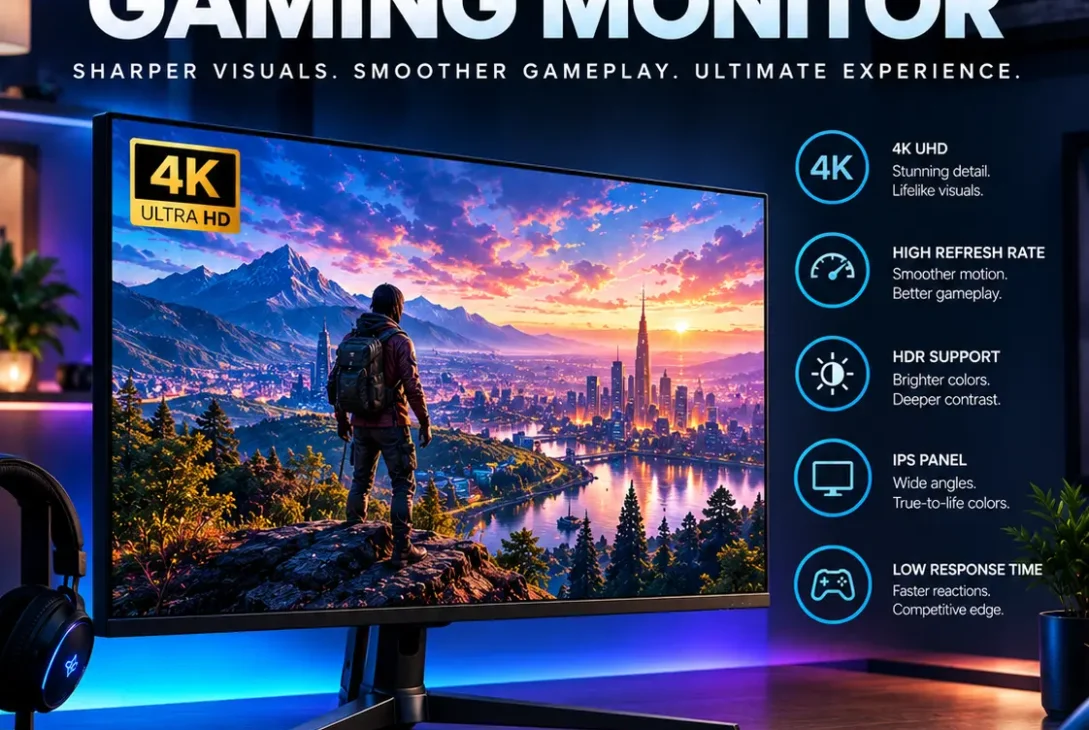
Finding the best 4K gaming monitor can make a major difference when you want sharp visuals, smooth gameplay, and a more immersive gaming experience. A 4K display offers four times the pixel count of Full HD, making games look noticeably more detailed, especially on larger screens.
However, choosing the right monitor is not simply about buying the highest-resolution display. Refresh rate, response time, HDR performance, adaptive sync, panel type, HDMI and DisplayPort connectivity, and screen size all affect the overall experience.
Whether you play competitive PC games, cinematic single-player titles, or console games on a PS5 or Xbox Series X, this guide explains what to look for when choosing the best 4K gaming monitor in 2026.
Table of Contents
- What Is a 4K Gaming Monitor?
- Why Choose a 4K Gaming Monitor?
- Best 4K Gaming Monitor Features to Look For
- 4K Gaming Monitor Refresh Rate
- Response Time and Input Lag
- IPS vs OLED vs VA for 4K Gaming
- HDR Performance
- Best 4K Gaming Monitor Screen Size
- HDMI 2.1 and DisplayPort
- Adaptive Sync Technology
- Best 4K Gaming Monitor for PC Gaming
- Best 4K Gaming Monitor for PS5 and Xbox
- How Much Should You Spend?
- Common Mistakes to Avoid
- Frequently Asked Questions
- Final Thoughts
- External Links
What Is a 4K Gaming Monitor?
A 4K gaming monitor is a display designed for gaming with a resolution of 3840 × 2160 pixels. This resolution is commonly called 4K UHD and provides significantly more detail than 1080p and 1440p displays.
The higher pixel density can make game environments appear sharper, text easier to read, and small objects more defined. This is particularly noticeable on monitors measuring 27 inches or larger.
Modern 4K gaming monitors are also available with high refresh rates. Older 4K monitors were often limited to 60Hz, but gaming-focused models can now offer refresh rates well above 120Hz.
This combination of high resolution and high refresh rate is one of the main reasons gamers search for the best 4K gaming monitor instead of simply buying a standard 4K office display.
Why Choose a 4K Gaming Monitor?
The biggest advantage of 4K gaming is image detail.
At 3840 × 2160 resolution, a 4K display contains more than eight million pixels. This allows games to show fine textures, distant objects, shadows, foliage, and environmental details with greater clarity.
A 4K gaming monitor can also be useful outside gaming. The extra screen detail makes it comfortable for browsing, video editing, graphic design, programming, and watching high-resolution content.
Another benefit is screen flexibility. A 4K display can look excellent at 27 inches, 32 inches, and larger sizes when the viewing distance is appropriate.
For gamers who have a powerful graphics card capable of rendering games at 4K, upgrading to the best 4K gaming monitor can provide a noticeable visual improvement.
Best 4K Gaming Monitor Features to Look For
Before buying a monitor, consider the features that actually affect gaming performance.
Resolution
The most important specification is 3840 × 2160 resolution. If a monitor is marketed as 4K, this is the standard resolution you should expect.
Refresh Rate
Refresh rate determines how many times the monitor can update the image every second. A 60Hz display refreshes 60 times per second, while a 144Hz display can refresh up to 144 times per second.
For modern gaming, a higher refresh rate can provide smoother motion.
Response Time
Response time describes how quickly pixels can change from one state to another. A lower response time can help reduce visible ghosting during fast movement.
HDR
HDR can improve contrast, brightness, and color range when the monitor has strong HDR hardware.
Adaptive Sync
Technologies such as AMD FreeSync and NVIDIA G-SYNC-compatible features can help synchronize the display’s refresh behavior with the GPU.
Connectivity
HDMI 2.1 can be particularly important for console gaming because it supports the bandwidth needed for high-resolution, high-refresh-rate gaming.
DisplayPort is also important for PC gamers, especially when connecting a modern graphics card.
4K Gaming Monitor Refresh Rate
Refresh rate is one of the most important factors when selecting the best 4K gaming monitor.
A 60Hz monitor can be perfectly usable for slower-paced games, strategy titles, and general entertainment. However, fast-action games can benefit from a higher refresh rate.
A 120Hz or 144Hz 4K monitor provides considerably smoother motion than a traditional 60Hz display.
Some premium gaming monitors offer even higher refresh rates. These displays are particularly attractive to PC gamers with powerful GPUs that can produce high frame rates at 4K.
However, buying a very high-refresh-rate monitor does not automatically improve performance. Your computer must also be capable of producing enough frames per second.
For example, if your system produces around 60 FPS in a particular game, a 240Hz display cannot magically turn those 60 frames into 240 frames.
This is why GPU performance should always be considered alongside monitor specifications.
Response Time and Input Lag
Response time and input lag are related to gaming responsiveness, but they are not exactly the same thing.
Response time describes how quickly pixels transition between colors or brightness levels. A slower response can produce ghosting or smearing behind moving objects.
Input lag describes the delay between an action from your mouse, keyboard, or controller and the image appearing on the display.
For competitive gaming, both characteristics are important.
When searching for the best 4K gaming monitor, look beyond the advertised response-time number. Independent testing can provide a better indication of real-world performance because manufacturers may measure response times under specific conditions.
For casual gaming, you generally do not need to obsess over tiny differences between response-time specifications. A well-reviewed gaming monitor with good motion handling is usually more useful than a monitor selected purely because it advertises an extremely low number.
IPS vs OLED vs VA for 4K Gaming
Panel technology can significantly change the appearance and performance of a monitor.
IPS
IPS panels are popular because they can provide strong viewing angles, good colors, and solid response performance.
They are suitable for gamers who want a balance between gaming and productivity.
OLED
OLED monitors can provide extremely deep blacks because individual pixels can be turned off. This can produce excellent contrast and a highly immersive image.
OLED can be especially impressive in dark games and HDR content.
However, OLED monitors can cost more, and buyers should understand the manufacturer’s guidance regarding long-term static content and burn-in risk.
VA
VA panels can provide strong contrast and are often used in gaming monitors that prioritize deep blacks.
Depending on the model, VA displays can have different motion characteristics compared with IPS and OLED panels.
There is no single panel technology that is automatically the best 4K gaming monitor choice for every gamer. Your priorities matter.
HDR Performance
HDR, or High Dynamic Range, can make games look more realistic by expanding the range between dark and bright parts of an image.
However, simply seeing an “HDR” label on a monitor does not guarantee excellent HDR performance.
A strong HDR experience depends on factors such as peak brightness, contrast, local dimming, color reproduction, and panel technology.
OLED monitors can produce excellent contrast because their pixels can independently control light output.
Some LCD gaming monitors use local dimming zones to improve contrast and HDR performance.
If HDR is important to you, check detailed reviews rather than selecting a monitor based only on the presence of an HDR badge.
Best 4K Gaming Monitor Screen Size
Screen size is another important decision.
27-Inch 4K
A 27-inch 4K monitor provides very high pixel density. Text and images can look extremely sharp.
It is a good option if you sit relatively close to the display or want a compact high-resolution setup.
32-Inch 4K
A 32-inch 4K monitor provides a larger gaming area while maintaining excellent sharpness.
For many desktop gaming setups, 32 inches can offer a strong balance between immersion and pixel density.
42-Inch and Larger
Large 4K screens can create a more TV-like gaming experience.
They can be particularly attractive for console gaming or setups where the player sits farther away from the screen.
The ideal size depends on your desk, viewing distance, and personal preference.
HDMI 2.1 and DisplayPort
Connectivity should not be overlooked when buying the best 4K gaming monitor.
HDMI 2.1 is especially useful for modern consoles because it provides the bandwidth required for certain high-resolution and high-refresh-rate configurations.
For PC gaming, DisplayPort is commonly used with desktop graphics cards.
Before purchasing, check the exact specifications of the ports rather than assuming every HDMI port supports the same capabilities.
This is particularly important when you want 4K resolution combined with a high refresh rate.
Adaptive Sync Technology
Screen tearing happens when the GPU and monitor are not synchronized.
Adaptive sync technologies can help reduce this problem by allowing the monitor’s refresh behavior to better match the GPU’s frame output.
AMD FreeSync and NVIDIA’s G-SYNC ecosystem are common technologies in gaming displays.
If you use a gaming PC, check whether your monitor and graphics card support the same adaptive-sync features.
This can provide smoother gameplay, especially when frame rates fluctuate.
Best 4K Gaming Monitor for PC Gaming
PC gamers have different requirements depending on their hardware.
If you have a powerful modern GPU, you can consider a 4K monitor with a high refresh rate. This allows you to take advantage of both the resolution and smoother motion.
Gamers with mid-range hardware may want to prioritize image quality and adaptive sync instead of paying a large premium for an extremely high refresh rate.
It is also important to consider the games you play.
Competitive shooters may benefit more from high refresh rates and fast response performance, while RPGs and cinematic games may place greater emphasis on HDR, contrast, color quality, and resolution.
The best 4K gaming monitor for a competitive PC gamer may therefore be very different from the ideal choice for someone who primarily plays single-player games.
Best 4K Gaming Monitor for PS5 and Xbox
Console gamers should pay close attention to HDMI connectivity and supported refresh rates.
The PlayStation 5 and Xbox Series X can support high-resolution gaming, but the actual frame rate depends on the game and its graphics modes.
A monitor with HDMI 2.1 can provide additional flexibility for high-resolution console gaming.
VRR support can also be useful because it can help maintain smoother gameplay when frame rates change.
Before purchasing, check the monitor’s exact console compatibility rather than relying only on marketing terms.
How Much Should You Spend?
The price of a 4K gaming monitor can vary dramatically.
Entry-level models can provide 4K resolution at relatively accessible prices, but they may use lower refresh rates or have simpler HDR capabilities.
Mid-range models often provide a combination of higher refresh rates, adaptive sync, better color performance, and improved connectivity.
Premium models can add OLED panels, advanced HDR, extremely high refresh rates, and additional gaming features.
Instead of choosing the most expensive best 4K gaming monitor, determine which features you actually need.
A gamer who mostly plays story-driven games may value OLED and HDR more than a 240Hz refresh rate.
A competitive player may prioritize refresh rate and motion performance.
A console gamer may prioritize HDMI 2.1 and VRR.
https://www.amd.com/en/products/software/adrenalin/technologies/freesync.html
Common Mistakes to Avoid
Buying 4K Without Considering GPU Performance
4K requires significantly more rendering power than 1080p.
Make sure your graphics card can provide an appropriate frame rate for the games you play.
Choosing Refresh Rate Over Image Quality
A very high refresh rate sounds impressive, but it may not be useful if your hardware cannot reach the required frame rates.
Ignoring HDR Quality
A monitor can advertise HDR without providing the kind of brightness and contrast needed for a convincing HDR experience.
Forgetting HDMI Requirements
Console users should check HDMI specifications before purchasing.
Buying a Screen That Is Too Large for the Desk
A huge display may sound attractive, but the viewing distance and desk space should be considered first.
Focusing Only on Specifications
Numbers do not tell the entire story.
Reviews and real-world testing can reveal motion issues, HDR limitations, backlight behavior, input lag, and other characteristics that may not appear on a product specification page.
How to Choose the Right 4K Gaming Monitor
Start by identifying your gaming platform.
If you play primarily on PC, look at GPU performance, DisplayPort connectivity, adaptive sync, refresh rate, and response behavior.
If you primarily play on PS5 or Xbox, HDMI 2.1, VRR, and console compatibility become more important.
Next, choose your preferred panel type.
IPS can provide a balanced experience, OLED can deliver exceptional contrast, and VA can offer strong contrast at different price points.
Then consider screen size.
For desktop use, 27 and 32 inches are common 4K choices. Larger screens can work well for players who sit farther away.
Finally, establish your budget.
The right best 4K gaming monitor is not necessarily the monitor with the longest specification sheet. It is the display that matches your hardware, games, desk, and priorities.
Frequently Asked Questions
What is the best 4K gaming monitor for PC?
The right choice depends on your GPU, games, budget, preferred screen size, and panel technology. A high-refresh-rate 4K display can be useful for powerful gaming PCs.
Is 4K better than 1440p for gaming?
4K provides greater image detail, while 1440p generally requires less GPU power. The better option depends on your hardware and priorities.
Is 144Hz enough for a 4K gaming monitor?
For many gamers, 144Hz provides a strong balance between smooth motion and image quality. Higher refresh rates can be useful when your hardware can consistently produce higher frame rates.
Is OLED better for 4K gaming?
OLED can provide excellent contrast, deep blacks, and fast pixel response. However, LCD technologies can still be attractive depending on brightness, price, screen size, and usage.
Do I need HDMI 2.1 for 4K gaming?
HDMI 2.1 can be important for certain high-resolution, high-refresh-rate gaming configurations, particularly on modern consoles. Check the exact capabilities of the monitor and gaming device.
What size is best for a 4K gaming monitor?
27 and 32 inches are common choices for desktop gaming. Larger screens can be better suited to players who sit farther away.
Can a mid-range GPU run 4K games?
A mid-range GPU can run some games at 4K, but performance varies considerably by game and graphics settings. Upscaling technologies can also affect the practical experience.
Does a 4K monitor improve FPS?
No. Resolution does not increase FPS. In fact, rendering games at 4K usually requires more GPU performance than rendering at lower resolutions.
Final Thoughts
Choosing the best 4K gaming monitor is about finding the right combination of resolution, refresh rate, response performance, panel technology, HDR, connectivity, and price.
A high-end PC gamer may want a high-refresh-rate 4K OLED display, while a console gamer may focus more on HDMI 2.1 and VRR. Someone who also works on their computer may prefer an IPS monitor with excellent color accuracy and productivity features.
The most important step is to match the monitor with your hardware and gaming habits.
Rather than buying a display based on one impressive specification, consider the complete package. When resolution, refresh rate, panel quality, connectivity, and GPU performance are properly matched, a best 4K gaming monitor can provide a sharp, smooth, and immersive gaming experience for years.


