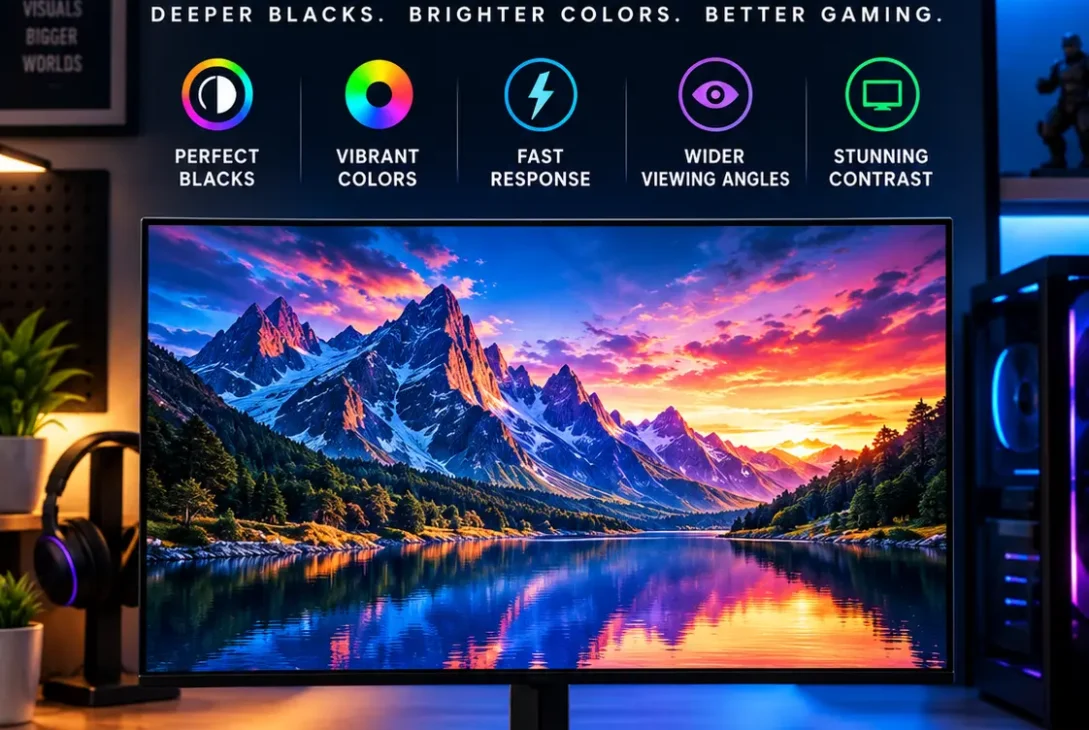
An OLED monitor has become one of the most exciting display upgrades for PC users in 2026. Unlike traditional LCD monitors that rely on a backlight, OLED pixels can individually turn on and off. This allows OLED displays to produce extremely deep blacks, excellent contrast, fast response times, and vivid colors.
The technology was once mostly associated with expensive premium displays, but the market has expanded significantly. Today, you can find OLED panels in 1440p gaming monitors, 4K displays, ultrawide screens, high-refresh esports monitors, and professional creative displays. RTINGS notes that OLED monitors now cover a wide range of sizes, resolutions, refresh rates, and panel technologies.
However, buying an OLED monitor is not simply about choosing the highest refresh rate or resolution. Different OLED technologies have different strengths, while factors such as brightness, text clarity, burn-in protection, connectivity, and price can significantly affect your experience.
This guide explains everything you need to know before buying an OLED monitor in 2026.
Table of Contents
- What Is an OLED Monitor?
- How OLED Technology Works
- OLED vs LCD Monitors
- QD-OLED vs WOLED vs Tandem OLED
- OLED Monitor Resolution
- Refresh Rate and Response Time
- OLED Monitors for Gaming
- OLED Monitors for Productivity
- OLED Monitors for Photo and Video Editing
- HDR Performance
- Burn-In and OLED Care
- Brightness and Room Lighting
- Connectivity and Ports
- Best OLED Monitor Sizes
- Popular OLED Monitors in 2026
- Is an OLED Monitor Worth It?
- Frequently Asked Questions
- Final Verdict
What Is an OLED Monitor?
An OLED monitor uses Organic Light-Emitting Diodes to create images. Each pixel generates its own light instead of depending on a separate backlight.
This is fundamentally different from a conventional LED-backlit LCD display.
When an OLED pixel needs to display black, it can turn itself completely off. This produces extremely deep blacks and very high perceived contrast.
The technology also provides exceptionally fast pixel response. RTINGS notes that OLED monitors have near-instantaneous response times, which is one reason they have become particularly popular for gaming.
An OLED monitor can therefore provide several advantages at once:
- Deep blacks
- Excellent contrast
- Fast response times
- Vibrant colors
- Wide viewing angles
- Smooth motion
- Strong HDR potential
- Minimal motion blur
The trade-offs include higher prices for some models, potential burn-in, brightness limitations in certain conditions, and text-rendering differences between OLED subtypes.
How OLED Technology Works
Traditional LCD displays use a backlight that illuminates liquid-crystal pixels.
OLED works differently.
Each pixel contains organic light-emitting elements that produce their own light. Because individual pixels can turn off completely, the display does not need to illuminate the entire screen when displaying dark content.
This is particularly noticeable in dark games and movies.
For example, imagine a night scene with a bright moon against a completely black sky. An LCD may produce some glow around the bright object because its backlight cannot perfectly isolate every pixel.
An OLED monitor can turn off the pixels surrounding the moon, producing a much deeper black background.
This pixel-level control is one of the primary reasons OLED technology is attractive for premium displays.
OLED vs LCD Monitors
The biggest difference between an OLED monitor and an LCD monitor is how the pixels produce light.
| Feature | OLED | LCD |
|---|---|---|
| Black levels | Extremely deep | Depends on panel/backlight |
| Contrast | Extremely high | Varies |
| Pixel response | Extremely fast | Varies |
| Viewing angles | Generally excellent | Depends on panel |
| Burn-in risk | Possible | No OLED-style permanent burn-in |
| Full-screen brightness | Varies | Often stronger |
| HDR | Excellent on suitable models | Depends heavily on backlight |
| Static-content use | Requires more care | Generally easier |
OLED is particularly strong in dark-room viewing because pixels can turn completely off. Mini LED and other LCD technologies can become brighter in some environments and do not carry the same permanent burn-in concern.
This means neither technology is perfect for every user.
QD-OLED vs WOLED vs Tandem OLED
Not every OLED panel is identical.
QD-OLED
QD-OLED combines OLED technology with quantum dots.
It is commonly associated with vibrant colors, excellent contrast, and strong HDR performance.
RTINGS explains that QD-OLED and WOLED are the two major OLED panel families found in the monitor market, while newer panel generations are expanding the available configurations.
QD-OLED can be particularly attractive for gaming and multimedia.
https://www.rtings.com/monitor/reviews/best/oled
WOLED
WOLED is another major OLED technology associated with LG Display.
It has been widely used in gaming and television displays and offers excellent blacks, contrast, and response times.
One consideration is text clarity. Depending on the subpixel layout and operating system, fine text can appear less crisp than on some LCD displays.
Tandem OLED
Tandem OLED is an important newer development.
RTINGS reports that LG’s newer fourth-generation OLED panel technology, introduced in late 2025, uses a Tandem OLED design, while newer OLED generations are continuing to improve brightness and subpixel characteristics.
For buyers in 2026, this means the OLED market is no longer simply a QD-OLED versus WOLED discussion.
OLED Monitor Resolution
Resolution is another important consideration.
Common choices include:
- 1080p
- 1440p
- 4K
- 5K2K ultrawide
- Other high-resolution formats
A 1440p OLED monitor is popular among gamers because it can provide an excellent balance between image quality and GPU requirements.
A 4K OLED display provides noticeably greater pixel density and is especially attractive for large screens and creative work.
For example, 32-inch 4K OLED models have become increasingly common in the premium market. RTINGS lists several 32-inch 4K OLED displays among current OLED monitor categories.
If you primarily play competitive games, 1440p may make more sense.
If you edit photographs, videos, or high-resolution graphics, 4K can provide a more detailed workspace.
Refresh Rate and Response Time
Refresh rate determines how many times per second a monitor can update the image.
Common OLED monitor refresh rates in 2026 include:
- 120Hz
- 165Hz
- 240Hz
- 360Hz
- 480Hz
- 500Hz and beyond in specialized displays
Higher refresh rates can make motion appear smoother.
This is especially useful for competitive gaming.
Modern OLED technology also has extremely fast response times, helping reduce ghosting and motion blur.
The market has moved far beyond the early 60Hz and 120Hz OLED displays. RTINGS lists OLED monitor configurations reaching 360Hz, 480Hz, and even 500Hz depending on resolution and panel generation.
Some manufacturers are pushing refresh rates even further. Samsung demonstrated gaming display technology reaching up to 1100Hz at Gamescom 2026, showing where the broader high-refresh monitor market is heading.
For most users, however, 240Hz is already extremely fast.
OLED Monitors for Gaming
Gaming is one of the strongest use cases for an OLED monitor.
The combination of fast response time, high refresh rates, deep blacks, and strong contrast can create an excellent gaming experience.
Dark scenes benefit particularly from OLED’s pixel-level control.
Competitive shooters can also benefit from fast refresh rates and extremely low response times.
Current OLED gaming displays are available in several configurations. For example, PC Gamer recently highlighted a 27-inch QD-OLED model with 1440p resolution, 240Hz refresh rate, and a 0.03ms response time.
High-end gaming models can go much further.
Sony’s INZONE M10S II, for example, is a 27-inch OLED display offering 1440p at up to 540Hz and 1080p at up to 720Hz, aimed specifically at esports-focused users.
These extreme refresh rates are primarily useful for competitive players with powerful hardware capable of producing very high frame rates.
OLED Monitors for Productivity
Productivity is a more complicated category.
An OLED monitor can look fantastic when working with photographs, videos, websites, and multimedia.
However, office applications often contain static elements such as:
- Taskbars
- Browser tabs
- Toolbars
- Spreadsheets
- Menus
- Desktop icons
Constantly displaying the same elements can increase long-term burn-in risk.
RTINGS specifically notes that OLED displays can be susceptible to burn-in when exposed to the same static elements for extended periods.
If you work eight or more hours every day with static documents, consider OLED care features and your usage habits carefully.
For mixed productivity and entertainment, an OLED monitor can still work extremely well, particularly if you use screen-saving features and allow the panel’s protective functions to operate.
OLED Monitors for Photo and Video Editing
Creative professionals can benefit from OLED’s contrast and color capabilities.
Deep blacks make it easier to evaluate dark footage, while wide color coverage can help with modern photo and video workflows.
The market now includes professional OLED displays designed specifically for creators.
For example, Dell’s UltraSharp U3226Q is a 32-inch 4K QD-OLED monitor designed for color-critical work and includes a built-in colorimeter, 120Hz refresh rate, USB-C connectivity, and advanced calibration features.
This type of display demonstrates how OLED technology has expanded beyond gaming.
For professional work, however, calibration, color accuracy, connectivity, resolution, and warranty support can matter more than simply having an OLED panel.
HDR Performance
HDR is another major strength.
Because OLED pixels can turn off individually, OLED displays can create very deep blacks while highlighting bright objects.
This can create a dramatic HDR image.
However, HDR performance varies between models.
Peak brightness, sustained brightness, panel technology, screen size, coating, and thermal management all affect the final result.
An OLED monitor may have excellent HDR highlights but still have lower full-screen brightness than some high-end Mini LED displays.
This is one reason specifications should be considered together rather than focusing on a single HDR number.
Burn-In and OLED Care
Burn-in remains one of the most important considerations.
Burn-in occurs when static elements remain on a display for extended periods and eventually become permanently visible.
Modern OLED monitors include several technologies designed to reduce this risk.
Common features include:
- Pixel shifting
- Panel refresh cycles
- Static-logo detection
- Screen savers
- Automatic brightness adjustments
- OLED care software
- Warranty coverage on selected products
RTINGS continues to identify burn-in as a potential downside of OLED displays, especially for users who display the same static elements for long periods.
That does not mean every OLED monitor will develop burn-in quickly.
Usage patterns matter.
A display used for varied gaming, movies, browsing, and creative work is different from a monitor showing the same spreadsheet or application interface for many hours every day.
Before buying, check the manufacturer’s OLED-care system and warranty terms.
Brightness and Room Lighting
OLED displays are generally excellent in dark and controlled environments.
Bright rooms can be more challenging.
QD-OLED panels can also experience elevated black levels in strong ambient light depending on the panel and coating. RTINGS notes that QD-OLED black levels can appear gray or purple in bright environments.
Screen coating therefore matters.
Glossy coatings can produce a more vibrant image but may reflect windows and lights.
Matte coatings reduce reflections but can affect perceived image clarity or contrast.
If your desk sits directly opposite a large window, consider the room environment before choosing an OLED monitor.
Connectivity and Ports
Ports are easy to overlook when purchasing a monitor.
Depending on the model, you may find:
- HDMI 2.1
- DisplayPort
- USB-C
- Thunderbolt
- USB-A
- USB-B
- Headphone output
- Ethernet
- KVM functionality
USB-C is particularly useful for laptop users because a single cable can potentially carry video, USB data, and power.
Professional OLED monitors may include extensive connectivity.
Dell’s U3226Q, for example, includes Thunderbolt 4, USB-C, HDMI, DisplayPort, USB-A, Ethernet, and KVM functionality.
For a desktop gaming PC, DisplayPort and HDMI may be more important.
For a MacBook or laptop setup, USB-C or Thunderbolt can make a major difference.
Best OLED Monitor Sizes
The right size depends on your desk and workload.
27-inch
A 27-inch OLED monitor is a strong choice for gaming and general desktop use.
At 1440p, it offers a practical balance between sharpness and GPU requirements.
At 4K, it provides very high pixel density.
32-inch
A 32-inch OLED display is especially attractive for 4K gaming and creative work.
The larger screen gives you more workspace without requiring an ultrawide aspect ratio.
34-inch Ultrawide
34-inch OLED ultrawides are popular for gaming and productivity.
The wider screen can make multitasking and immersive games more enjoyable.
39-inch and Larger
Large OLED monitors can provide an impressive cinematic experience.
However, they require more desk space and a suitable viewing distance.
Popular OLED Monitor Options in 2026
The OLED market is now broad enough that there is no single specification that suits everyone.
RTINGS’ September 2026 testing covers OLED monitors across multiple categories and notes the arrival of newer models, including 4K 240Hz displays and newer Samsung and ASUS options.
Some interesting categories include:
27-inch 1440p 240Hz
This configuration is ideal for gamers who want high refresh rates without moving to extremely demanding 4K gaming.
Recent QD-OLED models in this category can offer 240Hz refresh rates and around 0.03ms response times.
32-inch 4K 240Hz
This is one of the premium gaming configurations.
It combines high resolution with extremely high refresh rates.
34-inch Ultrawide OLED
These displays are useful for immersive gaming and multitasking.
32-inch 4K Professional OLED
These are designed for creators who need color accuracy, calibration, connectivity, and high image quality.
Dell’s UltraSharp U3226Q is an example of this category.
How to Choose an OLED Monitor
Before buying, consider these factors:
1. Resolution
Choose 1440p for a balance between performance and image quality, or 4K for maximum detail.
2. Refresh Rate
240Hz is excellent for competitive gaming, while 120Hz or 165Hz can be enough for general gaming and productivity.
3. Panel Type
Compare QD-OLED, WOLED, and newer Tandem OLED designs.
4. Brightness
Consider how bright your room is and how much HDR performance you need.
5. Burn-In Protection
Check the manufacturer’s OLED-care features and warranty.
6. Connectivity
Make sure the monitor has the ports required for your computer.
7. Size
Choose a screen size that fits your desk and viewing distance.
8. Price
OLED prices have become more competitive, but premium 4K and professional models can still be expensive.
Is an OLED Monitor Worth It in 2026?
For many users, yes.
An OLED monitor can deliver an impressive combination of contrast, color, motion performance, and HDR quality.
Gaming is one of the clearest use cases because fast response times and high refresh rates complement OLED’s natural strengths.
Creative professionals can also benefit from excellent contrast and color performance, although they should pay close attention to calibration and panel characteristics.
For office-heavy users, the decision requires more consideration because of static-content and burn-in concerns.
The good news is that the market has matured significantly. There are now more panel types, sizes, resolutions, refresh rates, and price points than when OLED monitors first became popular.
Frequently Asked Questions
Is an OLED monitor better than an LED monitor?
OLED provides deeper blacks, extremely high contrast, and very fast response times. LCD-based displays can offer higher full-screen brightness and avoid OLED-style permanent burn-in concerns.
Is OLED good for gaming?
Yes. OLED’s fast response times, deep blacks, high contrast, and availability at high refresh rates make it particularly suitable for gaming.
Can an OLED monitor get burn-in?
Yes. Burn-in remains a potential long-term issue, particularly when the same static elements are displayed repeatedly for extended periods.
Is QD-OLED better than WOLED?
They have different strengths. QD-OLED can provide vivid colors and excellent picture quality, while WOLED has its own advantages. Newer Tandem OLED generations are also changing the market.
Is 4K OLED worth it?
For high-end gaming, video editing, photography, and detailed creative work, 4K OLED can be an excellent combination. The main consideration is whether your computer can drive the resolution effectively.
Is OLED good for office work?
It can be, especially for mixed use. However, people who display static interfaces for many hours every day should consider burn-in protection and warranty coverage carefully.
What refresh rate should I choose?
For general use, 120Hz or 165Hz can be excellent. Competitive gamers may benefit from 240Hz or higher.
Are OLED monitors expensive?
Prices vary considerably. Entry-level 1440p models have become more affordable, while premium 4K, ultrawide, and professional displays can cost significantly more.
Final Verdict
The OLED monitor market has matured into one of the most competitive areas of display technology.
OLED’s ability to control individual pixels gives it major advantages in black levels, contrast, response time, and image quality. These characteristics make it particularly attractive for gaming, movies, and creative applications.
At the same time, buyers should not ignore the drawbacks.
Burn-in remains a consideration, bright-room performance varies, and some OLED panels can have text-clarity or subpixel-layout differences compared with traditional LCD displays. RTINGS’ current testing highlights both the strengths and limitations of different OLED technologies.
The best choice depends on how you use your computer.
A 27-inch 1440p 240Hz model can make sense for competitive gaming. A 32-inch 4K display can be better for premium gaming and creative work. An ultrawide can be useful for immersive gaming and multitasking, while a professional 4K QD-OLED can make more sense for color-critical workflows.
In 2026, an OLED monitor is no longer simply a luxury product for enthusiasts. The technology is available across a much wider range of products, making it easier to find a model suited to different budgets and workloads.