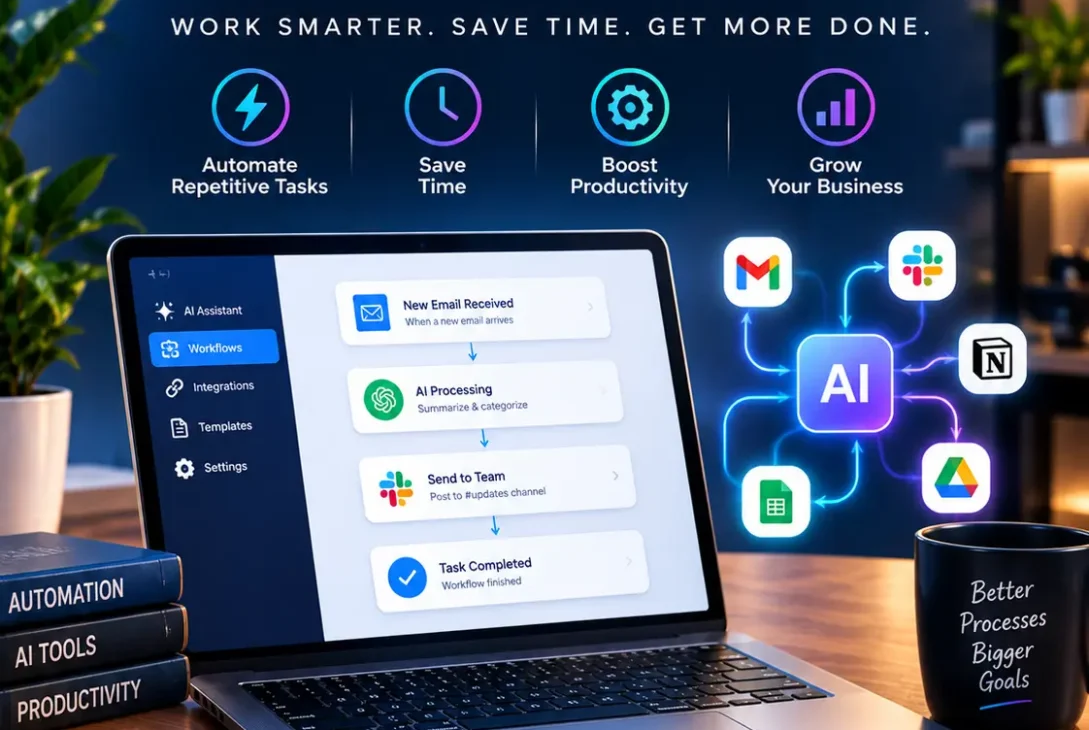
AI workflow automation is becoming one of the most practical ways for businesses to reduce repetitive work, improve productivity, and connect artificial intelligence with everyday business processes.
Instead of using AI only to write emails or answer questions, companies can now place AI inside complete workflows. A system can receive information, understand it, make a decision, update another application, and notify a team member without requiring someone to manually perform every step.
For example, a new customer inquiry could automatically enter a CRM, be analyzed by an AI model, categorized according to its intent, assigned to the appropriate salesperson, and followed by a personalized email draft.
This combination of automation and artificial intelligence is especially useful for companies that work across multiple applications.
Modern platforms such as Zapier, n8n, and Microsoft Power Automate are making these workflows increasingly accessible to businesses that don’t have large development teams. Zapier, for example, describes AI workflows as repeatable processes where AI handles tasks that require interpretation or judgment rather than simply following fixed rules.
In this guide, we’ll explain how the technology works, its benefits, practical use cases, popular tools, implementation steps, and important considerations for building reliable automated systems.
Table of Contents
- What Is AI Workflow Automation?
- How AI Workflow Automation Works
- AI Automation vs Traditional Automation
- Key Benefits for Businesses
- Common AI Workflow Automation Examples
- Customer Support Automation
- Sales and Lead Management
- Marketing Automation
- Document Processing
- Email Automation
- Data Entry and Organization
- Popular AI Workflow Automation Tools
- How to Build an AI Workflow
- How to Make AI Workflows Reliable
- Security and Privacy Considerations
- Common Mistakes to Avoid
- Who Should Use AI Automation?
- Frequently Asked Questions
- Final Verdict
What Is AI Workflow Automation?
AI workflow automation means using artificial intelligence inside a repeatable automated process to perform tasks that normally require some level of human interpretation.
Traditional automation generally follows predefined instructions.
For example:
If a form is submitted → add the information to a spreadsheet.
AI can make the process more flexible.
For example:
When a customer sends a message → understand the request → determine its category → identify its urgency → create a response → send it for human approval.
The important difference is that AI can work with less structured information, including emails, documents, conversations, images, and natural-language requests.
This doesn’t mean every step needs AI. In fact, conventional automation can remain better for predictable tasks such as moving data, applying fixed rules, or triggering notifications.
Zapier’s 2026 guidance similarly recommends combining conventional automation with AI where reasoning actually adds value rather than sending every workflow step through an AI model.
How AI Workflow Automation Works
A typical automated workflow contains several components.
1. Trigger
The trigger starts the process.
It could be:
- A new email
- A form submission
- A new customer
- A calendar event
- A new support ticket
- A file upload
- A scheduled time
- A database update
2. Data Collection
The workflow collects the information needed for the next step.
For example, it could retrieve a customer’s name, email address, previous orders, and message history.
3. AI Processing
An AI model analyzes the information.
It might:
- Classify text
- Extract information
- Summarize documents
- Detect sentiment
- Generate text
- Make a recommendation
- Identify important information
4. Logic
Rules determine what should happen next.
For example:
If the customer is high priority → notify the sales manager.
If the message is a general question → send it to the support queue.
5. Action
The workflow performs an action in another application.
It might send an email, update a CRM, create a task, post a message, or store information in a database.
6. Human Approval
For sensitive or important actions, a person can review the result before the workflow continues.
This human-in-the-loop approach can reduce the risk of incorrect automated decisions.
AI Automation vs Traditional Automation
The two approaches are complementary rather than competing.
| Feature | Traditional Automation | AI-Powered Automation |
|---|---|---|
| Fixed rules | Excellent | Excellent |
| Structured data | Excellent | Excellent |
| Unstructured text | Limited | Strong |
| Classification | Rule-based | Context-aware |
| Content generation | No | Yes |
| Summarization | No | Yes |
| Decision support | Limited | Strong |
| Predictability | Very high | Variable |
| Human review | Optional | Often useful |
Traditional automation is usually best when the process is completely predictable.
AI becomes valuable when information is ambiguous, unstructured, or requires interpretation.
The strongest systems often combine both.
Key Benefits for Businesses
A well-designed AI workflow automation system can provide several advantages.
Save Time
Employees don’t need to repeatedly perform the same administrative tasks.
Instead of manually reading hundreds of emails, an AI system can categorize them and send the appropriate information to the next step.
Reduce Repetitive Work
Automation allows employees to spend more time on work that requires creativity, communication, and strategic thinking.
Improve Response Times
Automated workflows can react immediately when a trigger occurs.
A new lead can be processed within seconds instead of waiting for someone to notice it.
Reduce Manual Errors
Copying information between multiple applications creates opportunities for mistakes.
Automated data transfer can make repetitive processes more consistent.
Scale Operations
A manual process that works for 20 customers may become difficult to manage with 2,000 customers.
Automation allows businesses to handle larger volumes without increasing administrative work at the same rate.
n8n highlights productivity, reduced errors, and scalability as major benefits of integrating AI into business processes.
Common AI Workflow Automation Examples
There are countless ways companies can use AI inside automated processes.
Some practical examples include:
- Lead qualification
- Customer support
- Email classification
- Document extraction
- Meeting summaries
- Content creation
- Invoice processing
- Social media management
- Customer feedback analysis
- Sales reporting
- Recruitment workflows
- Internal knowledge search
The best opportunity usually isn’t the most complicated one.
It is often a repetitive process where employees spend significant time reading, sorting, copying, or organizing information.
Customer Support Automation
Customer support is one of the strongest use cases.
Imagine receiving hundreds of support emails every day.
A workflow could:
- Receive a customer email.
- Extract the customer’s information.
- Analyze the request.
- Categorize the issue.
- Determine urgency.
- Search a knowledge base.
- Generate a suggested response.
- Send it to a support agent.
- Store the interaction in the CRM.
A human can still make the final decision for complicated or sensitive requests.
This approach can reduce the amount of repetitive work while keeping humans involved where judgment matters.
Sales and Lead Management
Sales teams can use AI to process new leads automatically.
For example:
New form submission → AI analyzes lead → assigns lead score → adds CRM record → alerts salesperson → drafts personalized follow-up.
The AI could examine the information provided by the prospect and identify characteristics that indicate buying intent.
Instead of treating every lead identically, the workflow can help sales teams prioritize their attention.
Platforms such as Zapier provide AI-powered workflow-building capabilities that can help users create trigger-and-action processes across connected applications.
Marketing Automation
Marketing teams can automate many repetitive activities.
An automated system could:
- Collect customer feedback
- Categorize comments
- Generate content ideas
- Summarize campaign performance
- Draft social media posts
- Analyze reviews
- Organize marketing leads
For example, customer reviews could be collected automatically and passed through an AI model.
The model could classify them as:
Positive → Product feedback → Feature request → Complaint
The results could then be stored in a spreadsheet or database for the marketing team.
Document Processing
Businesses regularly deal with invoices, contracts, reports, applications, and other documents.
AI can help extract useful information from these files.
A document workflow might identify:
- Names
- Dates
- Invoice numbers
- Amounts
- Addresses
- Contract terms
- Product information
The extracted information can then be sent to another business system.
This is particularly useful when documents don’t follow exactly the same structure.
n8n currently provides a large library of AI workflow templates covering areas such as document operations, sales, support, RAG, and AI summarization.
Email Automation
Email is another excellent opportunity.
A workflow can automatically categorize incoming messages.
For example:
New email → AI classification → Sales / Support / Billing / General → appropriate destination
The AI could also summarize long email threads and prepare suggested responses.
For routine communication, a company may choose to automate the complete response.
For sensitive customer or business communication, it is safer to require approval before sending.
Data Entry and Organization
Employees often spend hours transferring information between applications.
For example:
Email → AI extracts information → CRM → spreadsheet → Slack notification
This is a relatively simple workflow but can save substantial time when repeated hundreds of times.
The important thing is to validate the extracted information before allowing critical systems to update automatically.
Popular AI Workflow Automation Tools
Several platforms can help businesses build these systems.
Zapier
Zapier is designed around connecting applications and automating workflows.
Its current platform supports AI-powered workflow features, AI agents, and connections to thousands of applications.
It is particularly attractive to users who want a relatively accessible no-code or low-code experience.
You can also use Zapier’s AI workflow guide to explore practical examples and implementation approaches.
n8n
n8n is popular among technical users who want more flexibility and control.
Its platform provides visual workflow building, AI nodes, agents, integrations, execution logs, and evaluation capabilities. n8n also offers an AI Workflow Builder that can create workflows from natural-language descriptions.
You can explore n8n’s AI workflow templates for ready-made examples.
Microsoft Power Automate
Microsoft Power Automate is particularly useful for organizations already working with Microsoft 365.
Microsoft’s Copilot features can help users create cloud flows using natural-language instructions.
Its ecosystem can connect workflows with services such as Outlook, Teams, SharePoint, and other Microsoft products.
How to Build an AI Workflow
You don’t need to automate an entire business process on day one.
Start with a single repetitive task.
Step 1: Identify a Repetitive Process
Look for something employees perform frequently.
For example:
Reading incoming emails and assigning them to departments.
Step 2: Define the Trigger
Determine what starts the workflow.
For an email process, the trigger could be a new message arriving in a shared inbox.
Step 3: Decide Where AI Is Needed
Don’t automatically use AI for every step.
Use it for tasks that require interpretation.
For example:
AI → classify email
But:
Automation rule → move email to correct folder
Step 4: Define the Output
Clearly specify what the AI should return.
Instead of asking for a vague response, define the expected categories or fields.
Step 5: Add Validation
Before changing important data, validate the AI output.
For example, if an AI extracts an invoice amount, the workflow could check whether the value is in the expected format.
Step 6: Add Human Approval
For high-impact actions, require someone to approve the result.
Step 7: Test Before Deployment
Run the workflow with real-world examples.
Don’t test only perfect inputs.
Include incomplete emails, unusual requests, incorrect information, and unexpected formats.
How to Make AI Workflows Reliable
Building a workflow is only the first step.
Reliability is equally important.
Use Clear Instructions
AI models perform better when their role, task, constraints, and expected output are clearly defined.
Limit AI Decisions
Don’t give an AI model unnecessary control over an entire business process.
Give it only the permissions and information required for its specific task.
Add Fallbacks
Every automated process should have a backup route.
For example:
If AI confidence is low → send to human review.
Monitor Results
Track how often the system produces incorrect results.
n8n specifically emphasizes execution inspection, evaluation, monitoring, and debugging for AI workflows so teams can understand model behavior and improve reliability over time.
Keep Logs
Logs make it easier to identify where a workflow failed.
You should know:
- What triggered the workflow
- What data it received
- What AI generated
- Which action ran
- Whether the action succeeded
Security and Privacy Considerations
Security should be considered before deploying AI workflow automation across sensitive business processes.
AI workflows may interact with customer information, internal documents, emails, financial data, or other private information.
Before connecting a service, determine:
- What information it can access
- Where data is processed
- Which applications it can modify
- How credentials are stored
- Who can change the workflow
- How activity is logged
Use the principle of least privilege.
If a workflow only needs to read a specific data source, don’t give it access to an entire business account.
For important operations, keep human approval as an additional safeguard.
Common Mistakes to Avoid
Automating Everything Immediately
Start small.
A simple successful workflow is better than a complicated system that nobody understands.
Using AI Where Rules Are Better
If a task always follows the same rule, conventional automation may be faster, cheaper, and more predictable.
Giving AI Too Much Permission
Avoid giving an AI agent unrestricted access to critical systems.
Skipping Testing
Real-world data is messy.
Test unusual cases before deployment.
Ignoring Maintenance
AI models, APIs, applications, and business processes change.
Review workflows regularly to make sure they still work as expected.
Who Should Use AI Automation?
AI workflow automation can benefit businesses of many sizes.
Small Businesses
Small companies can automate administrative work without building large internal software teams.
Examples include:
- Lead processing
- Email organization
- Appointment reminders
- Customer support
- Invoice workflows
Marketing Teams
Marketing departments can automate research, content operations, reporting, and customer feedback analysis.
Sales Teams
Salespeople can automate lead enrichment, qualification, CRM updates, and follow-up preparation.
Customer Support Teams
Support departments can automate ticket categorization, summaries, routing, and suggested responses.
Operations Teams
Operations teams can connect information across multiple applications and reduce manual data movement.
Frequently Asked Questions
What is AI workflow automation?
AI workflow automation combines artificial intelligence with automated business processes. AI handles tasks involving interpretation or generation while conventional automation manages predictable actions.
What is the difference between AI and automation?
AI can analyze information, generate content, recognize patterns, and make context-based recommendations. Automation follows predefined instructions to perform tasks automatically. Combining them allows workflows to handle both predictable and less-structured tasks.
Is AI workflow automation expensive?
The cost depends on the tools, number of workflow executions, AI model usage, and applications being connected. Simple workflows can be inexpensive, while large enterprise systems may require more advanced infrastructure.
Can small businesses use AI automation?
Yes. Small businesses can start with simple workflows such as lead processing, email classification, appointment management, customer support, and document extraction.
Do I need coding skills?
Not necessarily. Platforms such as Zapier and Microsoft Power Automate offer no-code or low-code options, while n8n provides visual workflow development with additional flexibility for technical users.
Is AI automation better than traditional automation?
Neither is universally better. Traditional automation is usually more predictable for fixed rules, while AI is useful when a process involves unstructured information or requires interpretation. Combining both approaches is often the strongest solution.
Can AI automation replace employees?
It is more accurate to view automation as a way to reduce repetitive work. Employees can remain responsible for decisions that require judgment, creativity, accountability, or human communication.
How do I start with AI automation?
Choose one repetitive process, identify its trigger and desired result, decide where AI is genuinely useful, connect the required applications, add validation, and test the workflow before deploying it.
Is human approval necessary?
Not for every task. However, human approval is strongly useful for high-impact actions involving money, sensitive information, customers, legal decisions, or important business changes.
What are the best AI workflow automation tools?
Popular choices include Zapier, n8n, and Microsoft Power Automate. The right option depends on your applications, technical requirements, budget, integrations, and desired level of control.
Final Verdict
AI workflow automation is becoming a practical business technology rather than simply an AI trend.
Its biggest advantage is the ability to combine the flexibility of AI with the reliability of conventional automation. Instead of asking employees to repeatedly read, classify, copy, summarize, and organize information, businesses can allow software to handle many of those steps automatically.
The key is not to put AI everywhere.
The strongest workflows use AI where interpretation is required and traditional automation where simple rules are sufficient. This approach can help control costs while making automated processes easier to manage.
Tools such as Zapier, n8n, and Microsoft Power Automate are lowering the technical barrier to building these systems. Zapier supports AI-powered workflow creation across thousands of applications, n8n provides advanced workflow and AI-agent capabilities, and Microsoft offers Copilot-assisted flow creation within its automation ecosystem.
For a business getting started, the smartest strategy is simple: find one repetitive process, automate it, measure the result, and expand gradually.
With proper testing, monitoring, security controls, and human oversight where necessary, AI workflow automation can become a powerful way to save time, improve consistency, and build more efficient digital operations.
techora.uk