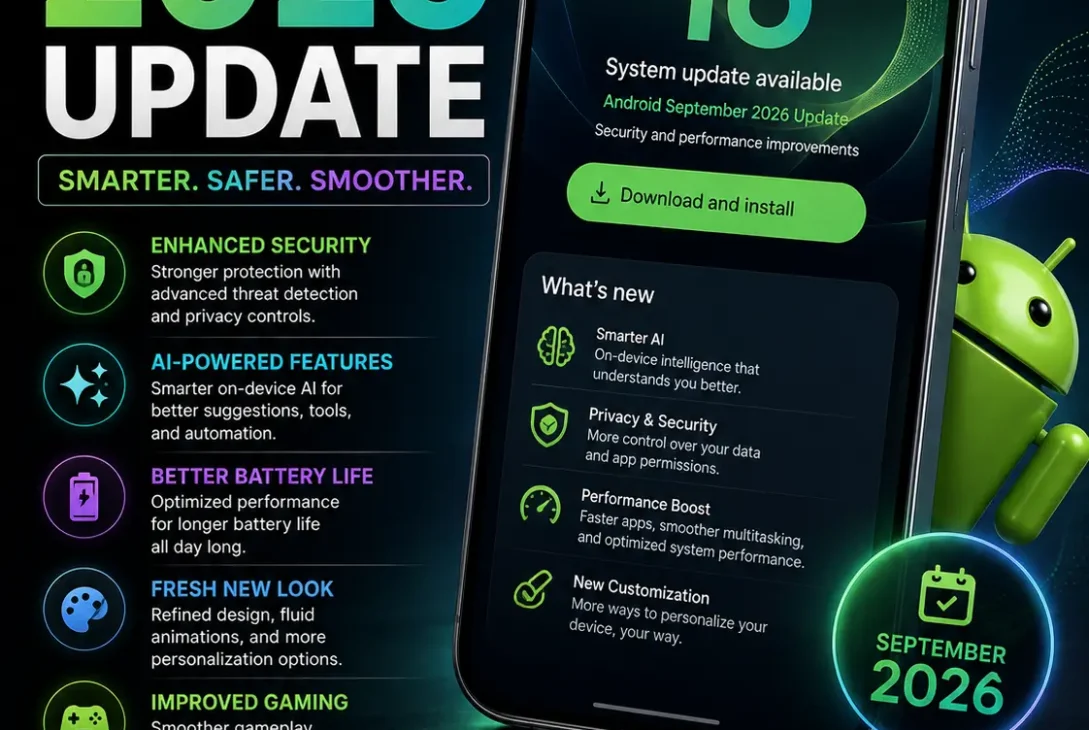
The Android September 2026 update is here, bringing several useful features designed to make Android phones smarter, more helpful, and easier to use. Google announced the September Android Drop on September 1, introducing new tools for finding misplaced items, reducing motion sickness, understanding your surroundings, collaborating in Google Messages, and personalizing chats.
Unlike a traditional Android version upgrade, the Android September 2026 update focuses on practical features that can arrive across supported Android devices. Some features depend on Android version, device compatibility, country, and the services available on your phone.
From Gemini-powered item tracking to Motion Assist and Guided Vision, this month’s update has several features worth checking out.
Table of Contents
- What Is the Android September 2026 Update?
- 7 New Features in the Android September 2026 Update
- Gemini Can Remember Where You Put Things
- Motion Assist Helps Reduce Motion Sickness
- Guided Vision Uses Gemini to Describe Your Surroundings
- Google Keep Comes to Google Messages
- New Chat Backgrounds and Themes
- Android 17 Improvements
- Security and Privacy
- How to Get the Android September 2026 Update
- Supported Devices
- Frequently Asked Questions
- Final Verdict
What Is the Android September 2026 Update?
The Android September 2026 update is Google’s latest Android feature drop for September 2026.
Google calls it the September Android Drop, and it introduces five headline features focused on everyday convenience and personalization.
The update is particularly interesting because several of its features use Google’s Gemini AI. Instead of simply changing system settings or fixing bugs, Google is adding features that can understand information, remember things, and interact with users in more natural ways.
The Android September 2026 update also builds on Android 17, which Google released earlier in 2026 with new multitasking, gaming, privacy, and security features.
https://blog.google/products-and-platforms/platforms/android/android-drop-september-2026
7 New Features in the Android September 2026 Update
Here are the biggest changes worth knowing about.
1. Gemini Can Remember Where You Put Things
One of the most useful additions in the Android September 2026 update is the ability to ask Gemini to remember where you placed important items.
For example, you can tell Gemini that you put your passport in a particular drawer. Gemini can save that information in Find Hub so you can later ask where you put it. Google says you can optionally include a photo as well.
This is useful for items that do not have a physical tracking tag attached to them.
You could use it for things such as:
- Passport
- Spare keys
- Important documents
- Small accessories
- Other items you frequently misplace
The feature is available on Android 16 or later in countries where Gemini and Find Hub are supported.
This could become one of the most practical AI features introduced through the Android September 2026 update.
2. Motion Assist Helps Reduce Motion Sickness
The Android September 2026 update also introduces Motion Assist, a feature designed to help reduce motion sickness while using your phone during a car ride.
Motion Assist places a subtle bubble overlay on the screen that moves with the vehicle. Google says the feature is designed to help reduce the mismatch between what your eyes see and the movement your body experiences.
You can also configure Motion Assist to:
- Turn on automatically
- Add it to Quick Settings
- Customize the bubble shape
- Change its color
- Adjust its opacity
Motion Assist is designed for phones running Android 17.
For people who like browsing, reading, or watching videos while traveling, this could be one of the most interesting additions in the Android September 2026 update.
3. Guided Vision Uses Gemini to Describe Your Surroundings
Another major feature is Guided Vision.
Guided Vision works through Gemini Live and uses the phone’s camera to help describe what is in front of you. Google says it was designed with and for blind and low-vision communities.
For example, it can help with tasks such as:
- Reading small text on a food label
- Understanding a restaurant menu
- Identifying household objects
- Describing objects in front of the camera
The feature can also provide voice feedback if the camera is not positioned correctly. It can tell you when to reframe, pan across an area, or center an object.
Guided Vision is expected on phones running Android 9 or later in countries where Gemini is available. Google also warns that the feature can make mistakes and should not be used for navigation, obstacle detection, or as a substitute for safe-travel guidance.
4. Google Keep Comes to Google Messages
The Android September 2026 update also makes collaboration easier inside Google Messages.
Google is bringing Google Keep into conversations so users can create and edit notes without leaving the messaging application.
For example, a group chat could use a shared note for:
- Grocery lists
- Vacation planning
- Shopping ideas
- To-do lists
- Event planning
To access the feature, Google says users can tap the + icon in Google Messages and bring Google Keep into the conversation. The rollout starts with the September Android Drop.
This is a small change, but it can save time because users do not need to switch between Messages and Keep every time they want to update a shared list.
5. Custom Chat Backgrounds and Themes
The Android September 2026 update also gives Google Messages more personalization options.
With Chat Theme, users can customize individual conversations with different backgrounds and colors. You can choose a wallpaper or use your own photo, while the message bubbles automatically adapt to the selected style.
This means different conversations can have different looks.
For example, you could use:
- A personal photo for a family chat
- A travel image for a vacation group
- A simple theme for work
- A colorful background for friends
Google says Chat Theme is available now in Google Messages.
6. Android 17 Gets More Useful With the New Drop
The Android September 2026 update arrives after the launch of Android 17, which already introduced several major changes.
Android 17 includes features such as floating Bubbles for multitasking, Screen Reactions for screen recording, foldable gaming improvements, enhanced security controls, temporary precise-location access, and improvements to stolen-device protection.
Google also introduced app memory limits designed to prevent applications from using excessive RAM, which can help improve overall performance and battery efficiency.
If you are already running Android 17, the Android September 2026 update adds another layer of features without requiring a completely new Android generation.
7. More AI-Powered Android Experiences
AI is clearly one of the biggest themes of Android in 2026.
The Android September 2026 update brings Gemini into everyday tasks, from remembering where you placed an item to describing objects through your camera.
This continues Google’s broader strategy of making Gemini more useful directly on Android devices.
The difference is that these features are not just about asking an AI chatbot questions. They connect AI with practical phone functions such as Find Hub, the camera, accessibility, and communication.
That makes the September Android Drop particularly interesting for users who want more AI-powered functionality without installing separate applications.
Android September 2026 Update vs Android 17
It is important to understand the difference between the Android September 2026 update and Android 17.
Android 17 is a major Android platform release with broader operating-system changes.
The September Android Drop is a feature update that introduces additional capabilities during the year.
Android 17 introduced features including:
- Bubbles
- Screen Reactions
- Foldable gaming mode
- Advanced security improvements
- Better privacy controls
- App memory limits
- Expanded parental controls
- More dark-theme controls
The Android September 2026 update, meanwhile, focuses more heavily on practical Gemini features, Motion Assist, Guided Vision, Google Keep collaboration, and Messages customization.
Security and Privacy
Security remains an important part of Android updates.
Android 17 introduced several security improvements, including enhanced Mark as Lost functionality, improved Live Threat Detection, Advanced Protection improvements, and stricter failed-PIN protections.
Google maintains a dedicated Android Security Bulletin containing security fixes for Android devices.
If your phone offers a system or security update, installing it is generally important because security patches can address vulnerabilities as well as improve device reliability.
How to Get the Android September 2026 Update
If your phone supports the new features, you can check for available updates through your Android settings.
The general process is:
- Open Settings.
- Go to System or Software Update.
- Select System Update or the equivalent option on your device.
- Check for available updates.
- Download the update if one is available.
- Install it and restart your phone if required.
The exact menu names can vary between Google Pixel, Samsung Galaxy, OnePlus, Xiaomi, Motorola, and other Android phones.
Keep in mind that not every feature arrives through a traditional system update. Some Google services and applications can receive feature updates separately.
Which Phones Support the Android September 2026 Update?
There is no single list of every Android phone that receives every feature in the September Android Drop.
Availability depends on several factors, including:
- Android version
- Phone manufacturer
- Device model
- Country
- Google service availability
- App version
- Feature rollout
For example, Google specifically says the item-memory feature works on Android 16+ devices where Gemini and Find Hub are supported, while Motion Assist is designed for Android 17 phones. Guided Vision is coming to phones running Android 9+ in countries where Gemini is available.
Therefore, having the newest Android version does not necessarily guarantee that every feature will appear immediately.
What Should You Try First?
If you receive the Android September 2026 update, there are a few features worth trying first.
Try Gemini Item Memory
Tell Gemini where you placed an item you frequently lose and see how easily you can retrieve the information later.
Test Motion Assist
If you experience motion sickness while using your phone in a vehicle, Motion Assist is worth testing during your next ride.
Explore Guided Vision
If you use Gemini and have the feature available, Guided Vision provides an interesting example of how AI can make smartphone cameras more useful.
Customize Google Messages
If you use Google Messages, try different chat themes and backgrounds to personalize individual conversations.
Create a Shared Keep Note
For family or group chats, try creating a Google Keep note directly inside Messages for shopping lists or planning.
Frequently Asked Questions
What is the Android September 2026 update?
The Android September 2026 update is Google’s September Android Drop, introducing new features including Gemini item memory, Motion Assist, Guided Vision, Google Keep integration in Messages, and custom chat themes.
When was the Android September 2026 update released?
Google announced the September Android Drop on September 1, 2026.
What is the biggest feature in the Android September 2026 update?
There is no single biggest feature for everyone, but Gemini’s ability to remember where you put important items is one of the most practical additions.
Does the Android September 2026 update require Android 17?
Not every feature requires Android 17. For example, Google says item memory works on Android 16+ devices, while Motion Assist is designed for Android 17. Guided Vision is coming to Android 9+ phones where Gemini is available.
What is Motion Assist on Android?
Motion Assist is a feature that places a moving bubble overlay on the screen to help reduce motion sickness while using a phone during a vehicle ride.
What is Guided Vision?
Guided Vision uses Gemini Live and your camera to describe things around you. It can help with tasks such as reading small text and identifying objects.
Can I use Google Keep inside Google Messages?
Yes. Google says users can bring Google Keep into conversations through the plus button in Google Messages to create and collaborate on notes.
Can I customize Google Messages chats?
Yes. Chat Theme allows users to customize individual conversations with backgrounds, colors, and their own photos.
Why don’t I have the Android September 2026 update yet?
Feature availability can depend on your phone, Android version, region, manufacturer, and Google’s rollout schedule. Some features may also arrive through Google applications or services rather than a complete system update.
Is the Android September 2026 update worth installing?
Yes, if it is available for your device. The update introduces several practical features, while keeping Android’s broader platform improvements moving forward.
Final Verdict
The Android September 2026 update is a useful feature drop rather than a massive Android version overhaul. Its biggest strength is that Google is focusing on practical features that can make everyday smartphone use easier.
Gemini’s ability to remember where you put important items is particularly useful, while Motion Assist offers an interesting solution for people who experience motion sickness. Guided Vision also demonstrates how AI and smartphone cameras can work together to provide more accessible assistance.
Google Messages also gets useful improvements through Google Keep collaboration and customizable chat themes.
Overall, the Android September 2026 update shows that Google’s Android strategy is increasingly focused on combining AI with everyday phone functions. If your device is eligible, it is worth checking your update settings and exploring the new features as they become available.