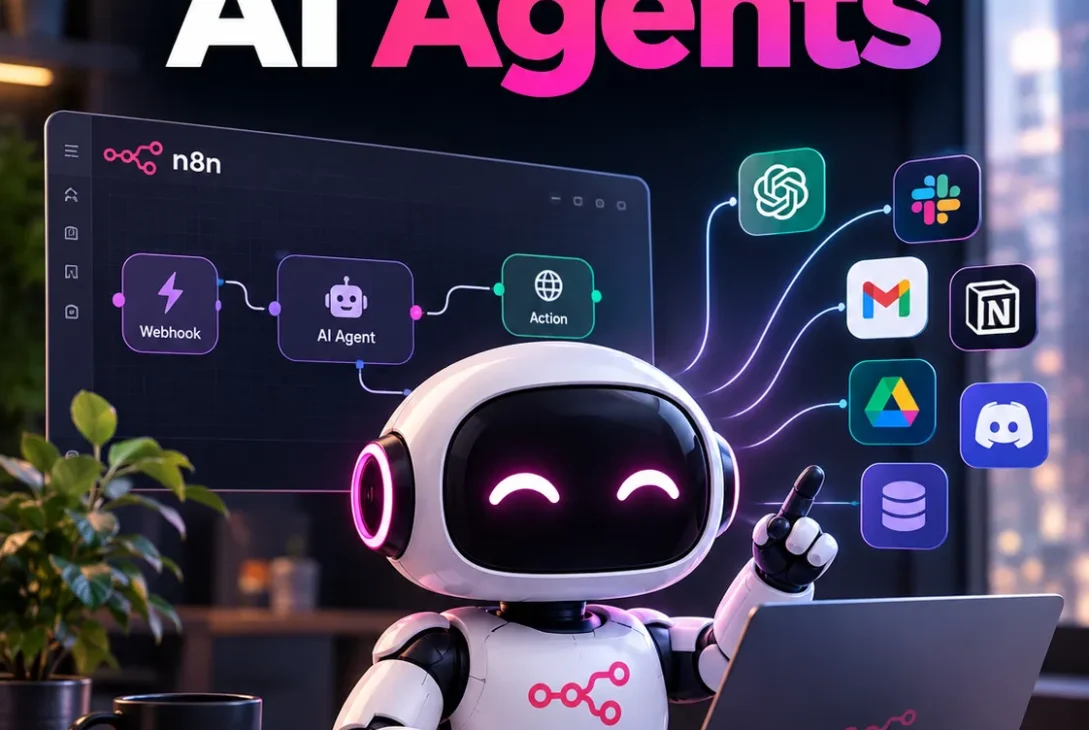
n8n AI agents are changing how businesses automate repetitive tasks, manage information, and connect different applications. Instead of following only fixed instructions, AI agents can interpret requests, use connected tools, analyze information, and decide which steps to take to complete a task.
For businesses looking to save time without building complex software from scratch, n8n AI agents offer a flexible way to combine artificial intelligence with workflow automation. They can help process customer emails, organize leads, summarize documents, prepare reports, and support customer service operations.
Unlike basic automation tools that follow predefined rules, AI-powered workflows can handle certain tasks that require reasoning and decisions. However, their effectiveness depends on how well the workflow is designed, which AI model is connected, and what permissions the agent receives.
In this guide, you will learn how n8n AI agents work, their most useful business applications, how to build your first agent, what they cost, and which limitations you should understand before using them.
Table of Contents
- What Are n8n AI Agents?
- How Do n8n AI Agents Work?
- n8n AI Agents vs Traditional Automation
- n8n AI Agents vs AI Chatbots
- 9 Powerful Uses of n8n AI Agents
- How Businesses Can Use n8n AI Agents
- Connecting AI Models and External Tools
- How to Build an n8n AI Agent
- How Much Do n8n AI Agents Cost?
- Benefits of n8n AI Agents
- Limitations You Should Know
- Security and Privacy Considerations
- Are n8n AI Agents Worth Using?
- Frequently Asked Questions
- Final Verdict
- SEO Details
1. What Are n8n AI Agents?
n8n AI agents are AI-powered automation systems built using the n8n workflow automation platform. They combine language models, instructions, connected tools, and workflow steps to complete tasks with a degree of decision-making.
For example, imagine receiving dozens of customer emails every day. A traditional automation might move every email containing the word “refund” into a particular folder. An AI agent could analyze the message, identify whether the customer is requesting a refund, summarize the problem, retrieve relevant order information, and prepare a response.
The agent does not necessarily need a separate workflow for every possible sentence. Instead, it can interpret the request and select from the tools made available to it.
However, an AI agent is not completely independent or guaranteed to make the right decision. Its capabilities depend on its instructions, available tools, model, and the rules surrounding its actions.
What Makes n8n Different?
n8n uses a visual workflow editor that lets users connect different applications and services. You can build automation by adding nodes, configuring their settings, and connecting them into a workflow.
AI capabilities can be added to these workflows, allowing conventional automation steps to work alongside language models and agent-based decision-making.
This makes n8n useful for people who want more control over their automation than a simple trigger-and-action system provides.
2. How Do n8n AI Agents Work?
To understand n8n AI agents, it helps to look at the main components behind an agent-based workflow.
An AI agent generally needs an AI model, a set of instructions, and access to tools that allow it to perform useful actions.
The AI Model
The model interprets the user’s request, analyzes available information, and helps determine the next step. Depending on your configuration, you can connect a supported model from providers such as OpenAI, Google, or Anthropic.
Different models offer different combinations of speed, cost, reasoning ability, and supported features.
Instructions and Goals
Instructions define what the agent is expected to accomplish and how it should behave.
For example, a sales assistant could be instructed to review incoming leads, extract the company name and contact details, categorize the lead, and prepare a summary for the sales team.
Clear instructions help reduce confusion and keep the agent focused on the task.
Tools and Integrations
Tools allow an agent to interact with external systems. Depending on the workflow, these could include spreadsheets, databases, email services, APIs, or CRM platforms.
Without tools, an agent may be able to generate text but cannot necessarily update business records or retrieve live information.
Memory and Context
Some agent workflows use memory or other context sources to maintain relevant information across interactions. This can be useful for customer support, personalized assistance, and multi-step tasks.
Memory should be configured carefully. An agent should not automatically retain every piece of information, particularly when customer data or confidential business information is involved.
The Complete Process
A typical n8n AI agent workflow follows these steps:
- A trigger starts the workflow, such as a new email or form submission.
- The workflow collects the information needed for the task.
- The AI model interprets the request and determines the appropriate next step.
- The agent uses its available tools when necessary.
- The workflow validates the result and performs permitted actions.
- The output is delivered, recorded, or sent for human approval.
The important point is that the AI handles selected decision-making tasks while the surrounding workflow controls how information moves through the system.
3. n8n AI Agents vs Traditional Automation
Traditional automation remains useful for tasks that follow predictable rules. AI agents become more valuable when a workflow needs to interpret unstructured information or select between different actions.
The two approaches are not competitors in every situation. Many effective systems combine them.
| Feature | Traditional Automation | n8n AI Agents |
|---|---|---|
| Decision-making | Predefined rules | Model-assisted decisions |
| Unstructured text | Limited without additional processing | Can interpret natural language |
| Predictability | Usually high for fixed rules | Can vary between similar requests |
| Complex requests | Often require multiple explicit branches | Can select from available tools |
| Setup | Straightforward for simple tasks | Requires testing and careful instructions |
| Best use | Repetitive, predictable operations | Tasks involving interpretation and choices |
When Should You Use Traditional Automation?
Use traditional automation when the required action is clear and consistent.
For example, automatically copying a new order into a spreadsheet does not usually require an AI model. A normal workflow can complete the task faster and more predictably.
When Should You Use an AI Agent?
Use an agent when the input can vary considerably or requires interpretation.
An example is reviewing a customer message to determine its purpose, identifying missing information, and selecting the correct next step.
The practical approach: use ordinary workflow nodes for reliable operations and add AI agents only where flexible interpretation provides a real benefit.
4. n8n AI Agents vs AI Chatbots
AI chatbots and AI agents can both use language models, but they serve different purposes.
A basic chatbot primarily responds to messages. An agent can also use connected tools to perform tasks, subject to the permissions and workflow design.
| Capability | Basic AI Chatbot | AI Agent |
|---|---|---|
| Answer questions | Yes | Yes |
| Understand natural language | Yes | Yes |
| Retrieve information | Depends on its setup | Can use connected tools |
| Update business systems | Requires integration | Can use authorized tools |
| Complete multi-step tasks | Limited by design | Can coordinate multiple steps |
| Operate without supervision | Depends on configuration | Possible for suitable low-risk tasks |
Consider a customer asking, “Can you check my order and tell me when it will arrive?”
A basic chatbot might explain how to check an order. A connected agent could retrieve the order status from an authorized system and prepare a response based on the available information.
The difference is not simply that one uses AI and the other does not. It is whether the system can take meaningful actions through connected tools.
5. 9 Powerful Uses of n8n AI Agents
The most useful applications of n8n AI agents involve repetitive tasks that require reading, categorizing, summarizing, or coordinating information.
Here are nine practical ways to use them.
1. AI Email Management
Email management is one of the easiest places to explore AI automation.
An agent can review incoming messages, identify their purpose, extract important details, and categorize them for further processing.
For example, a business might receive sales inquiries, support requests, invoices, and partnership proposals through one inbox.
An n8n AI agent can help classify each message and route it to the appropriate workflow. It may also prepare a draft reply based on approved company information.
Why this is useful:
- Reduces manual email sorting.
- Helps prioritize important messages.
- Extracts useful information from long conversations.
- Prepares responses for human review.
For sensitive communications, it is safer to begin with draft creation instead of allowing the agent to send messages automatically.
2. AI Customer Support
Customer support teams often answer similar questions about shipping, returns, product features, and account access.
An agent can retrieve information from an approved knowledge base and prepare answers using that information.
If a request requires an account change, refund, or exception, the workflow can send it to a human employee rather than allowing the agent to make an unrestricted decision.
This approach can help businesses handle repetitive questions while preserving human oversight for complicated cases.
3. Automated Lead Qualification
Sales teams frequently spend time reviewing website inquiries and deciding which prospects deserve immediate attention.
An AI agent can extract details such as company name, industry, requested service, estimated budget, and project requirements.
It can then categorize the lead according to predefined criteria and prepare a summary for the sales team.
For example, a web design agency could prioritize businesses requesting complete website development over inquiries asking only for general information.
The agent should apply transparent qualification rules rather than inventing details about potential customers.
4. AI Research and Summarization
Research can involve reading multiple documents, organizing information, and producing a concise summary.
An n8n AI agent can help collect information from approved sources, summarize text, and structure findings into a report.
Potential applications include:
- Summarizing customer feedback.
- Reviewing internal documents.
- Preparing competitor research.
- Extracting key points from reports.
- Organizing information for content planning.
Research workflows should distinguish verified facts from model-generated conclusions. Any important claims should be checked before publication or business use.
5. Social Media Content Assistance
Marketing teams can use AI agents to assist with content planning and preparation.
A workflow might collect approved product details, generate draft captions, organize ideas into a calendar, and save the results in a spreadsheet or content management system.
An agent could also adapt a long article into several short social media drafts.
However, content should be reviewed for accuracy, brand consistency, and originality before it is published. Automation does not guarantee engagement or improved reach.
6. Document and Invoice Processing
Businesses receive information in many formats, including PDFs, forms, invoices, and email attachments.
An AI-powered workflow can extract relevant fields, organize the results, and send them to an accounting or record-management system.
For example, an invoice-processing workflow might identify the supplier, invoice number, date, and total amount.
The extracted information should then be checked against required fields and business rules before being recorded.
Financial transactions and payment approvals should have stricter validation than ordinary document summaries.
7. E-Commerce Order Assistance
Online stores can use n8n AI agents to support order-related workflows.
An agent could interpret a customer inquiry, retrieve relevant order details through an authorized integration, and prepare a response explaining the available options.
Other possible applications include product inquiry classification, review summarization, and internal inventory reporting.
Agents should not make unsupported promises about delivery dates or stock availability. They should use current information from the store’s systems.
8. Internal Business Assistants
Employees often need information scattered across spreadsheets, documents, project-management tools, and internal databases.
An AI agent can serve as an interface for approved information sources.
For example, an employee might ask for a summary of open projects or a list of unresolved support requests. The workflow can retrieve the relevant records and generate a structured response.
The agent’s access should be limited to information the employee is authorized to view.
9. Automated Reporting and Data Analysis
Reporting often involves gathering data from multiple systems and converting it into a readable summary.
An n8n AI agent can help explain changes in metrics, highlight unusual values, and prepare reports for managers.
For example, a marketing workflow might collect weekly campaign performance and ask an AI model to summarize which campaigns improved or declined.
Numerical calculations should be performed using reliable data-processing steps rather than relying on the model to calculate everything from raw text.
This combination can make reports easier to understand while keeping the underlying figures verifiable.
6. How Businesses Can Use n8n AI Agents
The value of an AI agent depends on the problem it solves, not the number of AI features included in the workflow.
Different business types can use agents in different ways.
| Business Type | Possible Application | Expected Benefit |
|---|---|---|
| Digital marketing agency | Lead classification and content drafts | Less repetitive administration |
| E-commerce store | Order inquiry handling | Faster response preparation |
| SaaS company | Support request categorization | Better ticket organization |
| Accounting business | Invoice data extraction | Less manual data entry |
| Sales team | Lead summaries and CRM updates | More organized prospect information |
| Content publisher | Research and article planning | Faster preparation of editorial materials |
Start With One Specific Problem
Businesses sometimes try to automate an entire department in one project. This makes testing difficult and increases the consequences of mistakes.
A better approach is to identify one repetitive task, measure how much time it takes, and build a small workflow around it.
For example, start by categorizing incoming customer emails. Once the workflow performs reliably, add draft replies or CRM updates.
Measure the Results
Useful measurements include:
- Time saved per task.
- Percentage of outputs requiring correction.
- Cost per completed workflow.
- Number of errors or duplicate records.
- Employee time spent reviewing results.
These measurements help determine whether the agent is actually improving the process.
7. Connecting AI Models and External Tools
One of the most useful features of n8n is its ability to connect AI functionality with other applications.
An AI model generates interpretations and responses, while integrations provide access to information and actions.
OpenAI Models
OpenAI models can support tasks such as text classification, summarization, extraction, and tool-assisted reasoning, depending on the selected model and integration.
They can be useful for building customer support assistants, email processors, and internal business tools.
Google Gemini
Google Gemini models can be used for supported AI tasks, with available capabilities depending on the model and integration.
They may be considered for content analysis, information extraction, and workflows that need compatible multimodal features.
Anthropic Claude
Claude models can assist with text analysis, document summarization, and other supported reasoning tasks.
The best model depends on the specific job, response quality, latency, pricing, and integration requirements.
Connecting Business Applications
An agent may also need tools such as:
- Google Sheets for storing and organizing data.
- Email services for reading messages or preparing drafts.
- CRM systems for managing leads and customer records.
- Databases for retrieving structured information.
- APIs for communicating with supported external services.
- Project-management tools for organizing tasks.
Not every integration automatically becomes an agent tool. The workflow must be configured to expose the appropriate functionality, and credentials must be set up securely.
Tip: Give an agent only the tools it needs. A system designed to summarize emails generally does not need permission to delete records or issue refunds.
8. How to Build an n8n AI Agent
You do not necessarily need to be an experienced programmer to build a basic n8n AI agent. However, understanding triggers, integrations, data formats, and workflow logic will help you create more reliable systems.
Follow these steps to build a simple agent.
Step 1: Choose a Clear Goal
Start with one specific task, such as classifying customer inquiries.
Avoid vague objectives such as “automate my entire business.” A clearly defined task is easier to build, test, and measure.
Step 2: Create a Workflow
Open n8n and create a new workflow.
Choose a suitable trigger, such as a manual trigger for testing, a form submission, or an incoming message from a supported service.
The trigger provides the information that starts the automation.
Step 3: Add an AI Agent Node
Add the AI Agent node where agent-based decision-making is required.
Configure the agent’s instructions to explain its role, the information it should process, and the output it should produce.
For example, instruct it to categorize each customer inquiry as a sales question, support request, billing issue, or other message.
Step 4: Connect a Chat Model
Configure a supported chat model using the appropriate integration and credentials.
Choose a model based on the complexity of the task, cost, and performance requirements.
For simple classification, a smaller and less expensive model may be sufficient. More complex tasks may require stronger reasoning capabilities.
Step 5: Add the Required Tools
Connect the tools the agent needs to complete its job.
For an email-classification workflow, these might include a spreadsheet for recording results or a CRM integration for saving lead details.
Configure each tool carefully and restrict access where possible.
Step 6: Define the Output Format
Tell the agent exactly what the workflow expects.
For example, the output might include a category, a short summary, a priority level, and a recommended next step.
Structured outputs make it easier to validate the result and pass information to subsequent nodes.
Step 7: Test With Realistic Examples
Test the workflow using different types of input, including unclear messages, missing details, and unusual requests.
Check whether the agent chooses the correct category and whether the workflow handles unexpected results safely.
Do not test only with simple examples that make the system look successful.
Step 8: Add Validation and Human Approval
Before allowing the workflow to change important records or communicate with customers, add appropriate checks.
For example, an agent can prepare an email draft, but a human employee must approve it before sending.
For low-risk tasks, automatic execution may be appropriate after sufficient testing. High-impact actions need stronger controls.
Step 9: Monitor the Workflow
Once deployed, monitor errors, unexpected outputs, usage, and costs.
AI models can produce inconsistent results, and external integrations can fail. A reliable workflow should have error handling and a way to review failed executions.
9. How Much Do n8n AI Agents Cost?
n8n AI agents do not have one universal price. The total cost depends on how you run n8n, how frequently workflows execute, and which AI services and integrations you use.
The main cost components include:
- The n8n hosting or subscription plan.
- AI model API usage, where applicable.
- Server and maintenance costs for self-hosting.
- Other paid services connected to the workflow.
- Development, monitoring, and maintenance time.
n8n Cloud
n8n Cloud is a hosted option for users who prefer not to manage their own server.
Subscription pricing and execution limits depend on the plan selected. Check the current plan details before budgeting, as prices and included allowances can change.
Self-Hosted n8n
n8n offers a Community Edition that can be self-hosted. This can reduce platform subscription costs, but it does not necessarily make the entire automation free.
You may still need to pay for a server, AI model usage, storage, backups, and ongoing maintenance.
Self-hosting also requires responsibility for updates, access control, and security configuration.
AI Model Costs
Some AI providers charge based on the amount of information processed or other usage-based measures.
A workflow that processes thousands of long documents may cost significantly more than one that classifies short messages.
How to Keep Costs Under Control
Start by estimating how many times the workflow will run each month.
Then test it with realistic data and measure model usage per task. Avoid sending unnecessary information to the model, and use conventional workflow nodes for operations that do not require AI.
The most economical setup is not always the one with the lowest subscription price. Reliability, maintenance, and the value of the time saved should also be considered.
10. Benefits of n8n AI Agents
When implemented correctly, n8n AI agents can offer several practical advantages.
Reduced Manual Work
Agents can help with repetitive tasks such as classifying emails, summarizing documents, and organizing incoming information.
Employees can then focus on work that requires judgment, communication, or specialist knowledge.
Flexible Workflows
Traditional automation relies heavily on predefined conditions. AI agents can interpret varied language and choose between available tools, making certain workflows more adaptable.
Application Integration
n8n connects workflows to supported applications and services. This allows AI-powered processes to use information from multiple systems instead of operating as isolated chat interfaces.
Customization
Businesses can configure instructions, tools, workflow logic, and validation rules to match their needs.
This flexibility is useful when an off-the-shelf automation does not fit a company’s existing process.
Improved Information Processing
AI agents can help turn unstructured messages, documents, and requests into summaries or structured fields.
This can make information easier to search, review, and pass between systems.
However, these benefits are not automatic. The results depend on the quality of the data, workflow design, testing, and ongoing maintenance.
https://n8n.io/ai-agents
11. Limitations You Should Know
Despite their potential, n8n AI agents are not a solution for every automation problem.
AI Can Make Mistakes
Language models may produce incorrect information, misunderstand a request, or select an inappropriate action.
For this reason, important outputs should be checked against reliable data and explicit business rules.
Workflows Require Setup
A visual editor simplifies workflow creation, but complex automations still require technical understanding.
You may need to configure API credentials, map data fields, handle errors, and troubleshoot integrations.
Costs Can Increase
High execution volumes and heavy AI model usage can increase operating costs.
Workflows should be tested and measured before being scaled across an organization.
Integrations Have Limits
Not every application offers the same integration capabilities. Some services require API access, custom configuration, or additional development.
Maintenance Is Necessary
Business systems change. APIs can be updated, credentials can expire, and model behavior can vary.
An agent that works well today may need adjustments later.
More Autonomy Means More Risk
Giving an agent permission to send messages, modify databases, or trigger financial actions increases the consequences of mistakes.
Use the minimum necessary permissions and introduce approval steps for sensitive operations.
12. Security and Privacy Considerations
Security should be part of the workflow design from the beginning, not something added after an agent has been deployed.
AI agents may process customer information, internal documents, and account data. Their access must be controlled carefully.
Protect API Credentials
Store credentials using the platform’s supported credential-management features. Avoid placing API keys, passwords, or tokens directly inside prompts or ordinary workflow text.
Limit Permissions
Use dedicated accounts and grant only the permissions needed for the workflow.
An agent that reads a spreadsheet should not automatically receive permission to delete records or access unrelated business systems.
Validate Outputs
Treat AI-generated content as potentially incorrect. Check important fields, confirm required values, and validate actions before they are executed.
Be Careful With Untrusted Input
Emails, documents, web pages, and other external content may contain instructions designed to manipulate an AI agent.
The agent should treat such material as data to analyze rather than automatically following instructions found inside it. Tool permissions and workflow-level restrictions provide an additional layer of protection.
Keep Human Approval for Sensitive Actions
Refunds, financial transfers, account deletion, permission changes, and other consequential operations should have appropriate authorization and review.
The right level of oversight depends on the potential impact of a mistake.
13. Are n8n AI Agents Worth Using?
n8n AI agents can be valuable for individuals and businesses that need to combine AI reasoning with application integrations.
They are particularly useful when a task involves unstructured information, several connected systems, and decisions that cannot be handled efficiently through simple rules alone.
For example, a marketing agency could use an agent to classify leads and prepare summaries, while an online store could use one to organize customer inquiries.
However, a simple automation does not need an AI agent just because AI is popular. If a task follows fixed rules, traditional workflow automation may be cheaper, faster, and easier to maintain.
Before committing to a larger project, build a small workflow, test it with realistic cases, and compare its results with the existing process.
If it consistently saves time without introducing unacceptable errors or costs, expanding it may make sense.
14. Frequently Asked Questions
What are n8n AI agents used for?
n8n AI agents are used to automate tasks that involve interpreting information, selecting tools, and coordinating actions. Common examples include email classification, customer support, lead qualification, document processing, and reporting.
Are n8n AI agents free?
The self-hosted Community Edition of n8n is available without a platform subscription fee, but server hosting, AI model usage, and other connected services may cost money. n8n Cloud uses paid subscription plans.
Do I need coding skills to build n8n AI agents?
Basic workflows can often be built using the visual editor without extensive coding experience. More advanced projects may require knowledge of APIs, data structures, expressions, and programming.
Which AI models can n8n AI agents use?
Depending on the available integrations and configuration, n8n can connect to supported models from providers such as OpenAI, Google, and Anthropic. Model availability and capabilities can change over time.
Can n8n AI agents work with Google Sheets?
Yes. A workflow can use supported Google Sheets integrations to read or update spreadsheet data. The exact actions depend on how the workflow and credentials are configured.
Can n8n AI agents send emails automatically?
They can be configured to work with supported email integrations and send messages when the necessary permissions and workflow steps are provided. For customer-facing communication, draft-and-approval workflows are often safer during initial testing.
What is the difference between an n8n workflow and an AI agent?
An n8n workflow connects steps and controls how information moves through a process. An AI agent adds model-assisted decision-making and may choose between tools made available to it. A workflow can use an agent as one component without making every step autonomous.
Are n8n AI agents safe for business use?
They can be used responsibly when configured with appropriate permissions, credential protection, validation, monitoring, and human oversight. Poorly restricted agents can create security, privacy, and operational risks.
Can n8n AI agents replace employees?
They can automate parts of certain jobs, particularly repetitive information-processing tasks. They do not reliably replace the full range of human judgment, accountability, creativity, and customer relationships involved in most roles.
Is n8n better than Zapier for AI automation?
The right choice depends on the project. n8n offers visual workflows and flexible configuration that can suit users who want greater control. Zapier may be more convenient for some straightforward integrations. Compare supported apps, complexity, pricing, maintenance, and technical requirements before choosing.
15. Final Verdict
n8n AI agents offer a practical way to combine artificial intelligence with workflow automation. They can help businesses organize information, handle repetitive requests, prepare reports, and coordinate tasks across connected applications.
Their biggest advantage is flexibility. Instead of relying entirely on fixed rules, an agent can interpret a request and use configured tools to complete suitable tasks.
However, successful implementation requires more than connecting an AI model. Clear instructions, reliable integrations, secure permissions, structured outputs, and ongoing testing are essential.
For beginners, the best starting point is a small, low-risk workflow such as email classification or document summarization. Once the results are consistent, additional capabilities can be introduced gradually.
The bottom line: n8n AI agents are worth exploring when a task genuinely benefits from AI-driven interpretation and connected actions. Start small, measure the results, and expand only when the automation proves reliable